Terminal Pins Visual Inspection: A Step-by-Step Guide

Manual inspection of terminal pins breaks down at micron-level tolerances—tiny bends, heights drift, and glare-driven false calls overwhelm human vision and cause fatigue. Overview.ai automates terminal pins visual inspection with machine vision and deep learning to detect subtle geometry and surface defects at line speed, delivering consistent, auditable results.
The Problem: Manufacturing Challenges
Terminal pins are small, reflective, and densely packed, which makes consistent inspection hard at scale. Even minor deviations can cripple mating, signal integrity, or reliability downstream.
- Bent Pins: Micron-level deflection that prevents mating or causes intermittent connections.
- Pin Height Out of Spec: Critical height variation leading to open circuits or excessive insertion force.
- Improper Embedment Depth: Pins not seated to the target depth, compromising mechanical retention.
- True Position Error: Reeling circle/true point deviations that shift pin-to-pin alignment and pitch.
- Surface Flaws: Scratches, burrs, or contamination that introduce resistance or stress risers.
Human vision fatigues quickly under glare and repetitive tasks, driving misses, false rejects, and rework.
The Solution: Automated Visual Inspection
Machine vision stabilizes imaging with controlled optics and algorithms tailored for specular, miniature metal features. Systems integrate 2D imaging for appearance and 3D profiling for height, coplanarity, and uniformity, enabling in-line, 100% inspection.
Deep learning extends detection beyond rules, learning subtle defect signatures and generalizing across SKUs. Compared to manual inspection, AI reduces operator variability, flags edge cases, and scales from NPI to high-volume production with consistent performance.
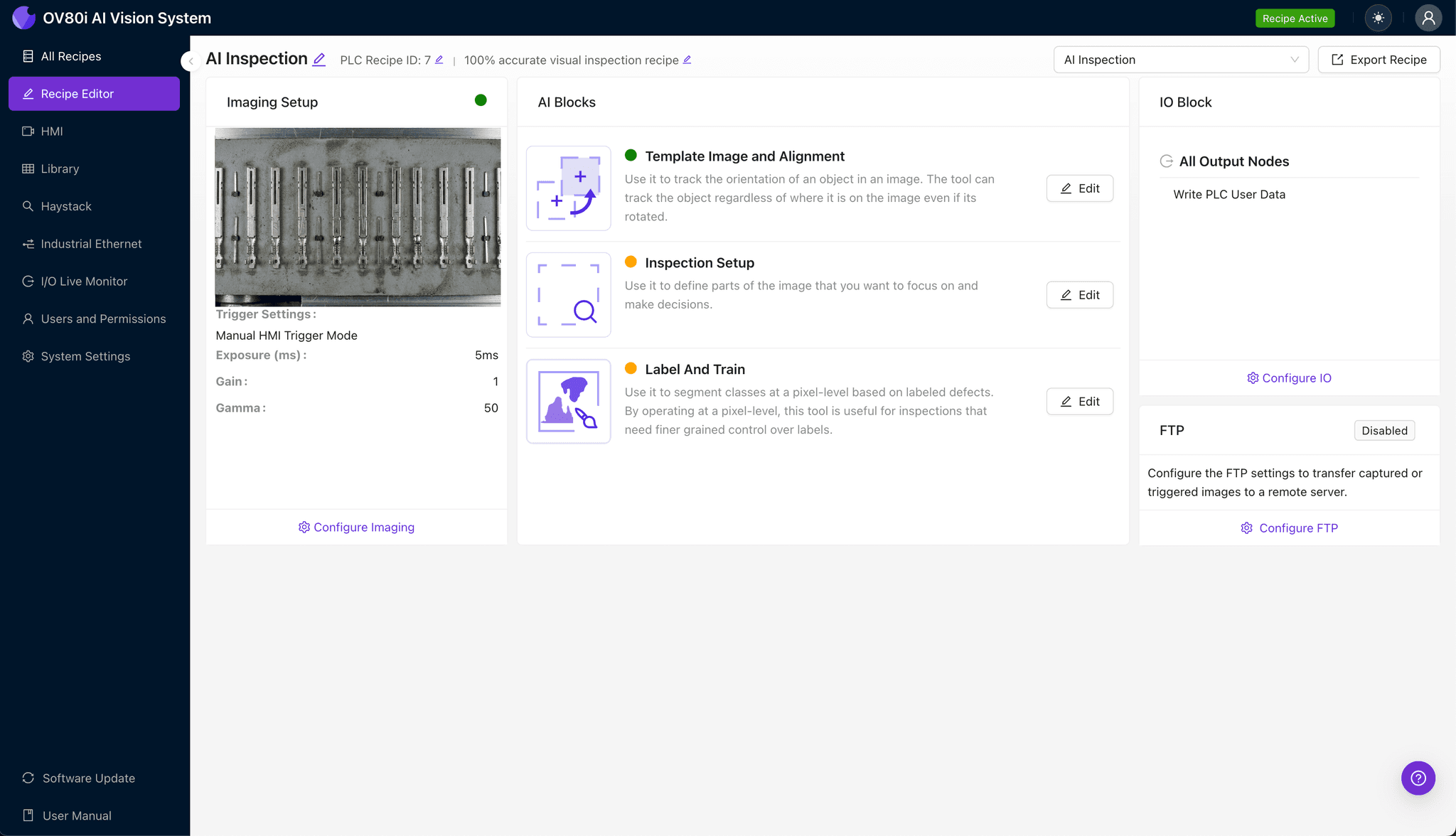
Step 1: Imaging Setup
Place the terminal pins under the camera with stable fixturing and diffuse lighting to reduce specular glare and shadows. Use coaxial or low-angle lighting when necessary to emphasize edges or surfaces.
Click "Configure Imaging". Place object in view. Adjust "Camera Settings" for clear image. Click "Save".
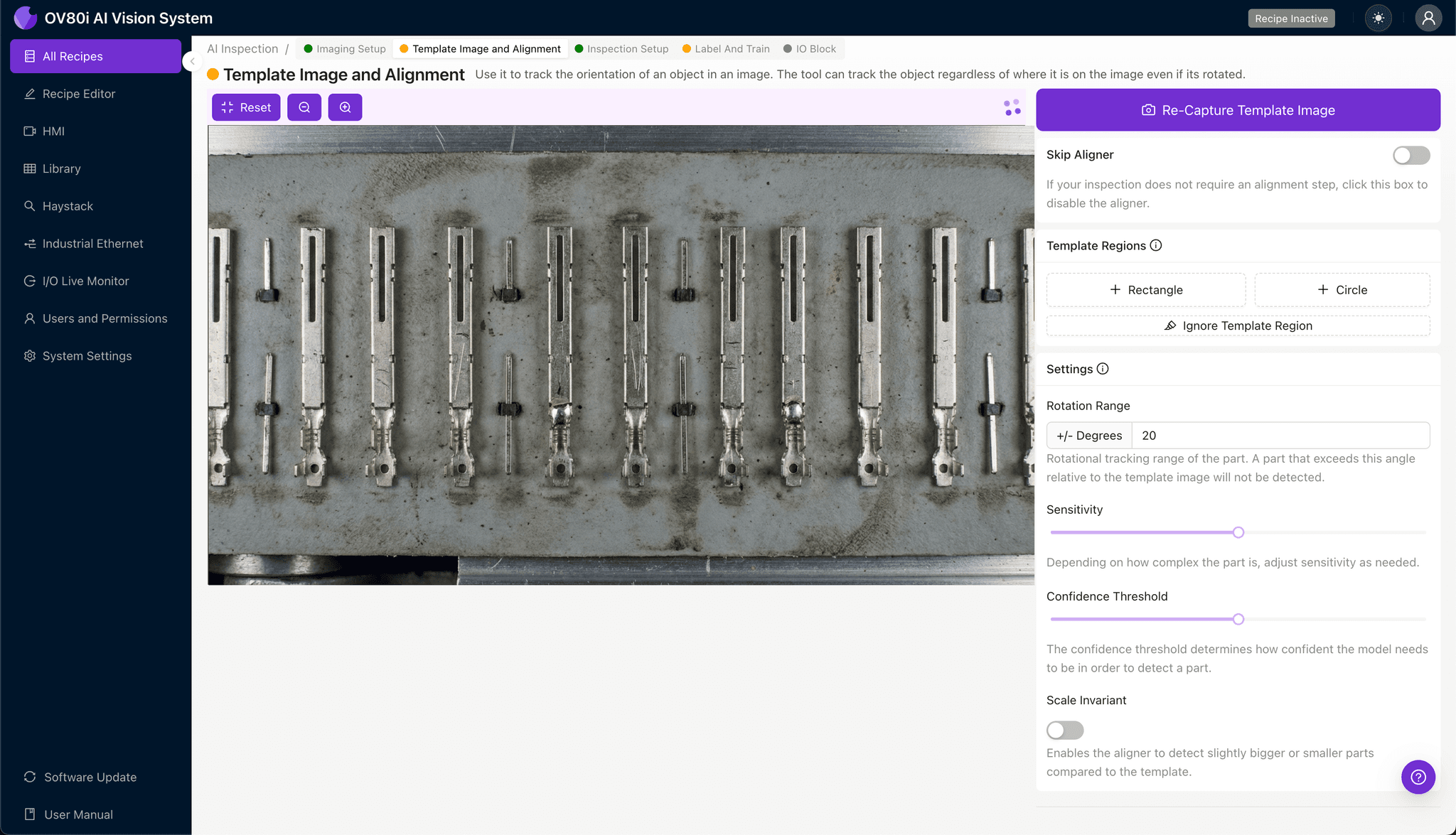
Step 2: Image Alignment
Capture a golden-unit view that represents the nominal pin field and connector geometry.
Navigate to "Template Image". Capture Template. Add "+ Rectangle" region. Set "Rotation Range" to 20 degrees.
Step 3: Inspection Region Selection
Focus on critical zones such as tip geometry, shoulder height, and seating features. Separate regions for height reference pins vs. signal pins if needed.
Navigate to "Inspection Setup". Rename "Inspection Types". Click "+ Add Inspection Region". Resize yellow box over defect area. Click "Save".

Step 4: Labeling Data
Use good production samples and representative defects from EVT/DVT to train robustly. Keep lighting and framing consistent while capturing edge cases.
Label images as Good or Bad to train the recipe.

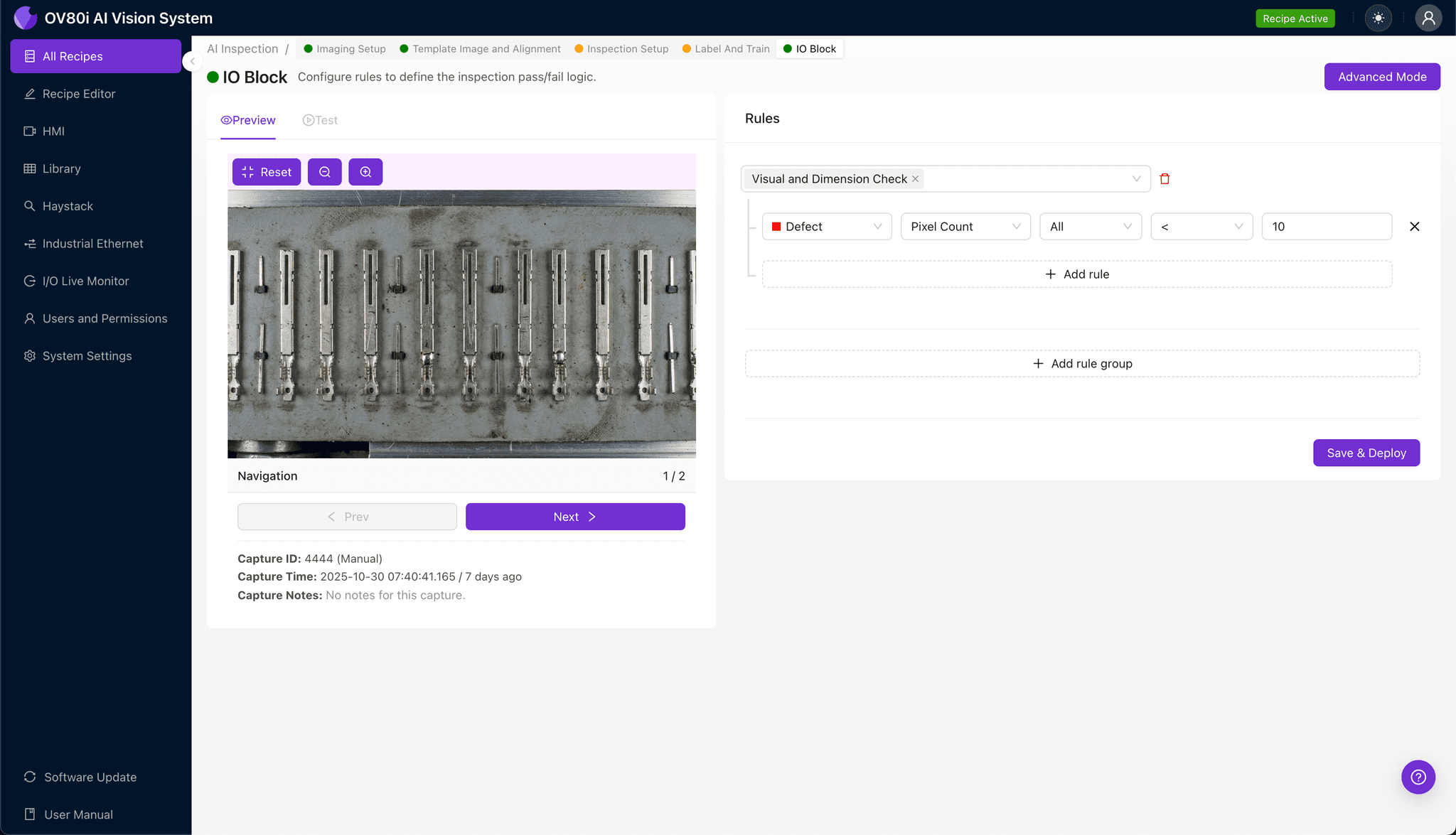
Step 5: Creating Rules
Combine geometric and appearance checks to avoid over-reliance on any single metric. Align rules with CTQ limits from drawings and reliability testing.
Set pass/fail logic based on Inspection Types.
Key Outcomes & ROI
- Reduced Scrap and Rework: Fewer escapes and false rejects by replacing fatigued manual checks with consistent AI inspection.
- Higher Throughput and First-Pass Yield: In-line, 100% terminal pins visual inspection shortens debug loops and accelerates ramp.
- Standards Compliance and Traceability: Automated, auditable results that maintain high-quality industry standards and protect brand reputation.
Automate Your Terminal Pin Inspection Today
Ensure zero-potential failures and improve connector reliability with Overview.ai's advanced machine vision platform.
Book a Consultation