Terminal Plating Visual Inspection: A Step-by-Step Guide
Quick Answer
Manual inspection struggles with micro-defects in terminal plating—pinholes, thin deposits, and fine cracks are easy to miss, and human vision fatigues on fast-moving lines. Overview.ai uses machine vision and Deep Learning to find these defects consistently, at production speed, and with quantified pass/fail rules.
Terminal plating must protect against corrosion, ensure conductivity, and maintain solderability over the component's lifecycle. However, small deviations in coverage or adhesion can cascade into field failures and costly rework. Achieving 100% quality control requires moving beyond subjective manual checks to automated, intelligent systems.
The Problem: Manufacturing Challenges
Ensuring plating integrity is notoriously difficult due to the reflective nature of the materials and the microscopic scale of defects. Common issues include:
- Pinholes/Pits: Microscopic voids that expose base metal, accelerating galvanic corrosion and compromising barrier protection.
- Poor Adhesion (Blistering/Peeling): Inadequate surface preparation or deposit stress causing delamination under heat or flex.
- Thickness Variation/Coverage Gaps: Thin or missing deposits in corners or edges leading to poor solder wetting and current density issues.
- Discoloration/Corrosion: Oxidation or contamination indicating process drift and reduced solderability.
Operators inevitably fatigue under repetitive tasks involving reflective surfaces and minute tolerances, causing inconsistent defect detection and escaping quality issues.
The Solution: Automated Visual Inspection
Machine vision delivers stable, high-magnification imaging that reveals surface topography and color shifts linked to plating defects. With consistent optics and controlled views, the system quantifies variation instead of relying on subjective judgments.
Deep Learning models learn the visual signatures of good plating versus defects like pinholes, roughness from foreign particles, and cracks. This enables real-time detection on terminals with complex geometries, while automatically compensating for minor part-to-part variation.
Step 1: Imaging Setup
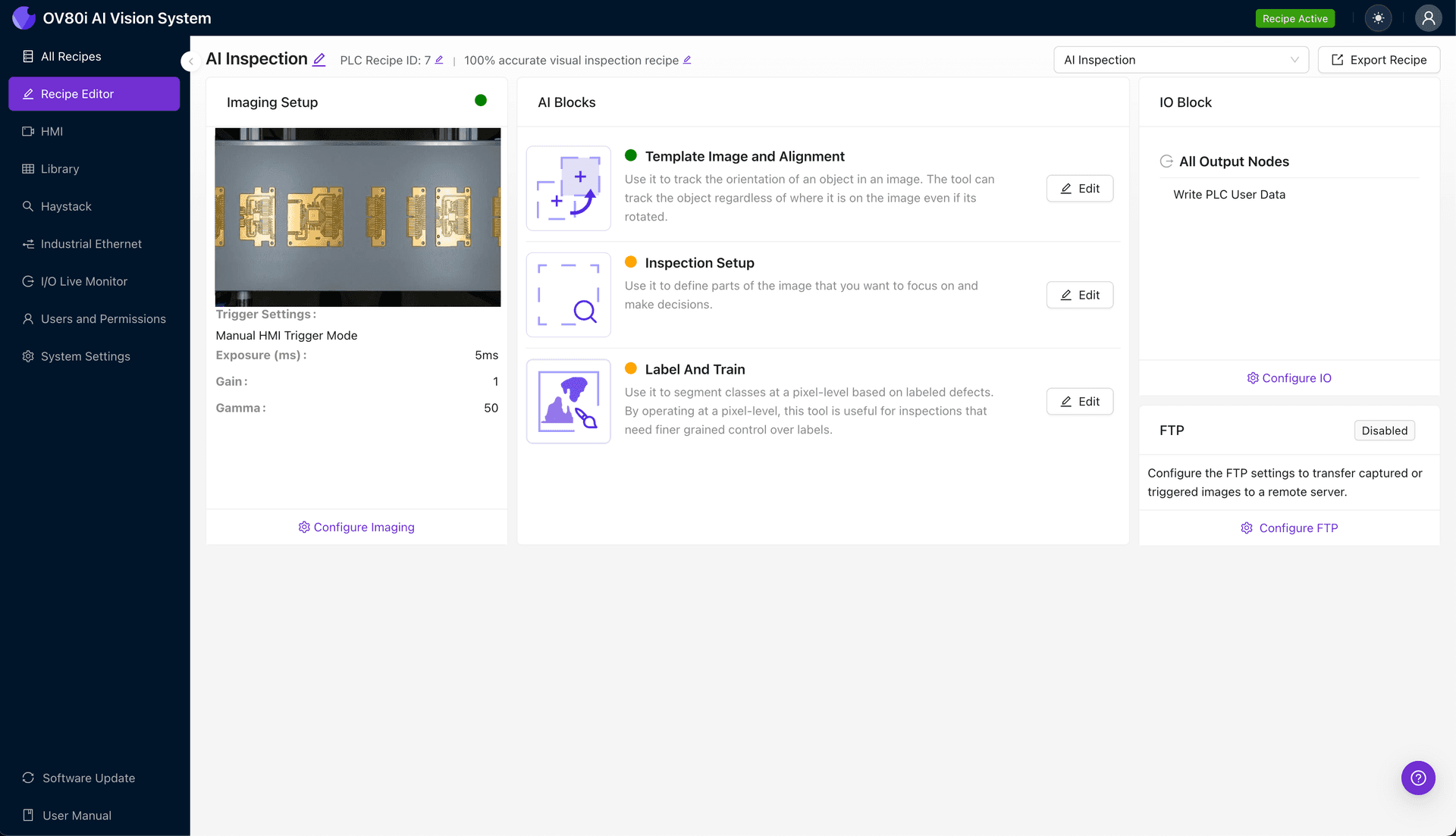
Start by clicking "Configure Imaging". Place the terminal in view, ensuring consistent orientation and distance directly under the camera. Adjust the "Camera Settings" (exposure, gain, and focus) to ensure a crisp, clear image free of excessive glare, and click "Save".
Step 2: Image Alignment
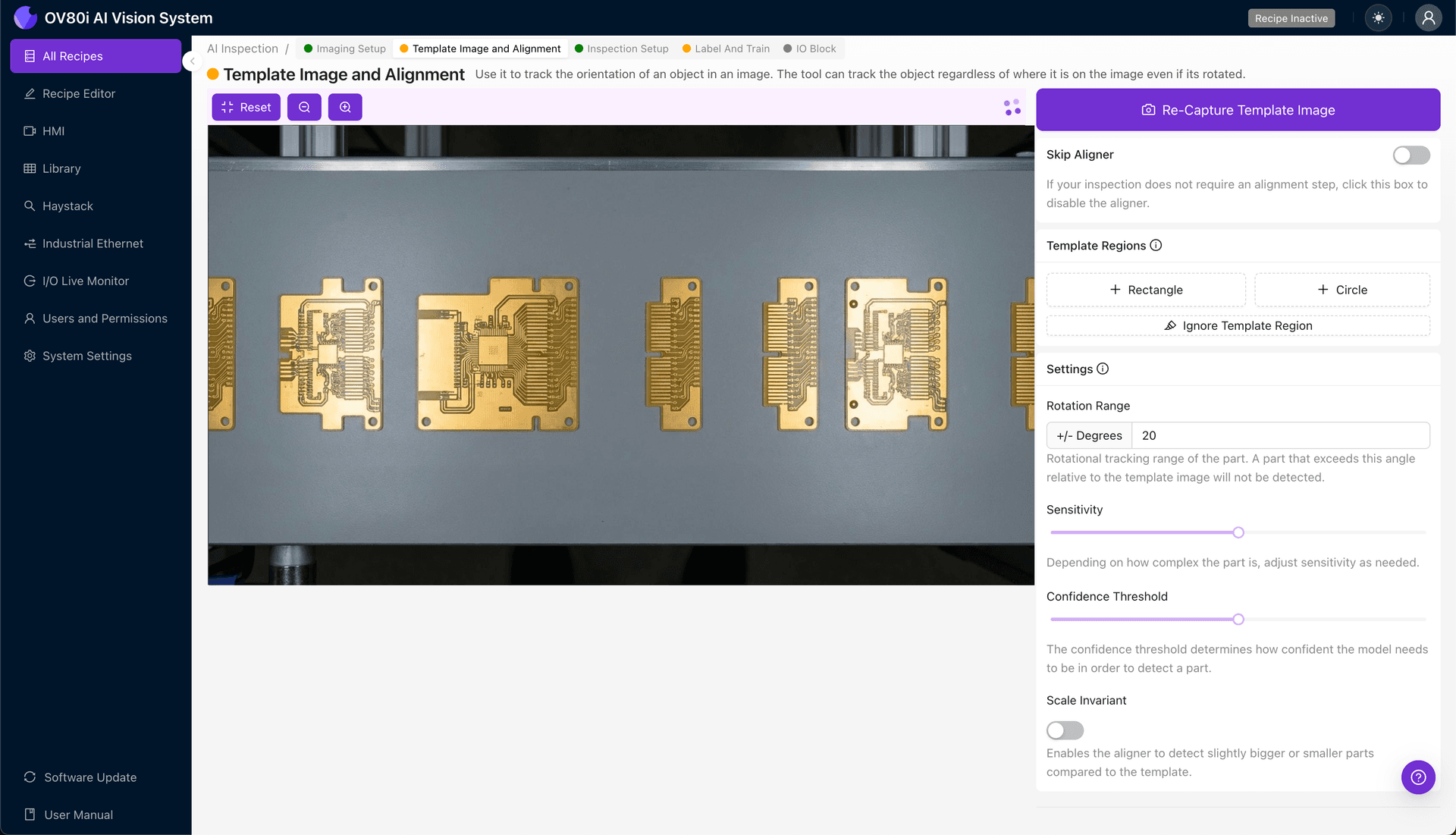
Navigate to "Template Image". Capture a Template, then add a "+ Rectangle" region covering a stable reference feature on the terminal body. Set the "Rotation Range" to roughly 20 degrees to accommodate normal presentation skew on the production line.
Step 3: Inspection Region Selection
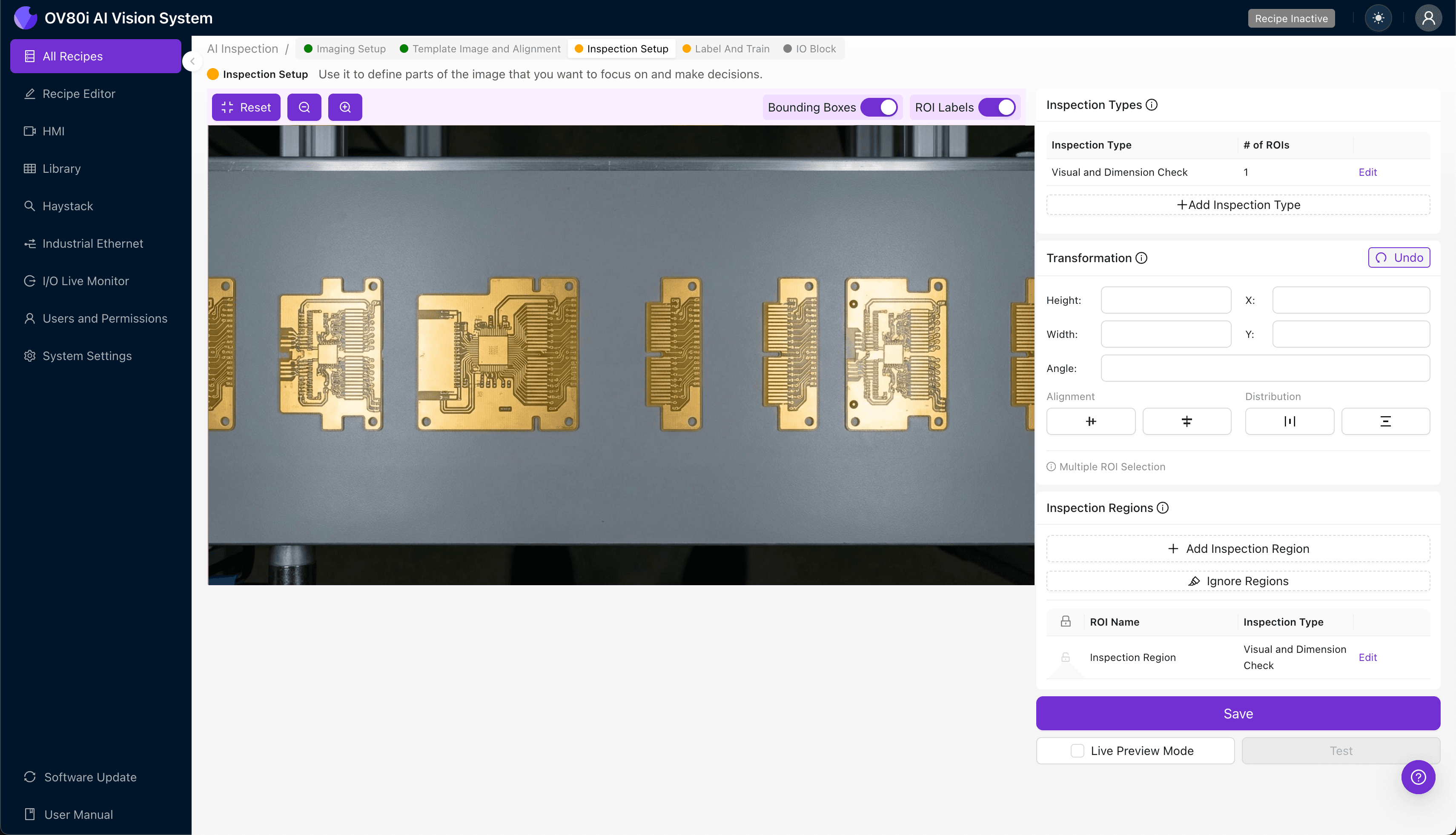
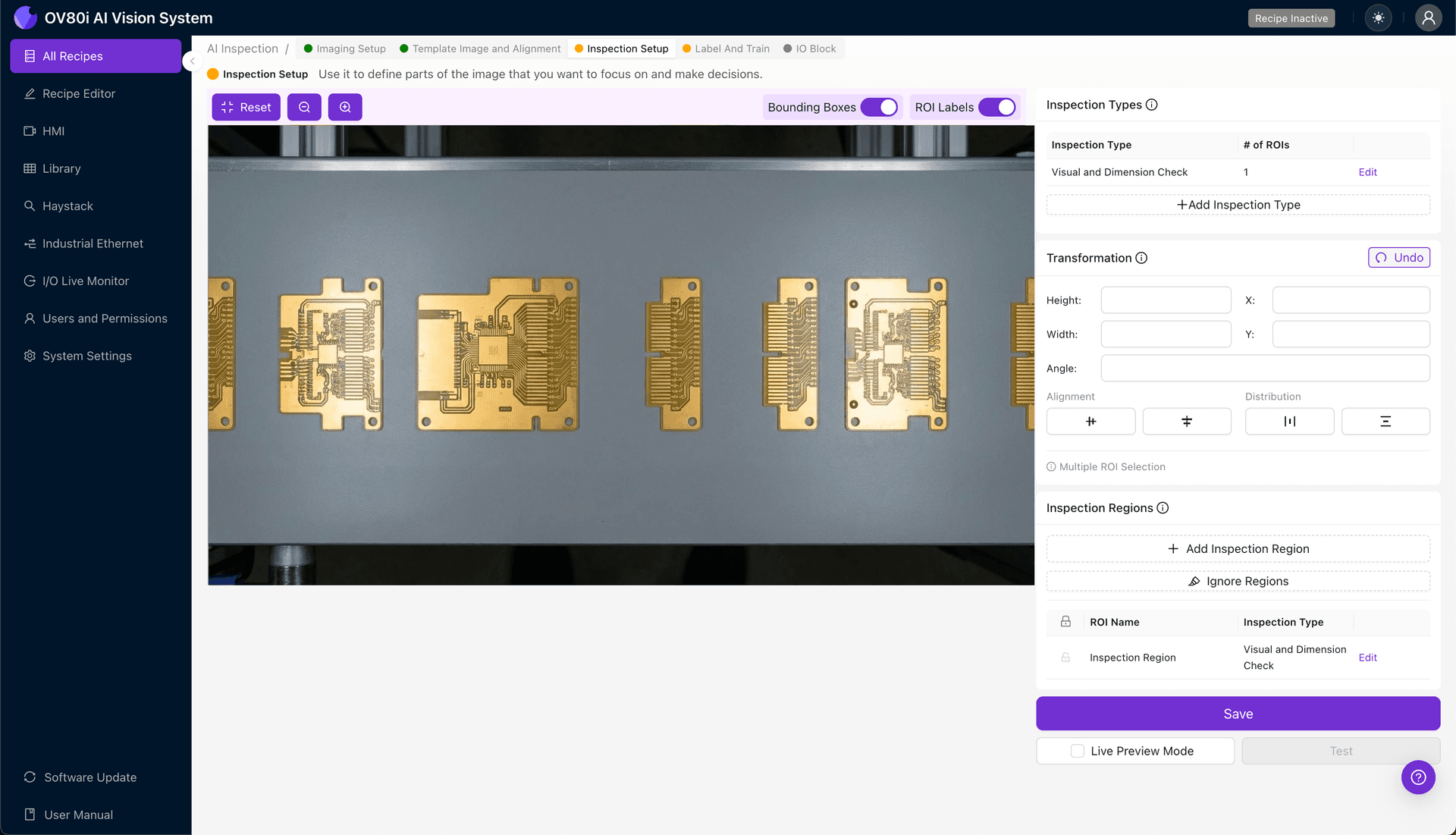
Navigate to "Inspection Setup". Rename your "Inspection Types" to match your specific checks (e.g., Pinholes, Coverage, Discoloration). Click "+ Add Inspection Region" and resize the yellow box over critical plated areas—such as contact faces, edges, and crimps—then click "Save".
Step 4: Labeling Data
Label images as Good or Bad to train the Deep Learning recipe. It is critical to include natural variation in the “Good” dataset and clear examples of each defect mode (pinholes, peeling, etc.) in the “Bad” dataset to ensure robust model performance.
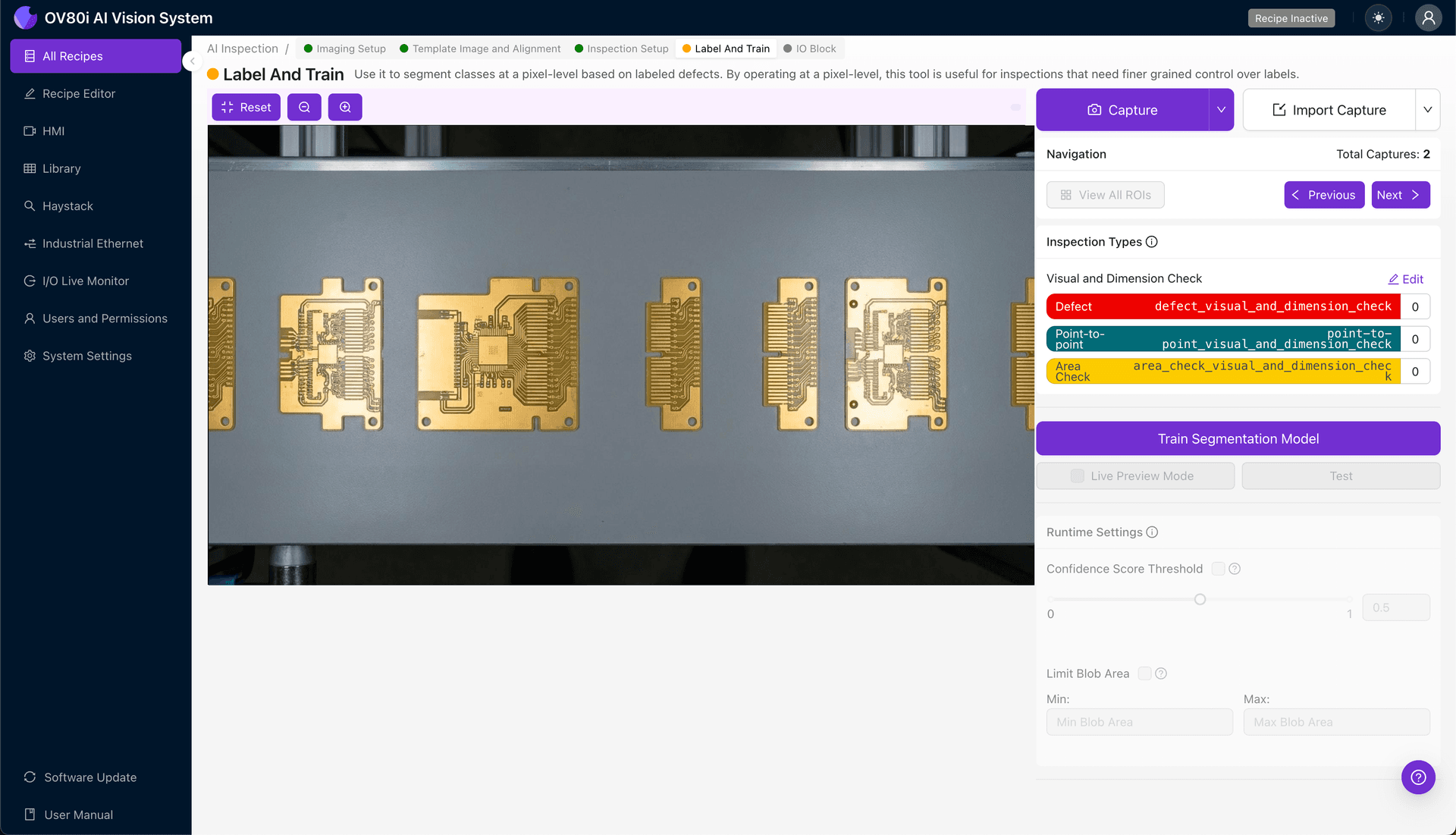
Step 5: Creating Rules
Set pass/fail logic based on your Inspection Types. Combine specific regions and confidence thresholds to strictly enforce your quality standards for terminal plating.
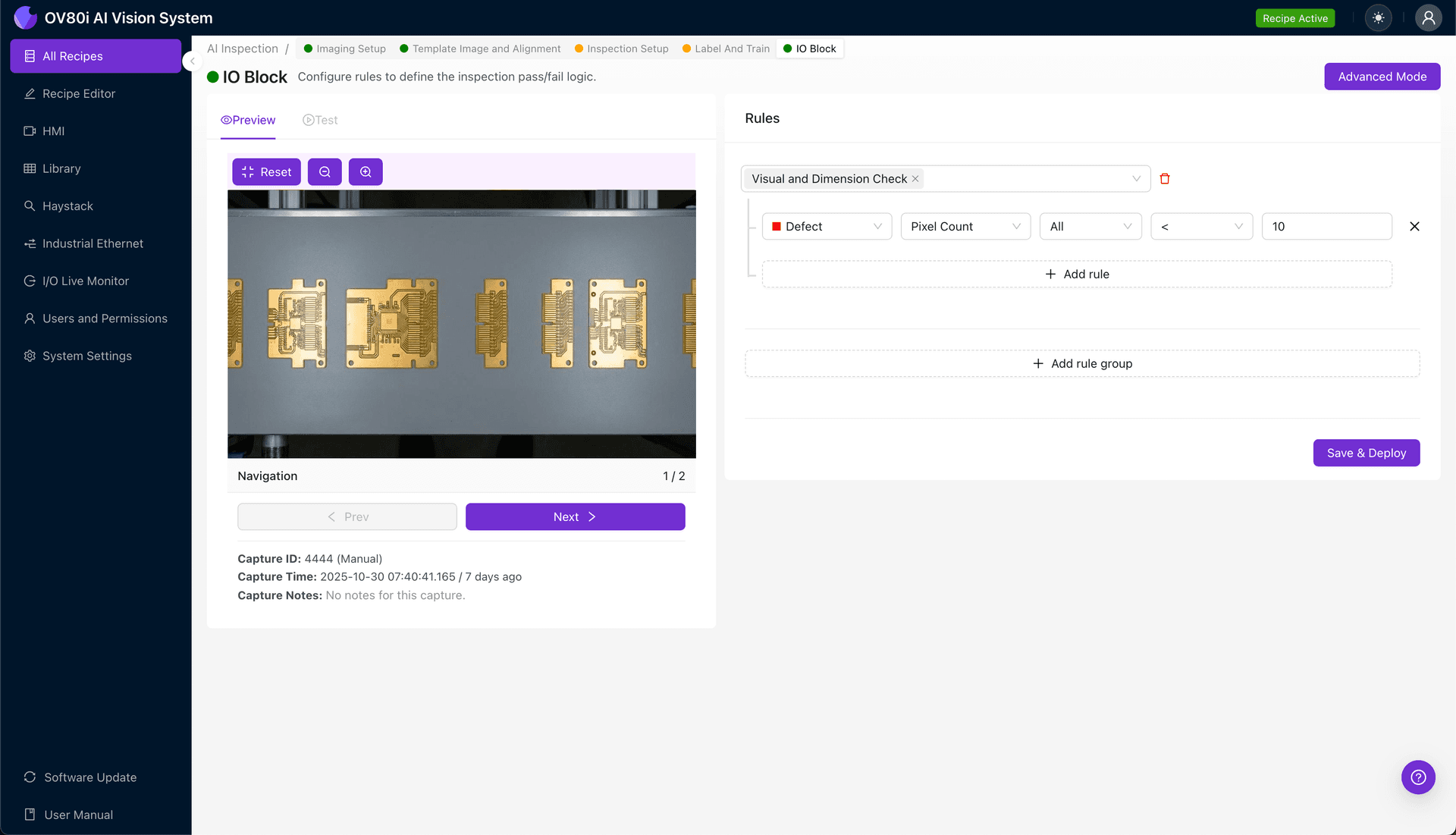
Key Outcomes & ROI
- Reduced Scrap: Early detection of adhesion, coverage, and pinhole issues prevents downstream rework and expensive field returns.
- Higher Throughput: Automated inspection matches line speed while maintaining consistent criteria across all shifts.
- Consistent Compliance: Objective, recorded results support coating standards, rigorous traceability, and customer audits.
Automate Your Plating Inspection
Stop relying on manual checks. Deploy Deep Learning to detect plating defects with higher accuracy and speed.
Start Your Free Trial