Advanced GenAI Tools
AI-powered tools that simplify how you build inspection workflows, generate training data, and get expert guidance for your Overview AI cameras.
AI-Powered Automation
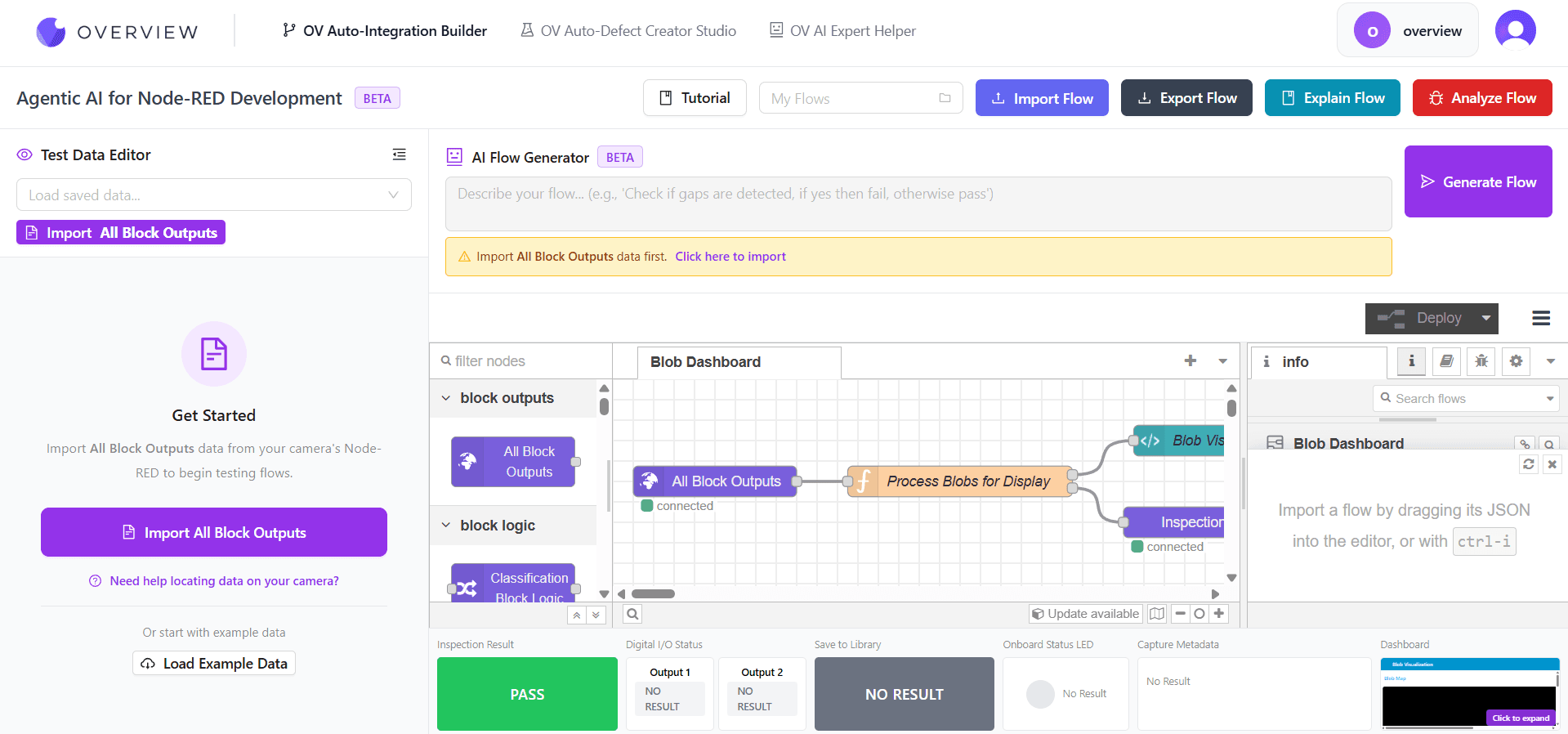
OV Auto-Integration Builder
Describe your inspection logic in plain English. The AI agent builds production-ready Node-RED flows with support for 50+ industrial and standard node types.
By the Numbers
50+
Supported Node Types
1 min
Prompt to Flow
0
Lines of Code Required
24/7
AI Availability
Natural Language Generation
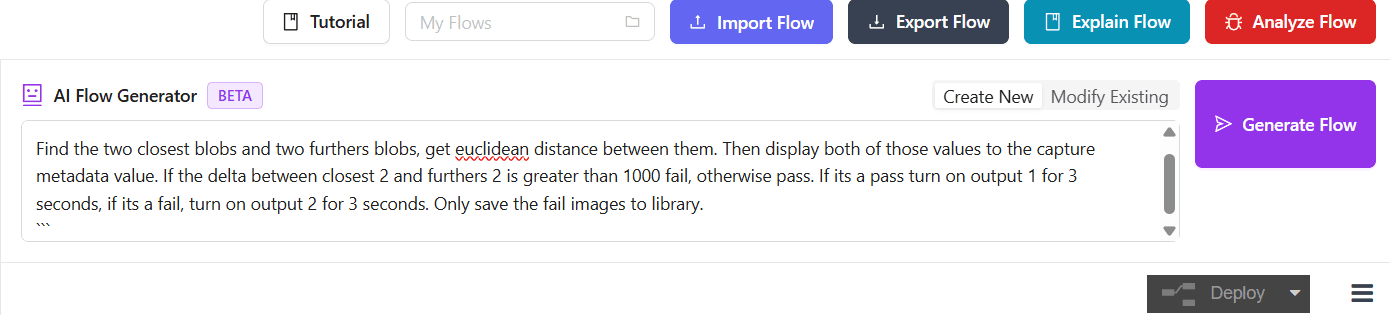
Describe your pass/fail logic in plain English and the AI builds a complete Node-RED flow automatically.
Live Flow Testing
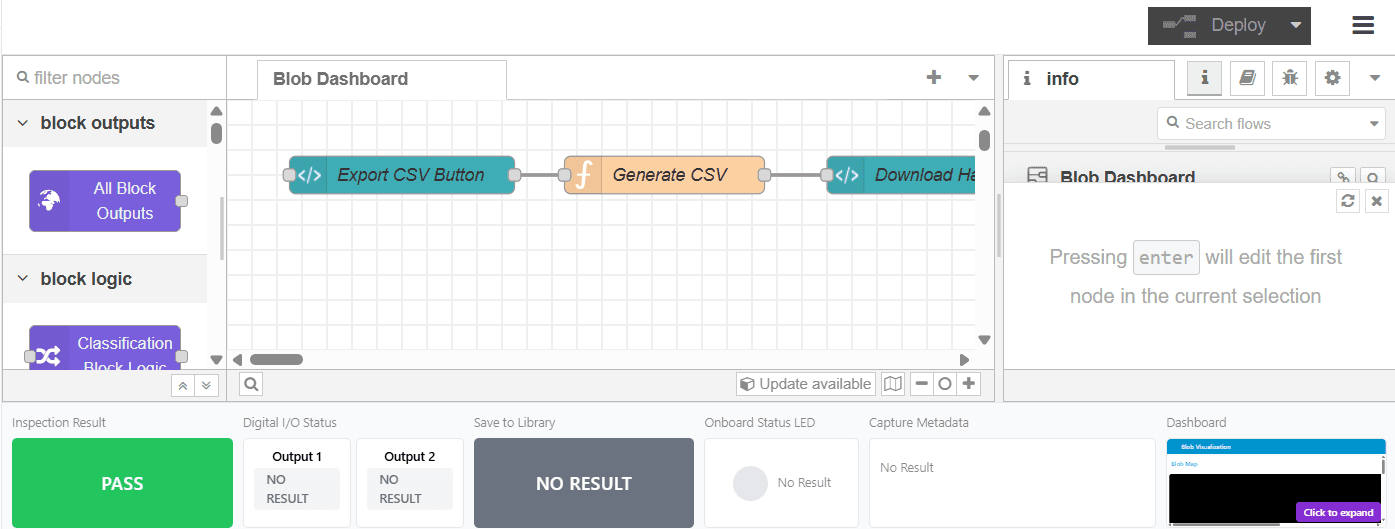
Trigger simulated captures and see pass/fail results in real-time without connecting to a physical camera.
Analytics Dashboard
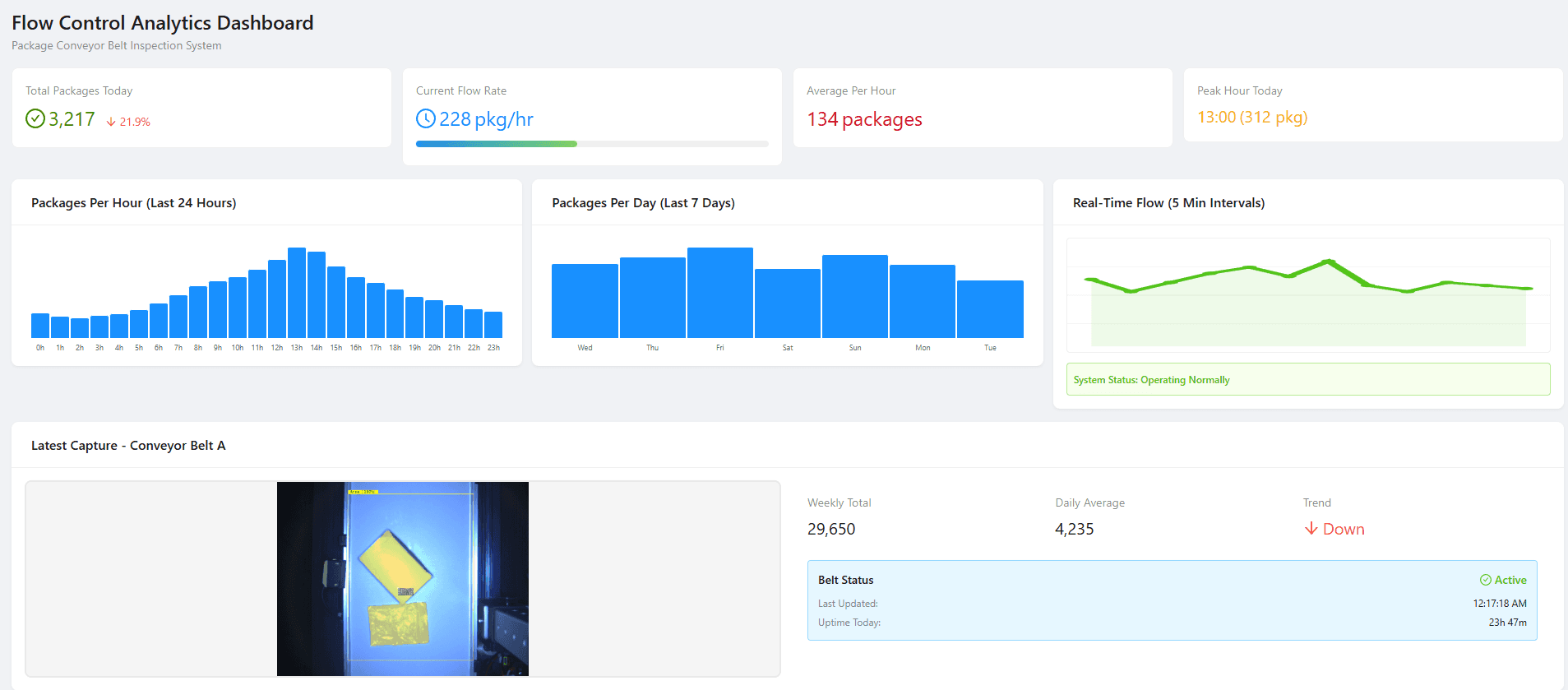
Build real-time monitoring dashboards that visualize inspection statistics, trends, and production throughput.
Build Inspection Flows Without Code
Synthetic Training Data
OV Auto-Defect Creator Studio
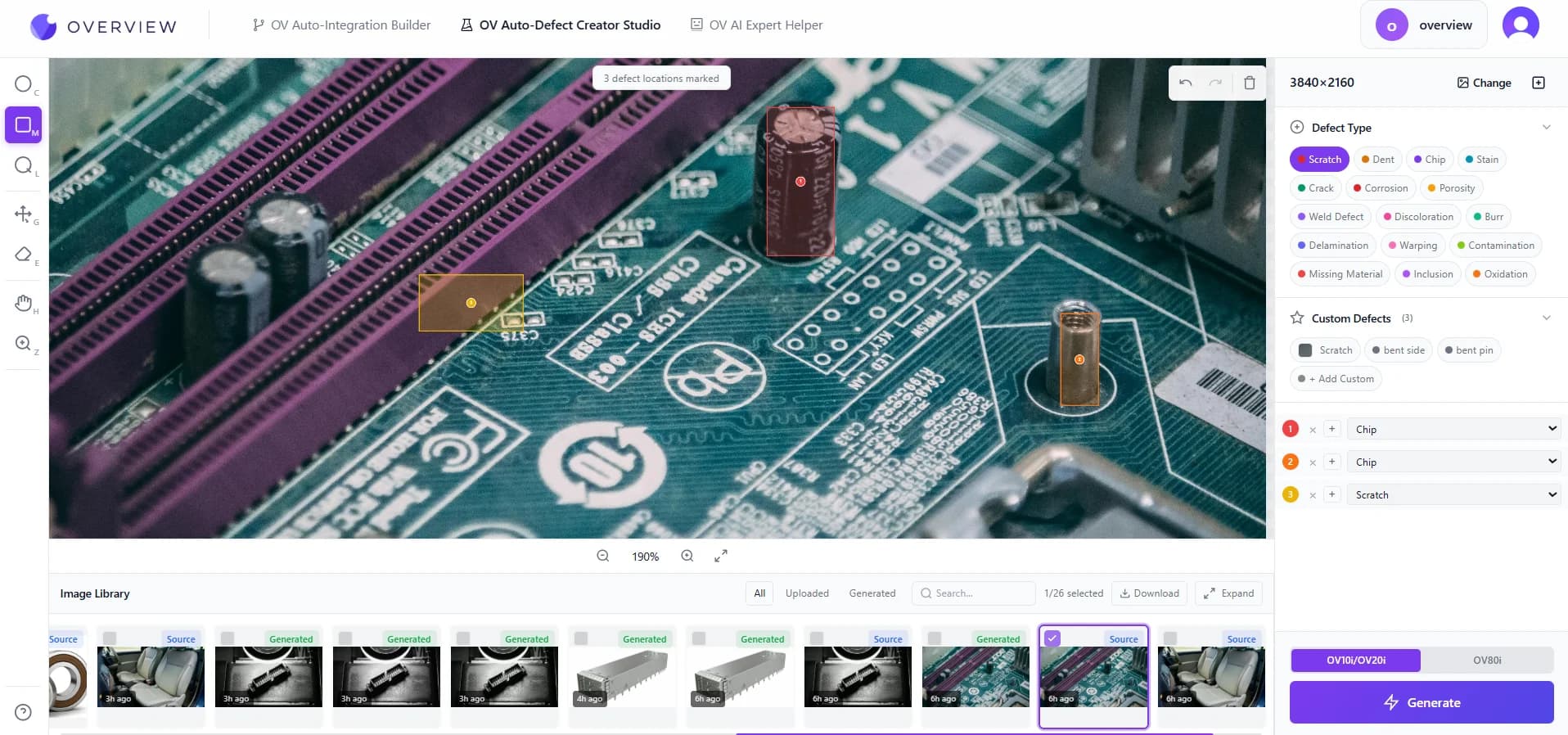
Generate photorealistic synthetic defects for deep learning model training. Upload a defect-free image, select a region, describe the defect, and generate production-quality training data in minutes.
By the Numbers
100%
Photorealistic Output
Minutes
Dataset Generation Time
Any
Surface, Material, Resolution
No Limits
On Generations
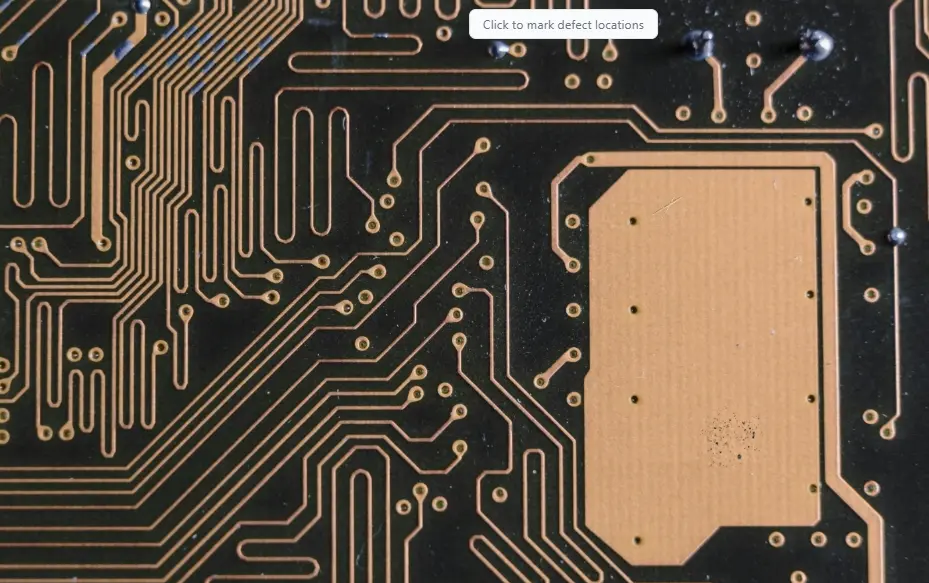
Upload & Select Region
Upload a defect-free product image and use precision tools to mark exactly where the defect should appear.
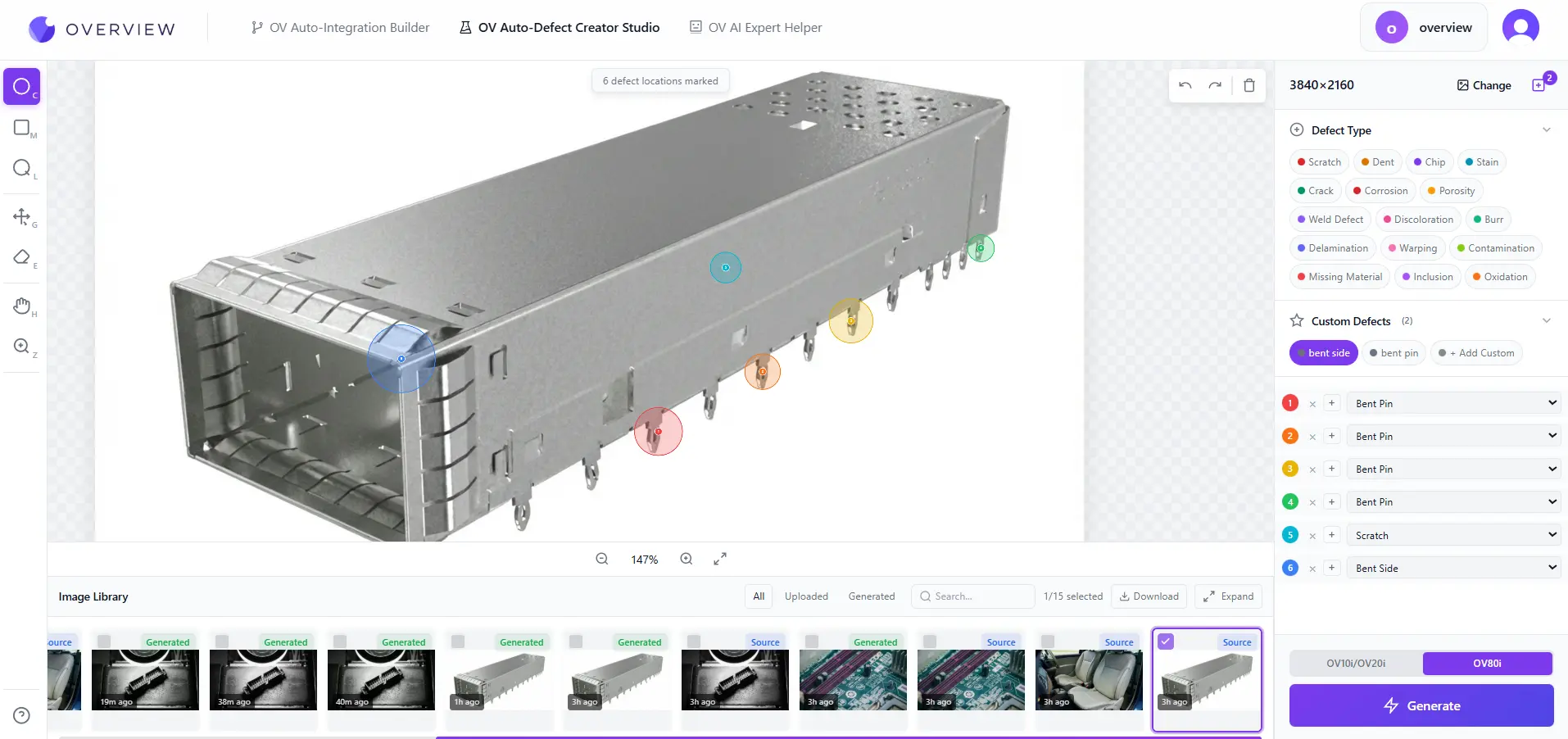
Describe & Generate
Describe the defect type in natural language. The AI generates photorealistic defects matching your exact specifications.
Review & Export
Compare original vs. generated, review quality, adjust severity levels, and batch download for direct use in model training.
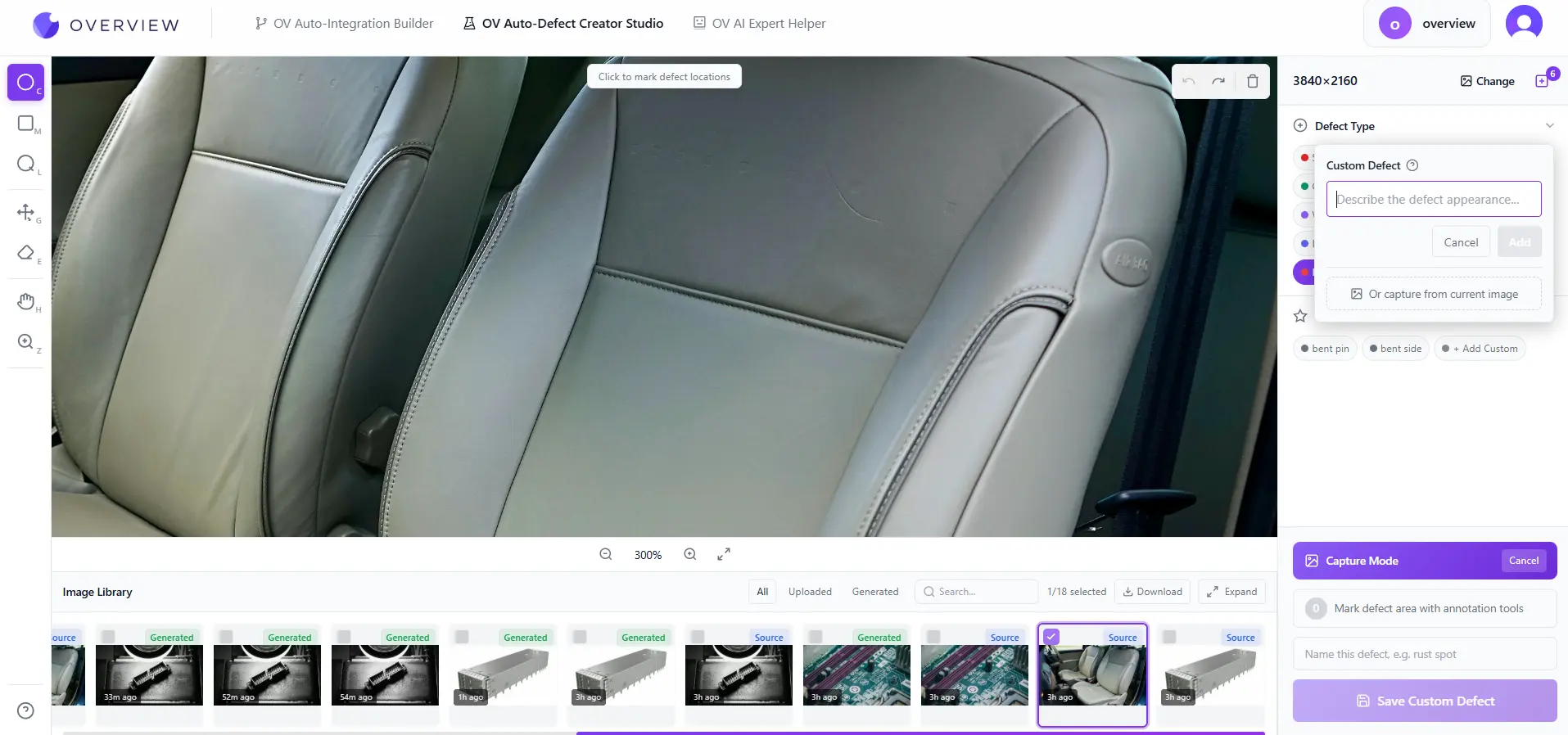
AI-Suggested Defects
Not sure what defects to generate? The AI analyzes your product and suggests realistic defect types automatically.
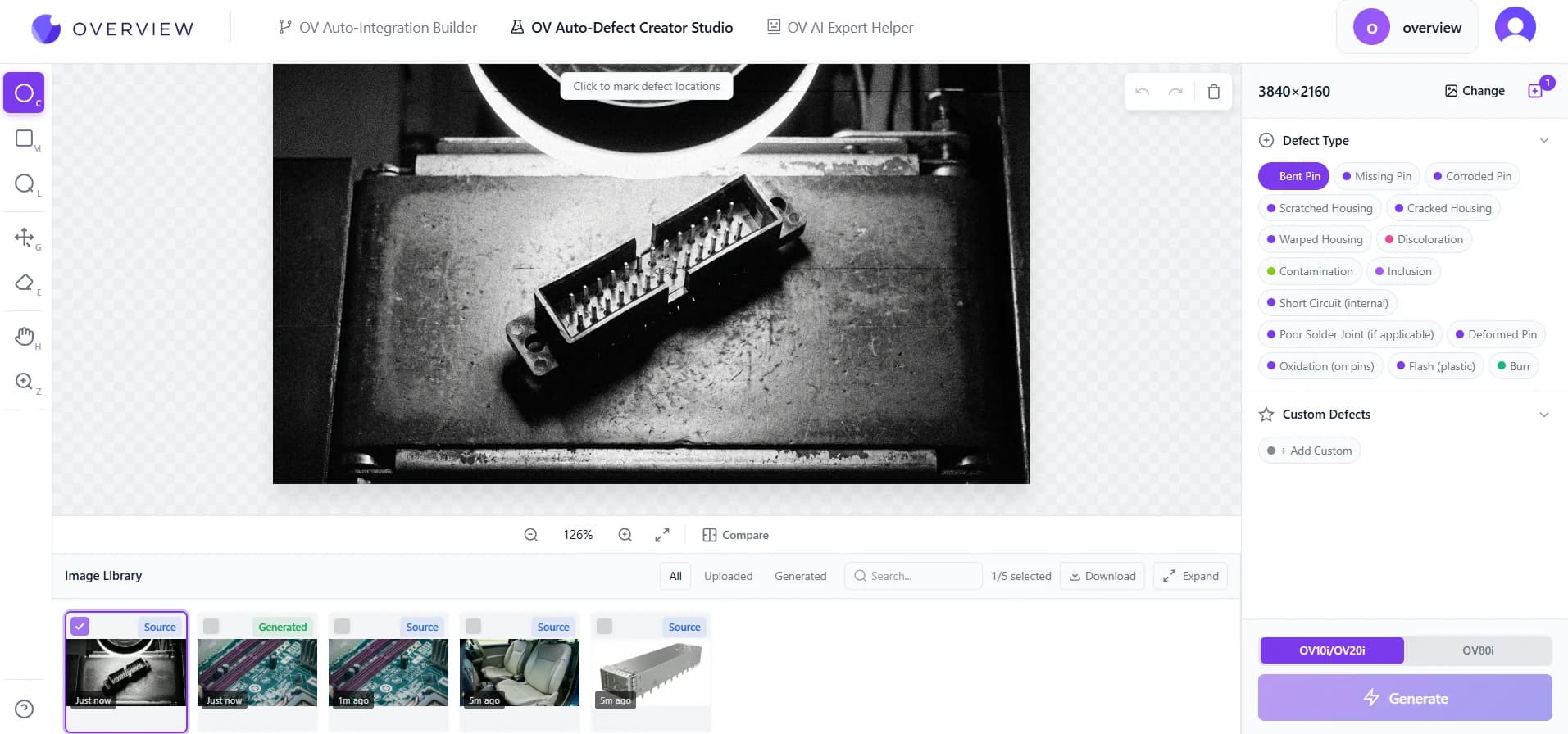
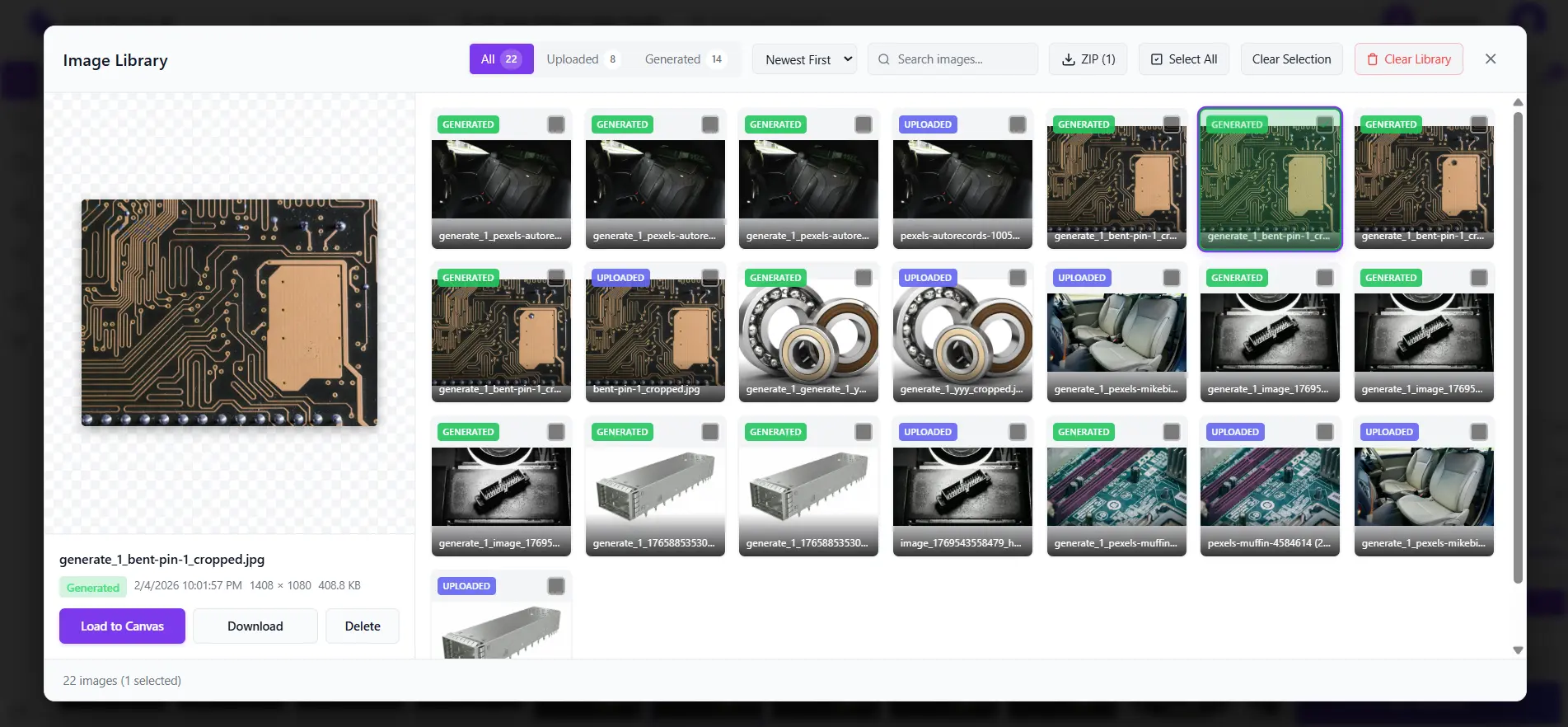
Image Library
All generated images are stored locally in your browser. Browse, filter, and batch download without any cloud uploads.
Weeks of Data Collection in Minutes
OV AI Expert Helper
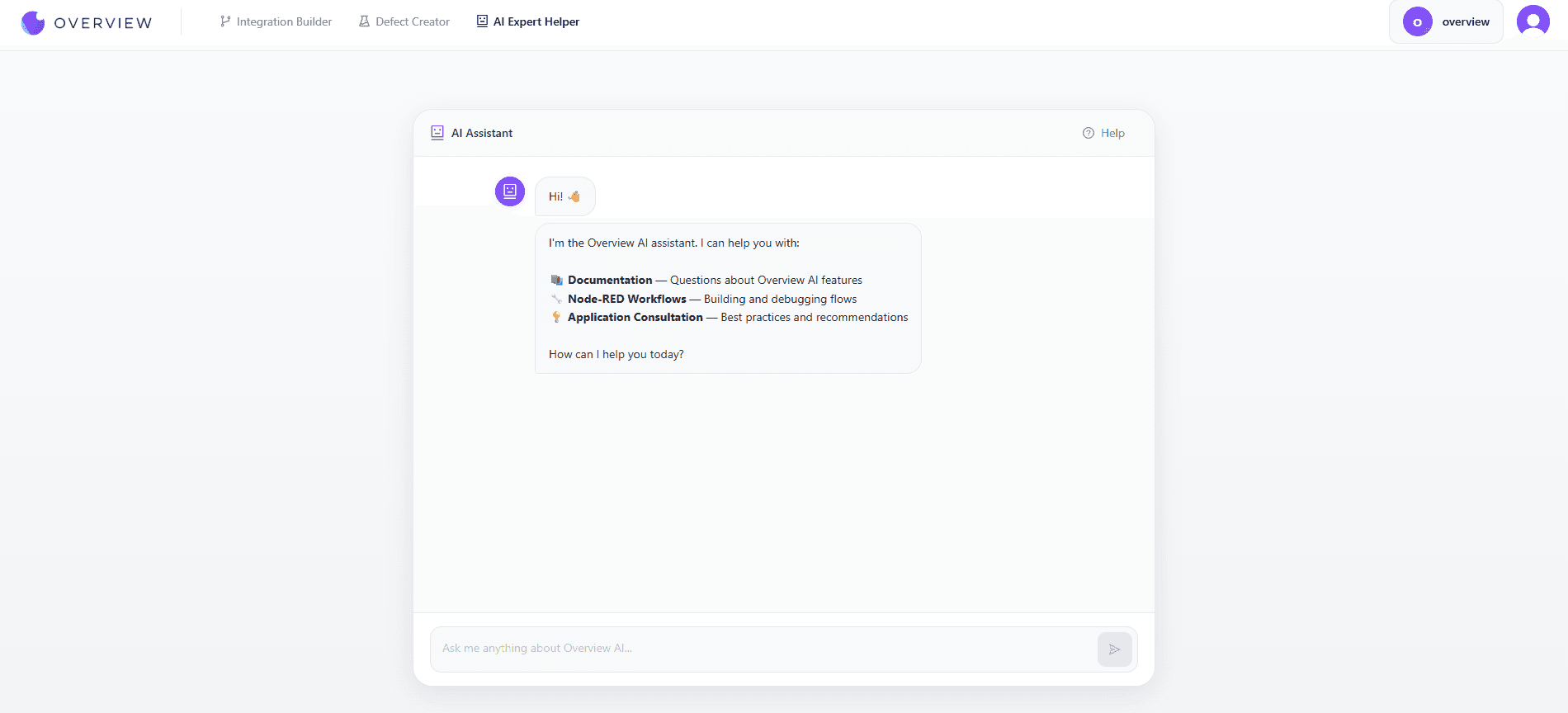
Your AI assistant for documentation questions, Node-RED workflow help, and application consultation with best practices.
- Documentation questions about Overview AI features
- Node-RED workflow building and debugging
- Application consultation with best practices
- Trained on the complete Overview knowledge base
Real Results
What Engineers Are Saying
Teams across industries are using AI to accelerate inspection workflows, model training, and support.
OV Auto-Integration Builder
“We used to submit a ticket and wait days for our automation engineer to modify an inspection flow every time we changed a product line. Now our quality technicians describe what they need in English and have a working flow in under two minutes.”
Process Engineer
Automotive Assembly
OV Auto-Defect Creator Studio
“We used to spend weeks collecting and labeling defect images for every new product line. With the defect generator, we had a complete training dataset in under an hour. Our model accuracy actually improved because the synthetic data covered edge cases we never captured on the line.”
Senior Vision Systems Engineer
Automotive Manufacturing
OV AI Expert Helper
“I asked the Expert Helper how to set up a multi-camera inspection for our packaging line and it walked me through the entire configuration, integration flow structure, and recommended camera placement. What would have been a full day of digging through docs took fifteen minutes.”
Applications Engineer
Food & Beverage Packaging
Data Privacy & Security
Enterprise-Grade Security
Sign in securely with Google, Microsoft SSO, or your enterprise credentials. Your data is protected with industry-leading encryption and access controls.
Single Sign-On (SSO)
Google, Microsoft, and enterprise identity providers
Local-First Architecture
Data stored in your browser, never uploaded to external servers
Role-Based Access Controls
Granular permissions for teams and individuals
Common Questions
Frequently Asked Questions
Who can access the Advanced GenAI Tools?
Our Advanced GenAI Tools are available to existing Overview customers and select partners. If you're interested in gaining access, reach out to your sales representative or fill out our contact form.
Are these tools included for Overview customers?
Access to these tools may be included or available as an add-on. Reach out to your sales representative to find out what's available for you.
Do I need coding experience to use these tools?
No coding experience is required. All three tools are designed with intuitive interfaces that anyone on your team can use. The OV Auto-Integration Builder works through natural conversation, the OV Auto-Defect Creator Studio has a simple upload-and-generate interface, and the OV AI Expert Helper responds to natural language queries.
How does the OV Auto-Defect Creator Studio improve model accuracy?
Even a small set of high-quality synthetic defects can make a significant difference in model performance. By generating targeted variations of defects in different positions and presentations, you help your model learn to recognize edge cases it might not encounter in limited real-world samples.
Is my data secure when using these tools?
Yes. Your images are stored locally in your browser cache and are never uploaded to external servers. Any prompted data is processed by an LLM, so we recommend only sharing information you would be comfortable providing to any LLM service. Your data is never used for training purposes.
Ready to Transform Your Production?
Join manufacturers worldwide using Overview AI vision systems
Schedule a Demo