OV Auto-Integration Builder
Build custom inspection flows with AI. Describe your pass/fail logic in plain English, and our AI agent generates production-ready Node-RED flows for your Overview AI camera.
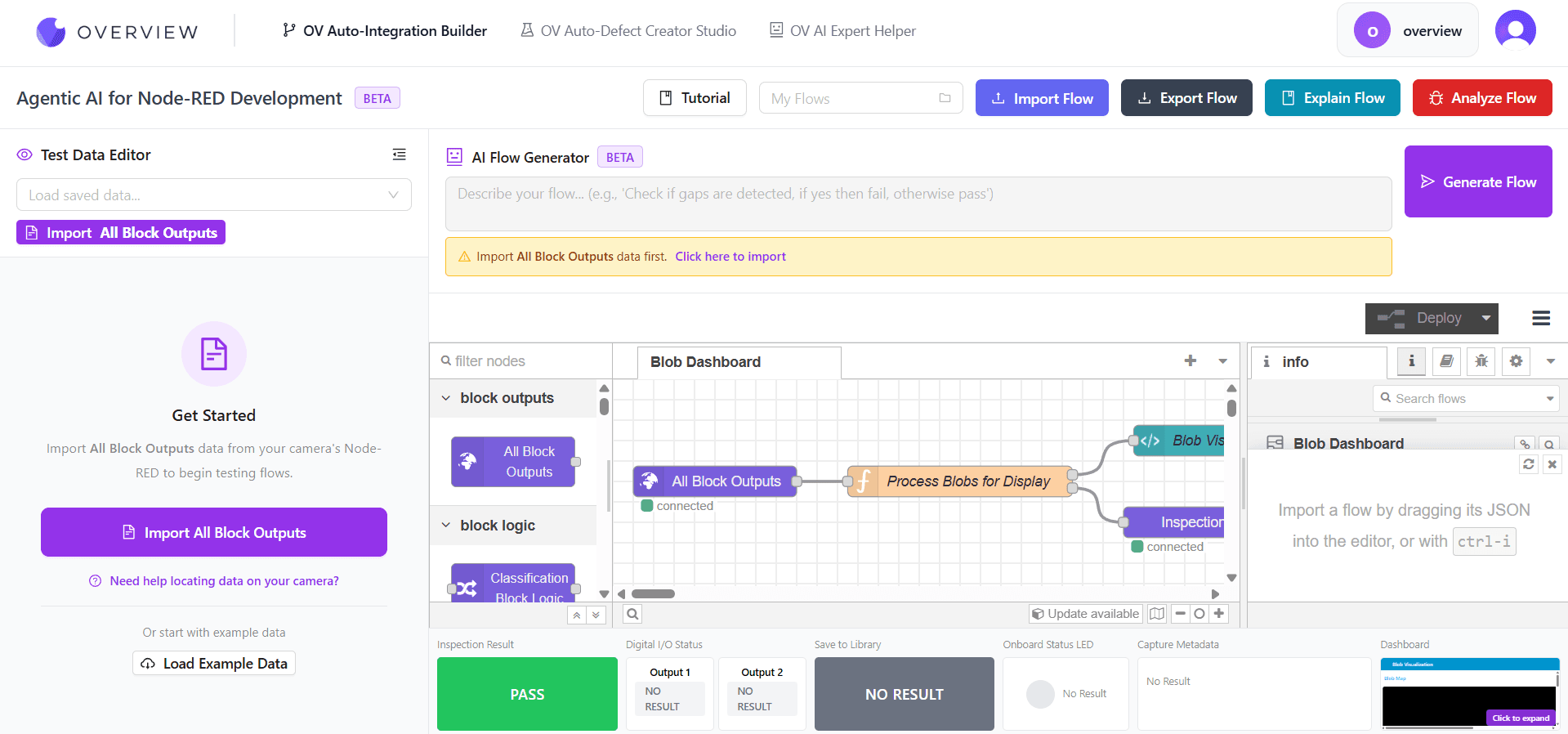
Natural Language Flow Generation
Prompt to Production-Ready Flow
Industrial & Standard Node Types
Unlimited Flow Generations
The Challenge
Inspection Logic Shouldn't Require a Developer
Every inspection flow change requires specialized Node-RED knowledge. Your quality team has the domain expertise but not the programming skills to act on it. The Integration Builder bridges that gap with AI.
Manual Programming
Node-RED requires coding expertise that most quality engineers and operators don't have. Every flow change means filing a ticket and waiting for an automation specialist.
Protocol Fragmentation
MQTT, Modbus, OPC-UA, HTTP, PLC outputs all require different node configurations and protocol-specific knowledge that slows down integration work.
Siloed Knowledge
When your Node-RED expert leaves or is unavailable, their flows become black boxes nobody can modify, debug, or explain. Critical inspection logic becomes a single point of failure.
Watch It in Action
See the Integration Builder in Action
Describe your inspection logic in plain English and watch the AI generate a complete Node-RED flow in real-time.
AI-Powered Workflow
Five Steps to a Production-Ready Flow
Describe your inspection logic in plain English. The AI agent handles the Node-RED wiring, protocol configuration, and testing.
Load Data
Import camera test data
Review
Explore fields & blobs
Describe
Write pass/fail logic
Generate
AI builds & tests flow
Export
Deploy to your camera
Load Test Data
Import real camera data or use pre-loaded examples
Review the Data
Explore available fields like blobs, classifications, and measurements
Describe Your Inspection
Write pass/fail logic in plain English in the prompt box
Generate & Test
AI builds a complete Node-RED flow and tests it automatically
Export to Camera
Download the flow JSON and import into your camera
Core Platform
Built for Industrial Automation
Everything you need to generate, test, debug, and deploy Node-RED inspection flows without writing a single line of code
Natural Language Flow Generation
Describe your inspection logic in plain English. The AI agent understands camera data, blob detection, classification results, and builds complete Node-RED flows automatically.
Create & Modify Modes
Build flows from scratch in Create Mode, or fine-tune existing flows in Modify Mode. The AI preserves your current flow structure while making targeted adjustments.
Live Flow Testing
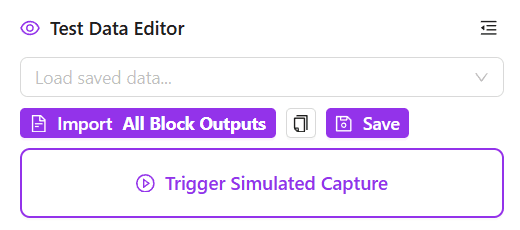
Trigger simulated captures that send real data through your flow. Watch nodes light up in real-time and see pass/fail results instantly without connecting to a physical camera.
50+ Industrial Node Types
Overview AI camera nodes, Final Pass/Fail, Output 1-4, Save to Library, PLC Outputs, plus MQTT, Modbus, OPC-UA, HTTP, TCP/UDP, and all standard Node-RED nodes.
Flow Explanation & Analysis
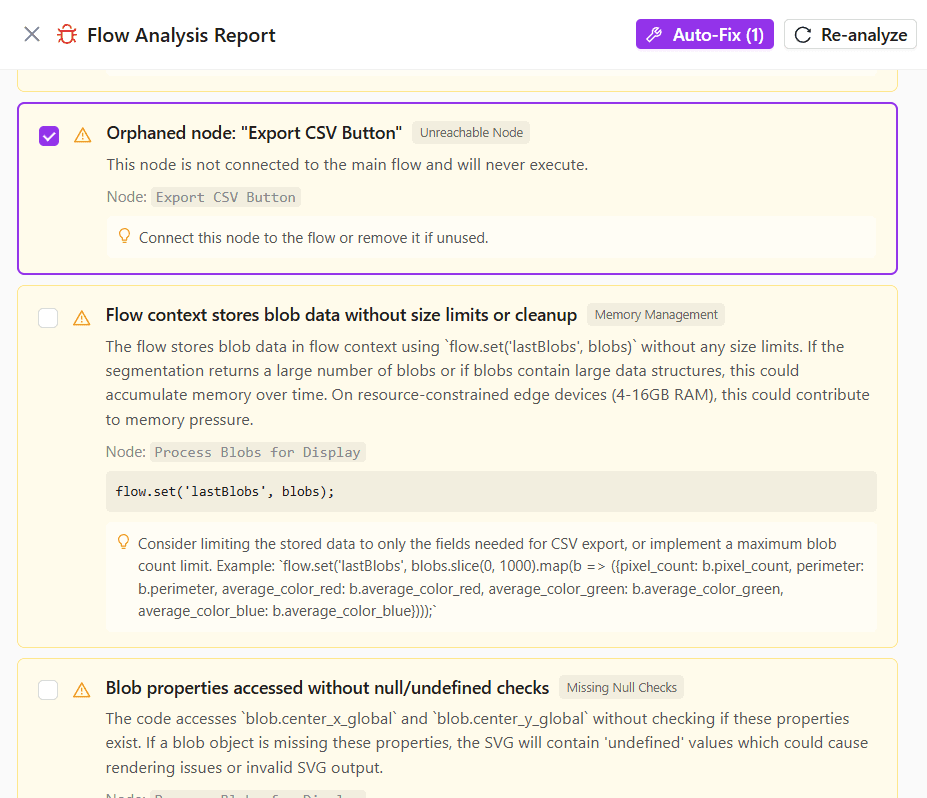
AI explains what every node does in plain English. Static analysis catches disconnected nodes, missing configurations, and potential bugs before you deploy.
One-Click Export & Import
Download your flow as JSON and import it directly into your camera's Node-RED. Import existing flows from other cameras to modify them or share across your fleet.
Platform Deep Dive
See Every Feature in Detail
From natural language flow generation to real-time testing and analytics dashboards
Describe It. Generate It.
Type your inspection logic in the prompt box using natural language. The AI agent interprets your requirements, selects the right nodes, wires them together, and produces a complete Node-RED flow ready for testing.
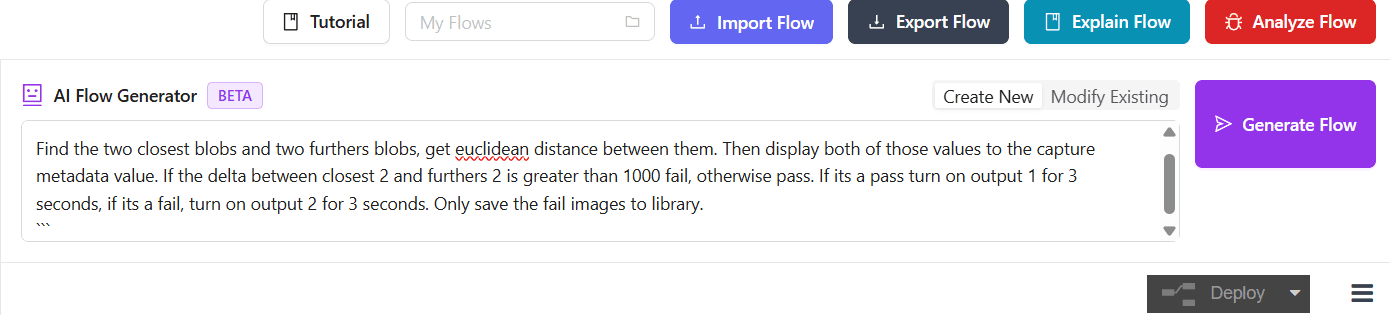
Example: Typing pass/fail logic in the Create Mode prompt
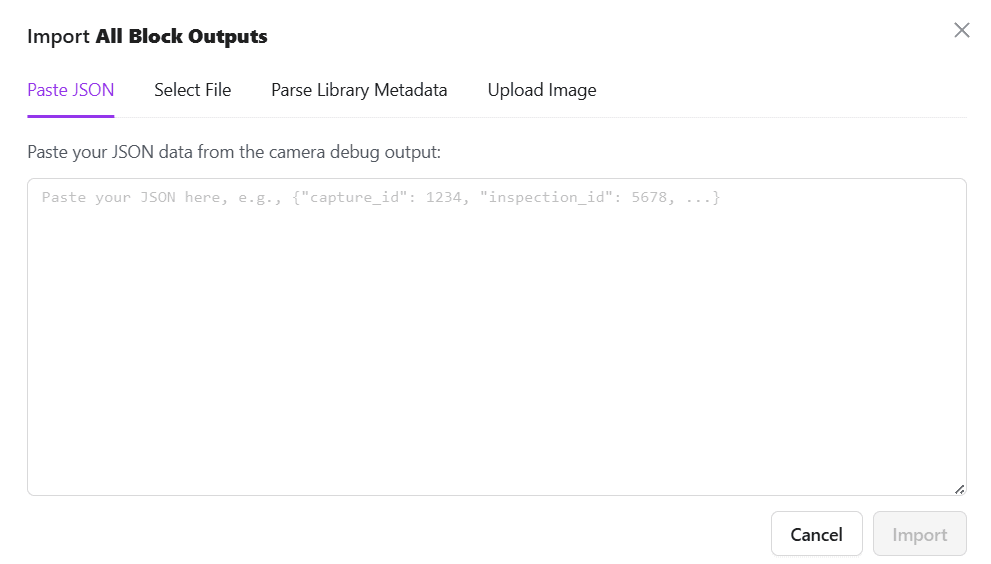
Test Data Management
Import real camera data so the AI understands your output format. The generated flow is guaranteed to work correctly with your actual camera data.
Two Powerful Modes
Create Mode
Build flows from scratch. The AI creates a complete new Node-RED flow based on your natural language description, including all nodes, wiring, and configuration.
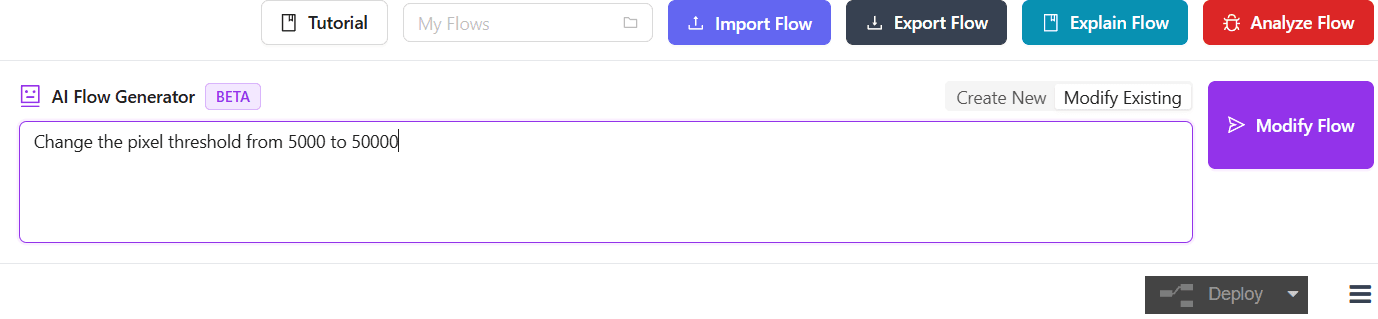
Modify Mode
Edit existing flows without rebuilding from scratch. The AI adjusts your current flow while preserving its structure, making targeted changes based on your instructions.
Test Before You Deploy
Live Test Results
After generation, the AI automatically sends test data through your flow. See pass/fail status, triggered outputs, and node activity in real-time. Every node lights up as data flows through it.
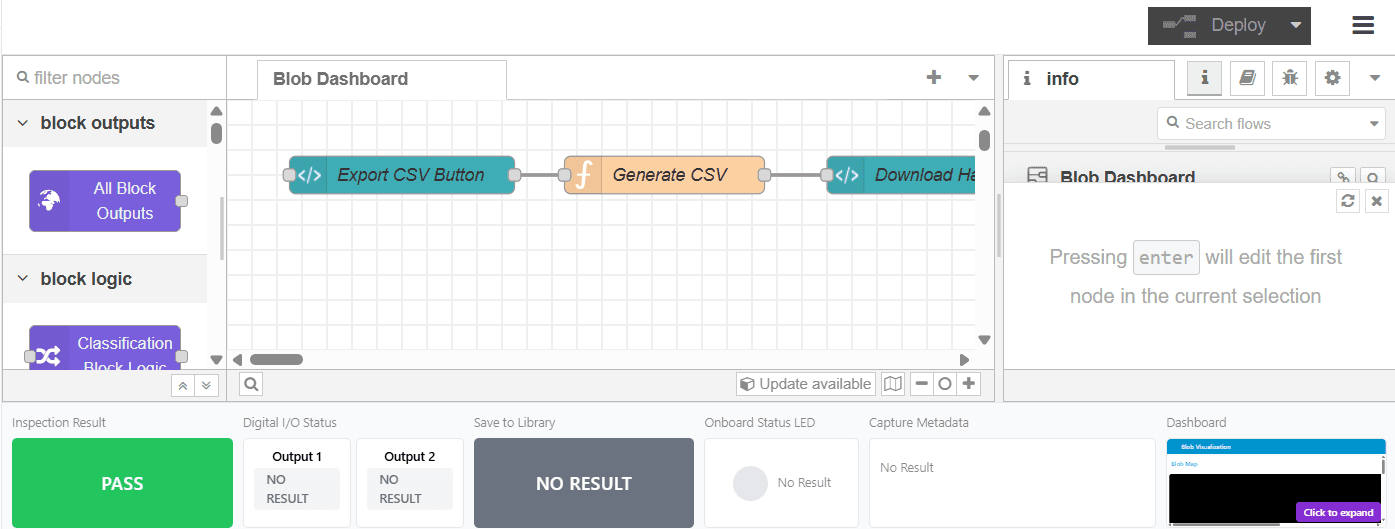
Simulated Capture
Trigger a simulated camera capture that sends your test data through the Camera Simulator node, replicating exactly how the flow will behave in production. No physical camera needed.
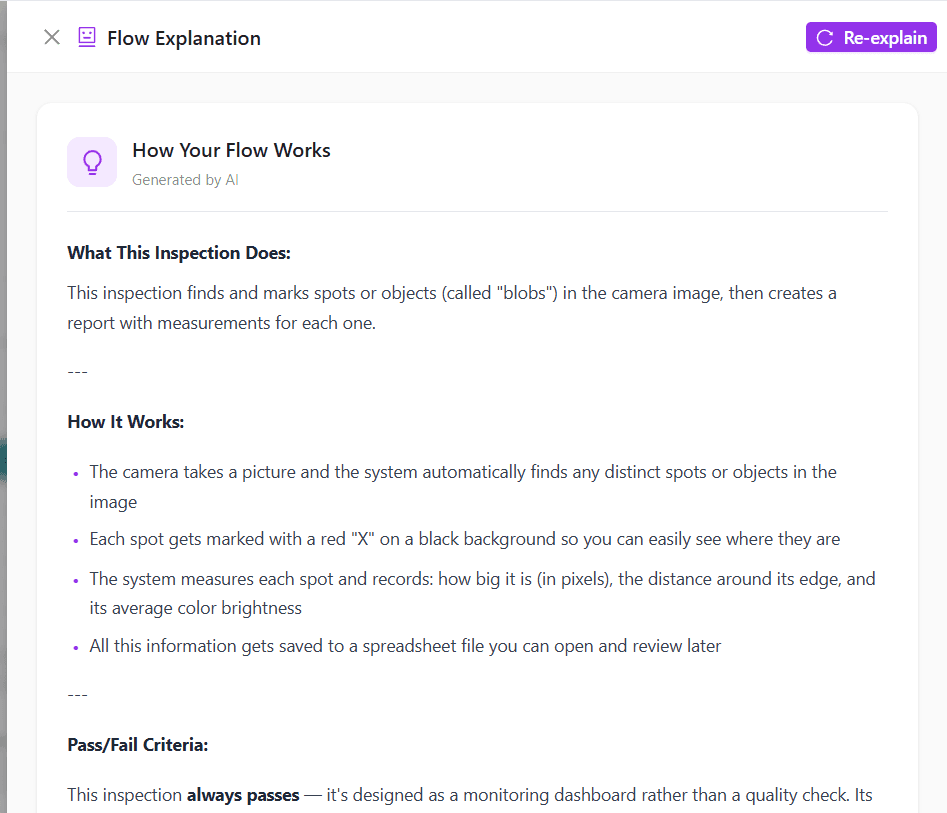
Understand & Debug Your Flows
Explain Flow
AI analyzes your flow and explains what each node does in plain English. Perfect for understanding complex flows built by others or documenting your own inspection logic.
Analyze Flow
Static analysis checks for disconnected nodes, missing configurations, or potential bugs. Get auto-fix suggestions for common issues before deploying to production.
Real-Time Analytics Dashboard
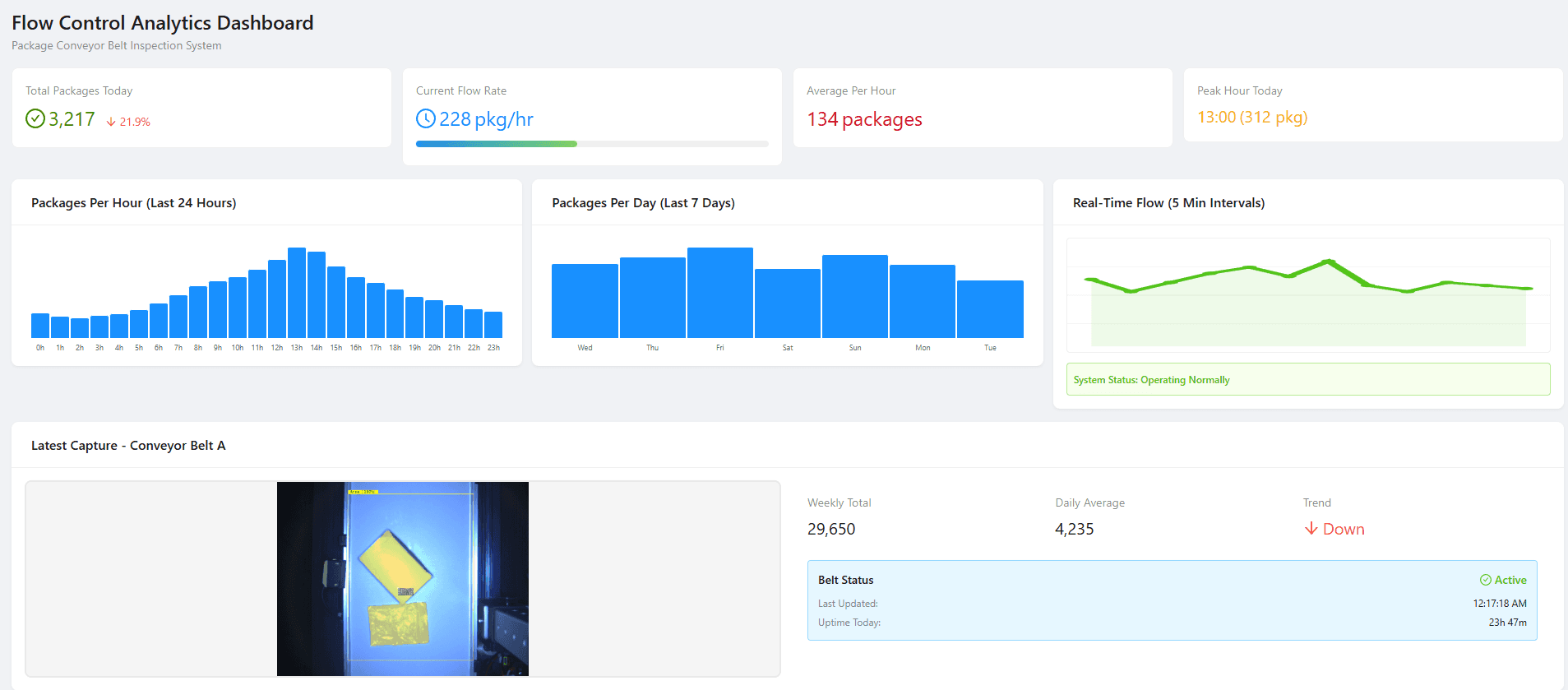
See what's possible with Node-RED flows. This example dashboard demonstrates real-time analytics for a package conveyor belt system, the kind of monitoring you can build with your inspection flows.
Prompt Examples
What You Can Ask the AI
The more specific you are with thresholds, conditions, and pass/fail actions, the better the generated flow
“Pass if there are exactly 5 blobs detected, fail otherwise”
“Calculate the average area of all segmentation blobs. Pass if the average is greater than 1000 pixels, fail if less. Turn on Output 1 for pass.”
“Find the blob closest to the center of the image. Pass if its classification confidence is above 0.85”
“Count blobs by classification. Pass if there are more 'good' than 'defect' classifications. Save fail images to library.”
Maximize Results
Best Practices for AI Flow Generation
Follow these guidelines to get the most accurate and production-ready flows from the AI agent
Load Real Camera Data
Always test with actual camera output for accurate flow validation. The AI uses your data structure to generate compatible flows.
Be Specific with Prompts
Include exact thresholds, conditions, and what should happen for pass/fail cases. Mention if you want outputs triggered or images saved.
Test Before Export
Run simulated captures to verify pass/fail behavior matches your expectations before deploying to physical hardware.
Use Modify Mode
Don't rebuild from scratch every time. Use Modify Mode to make incremental changes while preserving working logic in your existing flow.
Analyze Before Deploy
Run flow analysis to catch disconnected nodes, missing configurations, or potential bugs before importing to your camera.
Start with Examples
Use the pre-loaded sample data and example prompts to learn how the system works before importing your own camera data.
Real Results
What Engineers Are Saying
Teams across industries are using AI to build inspection flows that used to require dedicated automation engineers.
“We used to submit a ticket and wait days for our automation engineer to modify a Node-RED flow every time we changed a product line. Now our quality technicians describe what they need in English and have a working flow in under two minutes.”
Process Engineer
Automotive Assembly
“Integrating our cameras with Modbus PLCs and MQTT brokers used to require a controls engineer and a week of configuration. The AI agent handled the protocol nodes, wiring, and error handling automatically from a single prompt.”
Controls Integration Lead
Packaging & Logistics
“We had a line running six different product SKUs, each with its own set of pass/fail thresholds, PLC triggers, and reject-bin routing logic. Building those flows manually meant weeks of configuration and testing for every changeover. With Modify Mode, the operator described the new logic and had the entire flow reconfigured in minutes.”
Plant Manager
Consumer Electronics
Stop Writing Node-RED Code Manually
Your quality team has the domain expertise. The AI has the Node-RED expertise. Let them work together. Build production-ready inspection flows in minutes, not days.
Explore the GenAI Toolkit
More agentic AI tools for manufacturing teams