Antistatic Tray with Warped Support Ribs: A Complete Visual Inspection Walkthrough

"Warped support ribs in antistatic trays compromise ESD protection and cause assembly failures. Overview.ai's machine vision detects sub-millimeter warpage at full line speed, catching defects that human inspectors consistently miss."
The Problem: Why Warped Support Ribs Derail Production
Warped support ribs in antistatic trays compromise both the structural integrity and ESD protection that these components are designed to provide. Even minor deformations can cause costly downstream failures.
Common defects found in antistatic trays with warped support ribs include:
- Rib bowing or sagging — ribs deform under thermal stress, creating uneven support surfaces
- Asymmetric warpage — one side of the rib structure distorts more than the other, causing tilt
- Rib separation from tray base — delamination at weld or mold points compromises structural support
- Surface waviness — undulating rib surfaces that prevent proper component seating
- Dimensional deviation — ribs fall outside tolerance for height or spacing specifications
- Stress whitening — visible material stress marks indicating compromised structural integrity
Human inspectors struggle to catch these defects consistently. Fatigue sets in quickly when examining repetitive geometric patterns, and subtle warpage of 0.5mm or less is nearly impossible to detect visually at production speeds.
The Solution: Machine Vision Powered by Deep Learning
Machine vision systems excel at precisely the tasks where human inspection fails. High-resolution cameras capture micron-level detail, while deep learning algorithms detect subtle geometric deviations that the human eye cannot perceive—frame after frame, without fatigue.
Overview.ai's approach delivers consistent, objective inspection at full line speed. The system learns what "good" looks like and flags anomalies in real-time, ensuring every antistatic tray meets specification before moving downstream.
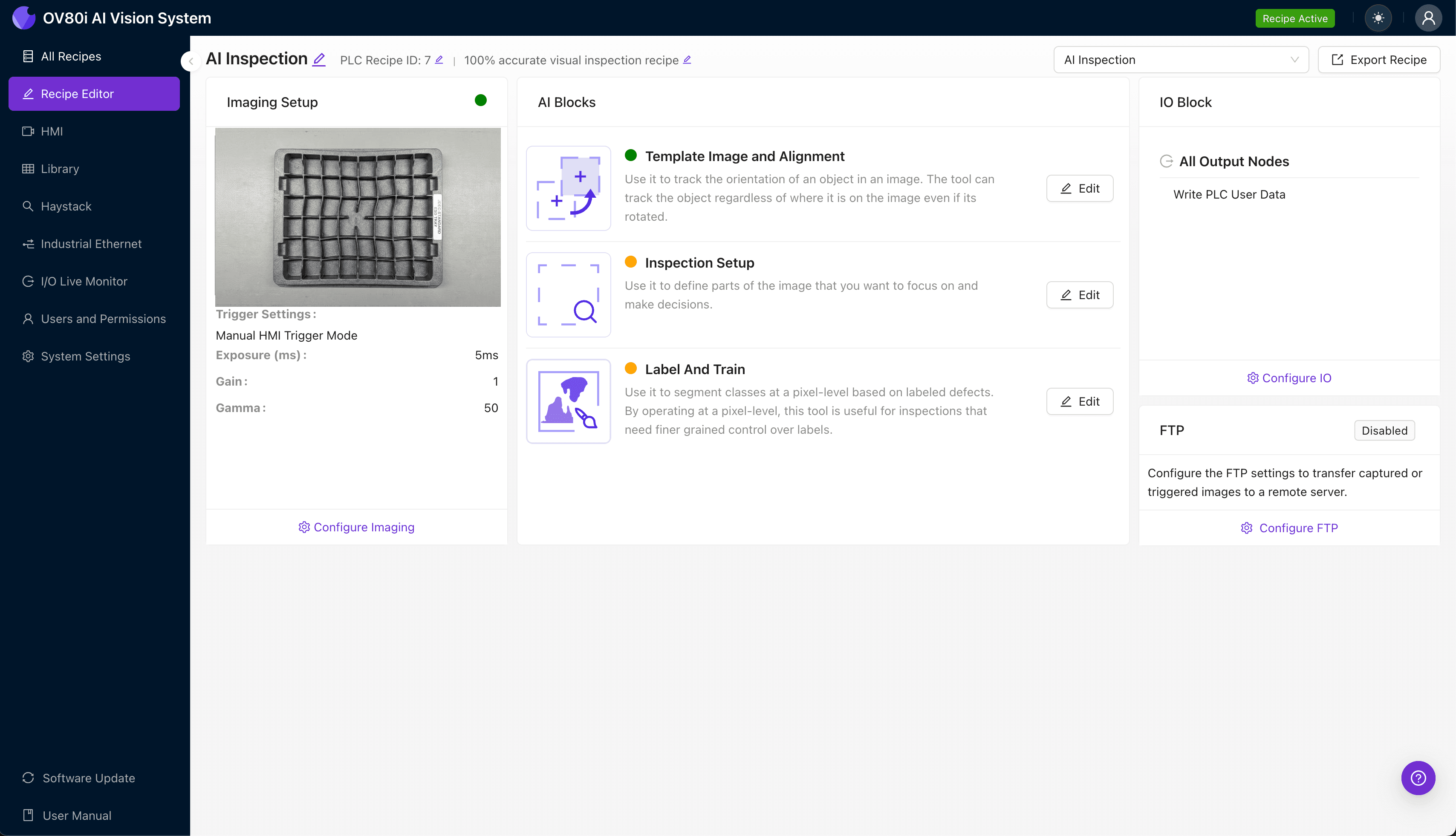
Step 1: Imaging Setup
Position the antistatic tray with warped support ribs under the OV80i camera system. Ensure the rib structure is fully visible and evenly illuminated to capture geometric detail.
Click "Configure Imaging" in the Overview.ai interface. Adjust Camera Settings including exposure time and gain to optimize contrast across the rib surfaces—shadows along rib edges are particularly important for detecting warpage.
Click "Save" to lock in your imaging configuration.
Step 2: Image Alignment
Navigate to the "Template Image" section within the software. Capture a Template using a known-good antistatic tray as your reference standard.
Click "+ Rectangle" to add an alignment region around the main tray body, encompassing the full rib structure. Set the Rotation Range to 20 degrees to accommodate slight variations in tray placement on the line.

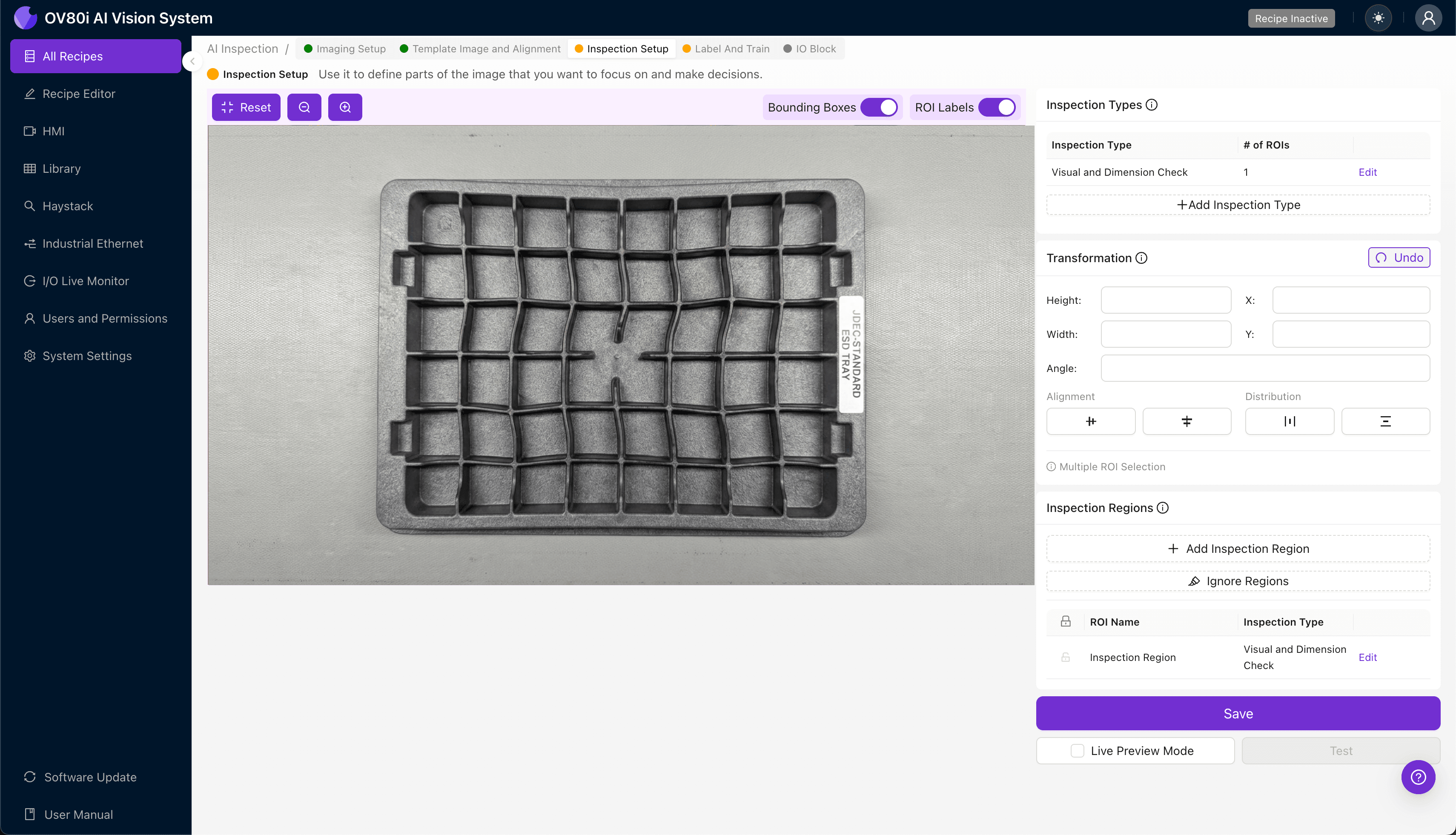
Step 3: Inspection Region Selection
Navigate to "Inspection Setup" to define your critical inspection zones. Rename your Inspection Types with descriptive labels such as "Rib_Warpage_Center" or "Rib_Base_Separation."
Click "+ Add Inspection Region" for each critical area. Resize the yellow bounding box to cover high-risk zones—focus on rib intersections, base attachment points, and the center span where warpage typically manifests.
Click "Save" after configuring all inspection regions.
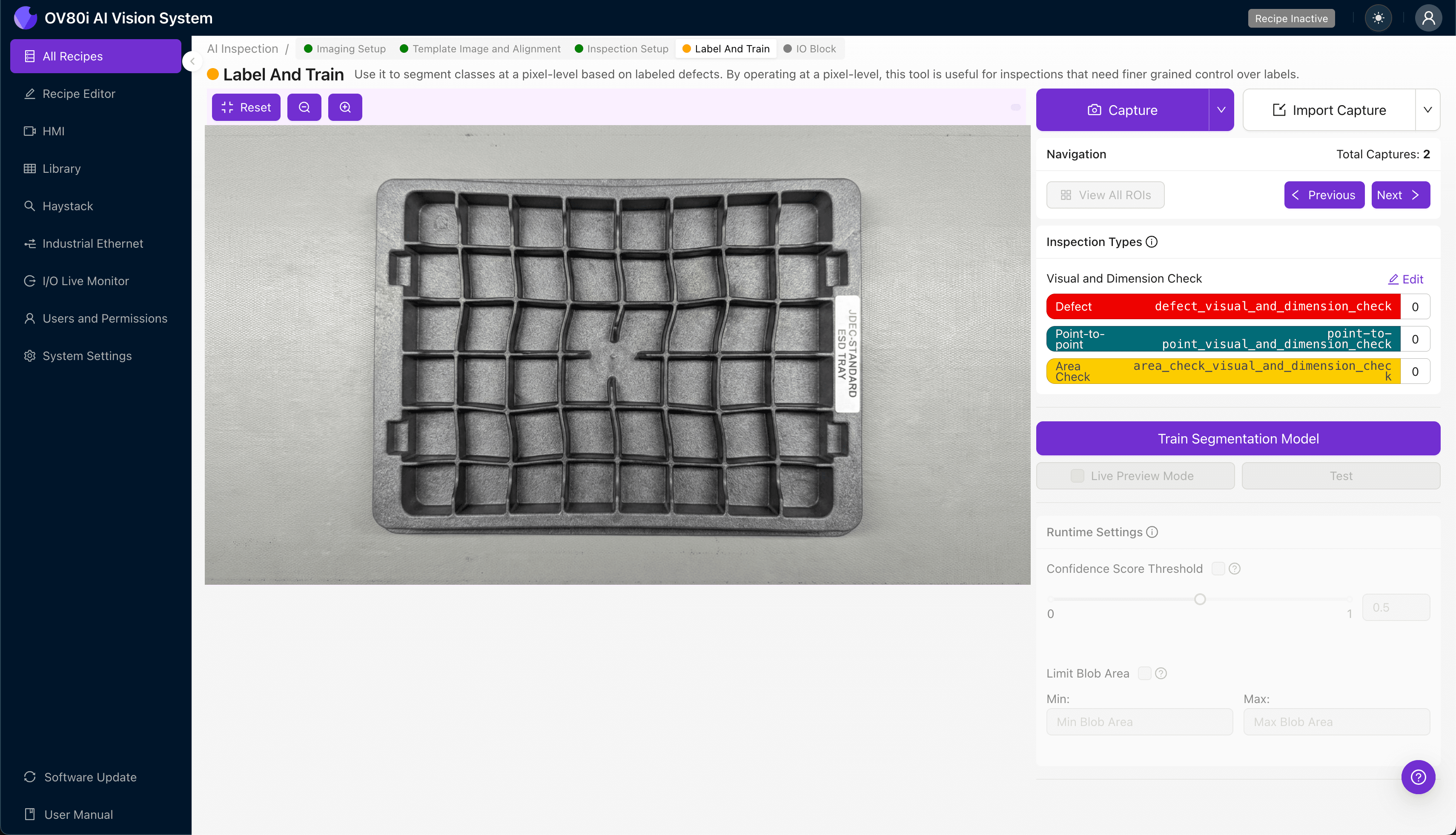
Step 4: Labeling Data
The human-in-the-loop labeling process trains the deep learning model to recognize defects specific to your production environment. This step is where your domain expertise becomes embedded in the system.
Label captured images as Good or Bad based on your quality standards. Include representative samples across the full range of acceptable variation, as well as known failure modes like severe warpage, partial rib collapse, and stress fractures.
Step 5: Creating Rules
Set your pass/fail logic based on the Inspection Types you defined earlier. Configure thresholds that align with your quality specifications—for example, flagging any tray where rib warpage confidence exceeds 85%.
Gate automated acceptance on the line so that flagged trays are automatically diverted for secondary review or rejection. This ensures only conforming parts continue downstream.
Key Outcomes & ROI
Implementing automated visual inspection for antistatic trays with warped support ribs delivers measurable business impact:
- Reduced scrap rates — catch defects before trays enter assembly, preventing costly rework and component damage
- Higher throughput — inspect 100% of production at line speed without creating bottlenecks
- Enhanced compliance and traceability — automatically log inspection results with timestamped images for audit trails
- Process improvement insights — identify warpage trends tied to specific molds, batches, or environmental conditions
Conclusion
Warped support ribs in antistatic trays represent a subtle but significant quality risk. With Overview.ai's machine vision platform, manufacturers can detect these defects with precision and consistency that human inspection simply cannot match—protecting sensitive electronics and improving overall production efficiency.
Eliminate Defects Today
Stop relying on manual inspection. Deploy Overview.ai to catch defects instantly.