Contact Beam with Excessive Wipe-Length Wear: A Machine Vision Inspection Guide
"Excessive wipe-length wear on contact beams creates subtle defects that human inspectors miss at production speeds. Deep learning-powered machine vision catches surface scoring, plating erosion, and dimensional out-of-spec conditions consistently on every part."
The Problem: Why Wipe-Length Wear Defects Slip Through Manual Inspection
Contact beams are critical components in electrical switches, relays, and connectors. When wipe-length wear becomes excessive, it compromises electrical connectivity and can lead to catastrophic field failures.
Excessive wipe-length wear creates subtle but serious defects that accumulate over a component's service life. These defects often fall below the threshold of human visual detection—especially at production speeds.
Common Defects Associated with Excessive Wipe-Length Wear:
- Surface scoring and micro-scratching — Linear abrasion marks along the contact travel path
- Plating erosion — Gold, silver, or tin plating worn through to base metal substrate
- Material transfer deposits — Debris buildup from repeated wiping action
- Contact face irregularities — Uneven wear patterns creating high and low spots
- Edge rollover deformation — Rounded or folded edges from excessive mechanical stress
- Dimensional out-of-spec conditions — Wipe length exceeding design tolerances
Human inspectors struggle with these defects for several reasons. Fatigue sets in quickly when examining thousands of identical components, and the micro-level nature of wear patterns makes consistent detection nearly impossible at line speeds.
The Solution: Machine Vision and Deep Learning
Traditional rule-based vision systems fail to capture the nuanced variations in wipe-length wear patterns. Deep learning changes this by training neural networks on thousands of labeled examples—learning what "good" and "bad" actually look like in real production conditions.
Machine vision eliminates the subjectivity inherent in human inspection. The system doesn't get tired, doesn't have good days or bad days, and applies identical criteria to every single part.
Overview.ai's approach enables consistent, objective, at-line-speed inspection that catches defects human eyes miss. The OV80i platform combines high-resolution imaging with deep learning models trained specifically on your components and your failure modes.
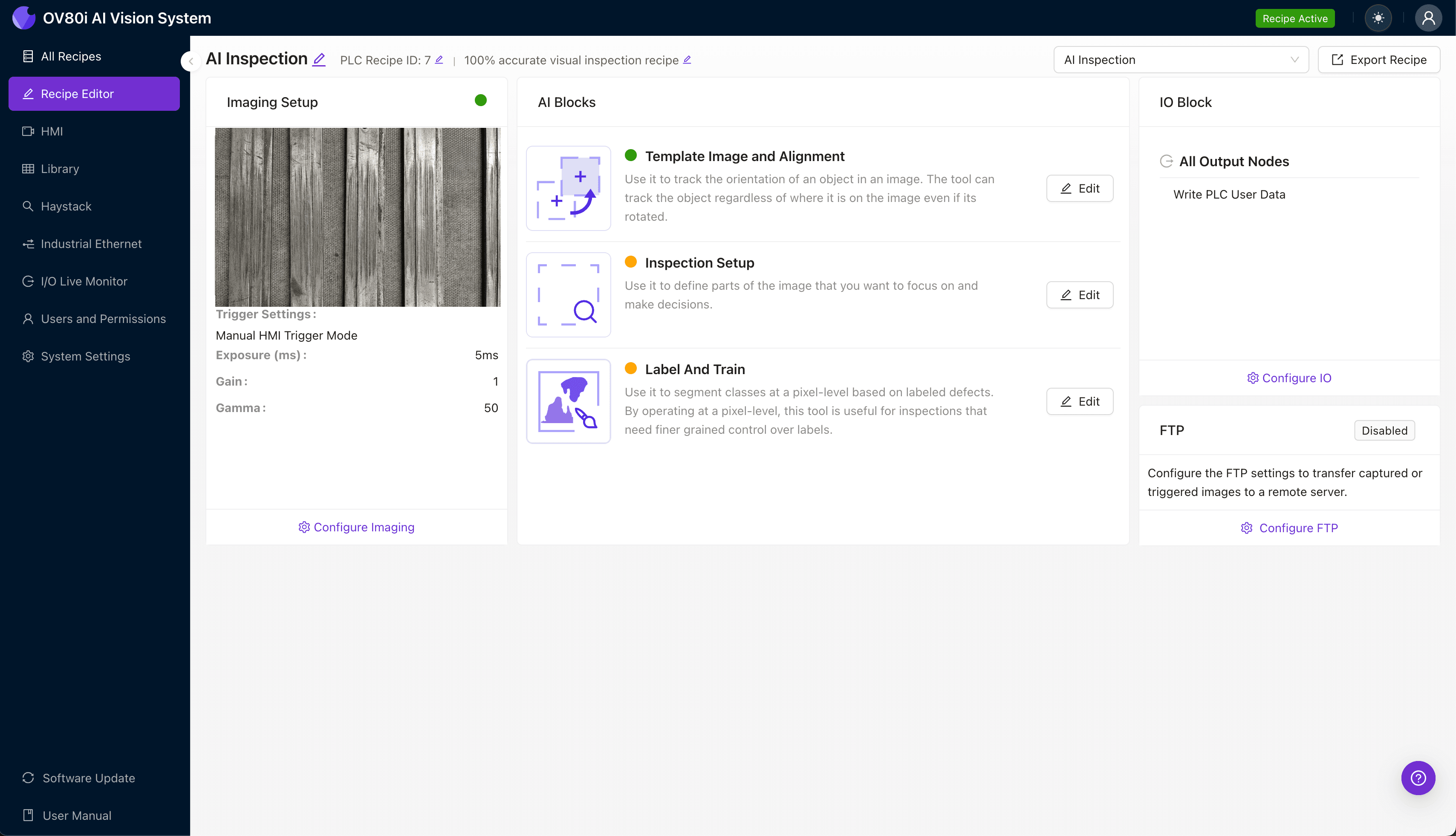
Step 1: Imaging Setup
Position the contact beam under the camera system, ensuring the wipe-length surface is fully visible and properly illuminated. Angled lighting often works best for revealing surface wear patterns and scoring.
Navigate to "Configure Imaging" in the Overview.ai interface. Adjust Camera Settings including exposure time and gain to maximize contrast between worn and unworn surfaces.
Click "Save" to lock in your imaging parameters.
Step 2: Image Alignment
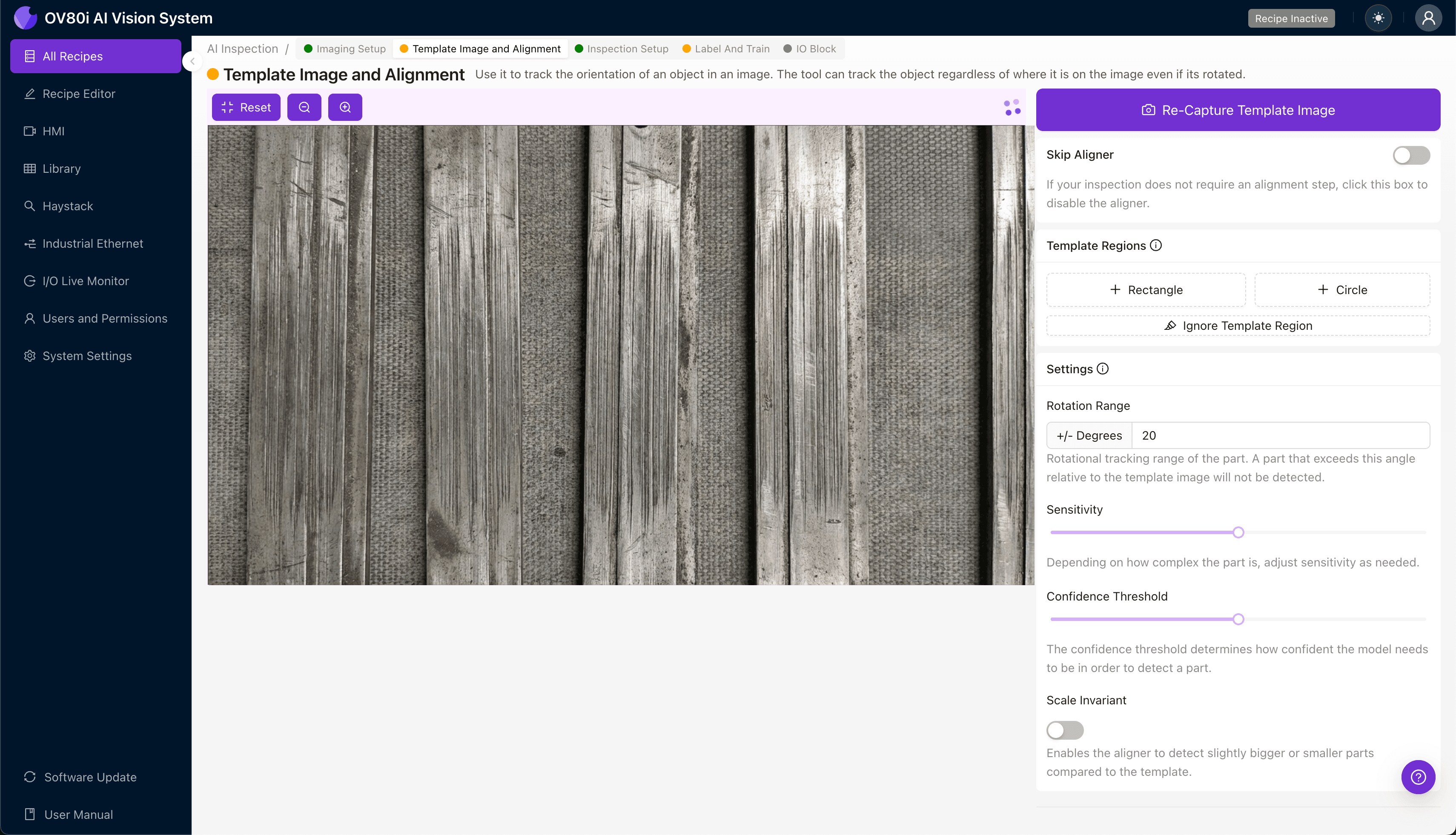
Navigate to "Template Image" and capture a reference image of a known-good contact beam. This template establishes the baseline orientation for all future inspections.
Click "+ Rectangle" and draw a region around the main body of the contact beam. This alignment region tells the system where to look regardless of minor positional variation.
Set "Rotation Range" to 20 degrees to accommodate parts that enter the inspection zone at slight angles.
Step 3: Inspection Region Selection
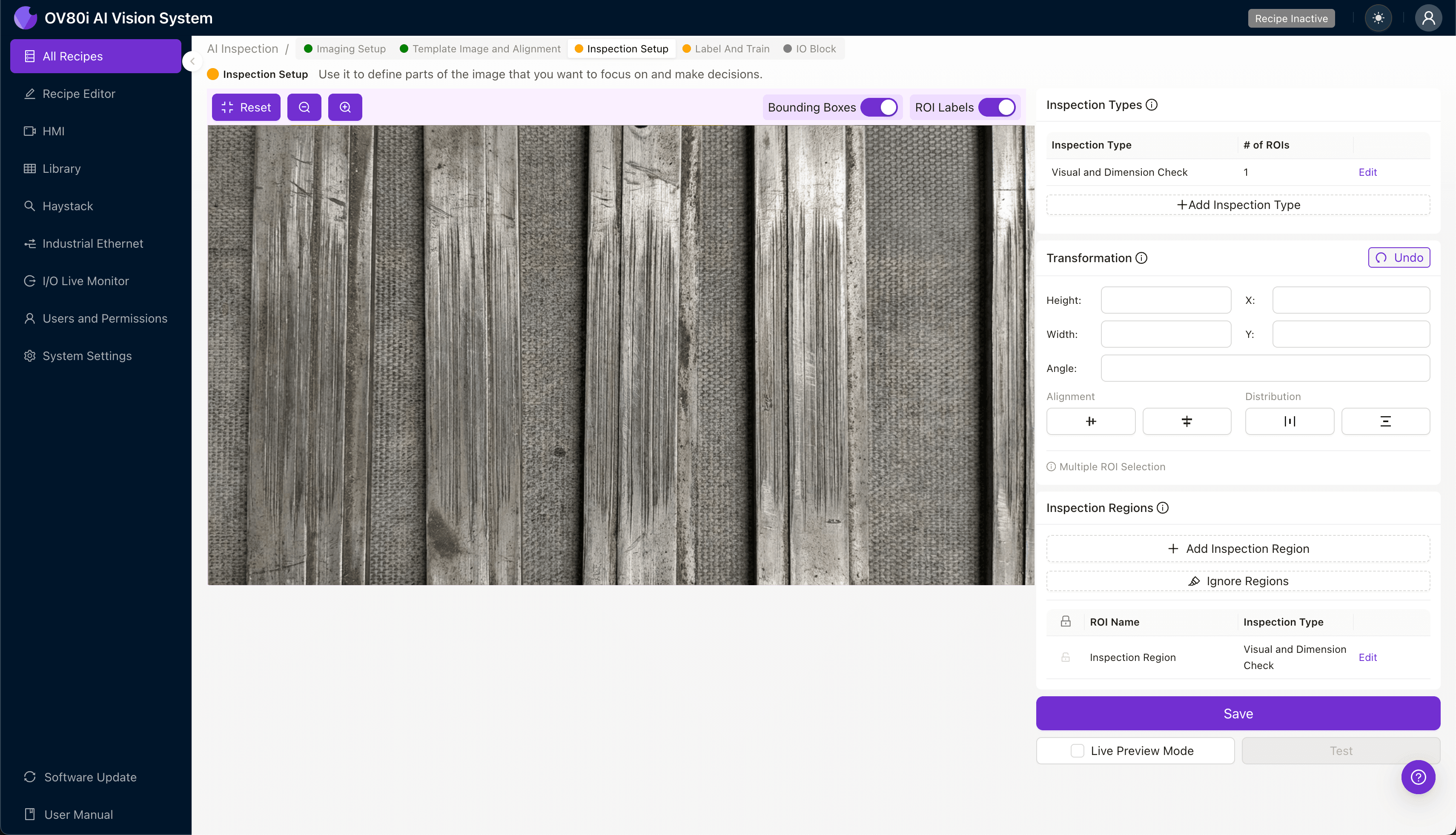
Navigate to "Inspection Setup" to define where the system should focus its analysis. Rename your "Inspection Types" to reflect your specific defect categories—such as "Wipe Surface Wear" or "Plating Erosion."
Click "+ Add Inspection Region" to create a new zone. Resize the yellow bounding box to cover the critical wipe-length contact surface where wear manifests.
Click "Save" after defining all relevant inspection regions.
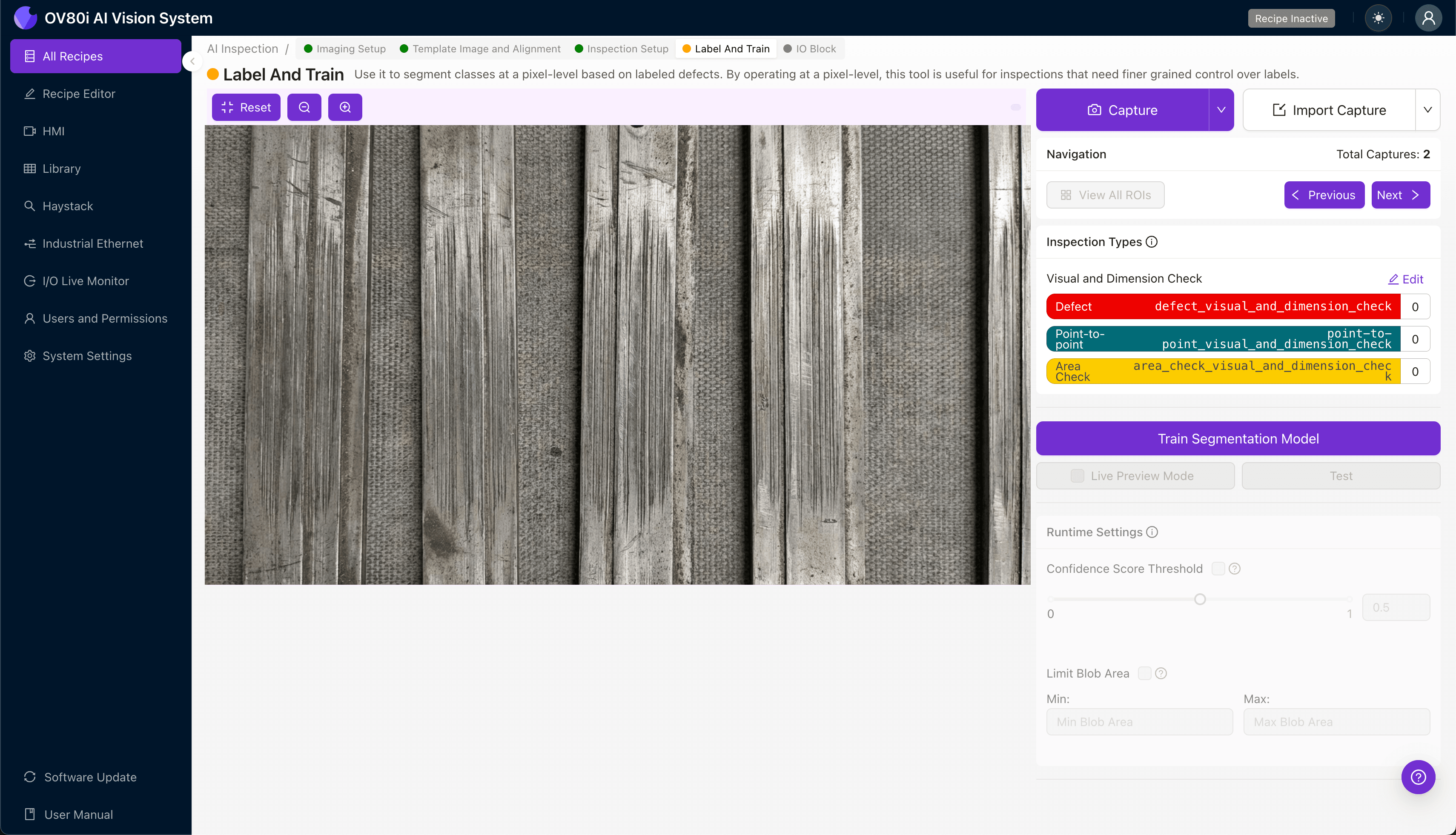
Step 4: Labeling Data
The human-in-the-loop labeling process is where your domain expertise trains the AI. Subject matter experts review captured images and classify them as Good or Bad based on your quality standards.
Include representative samples across your full range of acceptable variation. Don't just label obvious rejects—include borderline cases and known failure modes from field returns.
The more diverse your labeled dataset, the more robust your trained model becomes.
Step 5: Creating Rules
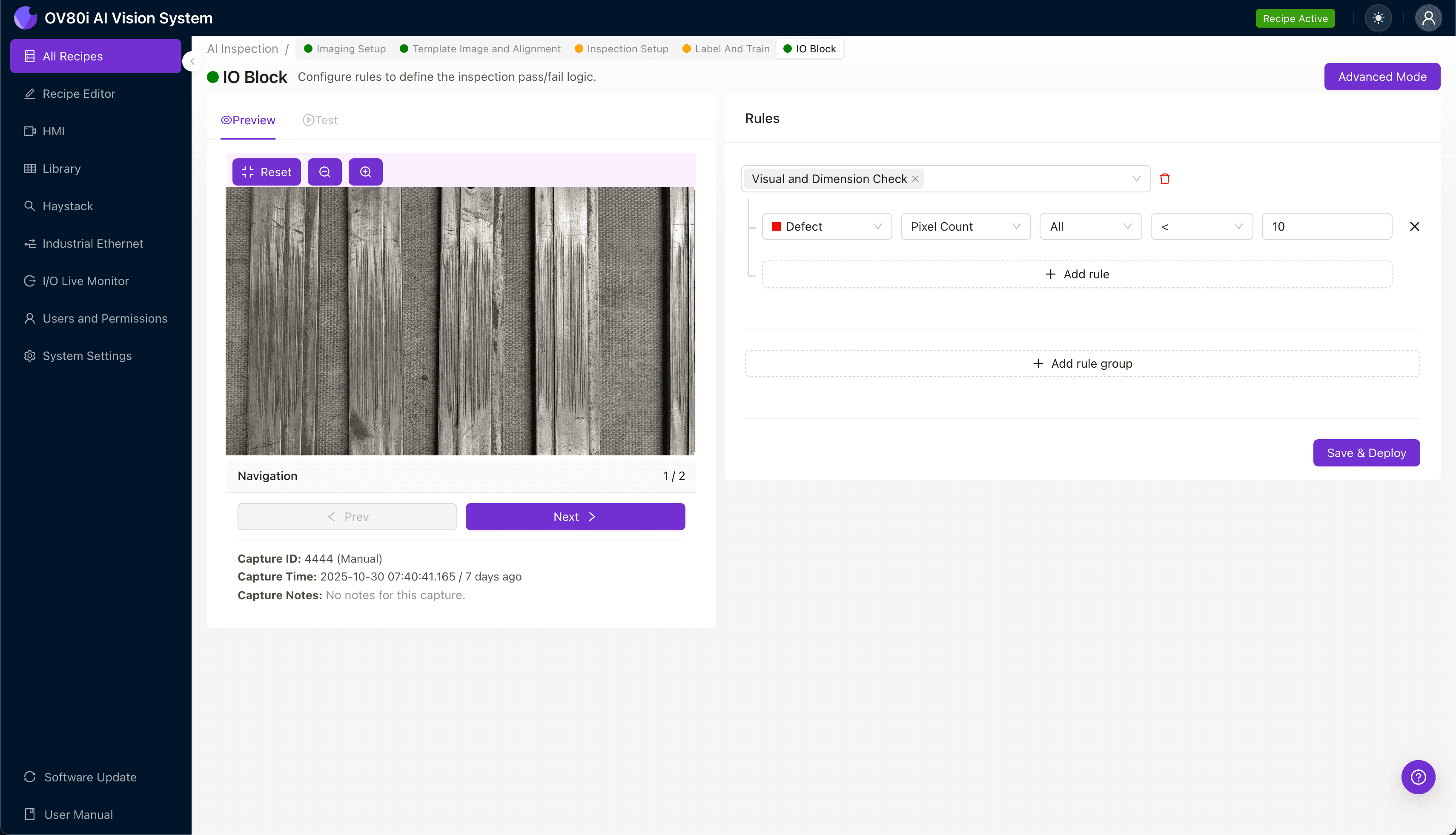
Set your pass/fail logic based on the Inspection Types you've defined. Configure threshold values that determine when a part moves forward versus when it triggers rejection.
Gate automated acceptance on the line by connecting inspection results to your production control system. Parts that fail inspection are automatically diverted before reaching downstream assembly or shipping.
Key Outcomes & ROI
Implementing automated inspection for contact beam wipe-length wear delivers measurable business impact:
- Reduced scrap rates — Catch defects early before value-added processing
- Higher throughput — Inspect 100% of parts without creating bottlenecks
- Compliance and traceability — Maintain complete inspection records for audits and customer requirements
- Process improvement insights — Identify wear pattern trends that indicate upstream tooling or material issues
Excessive wipe-length wear on contact beams represents exactly the kind of subtle, high-stakes defect that justifies investment in AI-powered inspection. Overview.ai's platform transforms a historically subjective quality gate into a consistent, data-driven process.
The result: fewer escapes, lower costs, and confidence that every component leaving your line meets spec.
Eliminate Defects Today
Stop relying on manual inspection. Deploy Overview.ai to catch wipe-length wear defects instantly.