How to Detect Guide Pin Bent Alignment Tip Defects with AI-Powered Visual Inspection
"Bent alignment tips on guide pins cause catastrophic downstream failures that human inspectors routinely miss. AI-powered visual inspection catches angular deviations as small as 0.5° at full production speed, delivering 100% inline inspection without bottlenecking your line."
The Problem: Why Bent Alignment Tips Slip Through Traditional QC
Guide pins are critical alignment components in assembly operations, tooling systems, and precision manufacturing. When an alignment tip becomes bent—even by fractions of a millimeter—it can cause catastrophic downstream failures, damaged mating components, and costly production halts.
Common defects found in guide pins with bent alignment tips include:
- Angular deviation — tip bends away from the pin's true centerline axis
- Lateral displacement — tip offset creates misalignment during insertion
- Stress fractures — micro-cracks at the bend point compromise structural integrity
- Surface deformation — material bunching or stretching near the bend zone
- Concentricity failure — bent tip throws off the entire pin's rotational balance
- Entry chamfer damage — lead-in geometry distorted by bending forces
Human inspectors struggle to catch these defects consistently. Fatigue sets in after examining hundreds of nearly identical pins per shift, and subtle angular deviations of 0.5° or less are virtually impossible to detect with the naked eye at production speeds.
The Solution: Machine Vision + Deep Learning
AI-powered visual inspection eliminates the variability inherent in manual quality control. By training deep learning models on thousands of labeled images, the system learns to recognize the subtle geometric signatures of bent alignment tips that human inspectors routinely miss.
Overview.ai's approach delivers consistent, objective inspection at full line speed—every single part, every single time. The OV80i system captures high-resolution images and applies trained neural networks to make pass/fail decisions in milliseconds, enabling true 100% inline inspection without bottlenecking production.
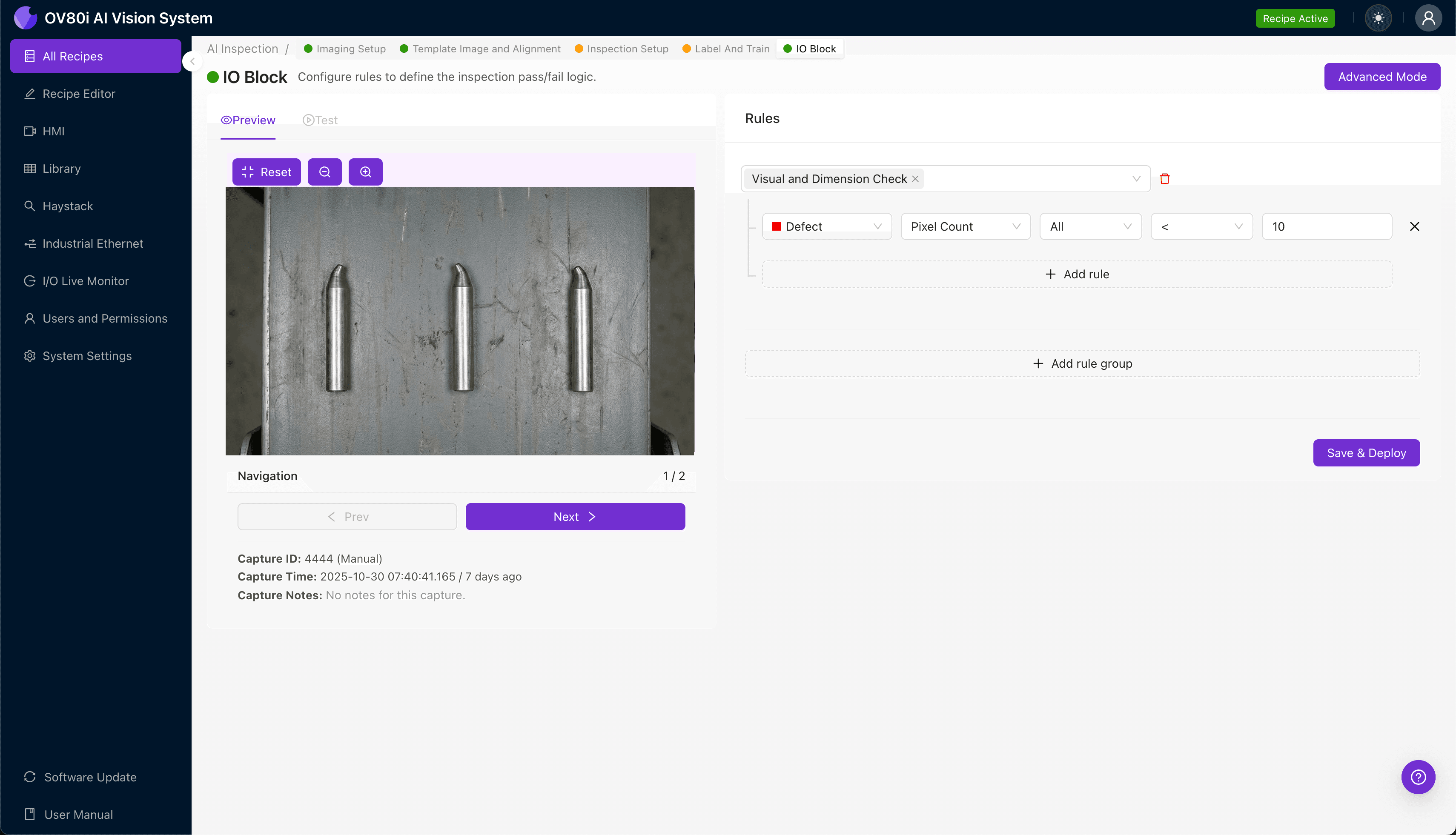
Step 1: Imaging Setup
Position the guide pin under the OV80i camera with the alignment tip clearly visible. Depending on your defect type, you may need angled lighting to emphasize surface deformation or backlit silhouette imaging to capture angular deviation.
Click "Configure Imaging" in the Overview interface. Adjust the Camera Settings—increase exposure to capture fine surface detail, and tune gain to optimize contrast at the tip geometry.
Click "Save" once the alignment tip renders sharply with visible detail at the critical inspection zones.
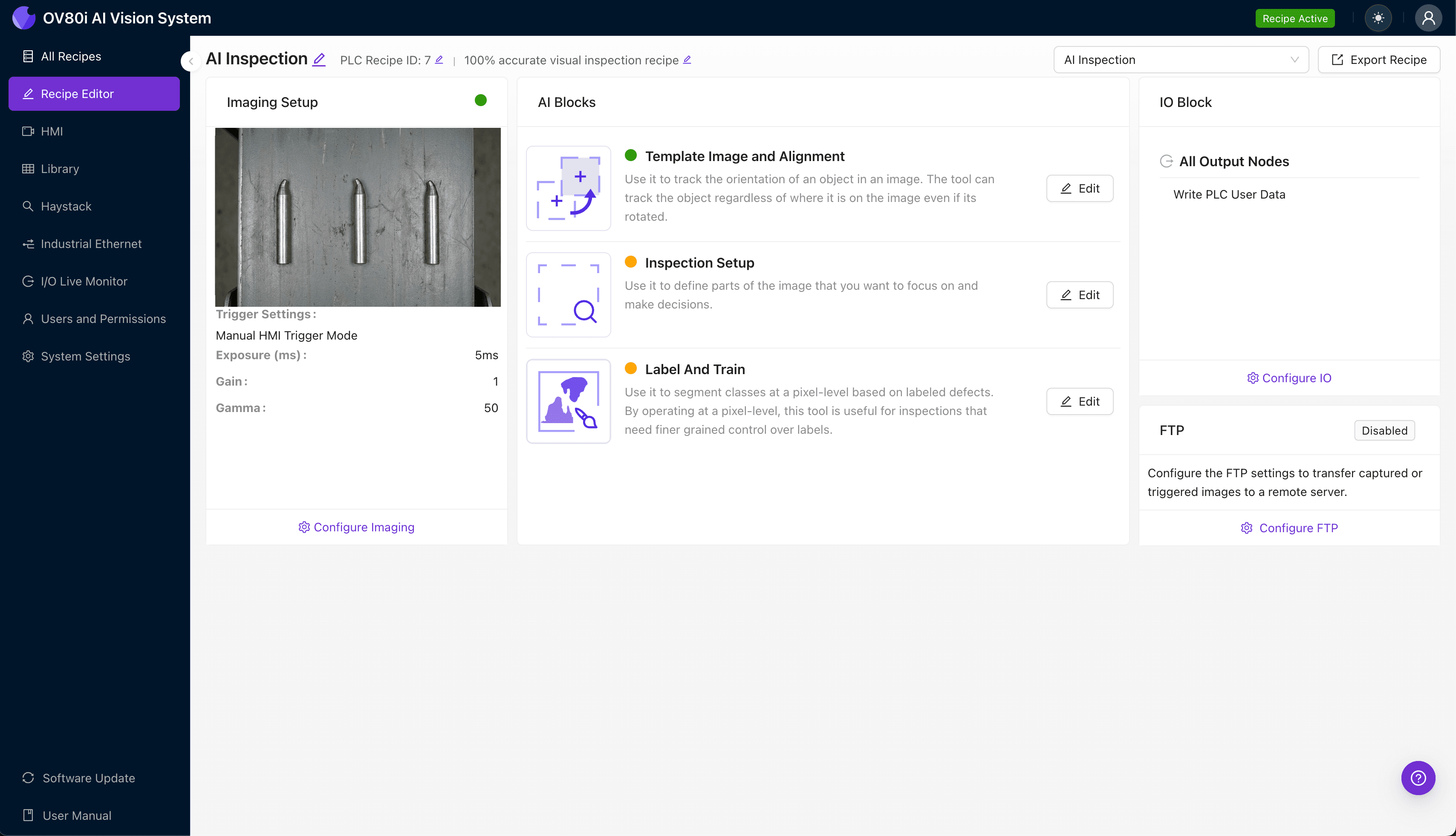
Step 2: Image Alignment
Navigate to "Template Image" in the configuration menu. Capture a Template using a known-good guide pin positioned in your standard orientation.
Click "+ Rectangle" to add an alignment region around the main body of the pin—this gives the system a stable reference geometry. Set "Rotation Range" to 20 degrees to accommodate normal part-to-part variation in how pins enter the inspection station.
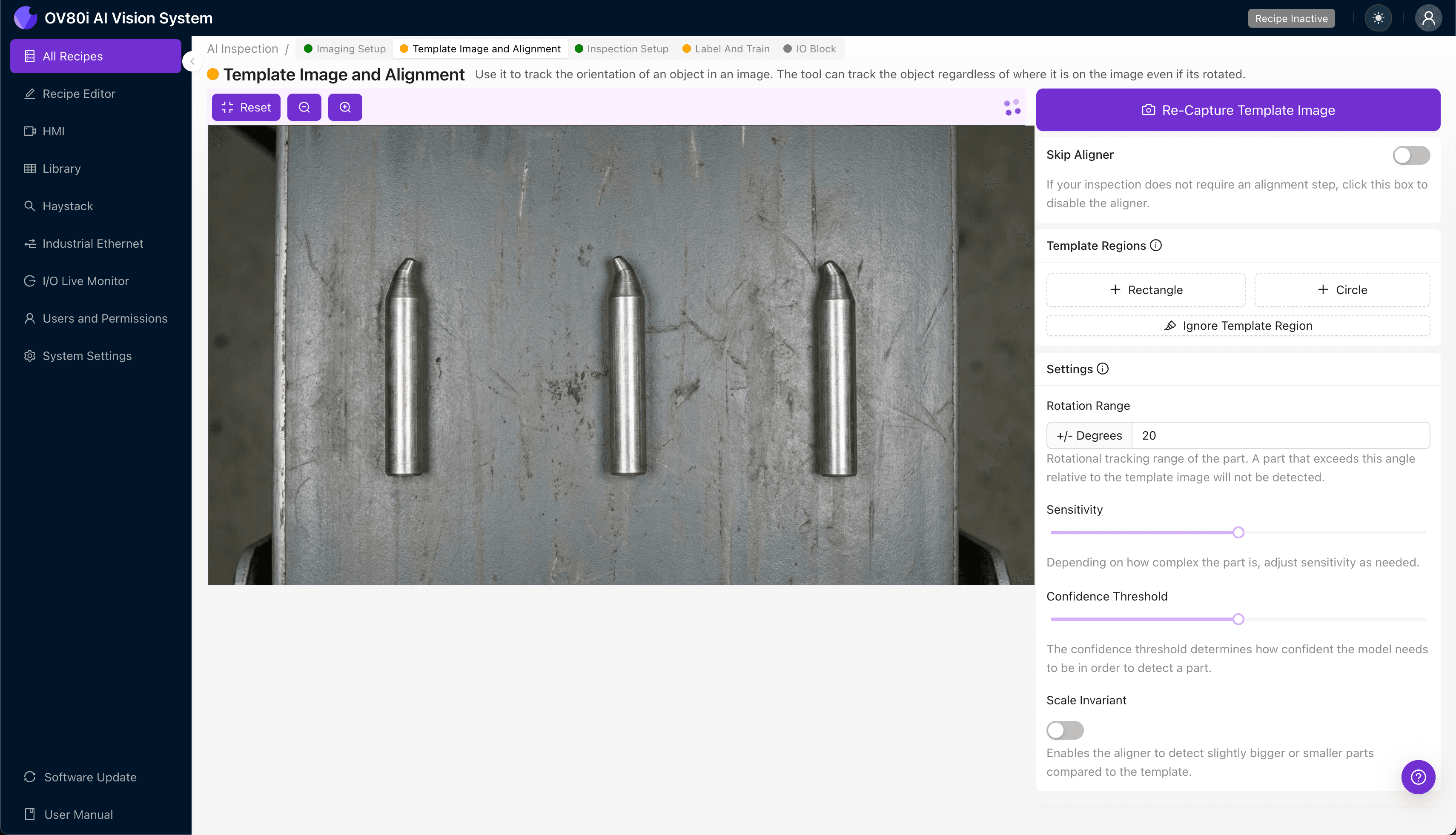
Step 3: Inspection Region Selection
Navigate to "Inspection Setup" to define where the system should focus its analysis. Rename your "Inspection Types" to descriptive labels like "Tip_Angular_Deviation" or "Tip_Surface_Deformation" for clear traceability.
Click "+ Add Inspection Region" to create a new zone. Resize the yellow bounding box to cover the alignment tip and the transition area where bending typically originates.
Click "Save" to lock in your inspection regions before proceeding to data collection.
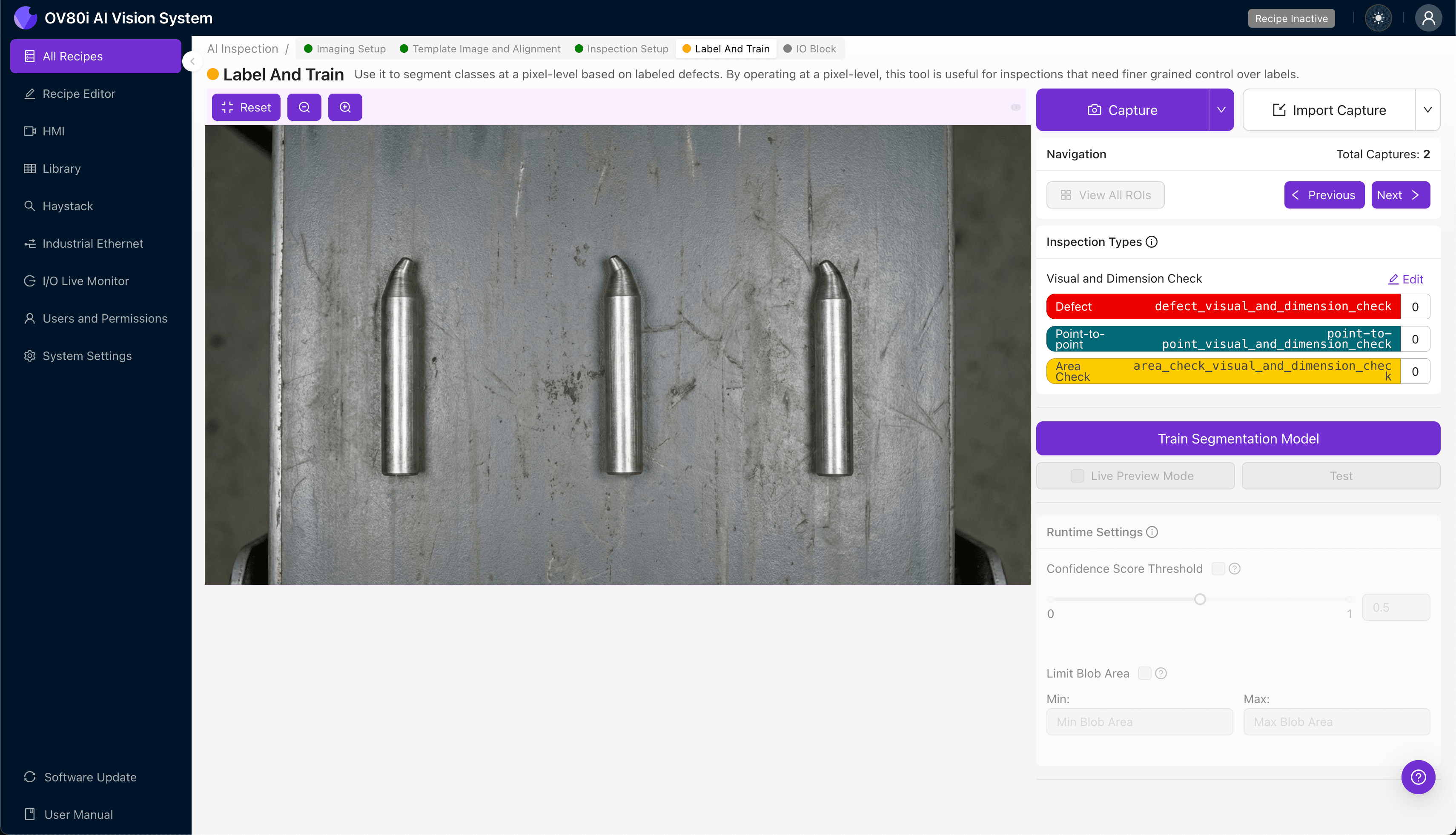
Step 4: Labeling Data
This human-in-the-loop process trains the deep learning model to distinguish acceptable parts from rejects. As production images flow through the system, operators review and label each as Good or Bad.
Include representative samples across your full range of acceptable variation—different suppliers, material lots, and lighting conditions. Critically, incorporate known failure modes: pins with confirmed bent tips at various angles and severities to teach the model exactly what to reject.
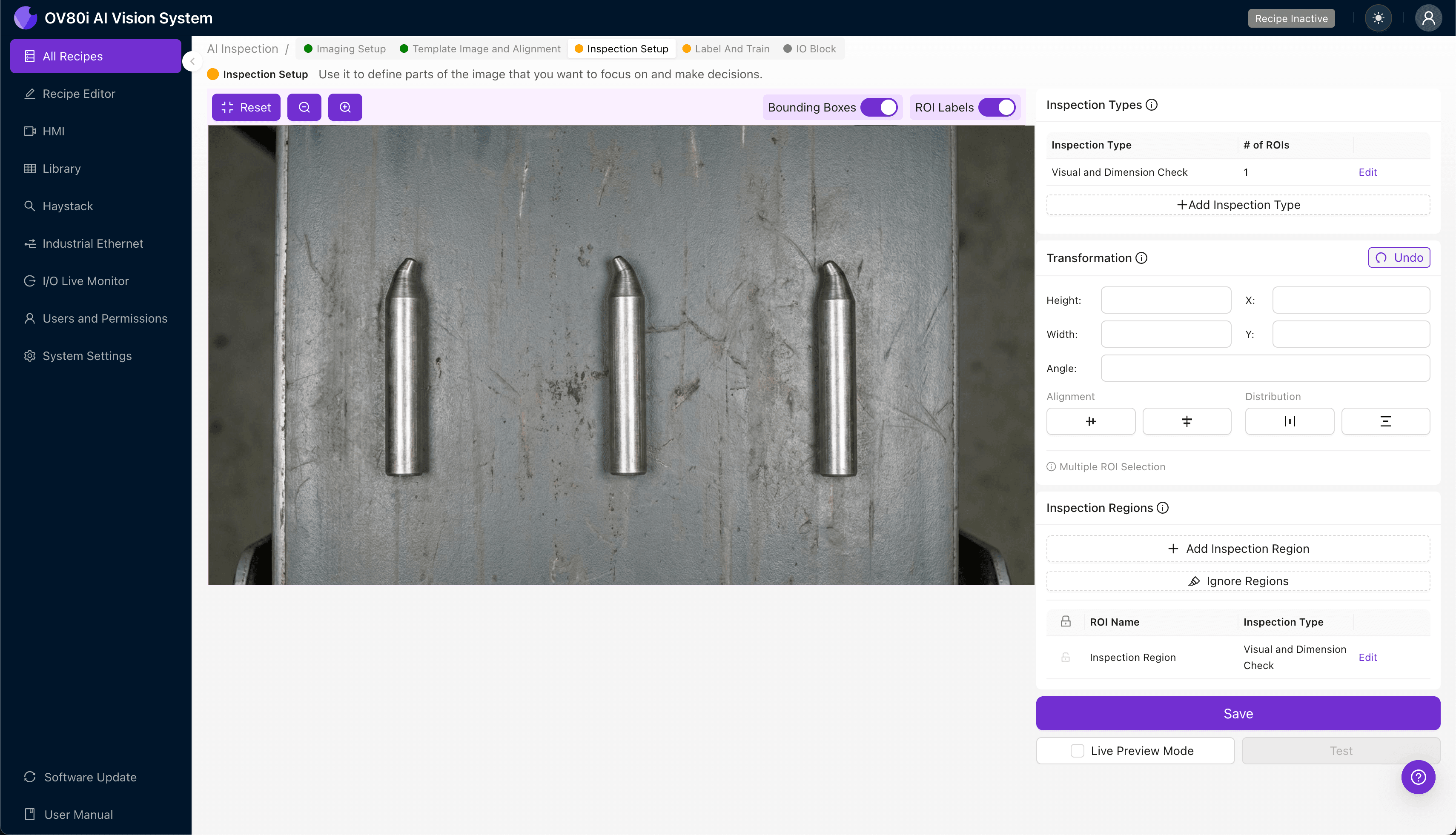
Step 5: Creating Rules
With your labeled dataset complete, configure the pass/fail logic based on your defined Inspection Types. Set confidence thresholds that balance escape rate against false rejection—typically starting conservative and tuning based on validation data.
Gate automated acceptance directly on the line. Parts passing all inspection criteria proceed downstream automatically, while flagged units divert to quarantine or secondary review stations.
Key Outcomes & ROI
Implementing AI-powered inspection for guide pin bent alignment tips delivers measurable business impact:
- Reduced scrap rates — catch defects before bent pins damage mating components or assembled products
- Higher throughput — inspect 100% of parts at line speed without adding labor or creating bottlenecks
- Compliance and traceability — automatically log every inspection with timestamped images for audit trails and customer quality requirements
- Process improvement insights — identify upstream issues (tooling wear, material problems) by analyzing defect trend data over time
Ready to Eliminate Bent Alignment Tip Escapes?
Overview.ai's visual inspection platform transforms guide pin quality control from a subjective, error-prone process into a consistent, data-driven operation.