How to Inspect High-Speed Headers with Wicked Coolant Residue Using AI Vision
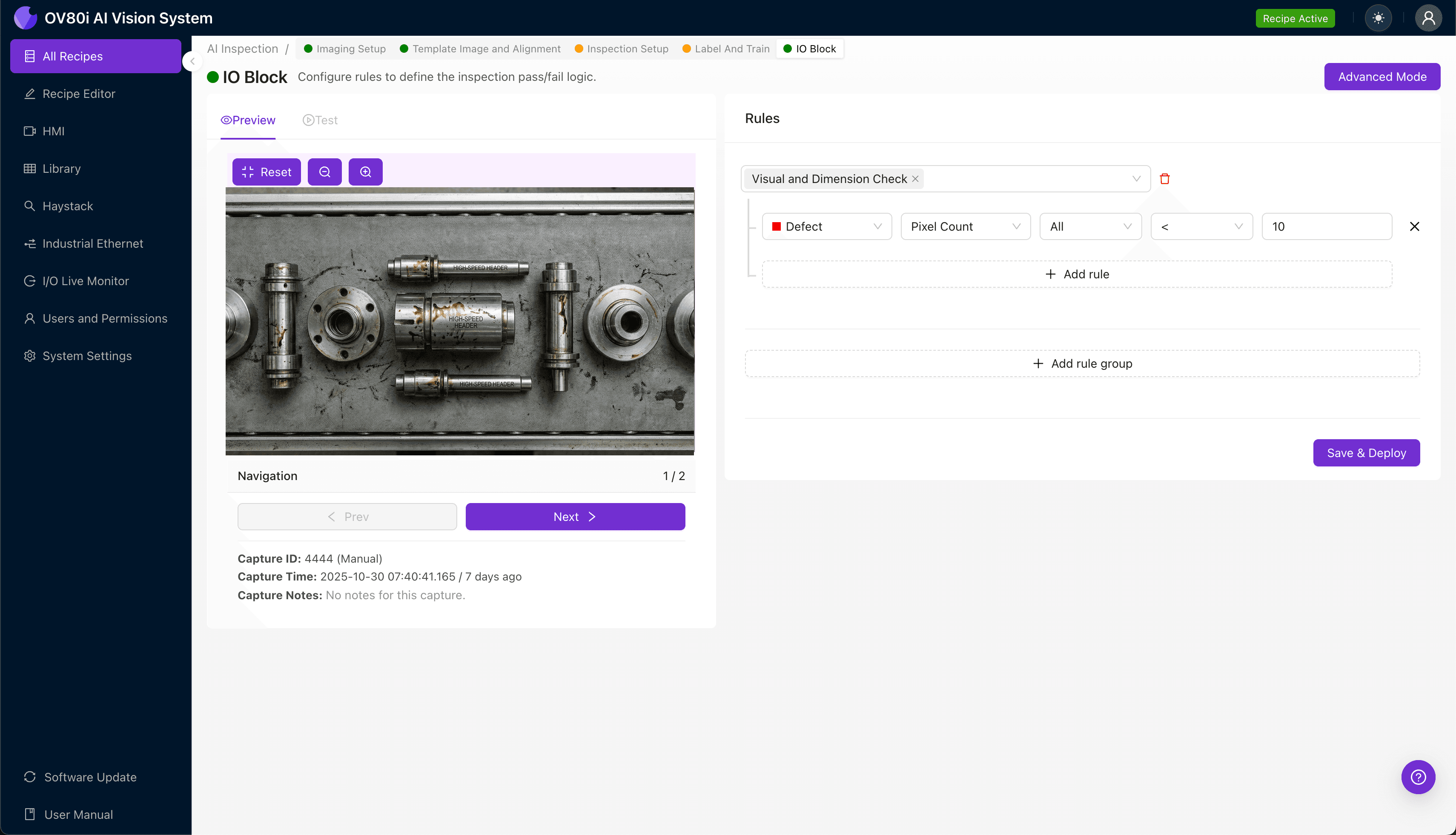
"Coolant residue on high-speed headers creates variable surface appearances that defeat human inspectors. AI-powered visual inspection from Overview.ai delivers consistent, objective detection of crystallized deposits, masked porosity, and corrosion initiation sites at full production line speed."
The Problem: Why Coolant Residue on High-Speed Headers Creates Quality Nightmares
High-speed headers are critical components in automotive and industrial applications, designed to channel exhaust gases efficiently under extreme conditions. When coolant residue wicks into crevices and across machined surfaces during manufacturing, it creates inspection challenges that can derail production quality.
Common Defects Found in High-Speed Headers with Coolant Residue:
- Crystallized coolant deposits — dried residue forming white or greenish mineral buildup in weld joints and tube connections
- Coolant-masked porosity — microscopic weld defects hidden beneath thin films of residue
- Surface staining patterns — discoloration rings indicating improper cleaning or contamination spread
- Blocked passage obstructions — dried coolant plugs restricting flow in narrow internal channels
- Corrosion initiation sites — early oxidation forming where acidic coolant components contacted raw metal
- Residue-trapped debris — metal shavings or particulates embedded in sticky coolant films
Human inspectors struggle with these defects because coolant residue creates variable surface appearances that change under different lighting conditions. Inspector fatigue sets in quickly when examining repetitive headers, and the speed of modern production lines makes thorough manual inspection virtually impossible.
The Solution: Machine Vision and Deep Learning for Consistent Detection
AI-powered visual inspection eliminates the variability inherent in human inspection. Deep learning models learn to recognize the subtle visual signatures of coolant-related defects—even when residue patterns shift between parts or batches.
Overview.ai's approach delivers consistent, objective inspection at full line speed. The system doesn't get tired, doesn't miss subtle staining patterns, and provides documented evidence for every single header that passes through production.
Step 1: Imaging Setup
Position the high-speed header under the OV80i camera system, ensuring the primary inspection surfaces (weld zones, tube entries, and flange faces) are visible. Consistent part placement is essential for reliable residue detection.
Click "Configure Imaging" in the Overview interface to access Camera Settings. Adjust exposure to reveal subtle coolant film variations and fine-tune gain to capture both bright crystallized deposits and darker stained regions.
Click "Save" to lock in your imaging parameters.
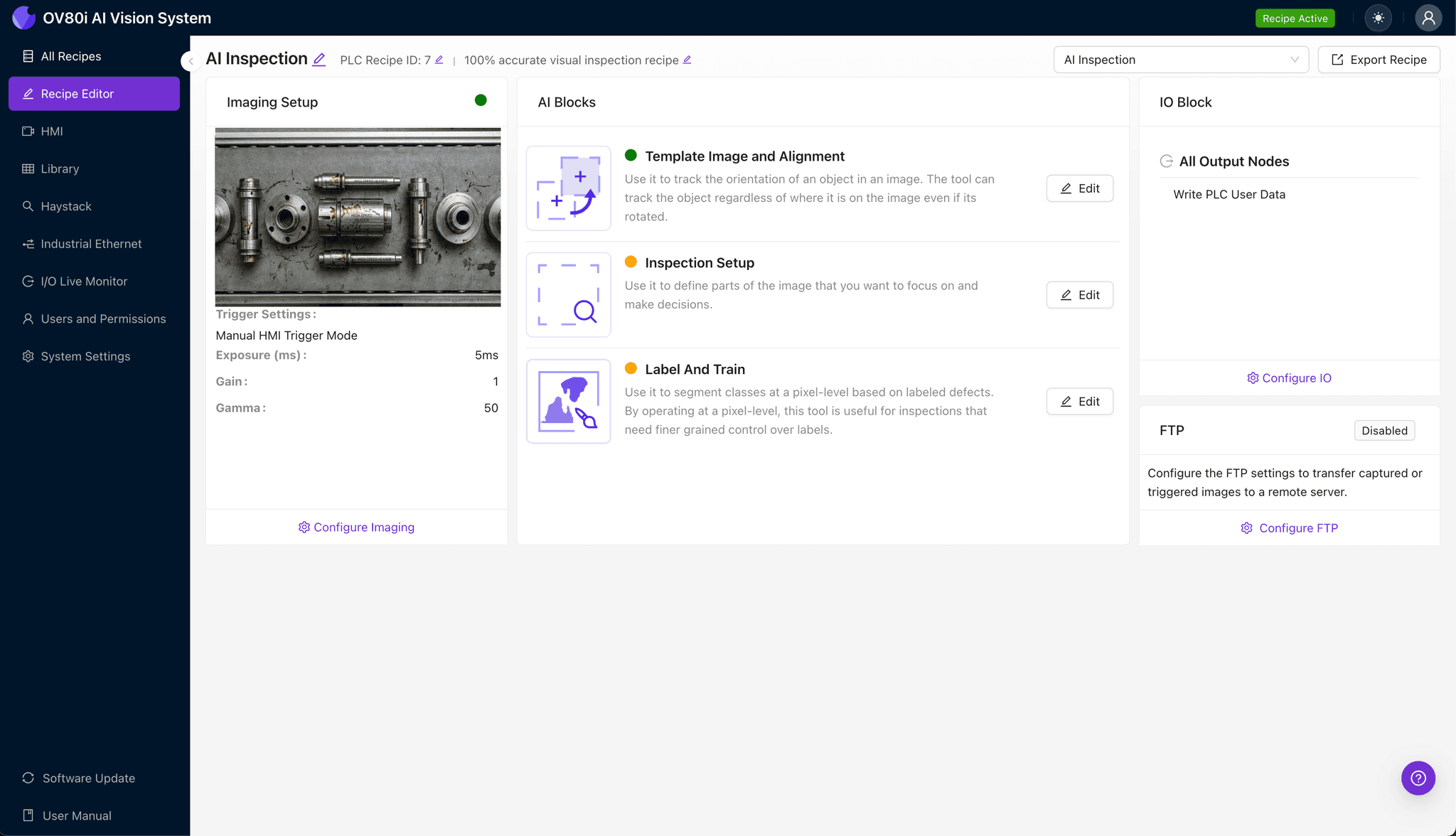
Step 2: Image Alignment
Navigate to "Template Image" and capture a reference image of a properly positioned header. This template ensures the system can locate each part consistently, even with minor placement variations.
Click "+ Rectangle" and draw an alignment region around the main header body, including distinctive features like the flange bolt pattern or collector cone. Set the "Rotation Range" to 20 degrees to accommodate reasonable part orientation differences on the conveyor.
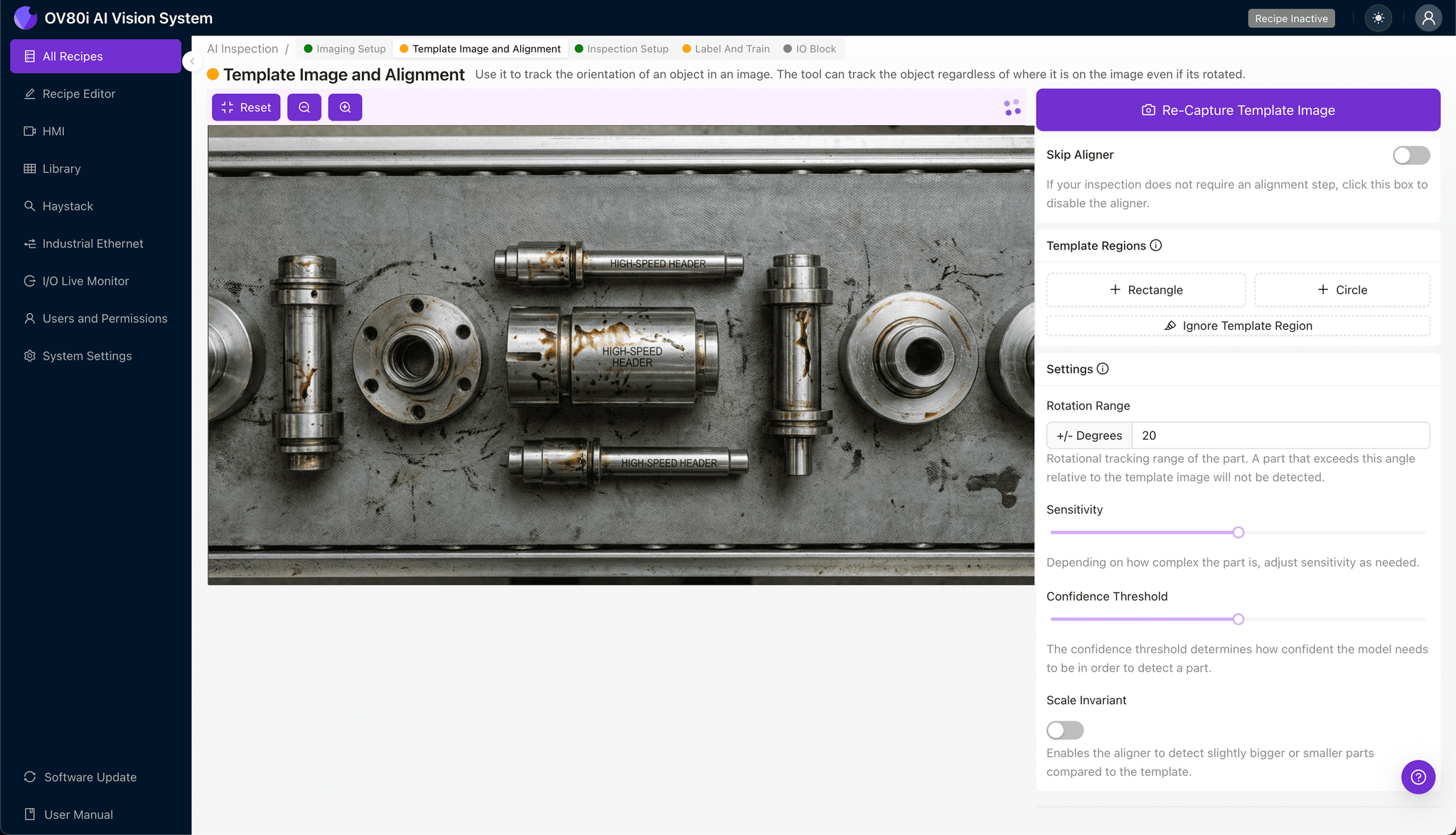
Step 3: Inspection Region Selection
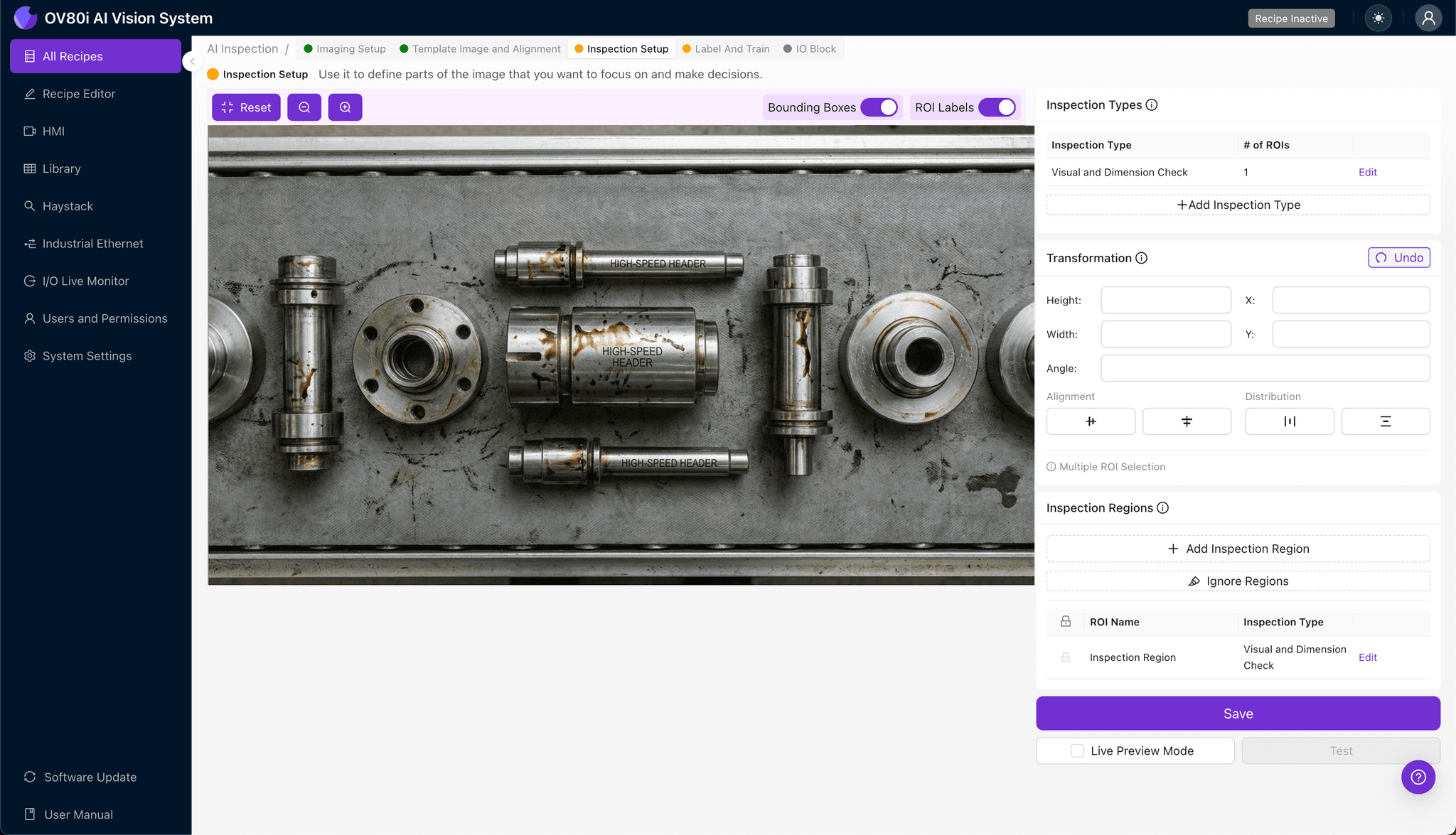
Navigate to "Inspection Setup" to define where the system should look for defects. Rename your "Inspection Types" with descriptive labels like "Weld_Zone_Residue," "Tube_Entry_Contamination," and "Flange_Surface_Staining."
Click "+ Add Inspection Region" for each critical area. Resize the yellow bounding box to cover weld beads, internal tube openings, and machined sealing surfaces where coolant residue most commonly accumulates.
Click "Save" to confirm your inspection zones.
Step 4: Labeling Data
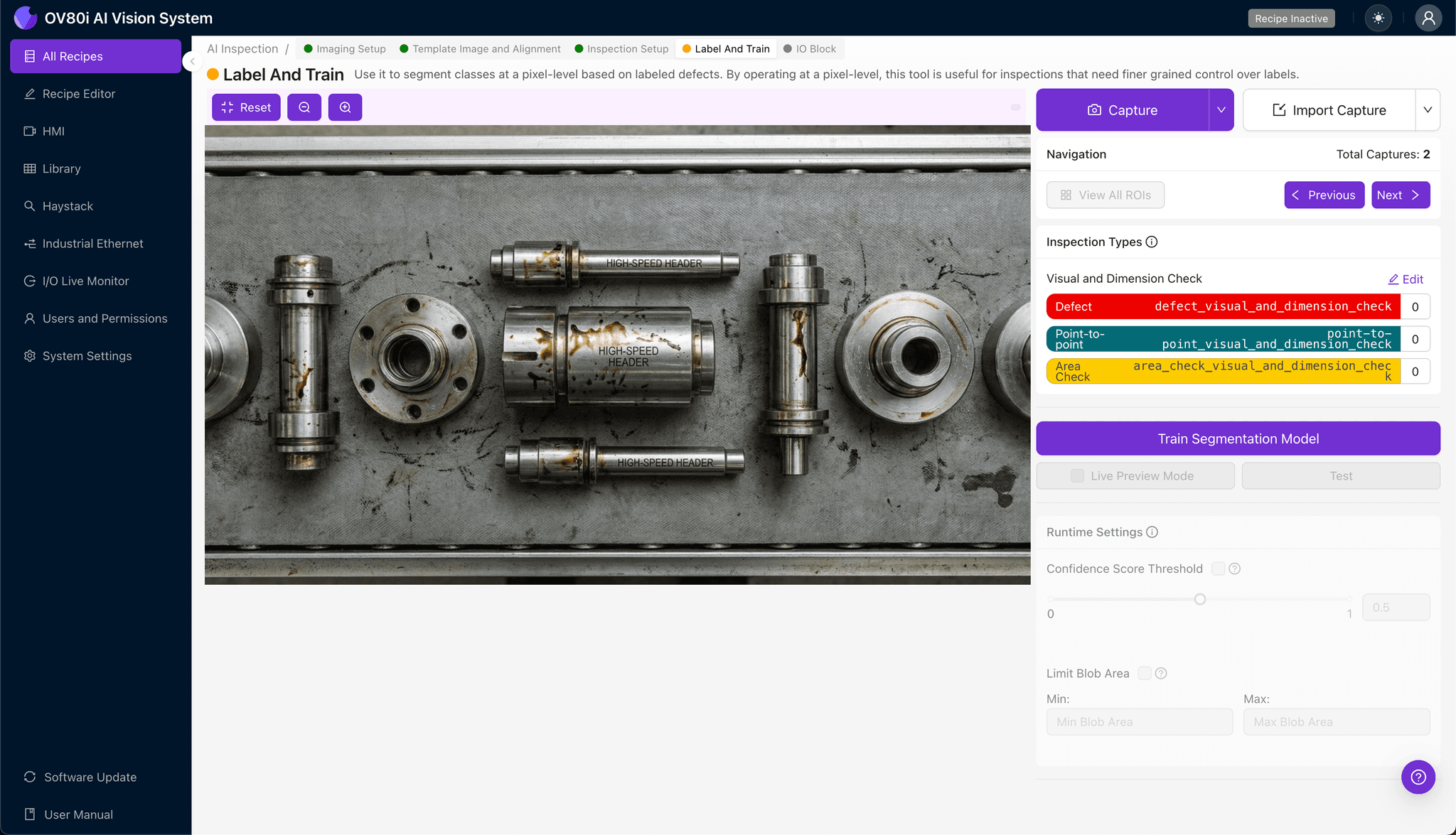
The human-in-the-loop labeling process trains the AI to distinguish acceptable parts from rejects. Production operators and quality engineers review captured images, marking each as Good or Bad based on established acceptance criteria.
Include representative samples across the full spectrum of production variation—different coolant concentrations, varying dry times, and multiple header batches. Ensure known failure modes like heavy crystallization, masked porosity, and corrosion spots are well-represented in the training set.
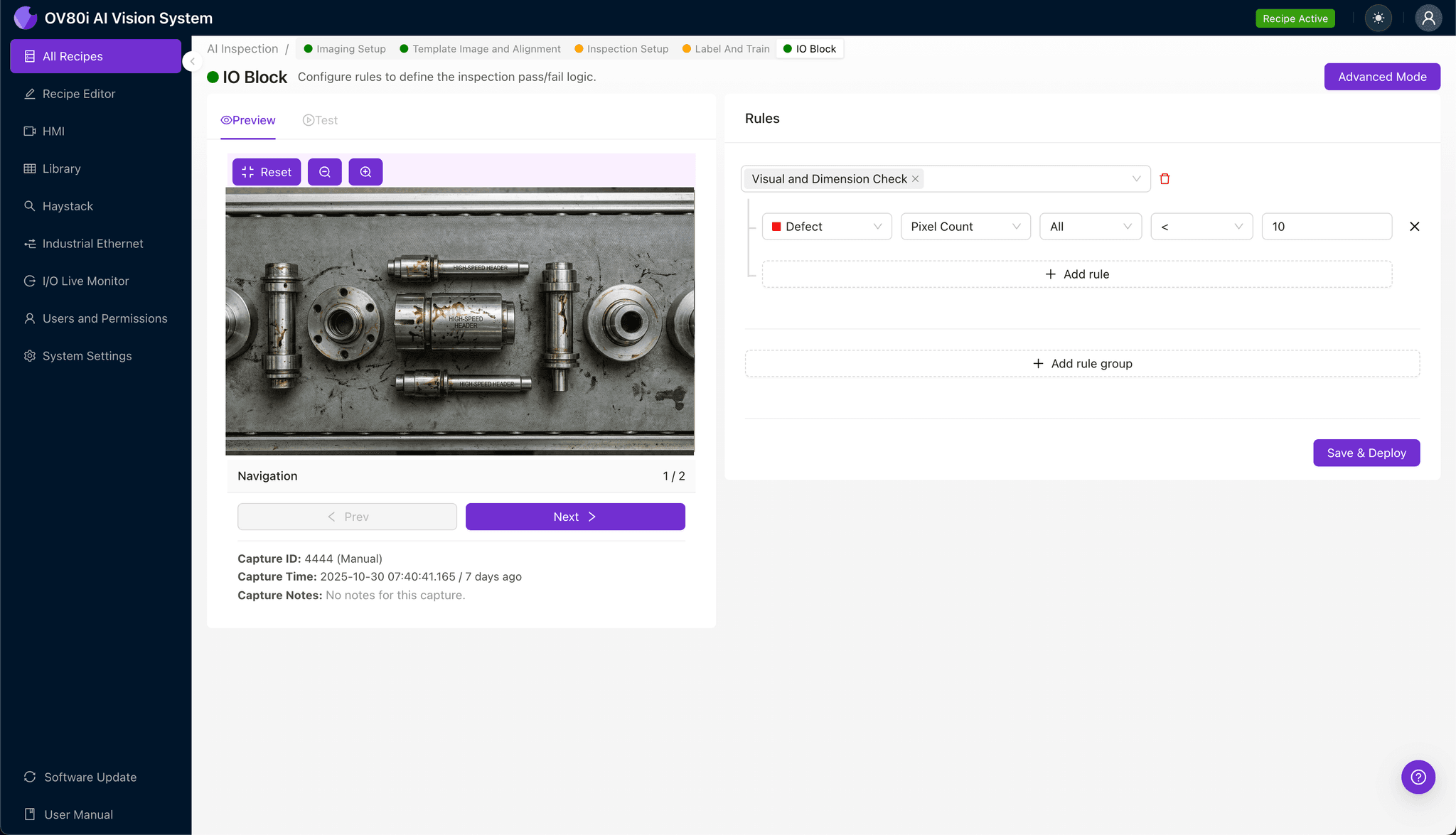
Step 5: Creating Rules
Configure pass/fail logic based on your defined Inspection Types. Set threshold rules that trigger rejection when residue severity exceeds acceptable limits in any critical zone.
Gate automated acceptance on the production line by connecting inspection results to your reject mechanism. Headers meeting all criteria proceed automatically; flagged parts divert for cleaning, rework, or scrap disposition.
Key Outcomes & ROI
Implementing AI-powered inspection for high-speed headers with coolant residue delivers measurable business impact:
- Reduced scrap rates — catch residue contamination before headers reach assembly or shipping, preventing costly returns
- Higher throughput — inspect 100% of parts at line speed without creating bottlenecks or adding manual inspection stations
- Compliance and traceability — maintain complete image records for every header, supporting automotive quality standards and customer audits
- Process improvement insights — identify upstream issues like coolant concentration drift or inadequate drying cycles through defect trend analysis
Ready to Eliminate Coolant Residue Escapes?
Overview.ai's visual inspection platform transforms high-speed header quality control from a gamble into a guarantee. Contact our team to see how AI-powered inspection can solve your toughest contamination challenges.