Detecting Bent Shielding Pins in HSD Plugs: A Machine Vision Inspection Guide
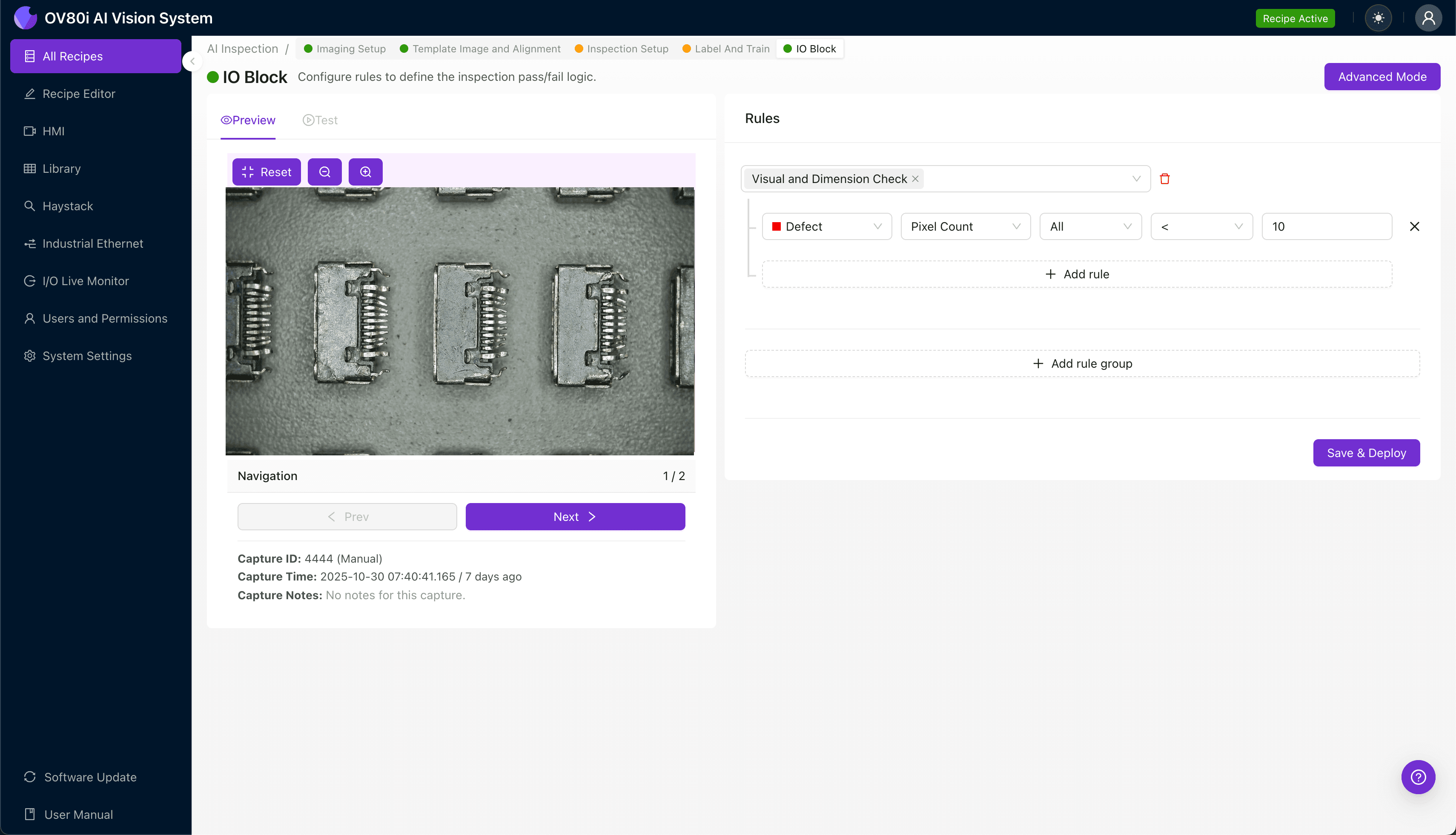
"Bent shielding pins in HSD connectors cause signal integrity failures and system malfunctions in automotive applications. AI-powered visual inspection detects sub-millimeter pin deflections with sub-pixel precision, eliminating the variability of manual inspection while maintaining full line speed."
The Problem: Why Bent Shielding Pins Escape Detection
High-speed data (HSD) connectors are critical components in automotive infotainment, ADAS systems, and industrial networking applications. These connectors feature delicate shielding pins that protect high-frequency signals from electromagnetic interference. The pins are highly susceptible to damage during automated insertion, handling, and packaging processes.
Common Defects in HSD Plug Shielding Pins:
- Lateral pin deflection – pins bent sideways outside acceptable tolerance zones
- Tip curl or hook deformation – pin ends curved from improper tooling contact
- Uneven pin height – inconsistent pin lengths affecting mating reliability
- Pin twist or rotation – axial rotation compromising shield contact geometry
- Base fractures or stress marks – micro-cracks at pin insertion points
- Missing pins – complete absence from failed insertion or breakage
Manual inspection of shielding pins is notoriously unreliable. Inspectors experience eye fatigue within minutes when examining dozens of sub-millimeter pins per connector at production speeds. The subtle angular deviations that cause field failures—often just 2-3 degrees of deflection—are nearly impossible to detect consistently with the naked eye across an 8-hour shift.
The Solution: AI-Powered Visual Inspection
Machine vision systems equipped with deep learning algorithms eliminate the variability inherent in human inspection. These systems capture high-resolution images and analyze pin geometry with sub-pixel precision, detecting deviations that would escape even the most experienced quality technicians.
Overview.ai's approach delivers consistent, objective inspection at full line speed. The OV80i system learns what "good" looks like from your production data, then flags any connector that deviates from acceptable parameters—without slowing your throughput.
Step 1: Imaging Setup
Position the HSD plug under the camera with shielding pins facing upward for optimal visibility. Proper lighting angle is critical—angled illumination helps reveal subtle pin deflections through shadow contrast.
Click "Configure Imaging" to access the Camera Settings panel. Adjust exposure to prevent pin reflection washout and fine-tune gain to maintain detail in shadowed areas between pins.
Click "Save" once your image shows clear differentiation between all shielding pins.

Step 2: Image Alignment
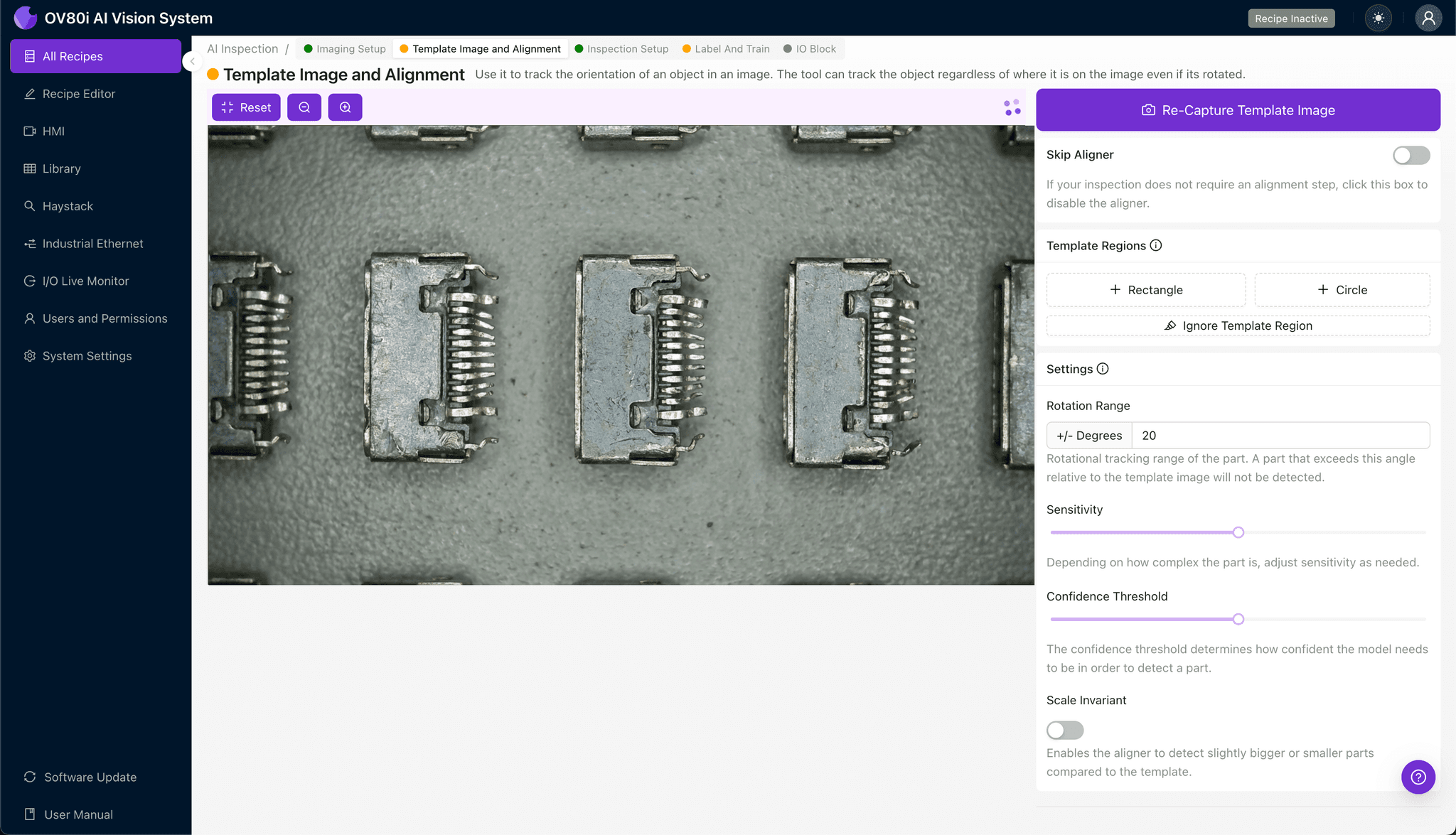
Navigate to "Template Image" in the configuration menu. Capture a Template using a known-good HSD plug centered in the field of view.
Click "+ Rectangle" to add an alignment region around the main connector body, excluding the pins themselves. Set "Rotation Range" to 20 degrees to accommodate minor orientation variations as parts enter the inspection station.
Step 3: Inspection Region Selection
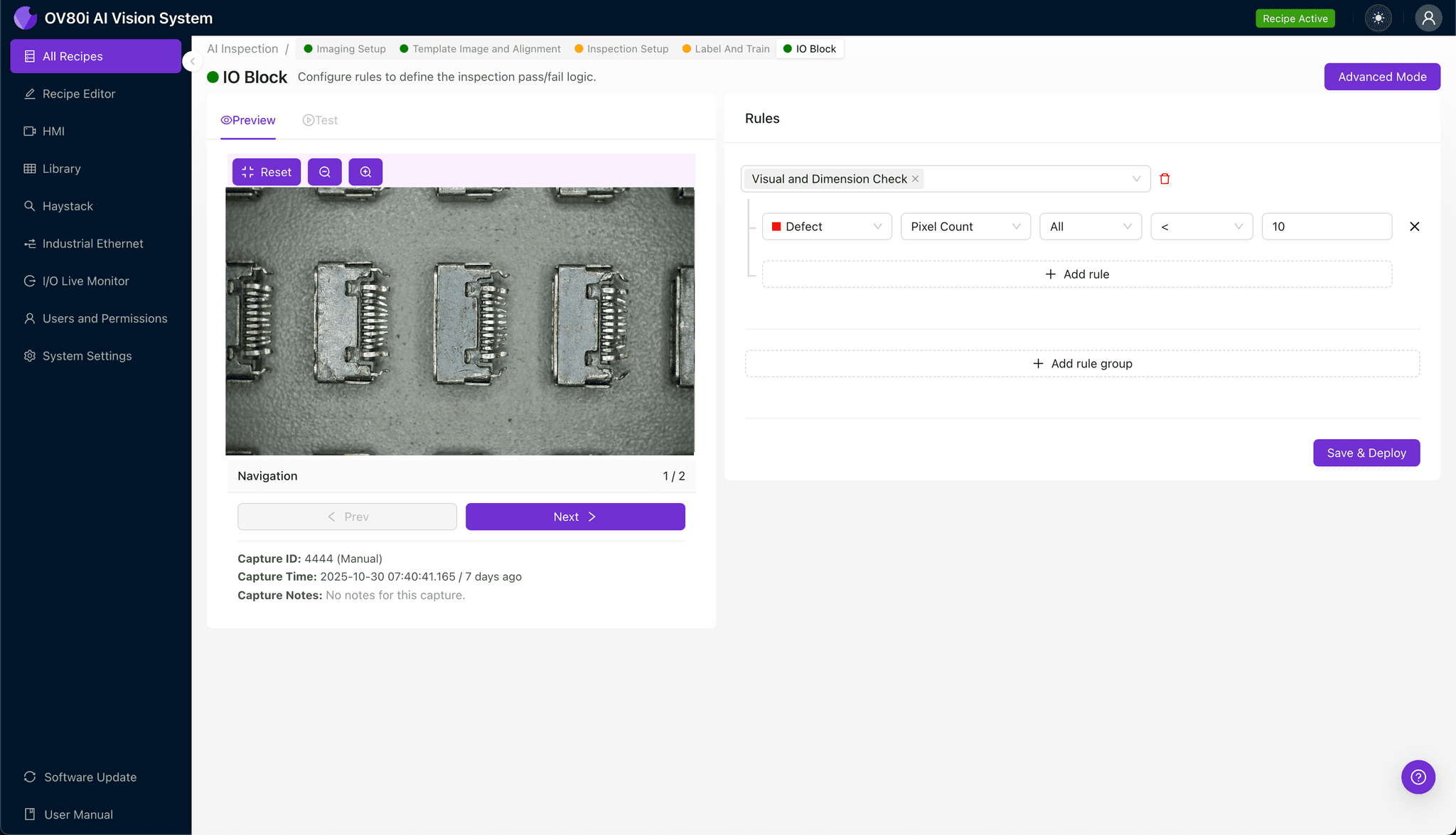
Navigate to "Inspection Setup" to define your detection zones. Rename your "Inspection Types" to reflect the specific defect categories—for example, "Shield_Pin_Bend" and "Shield_Pin_Missing."
Click "+ Add Inspection Region" to create a new zone. Resize the yellow bounding box to cover the shielding pin array, ensuring all pins fall within the detection area.
Click "Save" to lock your inspection regions.
Step 4: Labeling Data
The human-in-the-loop labeling process teaches the AI to recognize your specific defect criteria. Review captured images and label each as Good or Bad based on your quality standards.
Include representative samples across normal production variation—different lighting conditions, slight positional shifts, and acceptable pin tolerances. Critically, incorporate known failure modes including bent pins at various angles, missing pins, and borderline cases that have caused field returns.
Step 5: Creating Rules
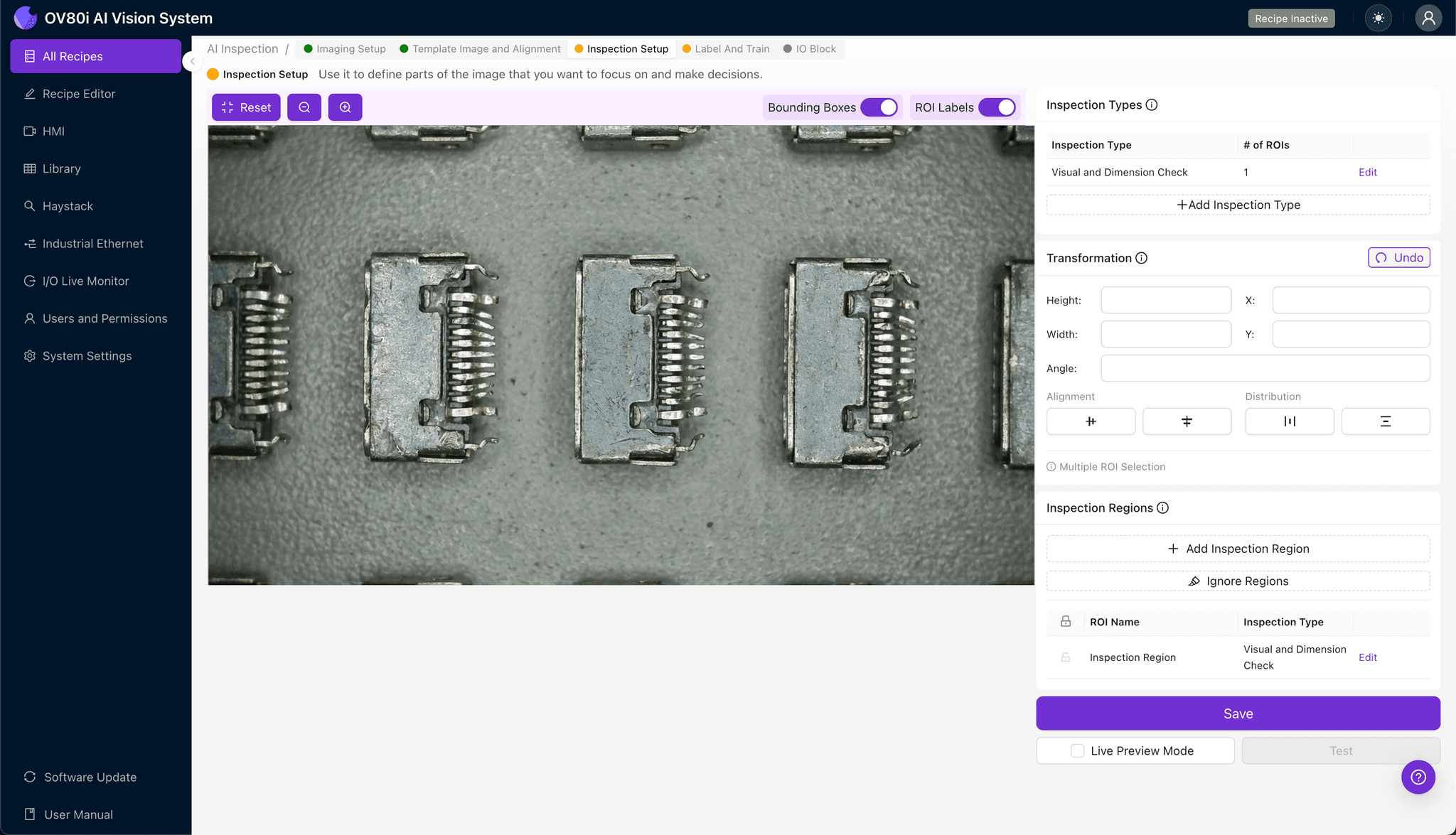
Configure your pass/fail logic based on the Inspection Types you defined earlier. Set thresholds that align with your quality specifications—for example, any pin deflection exceeding 5 degrees triggers a fail condition.
Gate automated acceptance on the line so that flagged connectors are diverted for secondary inspection or rework. This closed-loop approach prevents defective HSD plugs from reaching downstream assembly or shipping.

Key Outcomes & ROI
Implementing AI-powered inspection for HSD plug shielding pins delivers measurable business impact:
- Reduced scrap rates – catch defects before connectors are assembled into higher-value subassemblies
- Higher throughput – inspect 100% of production without creating bottlenecks or adding headcount
- Compliance and traceability – maintain complete inspection records with timestamped images for automotive quality audits (IATF 16949)
- Process improvement insights – identify upstream tooling wear or handling issues causing pin damage trends
Conclusion
Bent shielding pins in HSD connectors represent a high-risk, high-volume inspection challenge that manual methods simply cannot address reliably. Overview.ai's visual inspection platform transforms this quality control bottleneck into a competitive advantage—delivering consistent detection, actionable data, and the confidence that every connector leaving your line meets specification.
Eliminate Defects Today
Stop relying on manual inspection. Deploy Overview.ai to catch bent shielding pins instantly.