Detecting Glass-Fiber Protrusion Defects in LCP Housing: A Complete Machine Vision Walkthrough
"Glass-fiber protrusion at the gate is a microscopic defect that human inspectors consistently miss. Deep learning-based machine vision detects fiber breakthrough as small as 50 microns at full production speed, delivering 100% inspection coverage without fatigue-related accuracy drops."
The Problem: Why Glass-Fiber Protrusion at the Gate Challenges Quality Teams
Liquid Crystal Polymer (LCP) housings reinforced with glass fibers are critical components in connectors, sensors, and high-frequency electronics. However, the gate area—where molten material enters the mold—is particularly vulnerable to defects caused by fiber orientation issues and flow dynamics.
Common Defects Found at the Gate Region:
- Glass-fiber protrusion – Individual fibers breaking through the surface, creating rough texture and potential electrical interference
- Gate vestige irregularities – Excess material or incomplete shearing at the gate cut point
- Fiber clumping – Uneven distribution of glass fibers causing localized weakness or surface blemishes
- Short shots near gate – Incomplete fill resulting in voids or thin walls adjacent to the injection point
- Burn marks – Discoloration from trapped gases or excessive shear heat during injection
- Sink marks – Surface depressions caused by cooling rate differentials in fiber-rich zones
Human inspectors struggle with these defects because many fiber protrusions measure just 50-200 microns—below reliable visual detection thresholds. Inspector fatigue compounds the problem, with studies showing accuracy drops of 20-30% over extended shifts, making consistent detection at production speeds virtually impossible.
The Solution: Machine Vision + Deep Learning for LCP Inspection
Traditional rule-based vision systems often fail with glass-fiber protrusion defects because the irregular, organic nature of fiber patterns resists simple threshold-based detection. Deep learning changes this equation by training neural networks to recognize subtle textural anomalies that indicate fiber breakthrough.
Overview.ai's approach delivers consistent, objective inspection at full line speed—typically 100% of parts rather than statistical sampling. The system learns from labeled examples of acceptable and defective parts, building robust detection models that don't fatigue, don't vary between shifts, and continuously improve with additional training data.
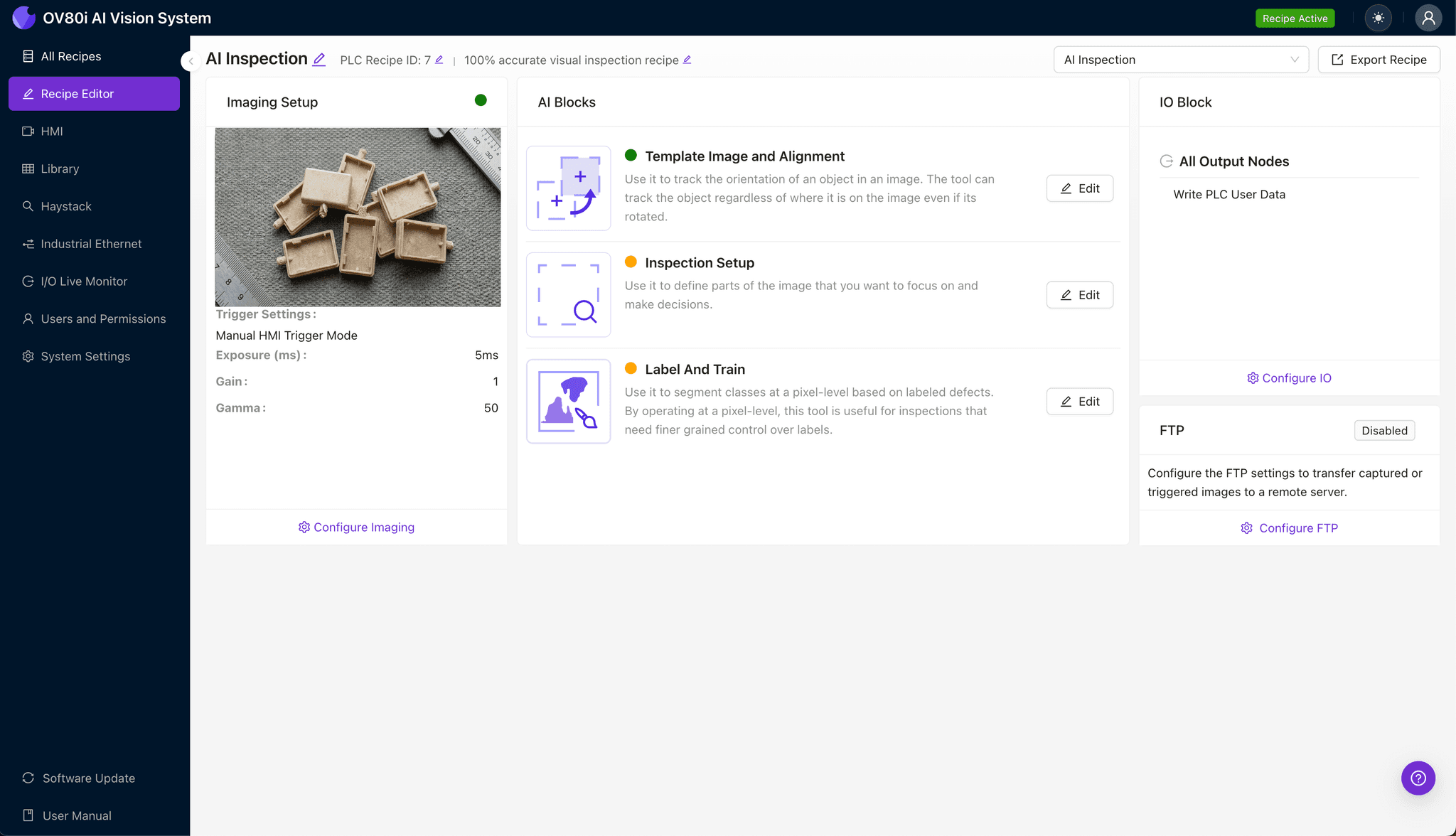
Step 1: Imaging Setup
Position the LCP housing under the camera with the gate area clearly visible and oriented consistently. Proper lighting is critical—angled illumination often highlights fiber protrusions better than diffuse lighting by casting micro-shadows.
Click "Configure Imaging" in the Overview interface to access Camera Settings. Adjust exposure to capture surface detail without washout, and fine-tune gain to balance signal strength against noise in the fiber-textured regions.
Click "Save" once the gate area shows clear contrast between the housing surface and any protruding fibers.
Step 2: Image Alignment
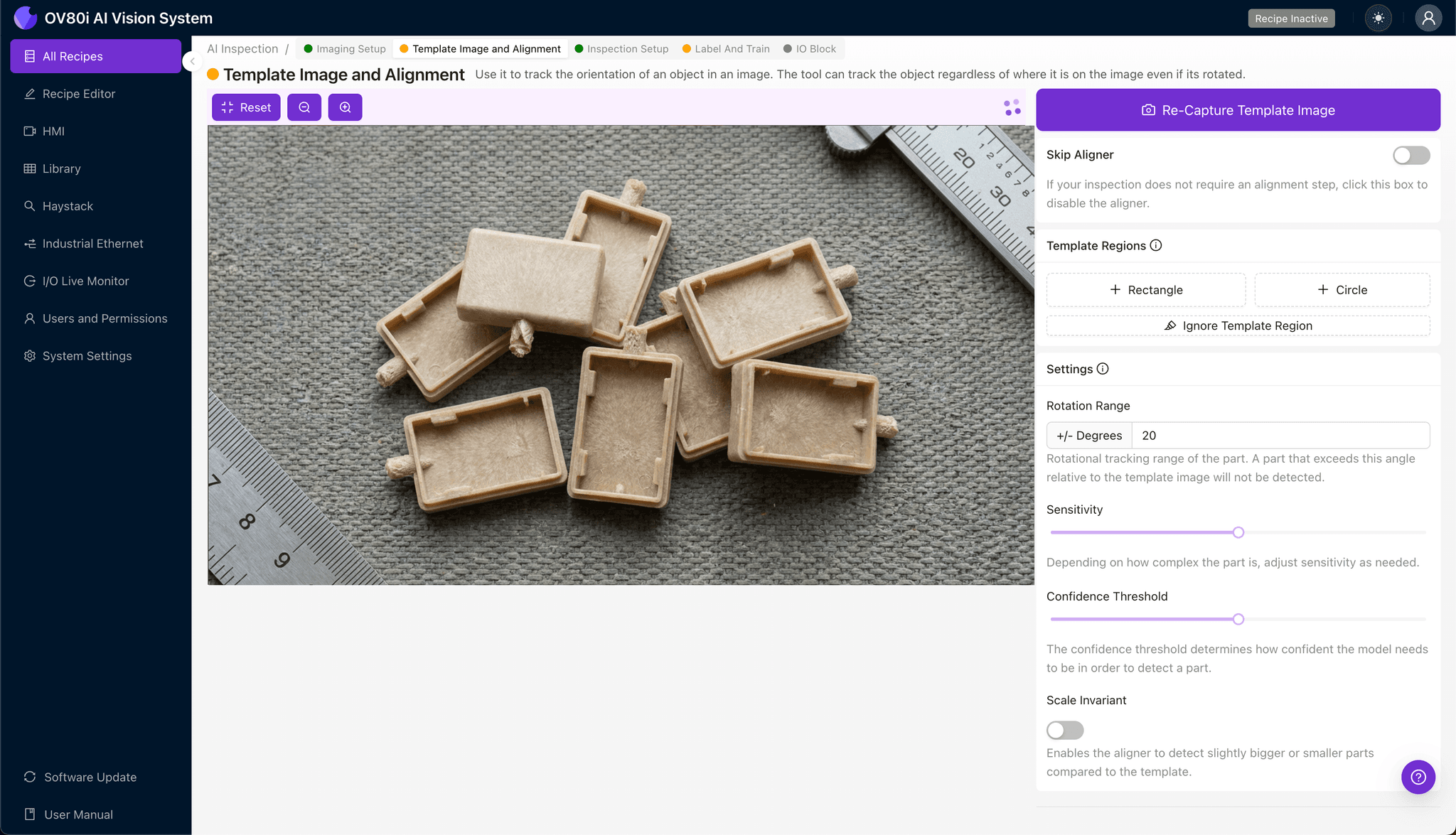
Navigate to "Template Image" and capture a reference frame of a properly positioned part. This template anchors the system's understanding of where defects should be evaluated.
Click "+ Rectangle" to add an alignment region around the main housing body or a consistent geometric feature. Set the "Rotation Range" to 20 degrees to accommodate minor orientation variations as parts enter the inspection station.
Step 3: Inspection Region Selection
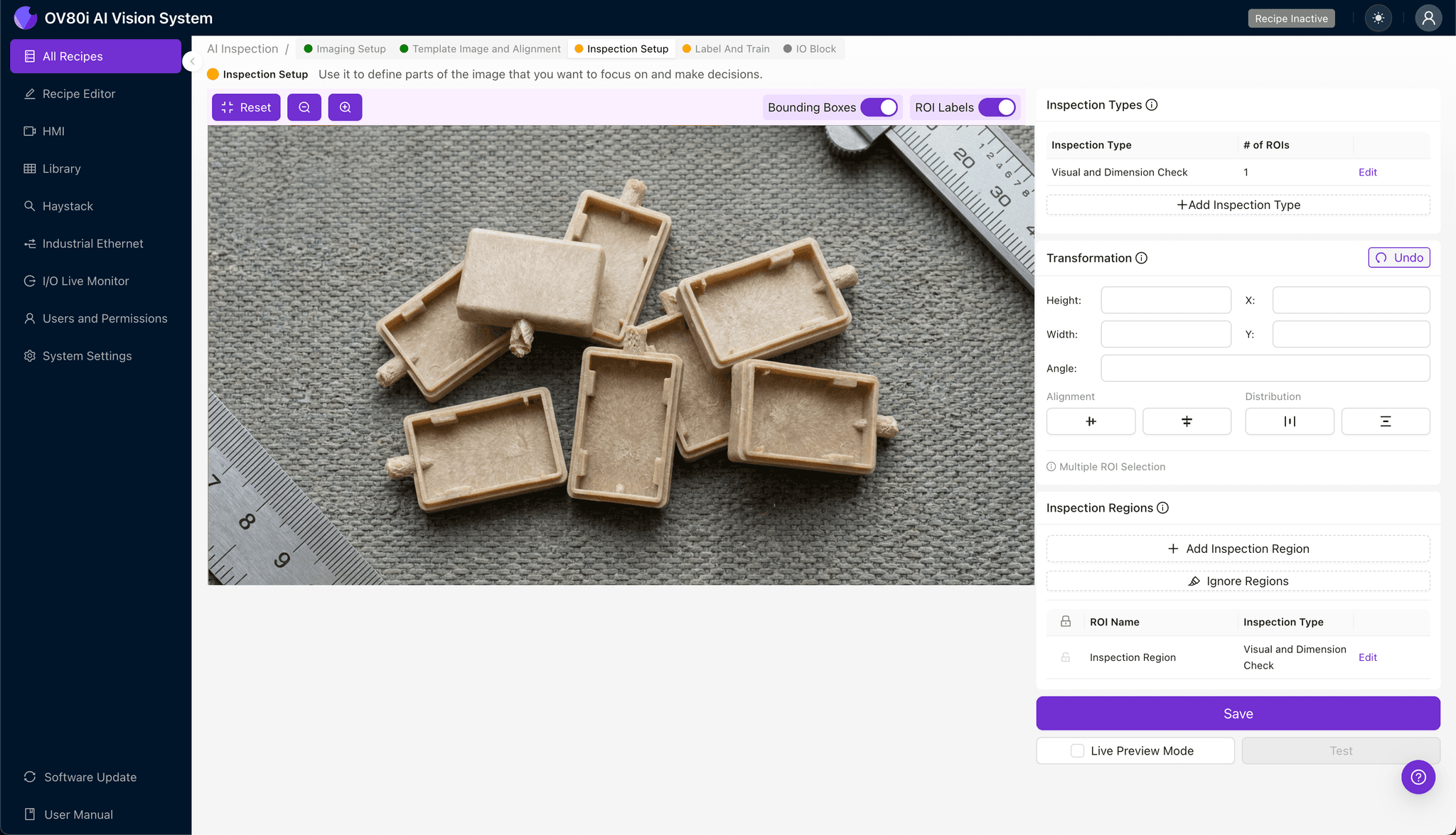
Navigate to "Inspection Setup" to define where the system should focus its analysis. Rename your "Inspection Types" descriptively—for example, "Gate_Fiber_Protrusion" and "Gate_Vestige_Quality."
Click "+ Add Inspection Region" for each defect type you need to monitor. Resize the yellow bounding box to cover the critical gate area and immediate surrounding surface where fiber protrusion most commonly occurs.
Click "Save" to lock in your inspection zones.
Step 4: Labeling Data
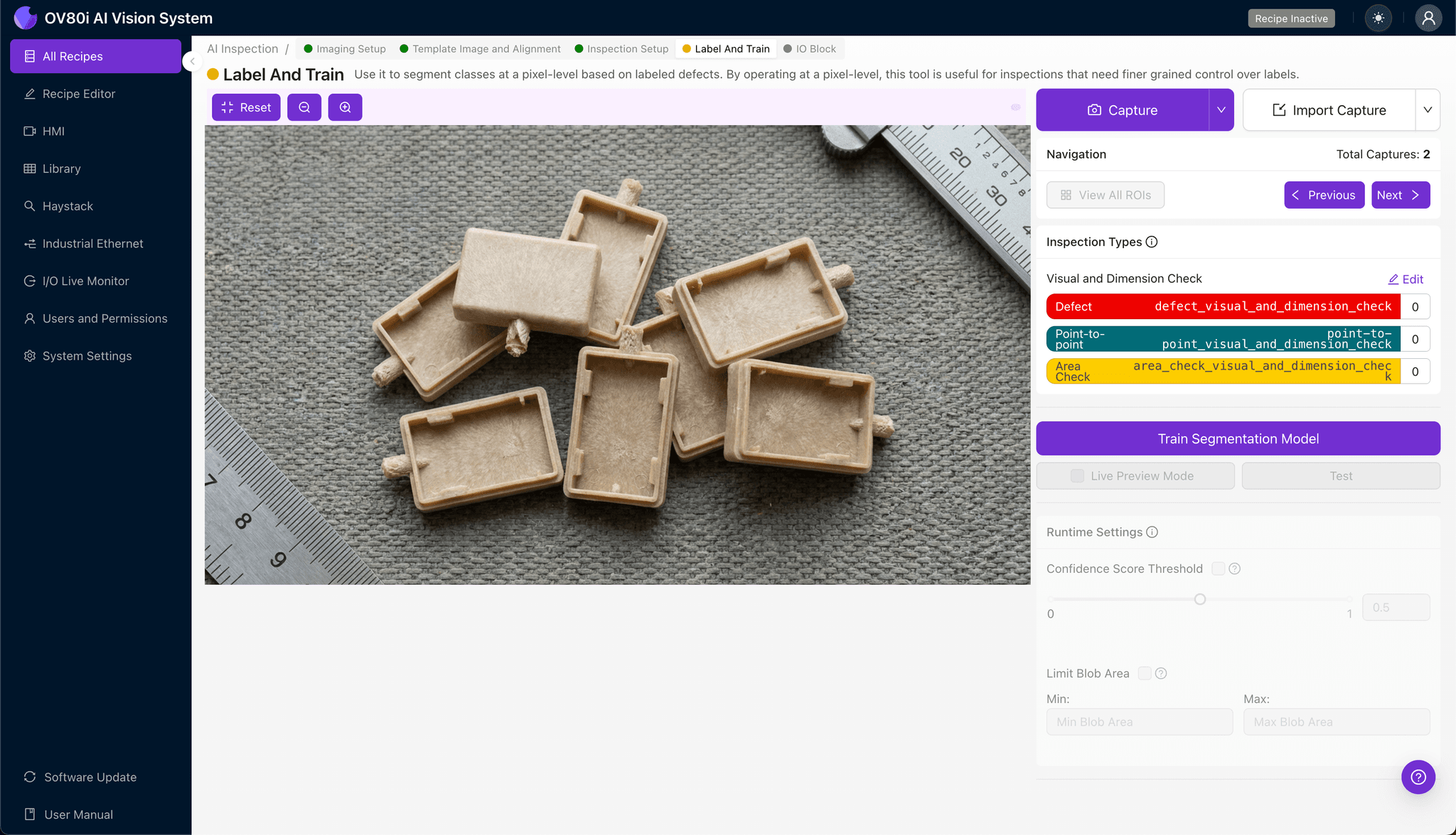
The human-in-the-loop labeling process is where deep learning gains its intelligence. Review captured images and label each as Good (acceptable) or Bad (defective) based on your quality specifications.
Include representative samples across normal production variation—different material lots, temperature conditions, and cavity positions. Critically, incorporate known failure modes and boundary-case samples where the defect is marginal, teaching the model where your quality threshold actually lies.
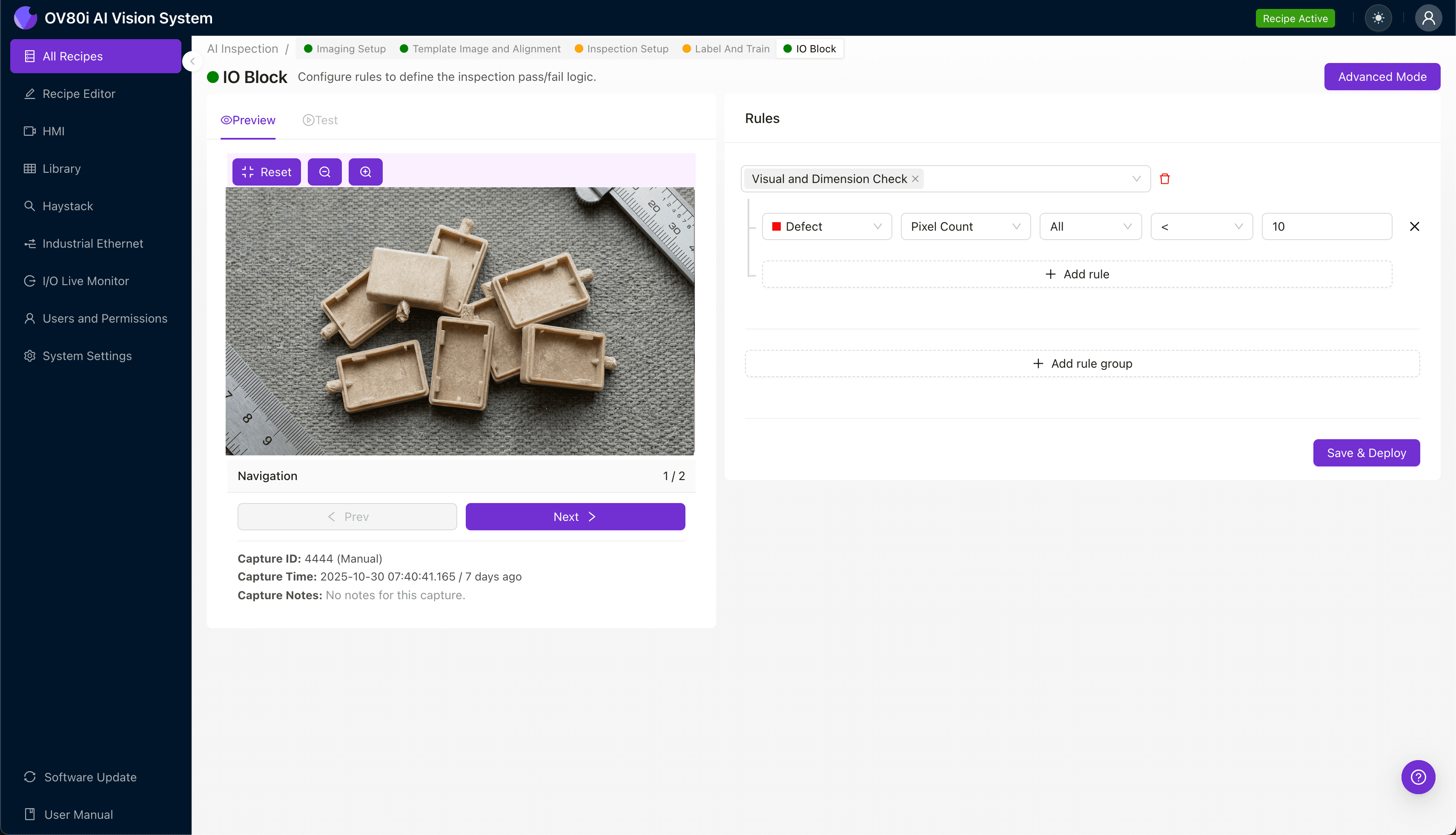
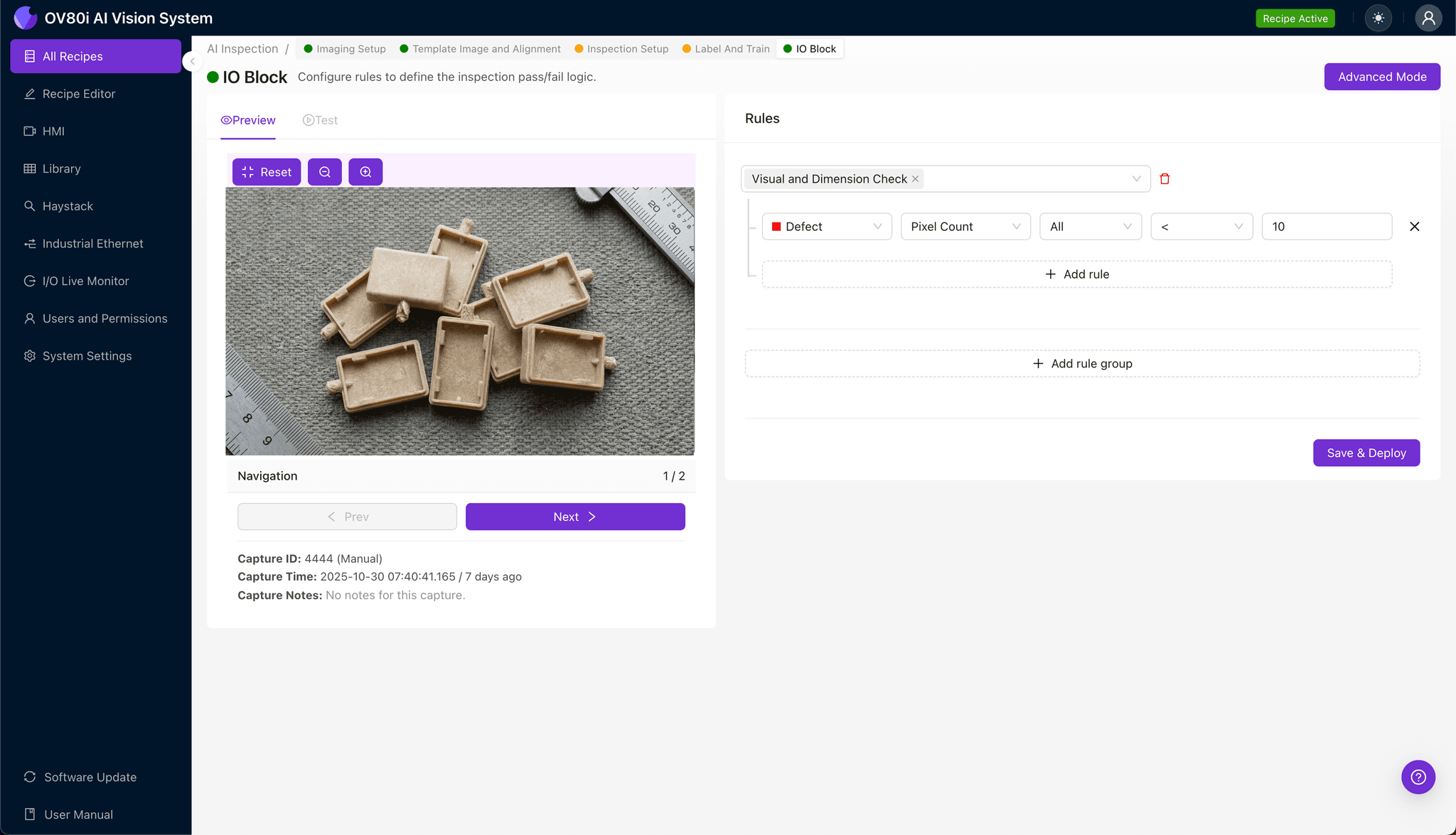
Step 5: Creating Rules
Configure pass/fail logic based on your defined Inspection Types in the Rules section. You might require all regions to pass, or weight certain defect types as critical versus minor.
This rule set gates automated acceptance on the line—parts meeting criteria proceed automatically while flagged units divert for secondary review or rejection.
Key Outcomes & ROI
Manufacturers implementing automated inspection for LCP housing gate defects consistently report measurable improvements:
- Reduced scrap rates – Catching defects earlier prevents downstream assembly waste and customer returns
- Higher throughput – 100% inline inspection eliminates bottlenecks from manual sampling stations
- Enhanced compliance and traceability – Automatic image logging creates auditable quality records for automotive, medical, and aerospace customers
- Process improvement insights – Defect trend data identifies upstream issues like worn mold surfaces or material inconsistencies before they escalate
Conclusion
Glass-fiber protrusion at the gate represents a challenging but solvable quality problem for LCP housing manufacturers. By combining precision imaging with deep learning-based defect detection, Overview.ai enables consistent, scalable inspection that protects both product quality and production efficiency.
Eliminate LCP Housing Defects Today
Stop relying on manual inspection for microscopic fiber protrusion defects. Deploy Overview.ai to catch defects instantly at full production speed.