Detecting Liquid-Cooled Thermal Bridge Defects with AI-Powered Visual Inspection
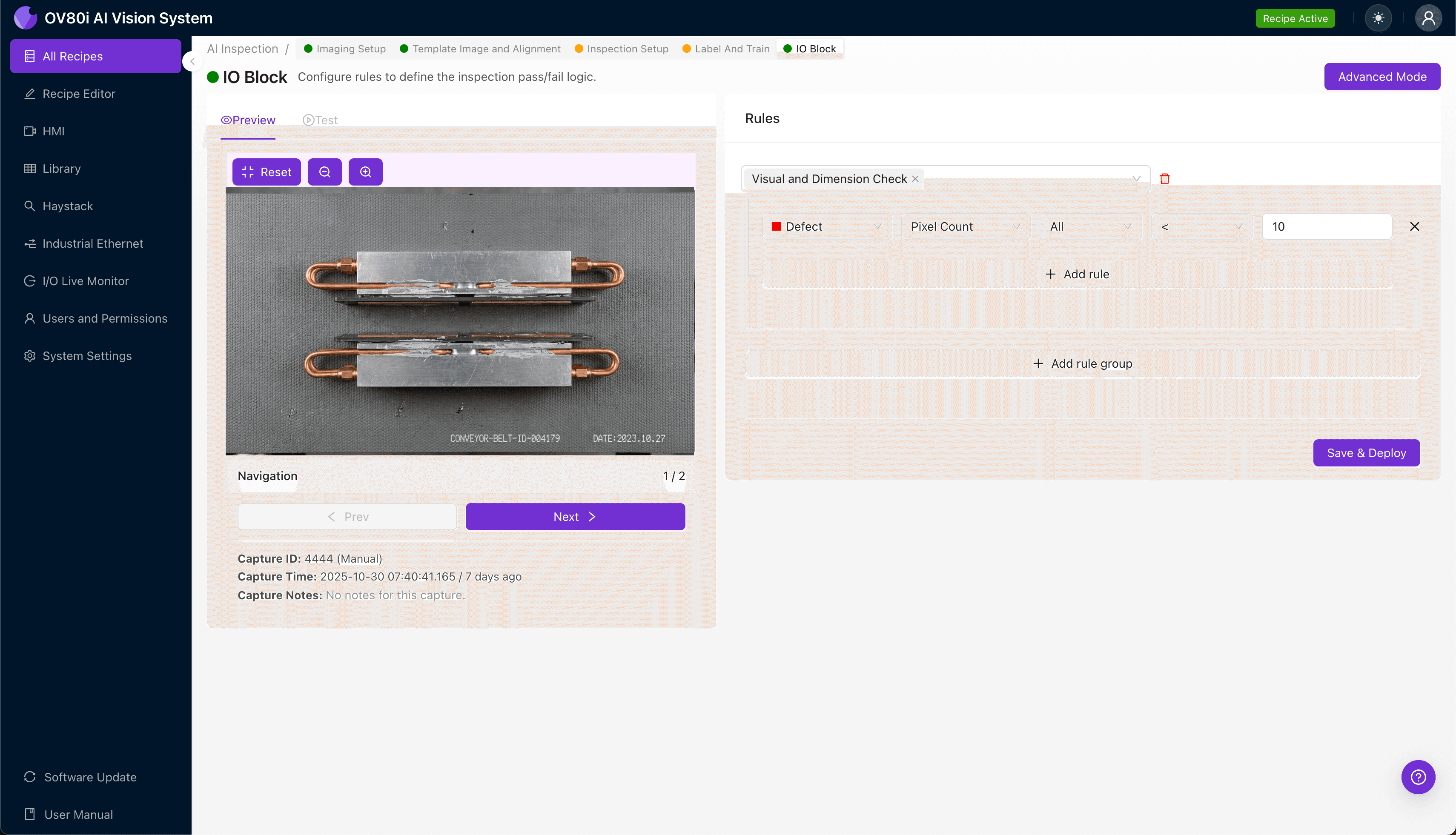
"Insufficient contact pressure in liquid-cooled thermal bridges leads to hotspots and premature failure. AI-powered visual inspection detects subtle defects like TIM voids, surface warping, and fastener inconsistencies with superhuman accuracy at full production speed."
The Problem: Why Insufficient Contact Pressure Goes Undetected
Liquid-cooled thermal bridges are critical components in high-performance electronics, EV battery packs, and industrial power systems. When contact pressure between the thermal interface and heat-generating components is insufficient, thermal resistance increases—leading to hotspots, premature failure, and potentially catastrophic system damage.
Common Defects Associated with Insufficient Contact Pressure
- Uneven TIM (Thermal Interface Material) spread — visible gaps or inconsistent paste/pad distribution across the contact surface
- Surface warping or bowing — subtle deformation in the bridge plate preventing full-surface contact
- Missing or displaced thermal pads — adhesive failure causing pads to shift during assembly
- Fastener torque inconsistencies — visual indicators of under-tightened mounting hardware (washer gaps, incomplete seating)
- Cold plate surface contamination — oils, debris, or oxidation preventing proper thermal coupling
- Gasket compression failures — inadequate seal deformation indicating low clamping force
Why Manual Inspection Falls Short
Human inspectors struggle to detect these subtle variations consistently across thousands of units per shift. Visual fatigue sets in quickly when evaluating minute surface irregularities, and the speed of modern production lines makes thorough manual assessment nearly impossible.
The Solution: Machine Vision + Deep Learning
AI-powered visual inspection eliminates the subjectivity and inconsistency inherent in manual quality control. Deep learning models can be trained to recognize the precise visual signatures of insufficient contact pressure—from microscopic TIM voids to subtle hardware misalignment—with superhuman accuracy.
Overview.ai's approach delivers consistent, objective inspection at full line speed. The OV80i system captures high-resolution images of every thermal bridge assembly, analyzes them against trained defect models in milliseconds, and flags non-conforming units before they leave the station.
Step 1: Imaging Setup
Position the liquid-cooled thermal bridge assembly under the OV80i camera, ensuring the contact surface and mounting hardware are fully visible. Proper lighting is essential—consider angled illumination to reveal surface irregularities and TIM distribution patterns.
Navigate to "Configure Imaging" in the Overview interface. Adjust Camera Settings including exposure time and gain to capture clear detail of the thermal interface surface without washout or shadowing.
Click "Save" to lock in your imaging configuration.
Step 2: Image Alignment
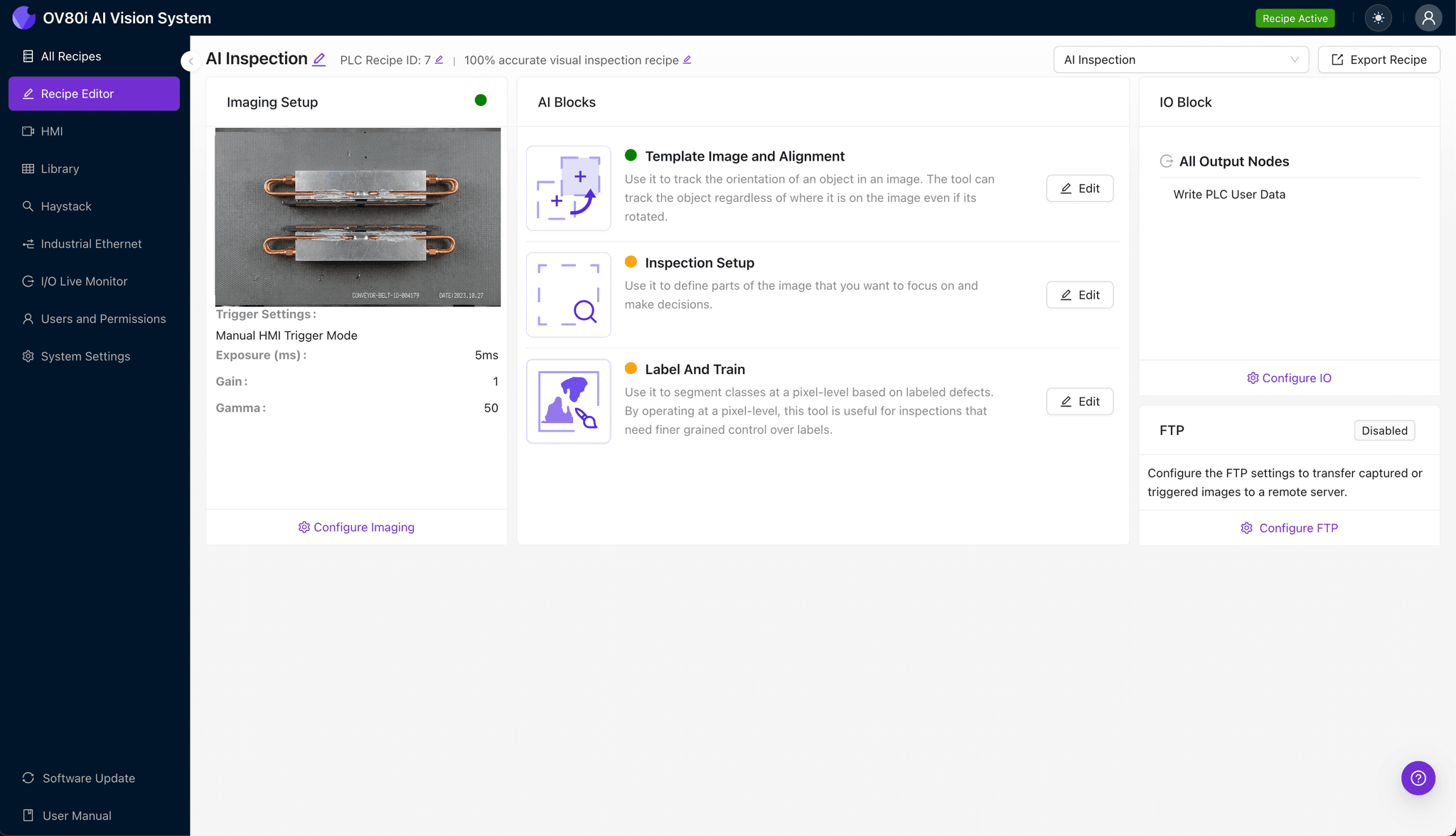
Navigate to "Template Image" and capture a reference image of a properly assembled thermal bridge. This template serves as the baseline for all subsequent inspections.
Click "+ Rectangle" to add an alignment region around the main body of the thermal bridge. Set the "Rotation Range" to 20 degrees to accommodate minor positional variation as units enter the inspection zone.
Step 3: Inspection Region Selection
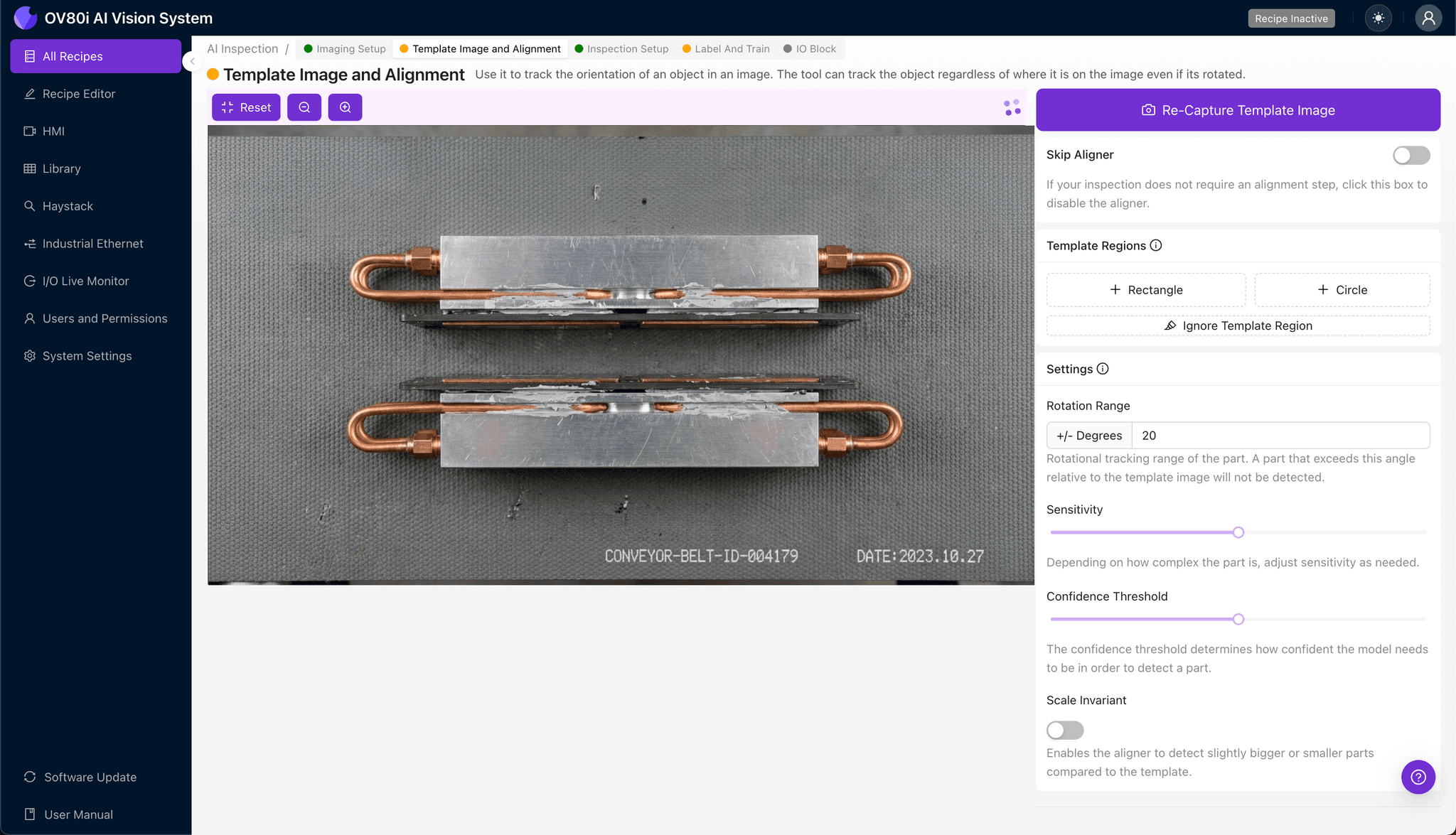
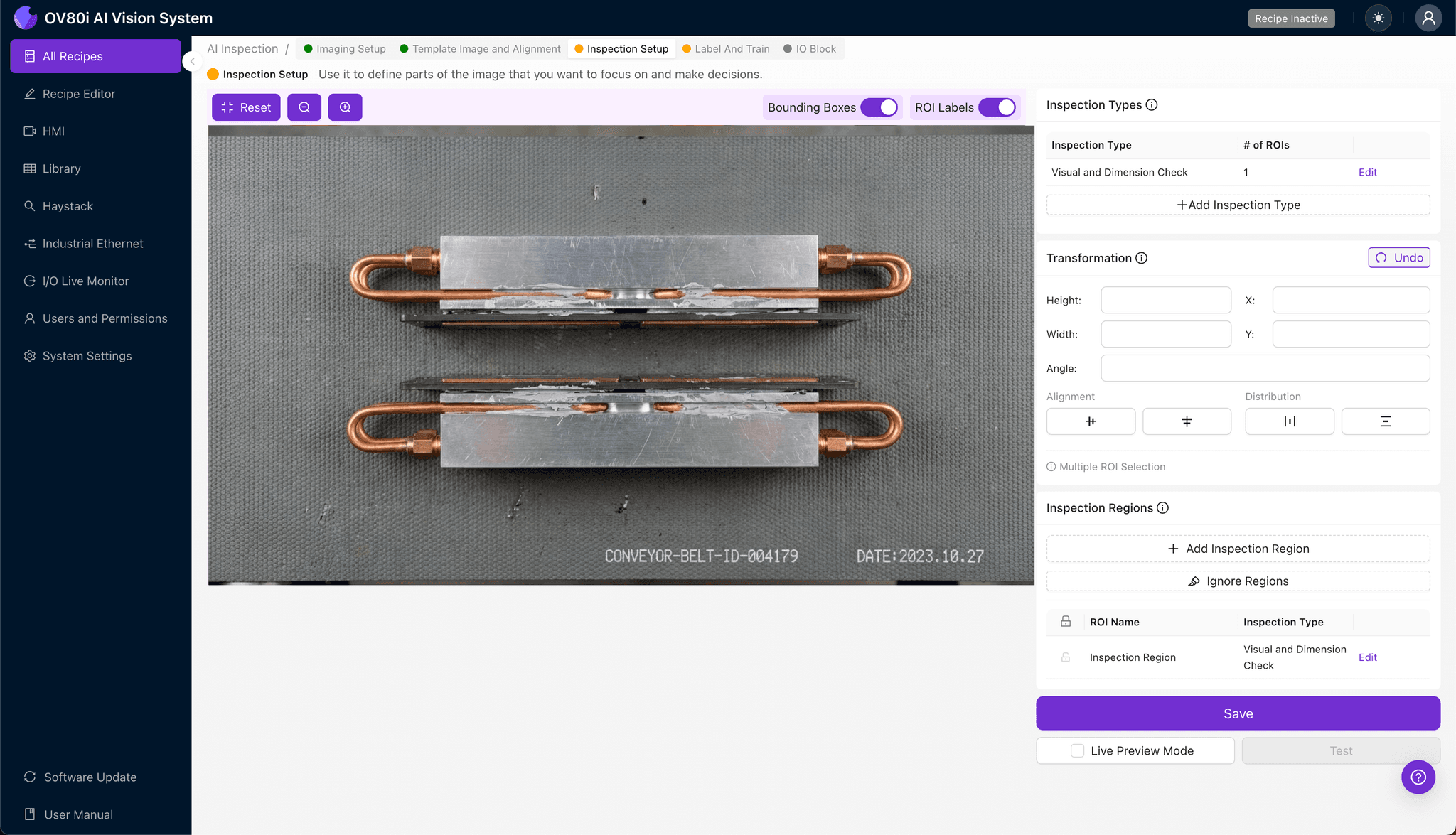
Navigate to "Inspection Setup" to define your defect detection zones. Rename your "Inspection Types" with descriptive labels such as "TIM Coverage," "Fastener Seating," and "Surface Contamination."
Click "+ Add Inspection Region" for each critical area. Resize the yellow bounding box to cover the thermal interface surface, mounting points, and gasket compression zones.
Click "Save" to confirm your inspection regions.
Step 4: Labeling Data
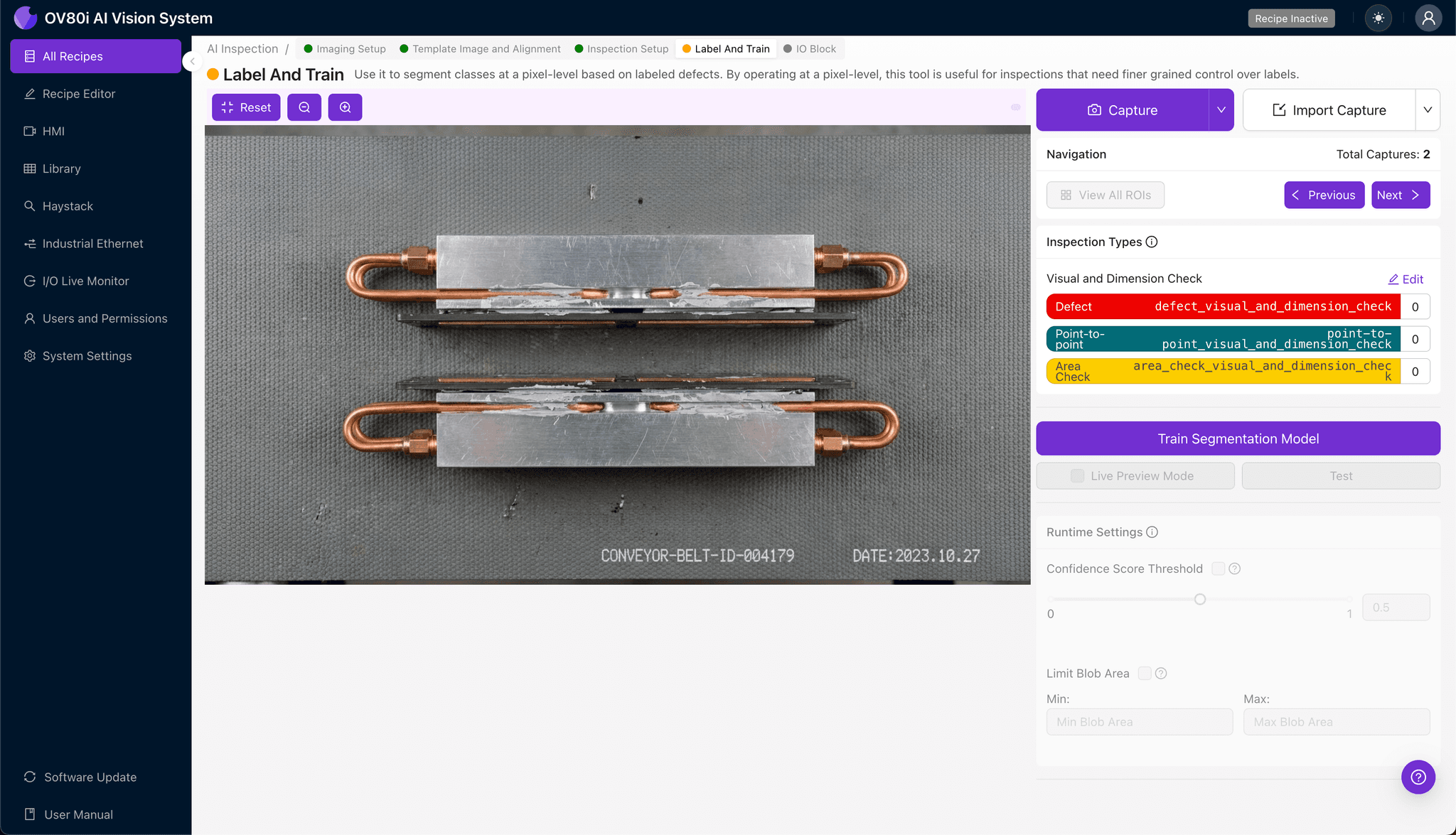
The human-in-the-loop labeling process trains the AI to distinguish acceptable assemblies from defective ones. Review captured images and label each as Good (proper contact pressure indicators) or Bad (visible defect signatures).
Include representative samples across normal production variation. Incorporate known failure modes—TIM voids, loose fasteners, contaminated surfaces—to build a robust training dataset.
Step 5: Creating Rules
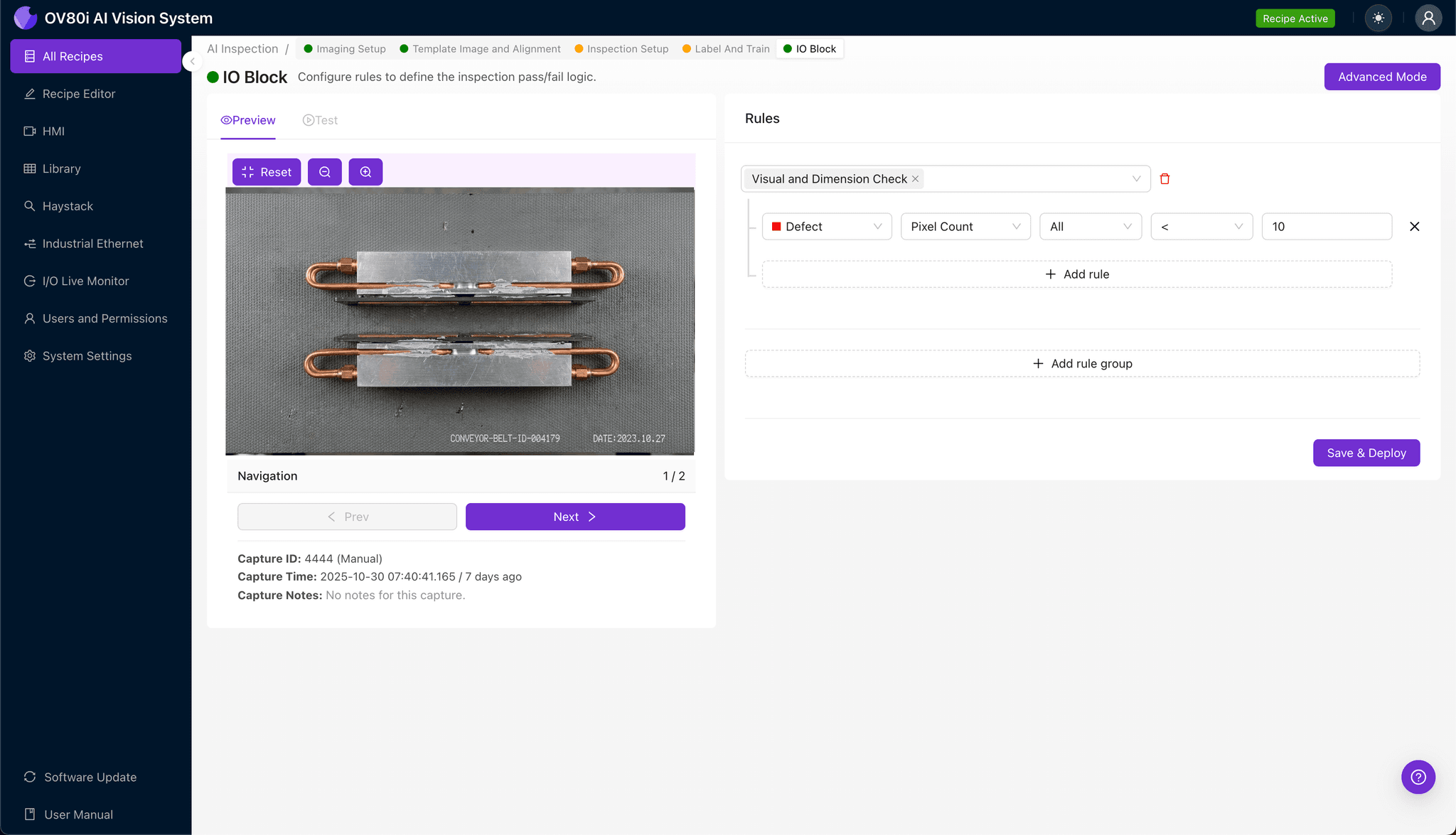
Configure your pass/fail logic based on defined Inspection Types. For example, set rules requiring 95% TIM coverage and zero detected fastener gaps for a unit to pass.
Gate automated acceptance directly on the production line. Non-conforming thermal bridges are automatically diverted for rework or rejection, preventing defective assemblies from reaching downstream processes.
Key Outcomes & ROI
Implementing AI-powered inspection for liquid-cooled thermal bridge assemblies delivers measurable business impact:
- Reduced scrap and warranty costs — catch contact pressure defects before units ship, preventing field failures
- Higher throughput — inspect 100% of production at line speed without creating bottlenecks
- Compliance and traceability — maintain complete inspection records with timestamped images for every unit
- Process improvement insights — identify upstream assembly issues through defect trend analysis
Conclusion
Insufficient contact pressure in liquid-cooled thermal bridges creates reliability risks that manual inspection simply cannot catch at scale. With Overview.ai's deep learning-powered visual inspection, manufacturers gain the consistency, speed, and precision needed to ensure every thermal interface meets specification—protecting both product quality and brand reputation.
Eliminate Thermal Bridge Defects Today
Stop relying on manual inspection. Deploy Overview.ai to catch contact pressure defects instantly.