How to Detect Misaligned Keying in Mil-Spec Circular Inserts Using AI-Powered Visual Inspection
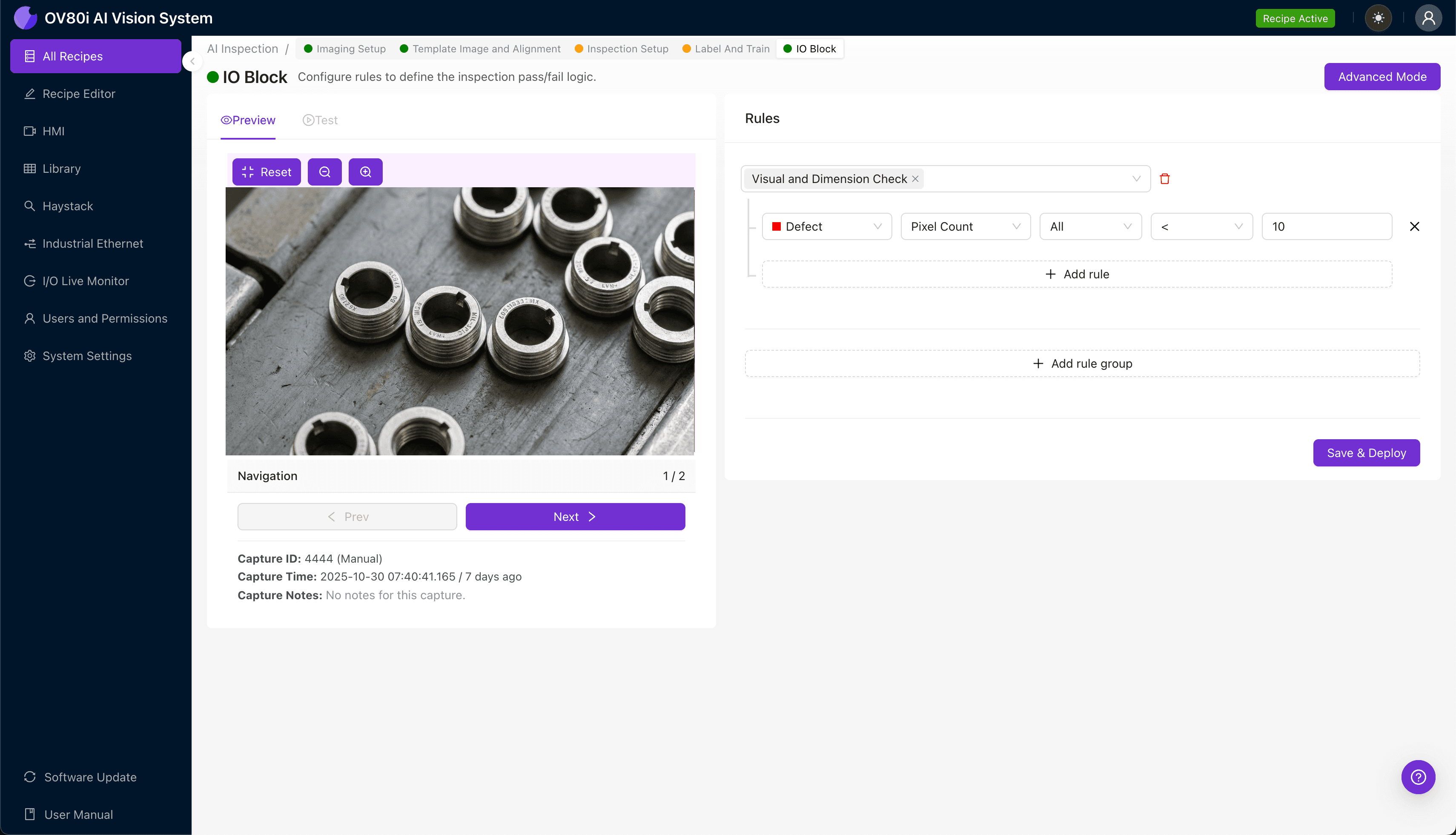
"Misaligned keying in mil-spec circular inserts causes field assembly failures and system malfunctions. AI-powered visual inspection detects angular deviations as small as 2-3 degrees at full production speed—eliminating the fatigue-induced errors that plague manual QC."
The Problem: Why Misaligned Keying Slips Past Traditional QC
Mil-spec circular connectors are the backbone of mission-critical systems in aerospace, defense, and industrial applications. When the keying features on connector inserts are misaligned, the consequences range from field assembly failures to catastrophic system malfunctions.
Common Defects in Mil-Spec Circular Inserts with Misaligned Keying:
- Rotational key offset – The polarizing key is positioned outside the allowable angular tolerance, preventing proper mating
- Key slot depth variation – Insufficient or excessive key slot depth causes intermittent engagement or insertion resistance
- Asymmetric key geometry – Malformed or chipped key profiles fail to meet MIL-DTL-38999 or MIL-DTL-26482 specifications
- Anti-rotation tab misplacement – Secondary alignment features conflict with primary keying orientation
- Insert clock position drift – The entire insert assembly is rotated relative to the shell reference point
- Multiple key interference – In multi-key configurations, adjacent keys create binding or cross-threading conditions
Manual inspection of these defects is notoriously unreliable. Inspectors experience fatigue-induced errors after just 20-30 minutes of repetitive visual checks, and subtle angular deviations of 2-3 degrees are nearly impossible to catch consistently at production speeds.
The Solution: Machine Vision + Deep Learning
AI-powered visual inspection eliminates the variability inherent in human judgment. By training deep learning models on thousands of labeled examples, the system learns to recognize the precise geometric relationships that define proper keying alignment—detecting deviations that fall well below human perceptual thresholds.
Overview.ai's approach delivers consistent, objective inspection at full line speed. The OV80i system captures high-resolution images of every part, applies trained AI models in milliseconds, and makes pass/fail decisions without slowing production or introducing inspector bias.
Step 1: Imaging Setup
Position the mil-spec circular insert under the camera with the keying features facing upward. Ensure consistent part placement using a fixture or nest that exposes the key slots and polarizing features.
Click "Configure Imaging" to access the Camera Settings panel. Adjust exposure to eliminate glare on metallic surfaces and fine-tune gain to reveal subtle shadow details in the key slots.
Click "Save" to lock in your imaging configuration.
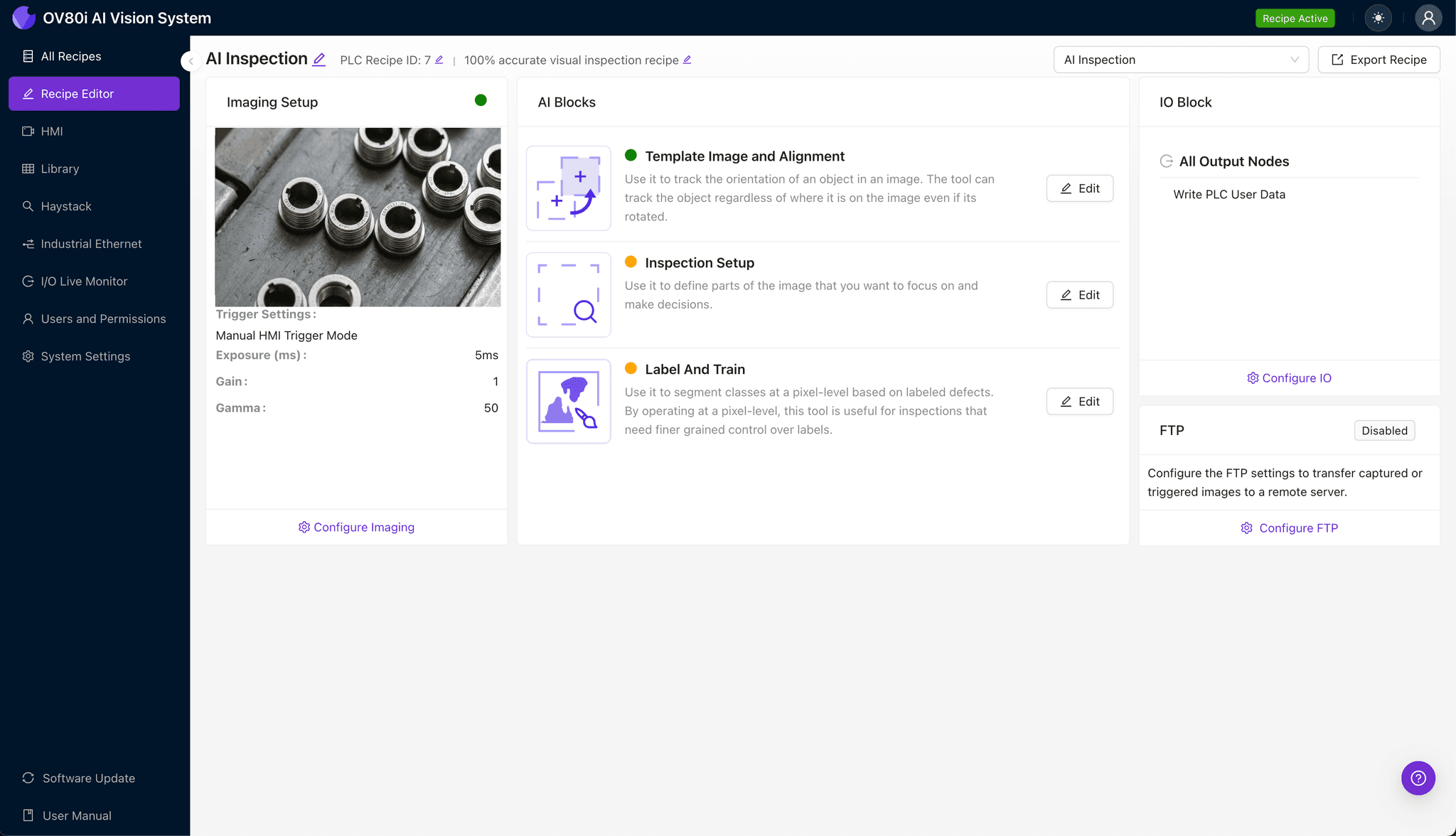
Step 2: Image Alignment
Navigate to the "Template Image" tab and capture a reference image of a known-good insert. This template serves as the alignment anchor for all subsequent inspections.
Click "+ Rectangle" and draw a region around the main body of the insert, encompassing the outer shell reference and keying features. Set the "Rotation Range" to 20 degrees to accommodate part-to-part orientation variation in the fixture.
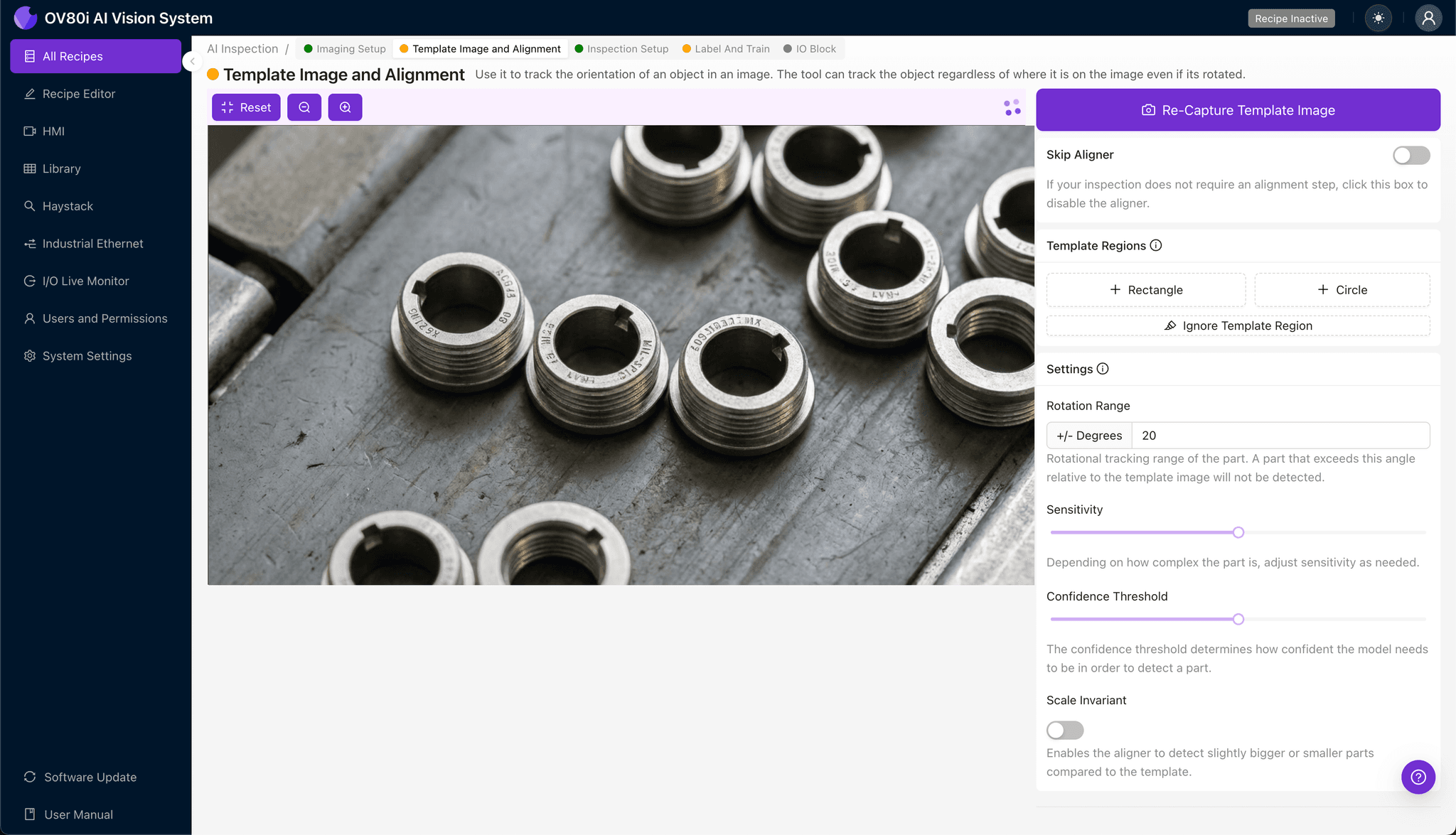
Step 3: Inspection Region Selection
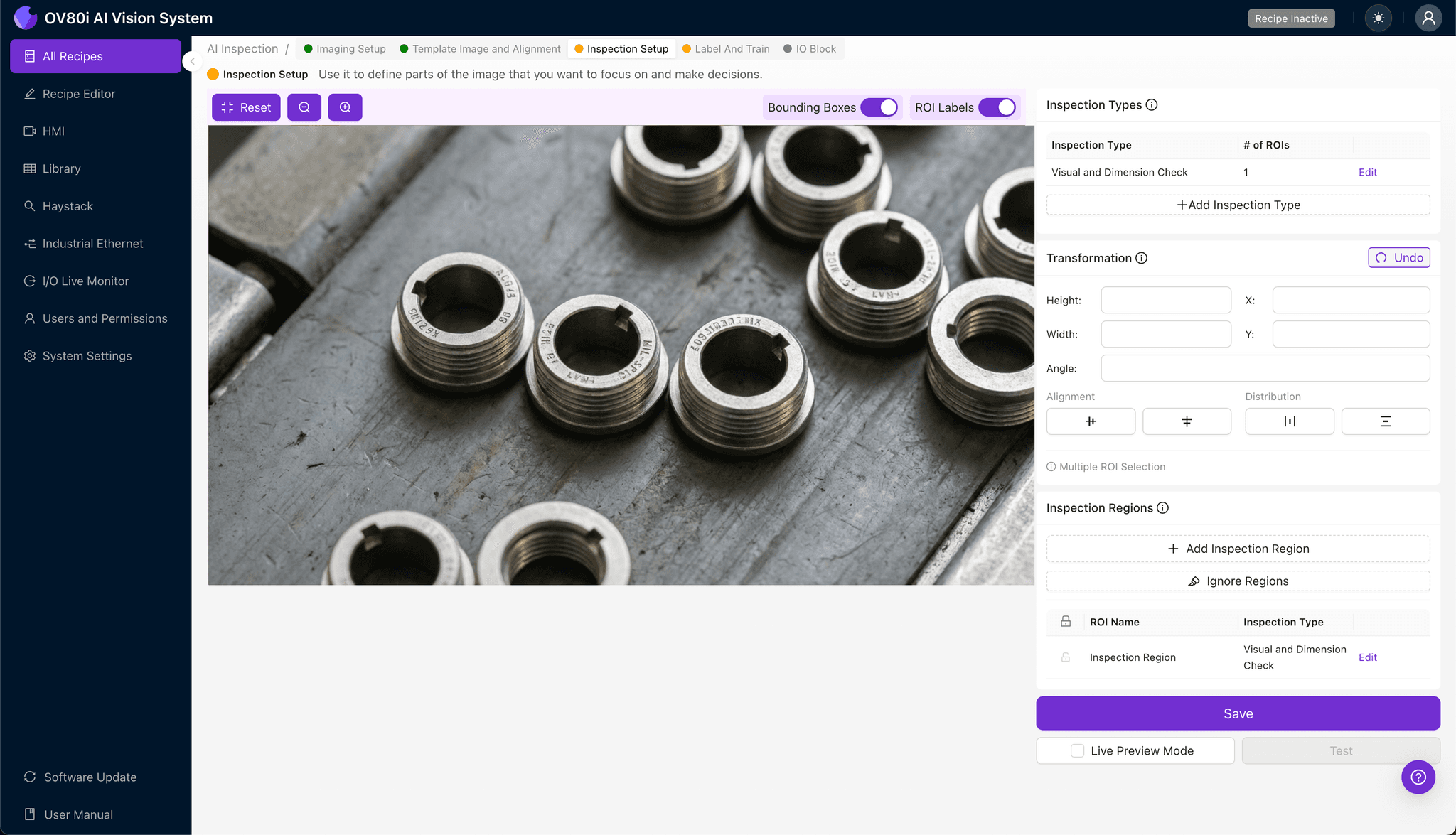
Navigate to "Inspection Setup" and rename your "Inspection Types" to reflect the specific failure modes—for example, "Key_Rotation_Check" and "Slot_Depth_Verification."
Click "+ Add Inspection Region" for each critical area. Resize the yellow bounding box to isolate the polarizing key, anti-rotation tabs, and any secondary alignment features.
Click "Save" to confirm your inspection zones.
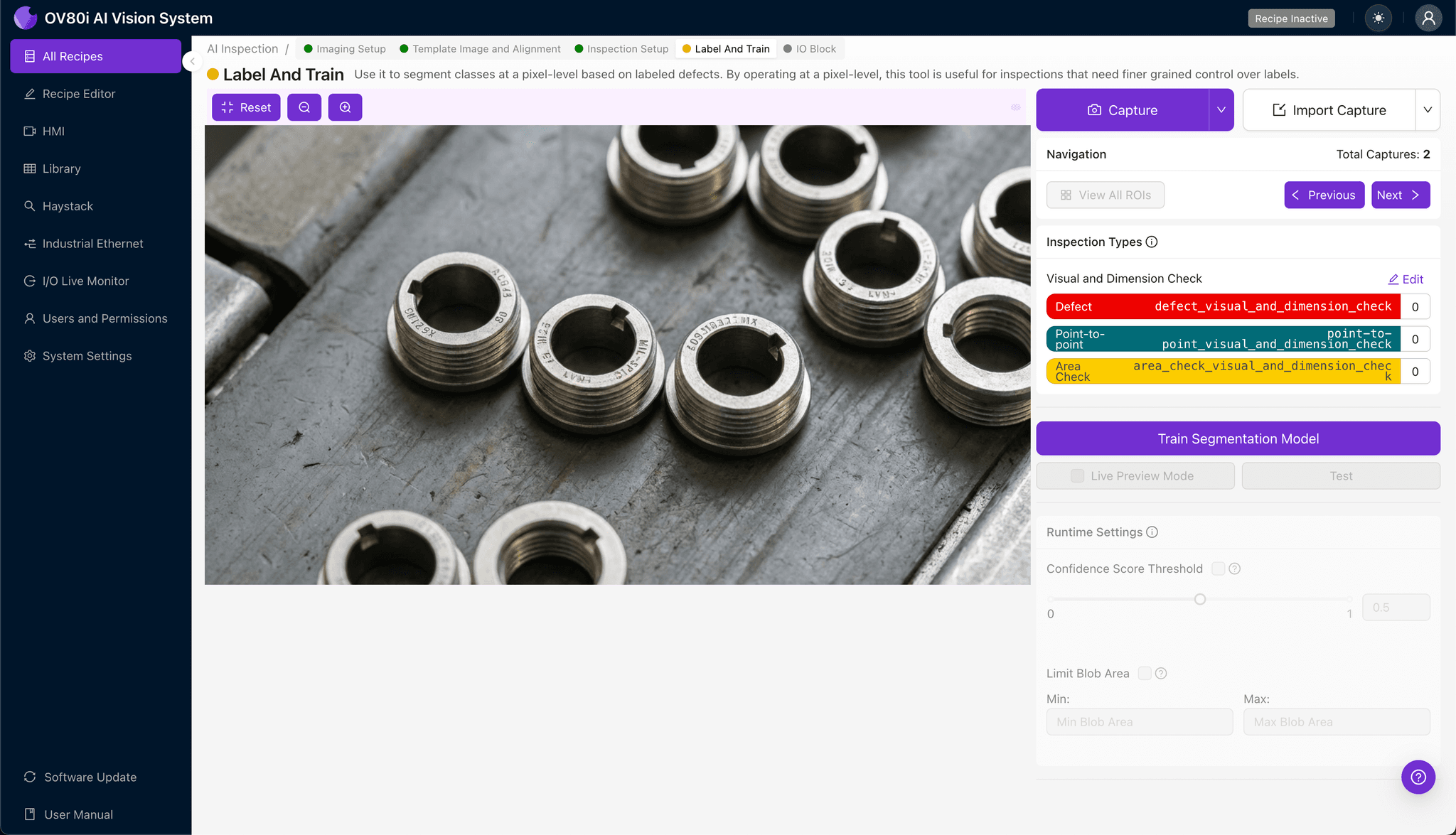
Step 4: Labeling Data
This is where human expertise trains the AI. Review captured production images and label each as Good or Bad based on keying alignment quality.
Include representative samples across the full range of acceptable variation, as well as known failure modes from your defect library. The more edge cases you label, the more robust your model becomes at distinguishing marginal parts.
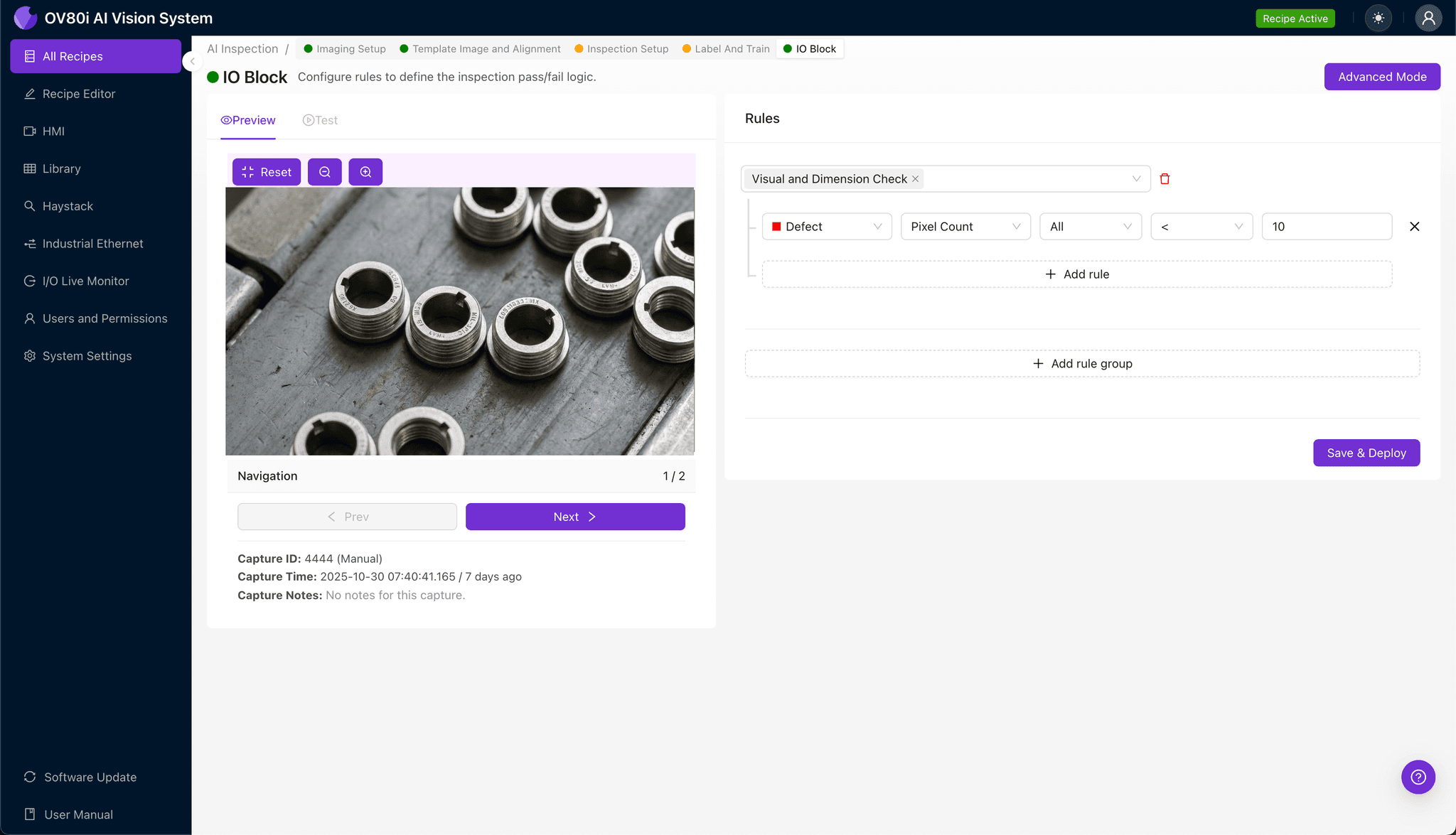
Step 5: Creating Rules
Define your pass/fail logic based on the Inspection Types you configured. For example, flag any part where "Key_Rotation_Check" returns a defect confidence above 85%.
These rules gate automated acceptance on the line, ensuring only compliant inserts proceed to assembly or shipment.
Key Outcomes & ROI
Implementing AI-powered inspection for mil-spec connector keying delivers measurable business impact:
- Reduced scrap and rework – Catch misaligned inserts before they're assembled into expensive connector housings
- Higher throughput – Inspect 100% of parts at line speed without bottlenecking production
- Compliance and traceability – Generate automatic inspection records for MIL-STD and AS9100 audit requirements
- Process improvement insights – Identify upstream tooling wear or molding drift by analyzing defect trend data over time
Conclusion
Misaligned keying in mil-spec circular inserts is a high-stakes defect that demands precision beyond human capability. With Overview.ai's deep learning-powered inspection, manufacturers can enforce tight tolerances, protect downstream assembly operations, and maintain the reliability standards that defense and aerospace applications require.
Eliminate Keying Defects Today
Stop relying on manual inspection for mission-critical mil-spec connectors. Deploy Overview.ai to catch keying misalignment instantly.