Detecting Insufficient Laser Weld Penetration on Shielding Cans: A Complete Visual Inspection Guide

"Insufficient laser weld penetration on shielding cans can compromise RF circuit protection and lead to field failures. AI-powered visual inspection detects subtle weld defects that human inspectors miss, ensuring 100% coverage at full line speed."
The Problem: Why Insufficient Weld Penetration Goes Undetected
Laser welding shielding cans to PCB frames demands precise energy delivery and consistent material interaction. Even minor deviations in laser parameters can produce welds that appear acceptable on the surface while harboring dangerous subsurface deficiencies.
Common Defects Associated with Insufficient Laser Weld Penetration:
- Shallow fusion zones — weld depth fails to reach the required percentage of material thickness
- Incomplete joint bonding — gaps or voids at the interface between the can and base material
- Cold weld spots — localized areas where insufficient heat input prevented proper metallurgical bonding
- Inconsistent weld bead geometry — variations in width and depth along the weld path
- Surface porosity masking deeper voids — acceptable top surface hiding internal discontinuities
- Micro-cracking at weld boundaries — stress fractures from improper thermal profiles
Human inspectors struggle with these defects because many indicators are subtle, measuring mere microns in variation. Inspector fatigue sets in quickly when examining hundreds of identical-looking welds per hour, and the subjective nature of visual assessment leads to inconsistent pass/fail decisions across shifts.
The Solution: Machine Vision Powered by Deep Learning
Traditional rule-based machine vision systems require explicit programming for every defect type—an approach that fails when weld anomalies present in unpredictable ways. Deep learning models, by contrast, learn the visual signatures of acceptable and defective welds from labeled examples, enabling detection of subtle patterns that escape programmed thresholds.
Overview.ai's approach delivers consistent, objective inspection at full line speed. The system never fatigues, never second-guesses itself, and applies identical criteria to every single shielding can—whether it's the first unit of the day or the ten-thousandth.
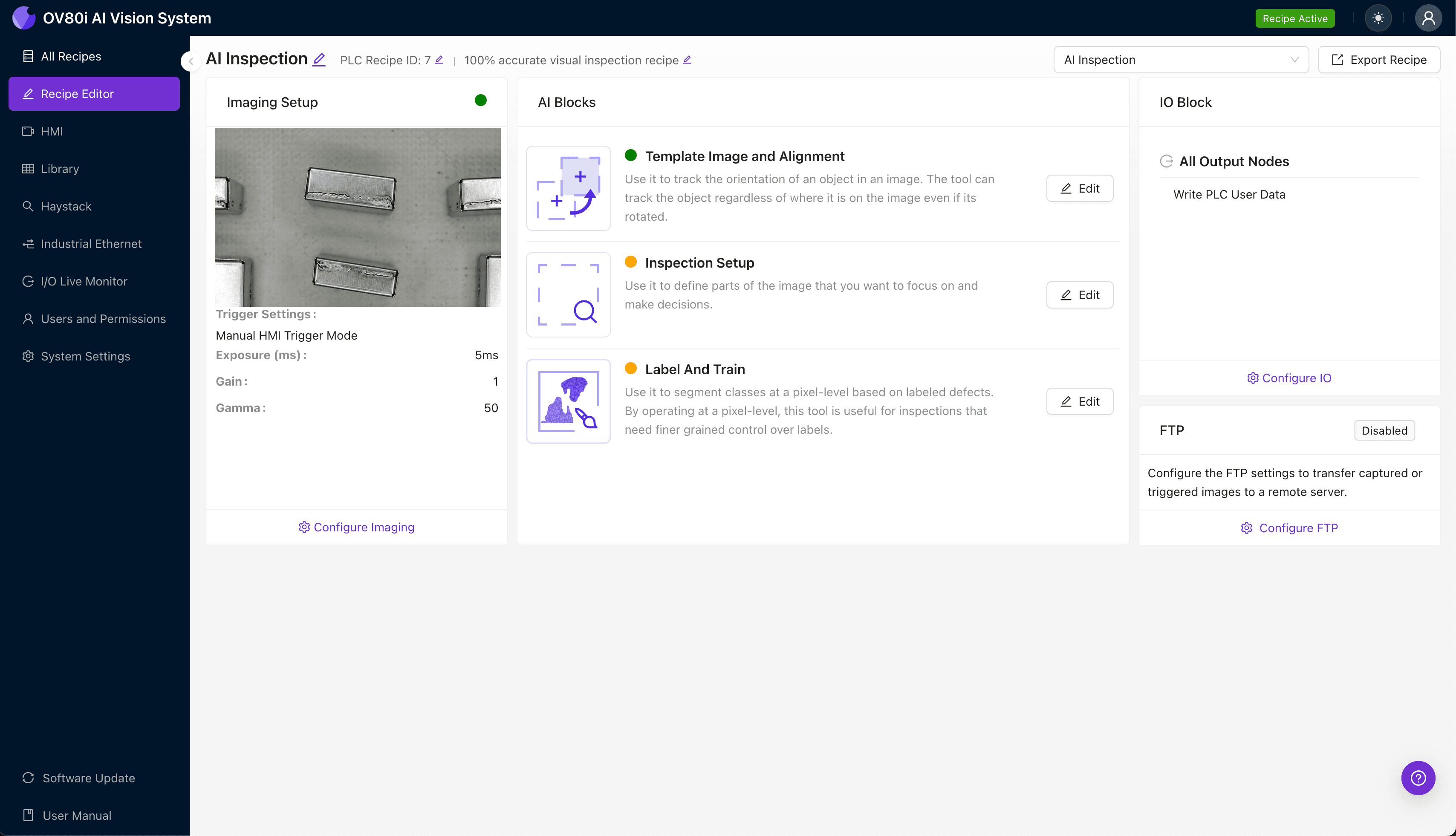
Step 1: Imaging Setup
Position the shielding can assembly directly under the OV80i camera, ensuring the weld perimeter is fully visible within the field of view. Proper lighting angle is essential—angled illumination often reveals surface irregularities that indicate subsurface penetration issues.
Navigate to "Configure Imaging" in the Overview interface. Adjust Camera Settings including exposure time and gain to maximize contrast between acceptable weld beads and potential defect indicators.
Click "Save" to lock in your optimized imaging parameters.
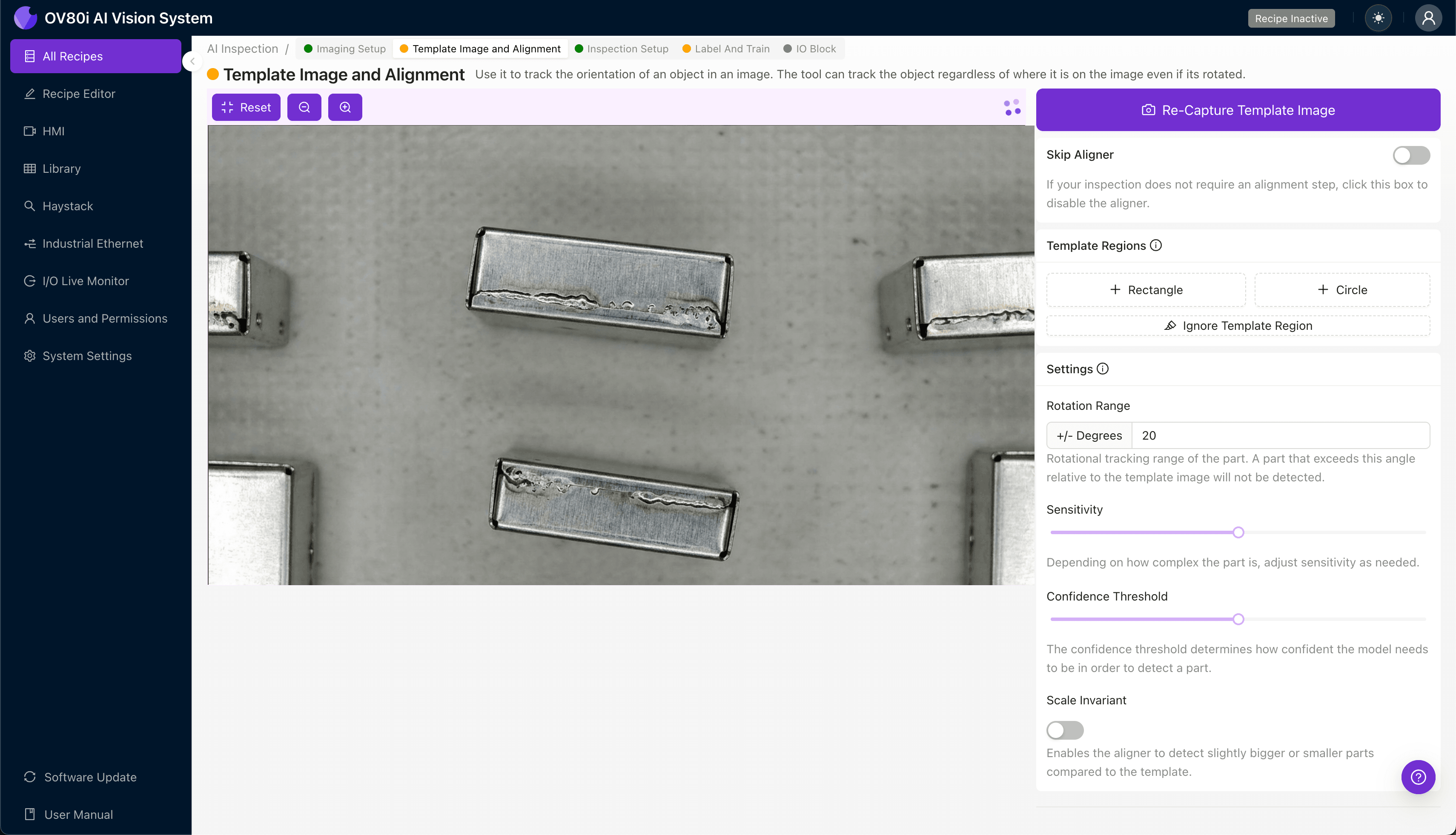
Step 2: Image Alignment
Navigate to the "Template Image" section and capture a reference image of a properly positioned shielding can. This template ensures consistent part orientation regardless of how components arrive at the inspection station.
Click "+ Rectangle" to add an alignment region around the main body of the shielding can. Set the "Rotation Range" to 20 degrees to accommodate normal variation in part presentation on the conveyor.
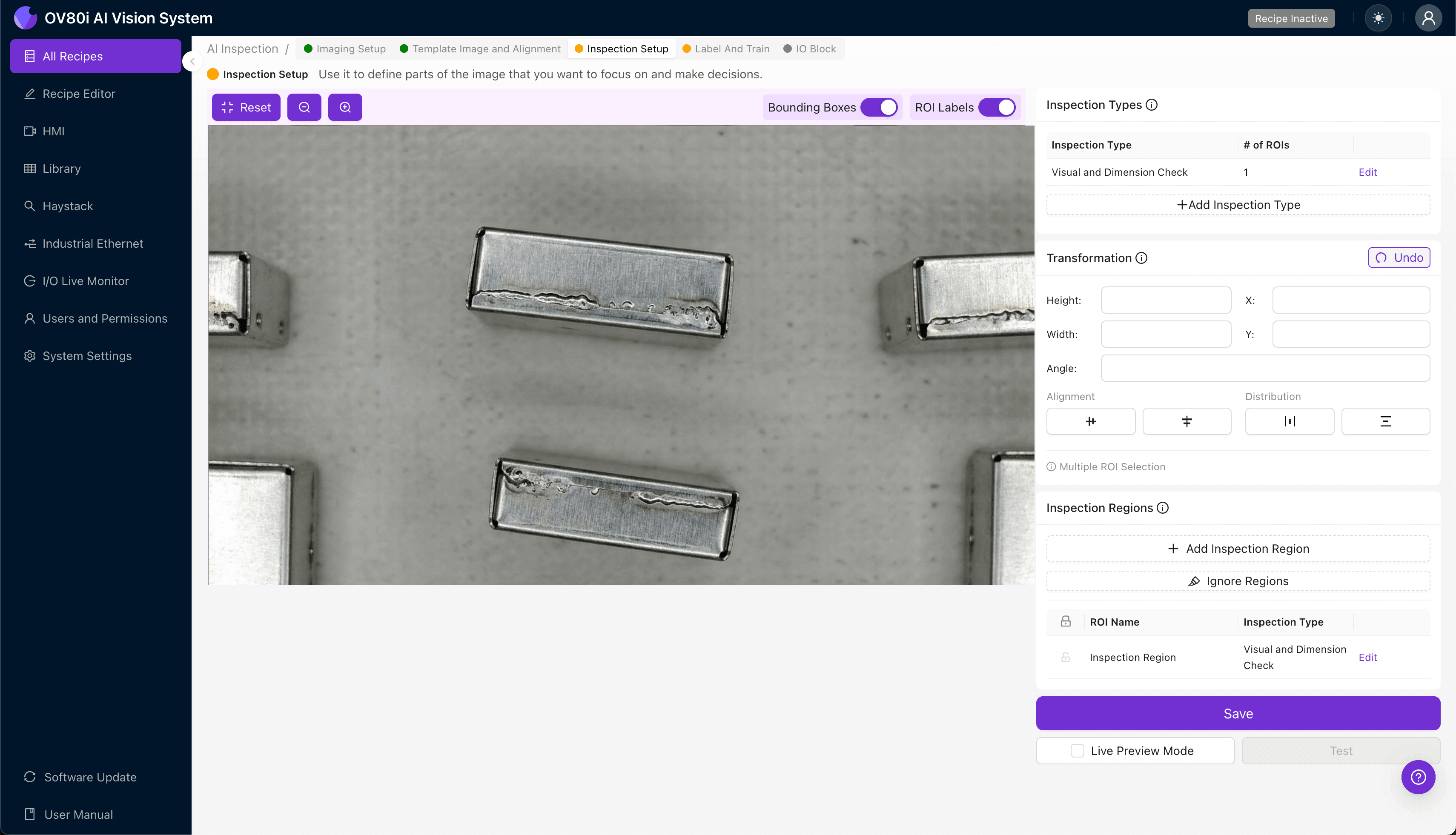
Step 3: Inspection Region Selection
Navigate to "Inspection Setup" to define where the system should focus its analysis. Rename your "Inspection Types" with clear, descriptive labels such as "Weld_Penetration_North_Edge" or "Corner_Joint_Integrity."
Click "+ Add Inspection Region" for each critical weld segment. Resize the yellow bounding box to cover the weld bead and immediate heat-affected zone—this is where penetration defects manifest visually.
Click "Save" after defining all inspection regions around the shielding can perimeter.
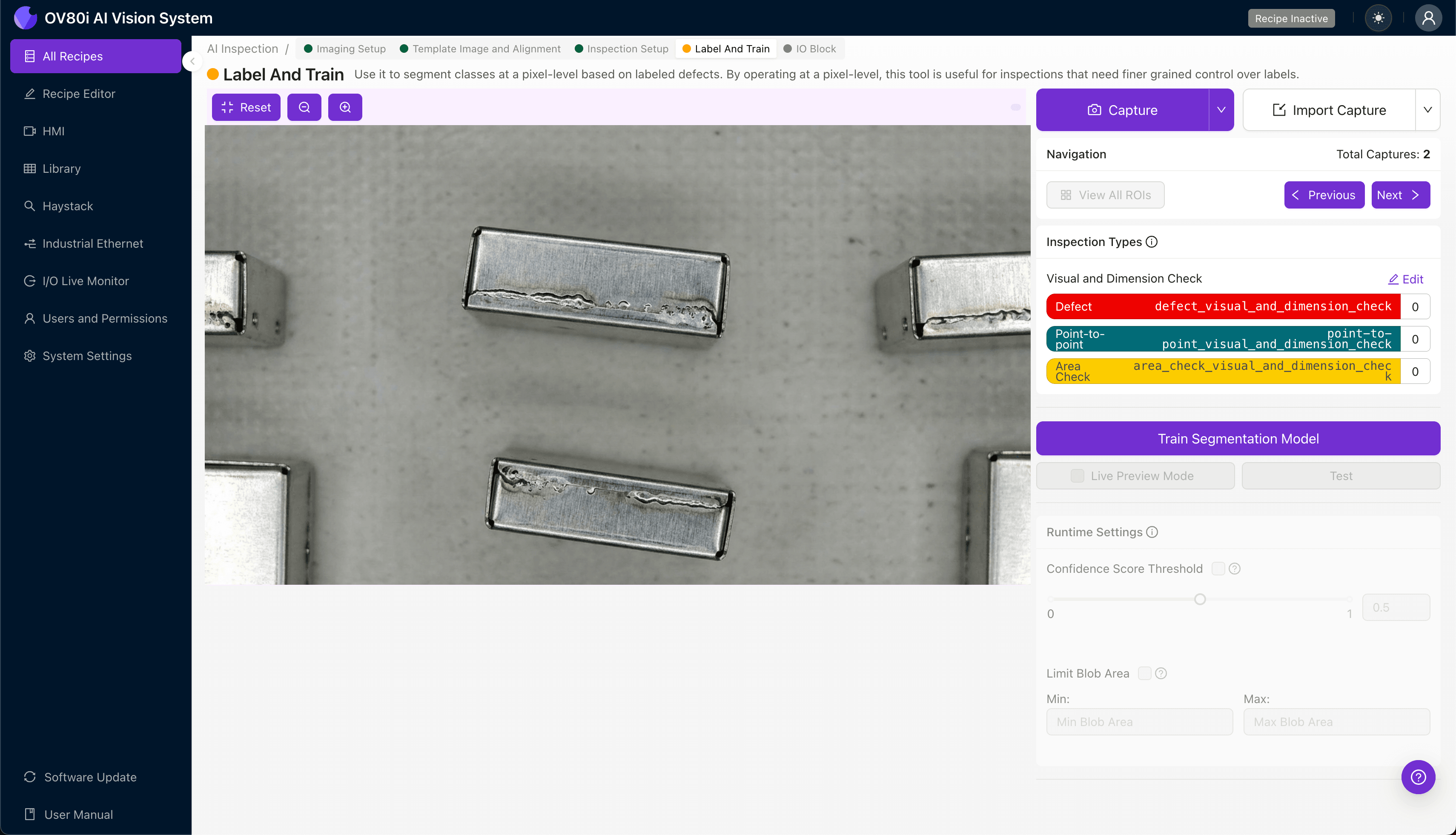
Step 4: Labeling Data
The human-in-the-loop labeling process teaches the deep learning model what constitutes acceptable versus defective welds. Review captured images and categorize each as Good or Bad based on your quality specifications.
Include representative samples across your full range of acceptable variation. Critically, incorporate known failure modes—parts with confirmed insufficient penetration from destructive testing provide invaluable training data.
Step 5: Creating Rules
Configure pass/fail logic based on your defined Inspection Types. You might require all weld segments to pass, or establish rules allowing minor anomalies in non-critical zones while enforcing zero tolerance on structural welds.
These rules gate automated acceptance on the production line. Parts meeting criteria proceed automatically; flagged units route to secondary inspection or rejection bins without slowing throughput.
Key Outcomes & ROI
Implementing automated visual inspection for shielding can weld quality delivers measurable business impact:
- Reduced scrap rates — catch insufficient penetration before downstream assembly adds value to defective units
- Higher throughput — eliminate the inspection bottleneck while achieving 100% coverage versus statistical sampling
- Enhanced compliance and traceability — maintain complete image records linking every shipped unit to its inspection results
- Process improvement insights — trend data reveals laser parameter drift before it causes systematic quality failures
Conclusion
Insufficient laser weld penetration on shielding cans represents exactly the type of subtle, high-stakes defect where AI-powered visual inspection outperforms traditional methods. Overview.ai's platform transforms this challenging inspection task into a consistent, scalable quality gate that protects both your customers and your bottom line.
Eliminate Weld Defects Today
Stop relying on manual inspection for critical shielding can welds. Deploy Overview.ai to catch penetration defects instantly.