Shielding Can with Resonance-Inducing Gap Geometry: A Complete Visual Inspection Guide
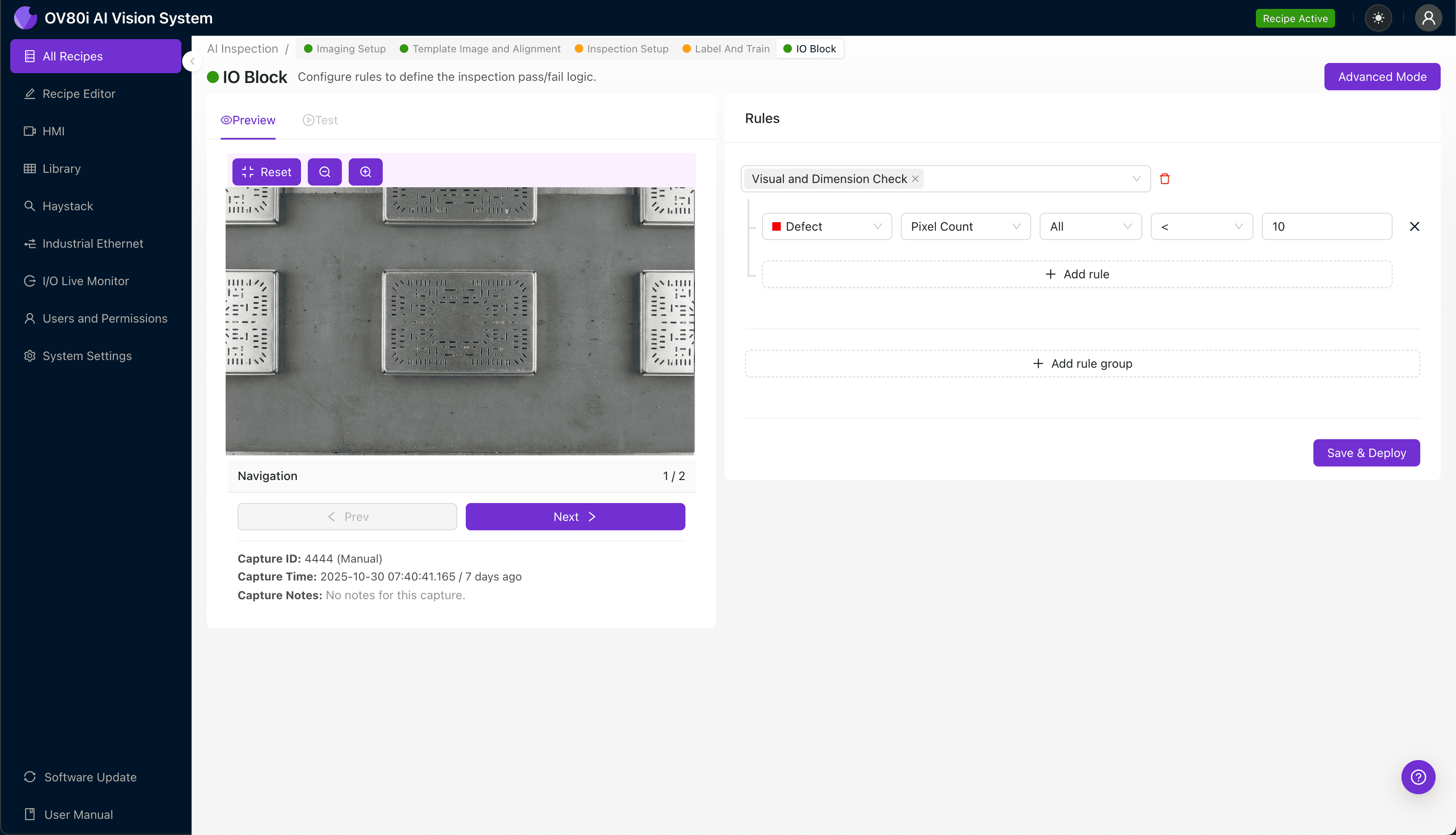
"Shielding cans with resonance-inducing gap geometry require micron-level precision that human inspectors cannot maintain at production speeds. AI-powered machine vision delivers consistent, objective inspection of gap width, edge burrs, and plating defects—catching subtle anomalies that compromise RF performance before they reach customers."
The Problem: Why Traditional Inspection Falls Short
Shielding cans with resonance-inducing gap geometry are critical components in RF and microwave applications, where precise gap dimensions directly impact electromagnetic performance. Even microscopic defects can compromise signal integrity and cause costly field failures.
Common Defects in Shielding Can Manufacturing:
- Gap width inconsistency — variations in the resonance-tuning slot dimensions that alter frequency response
- Burrs and metal debris — residual material along gap edges that disrupts electromagnetic field patterns
- Plating defects — uneven nickel or tin coating thickness affecting conductivity and corrosion resistance
- Corner radius deviations — improper fillet geometry at gap terminations causing stress concentrations
- Surface scratches and dents — mechanical damage compromising shielding effectiveness
- Misaligned gap positioning — slot placement errors relative to mounting features
Human inspectors struggle to maintain accuracy when evaluating these micron-level features across thousands of parts per shift. Fatigue sets in quickly, consistency drops, and the subtle nature of resonance-affecting defects makes them nearly impossible to catch reliably at production speeds.
The Solution: AI-Powered Visual Inspection
Machine vision systems equipped with deep learning overcome the limitations of manual inspection by capturing high-resolution images and analyzing them with pixel-level precision. Unlike rule-based systems that require explicit programming for every defect type, AI models learn to recognize anomalies from labeled examples—including subtle variations that would escape traditional algorithms.
Overview.ai's approach delivers consistent, objective inspection at full line speed without operator fatigue or subjective judgment calls. The OV80i platform enables manufacturers to deploy production-ready inspection in hours, not weeks, while continuously improving detection accuracy through ongoing model refinement.
Step 1: Imaging Setup
Position the shielding can with resonance-inducing gap geometry under the camera, ensuring the critical gap features are clearly visible and properly illuminated. Angled lighting often works best to highlight edge defects and surface anomalies along the slot geometry.
Navigate to "Configure Imaging" in the Overview interface and adjust Camera Settings including exposure time and gain to optimize contrast across the metallic surface. Once the gap edges appear sharp and the plating texture is visible, click "Save" to lock in your configuration.
Step 2: Image Alignment
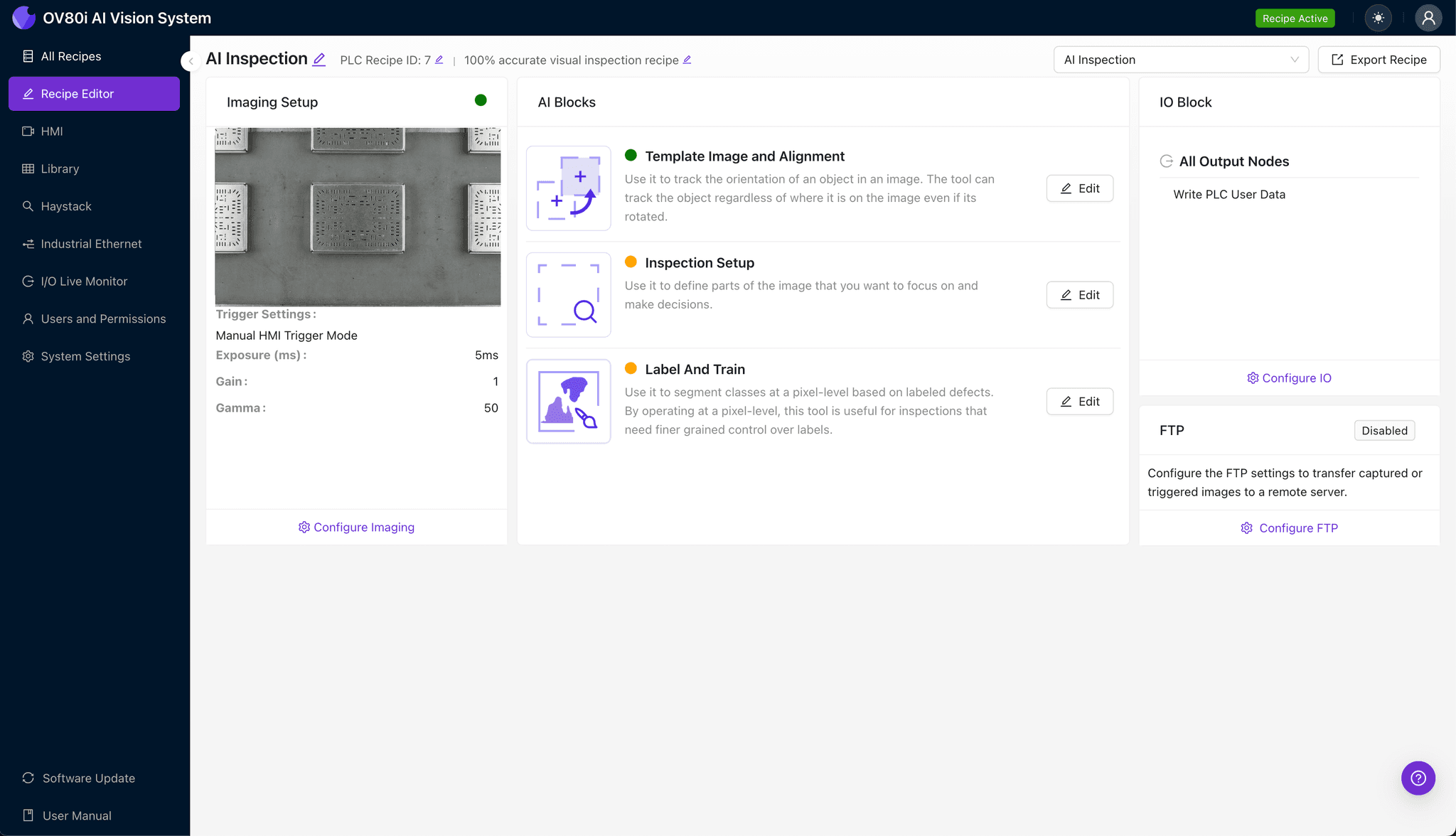
Navigate to the "Template Image" section and capture a reference image of a known-good shielding can positioned in the standard orientation. This template serves as the alignment anchor for all subsequent inspections.
Click "+ Rectangle" to add an alignment region around the main body of the component, encompassing key geometric features like mounting tabs or corner profiles. Set the "Rotation Range" to 20 degrees to accommodate normal variation in part presentation on the line.

Step 3: Inspection Region Selection
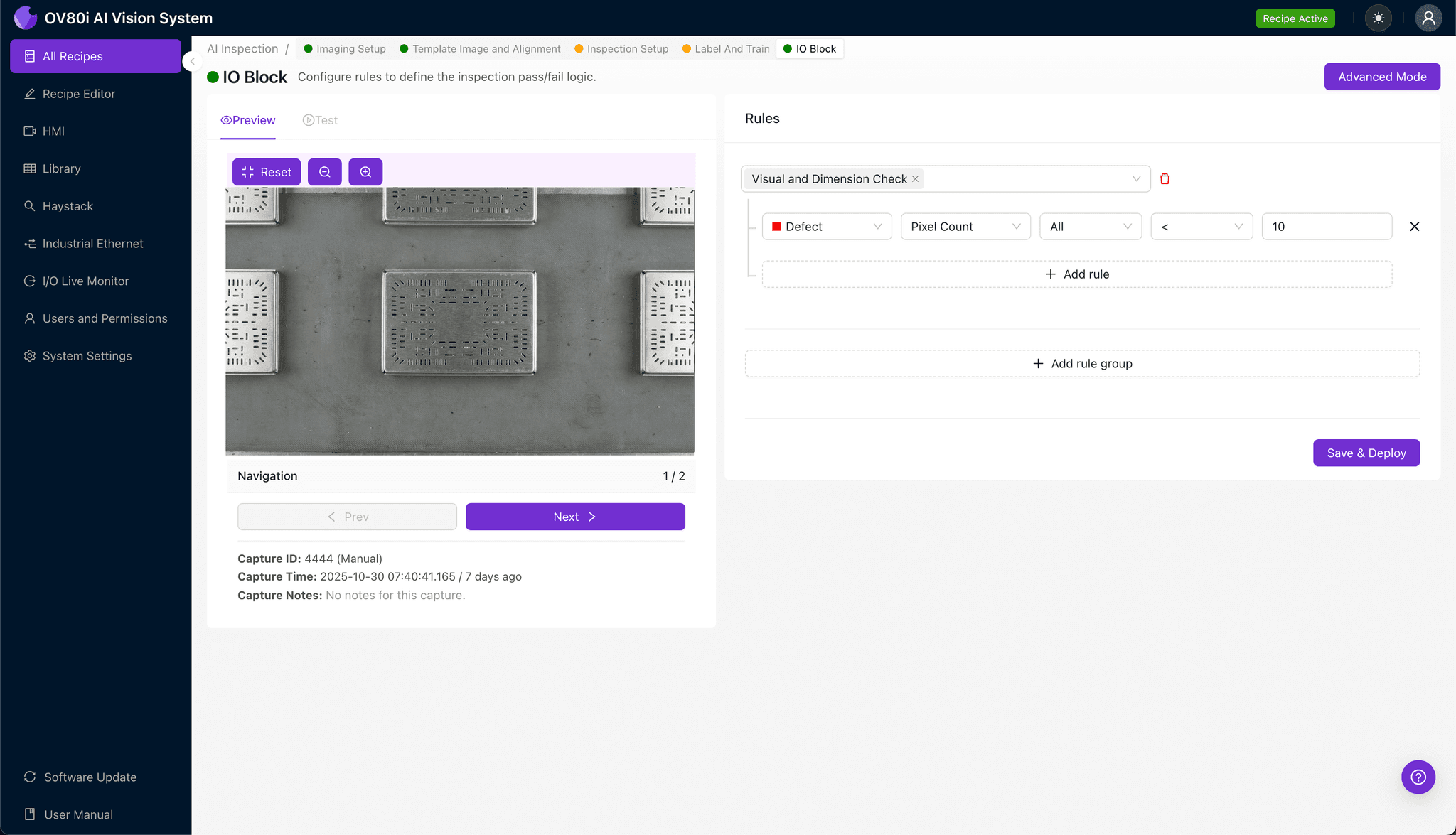
Navigate to "Inspection Setup" to define the specific areas requiring defect detection. Rename your "Inspection Types" to reflect the actual failure modes—for example, "Gap Width," "Edge Burrs," and "Surface Finish."
Click "+ Add Inspection Region" for each critical zone on the shielding can. Resize the yellow bounding box to cover the resonance-inducing gap geometry, gap termination corners, and plated surfaces where defects most commonly occur, then click "Save."
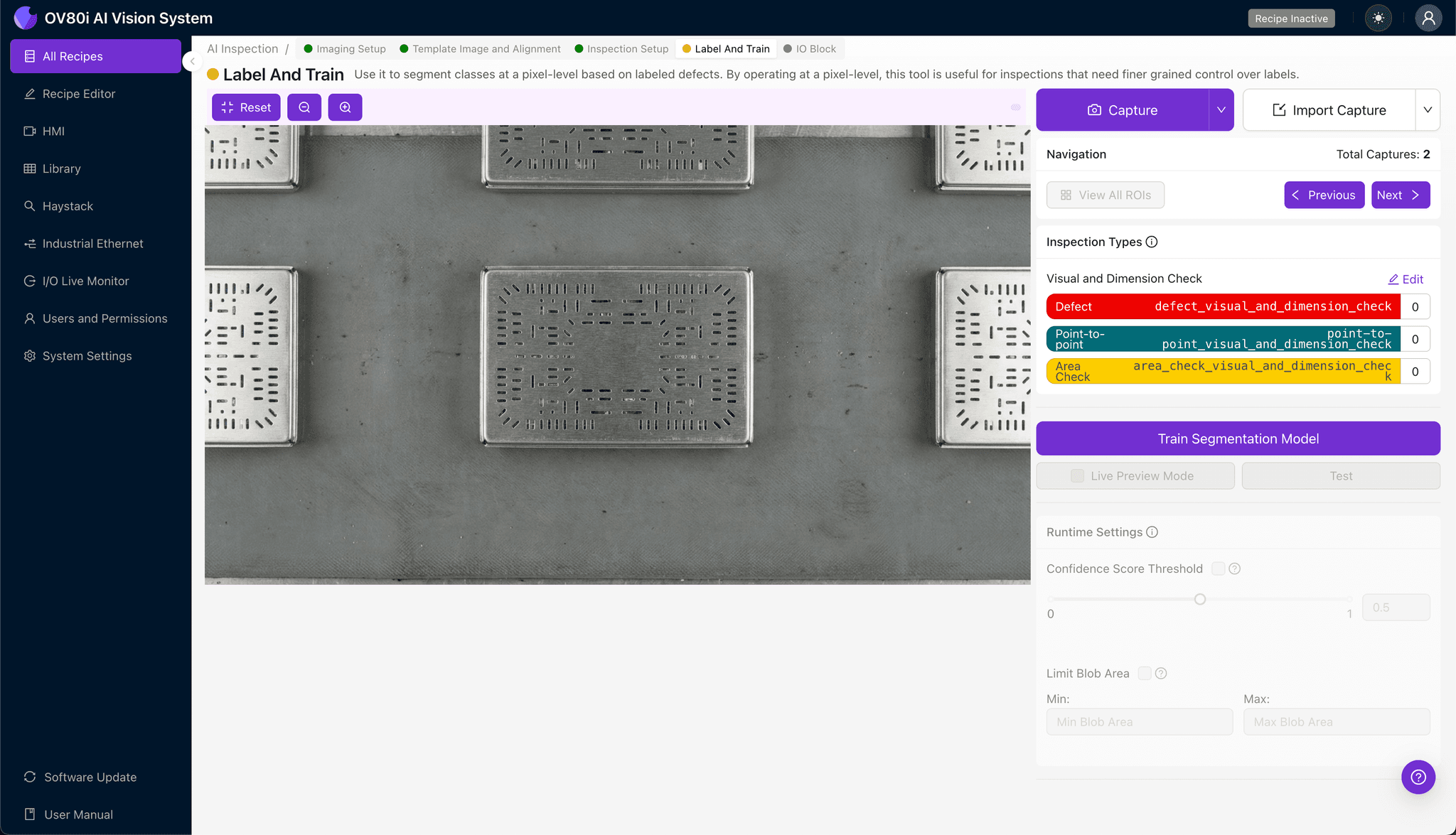
Step 4: Labeling Data
The human-in-the-loop labeling process teaches the AI model what constitutes acceptable versus rejectable parts. Review incoming images and categorize each as Good or Bad based on your quality specifications.
Include representative samples across the full range of acceptable variation, as well as known failure modes from your defect library. The more diverse your labeled dataset, the more robust your trained model will perform in production conditions.
Step 5: Creating Rules
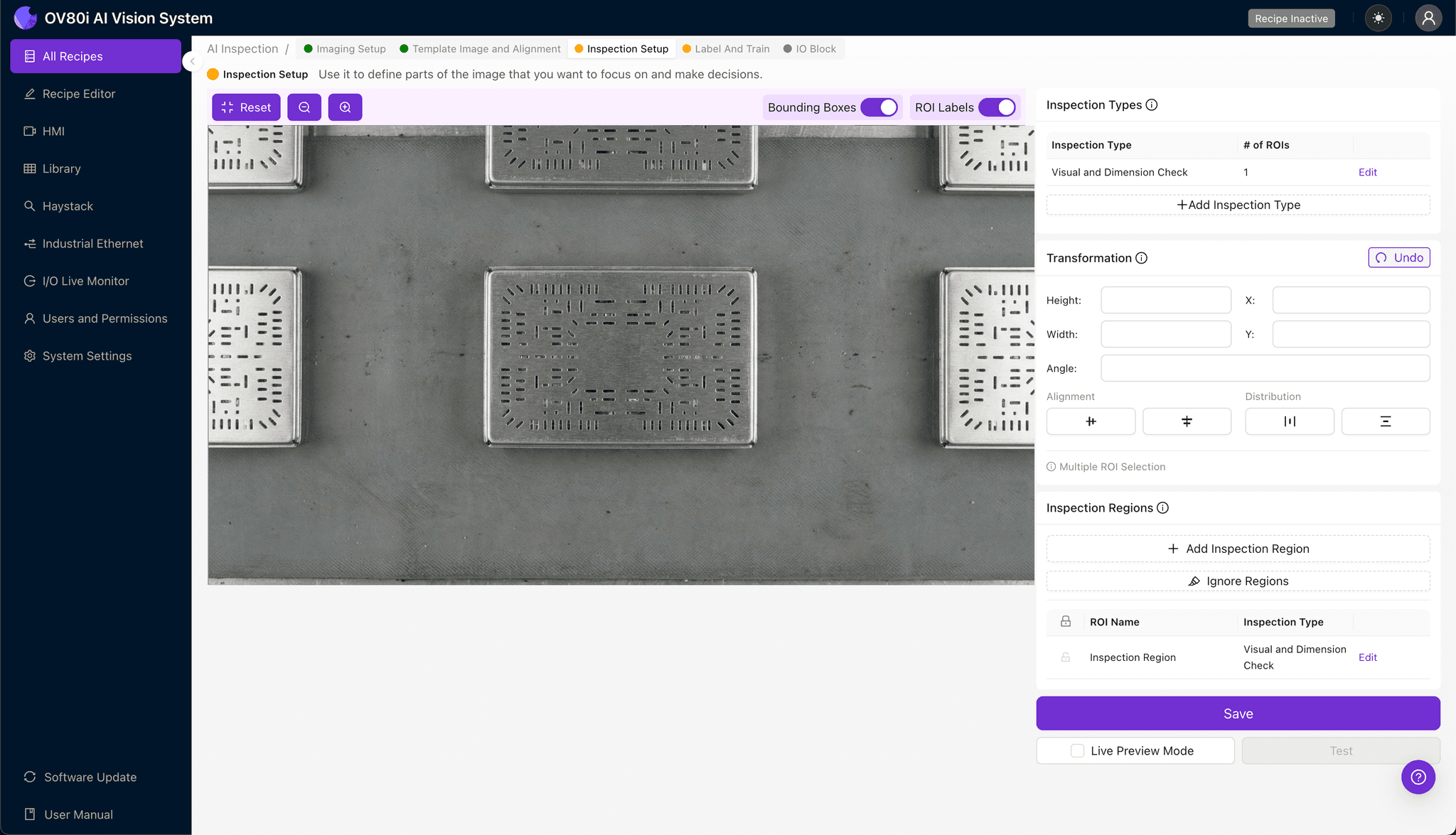
Configure pass/fail logic based on your defined Inspection Types to establish automated accept/reject criteria. You can set thresholds for individual defect categories or create compound rules that consider multiple factors.
Gate automated acceptance directly on the production line, routing suspect parts for secondary review while allowing confirmed good parts to proceed. This closed-loop approach ensures only conforming shielding cans reach downstream assembly.
Key Outcomes & ROI
Implementing AI-powered visual inspection for shielding can manufacturing delivers measurable business impact:
- Reduced scrap rates — catch defects earlier in the process before value-added operations
- Higher throughput — inspect 100% of parts at line speed without bottlenecks
- Compliance and traceability — maintain complete inspection records with timestamped images for every component
- Process improvement insights — analyze defect trends to identify upstream manufacturing issues before they escalate
Ready to Automate Your Shielding Can Inspection?
Overview.ai's platform makes it possible to deploy production-grade visual inspection for complex RF components without machine vision expertise.