Detecting Silver-Plated Ground Plane Defects: A Complete Guide to Automated Sulfide Tarnish Inspection

"Silver sulfide tarnishing on ground planes presents as subtle color gradients that human inspectors struggle to judge consistently. Overview.ai's deep learning platform transforms this subjective assessment into automated, objective inspection—catching RF-degrading defects at full line speed without fatigue or variability."
The Problem: Why Sulfide Tarnishing Threatens RF Performance
Silver-plated ground planes are critical components in high-frequency electronics, providing superior conductivity for RF signal integrity. However, exposure to sulfur-containing compounds in manufacturing environments causes progressive tarnishing that degrades electrical performance and solderability.
Common Defects in Silver-Plated Ground Planes with Sulfide Tarnishing
- Brown/black discoloration zones — early-stage silver sulfide formation reducing surface conductivity
- Dendritic tarnish patterns — branching corrosion structures that follow grain boundaries
- Edge creep contamination — accelerated tarnishing at plating boundaries and cut edges
- Pitting beneath tarnish layers — subsurface corrosion masked by uniform discoloration
- Incomplete tarnish removal — residual sulfide after cleaning processes
- Variable tarnish density — inconsistent discoloration indicating plating thickness variations
Manual inspection of tarnished ground planes fails because subtle color gradations between acceptable patina and reject-level corrosion are nearly impossible to judge consistently. Inspector fatigue compounds this problem—after hours of evaluating metallic surfaces under harsh lighting, even trained technicians miss critical defects or over-reject good parts.
The Solution: Machine Vision Meets Deep Learning
Traditional machine vision struggles with sulfide tarnishing because the defects present as continuous color gradients rather than discrete features. Deep learning changes this equation by training neural networks to recognize complex tarnish patterns the same way experienced inspectors do—but without fatigue or subjectivity.
Overview.ai's approach delivers consistent, objective inspection at full line speed. The system learns your specific accept/reject criteria, then applies those standards uniformly to every single part—enabling 100% inline inspection that catches defects human inspectors inevitably miss.
Step 1: Imaging Setup
Begin by placing a representative silver-plated ground plane with visible tarnishing under the OV80i camera system. Position the component to capture the full plated surface area, ensuring consistent part placement for subsequent inspections.
Click "Configure Imaging" in the software interface to access camera settings. Adjust exposure time to reveal tarnish gradations without washing out reflective silver areas, and fine-tune gain to balance signal-to-noise ratio.
Click "Save" to lock in your optimized imaging parameters.

Step 2: Image Alignment
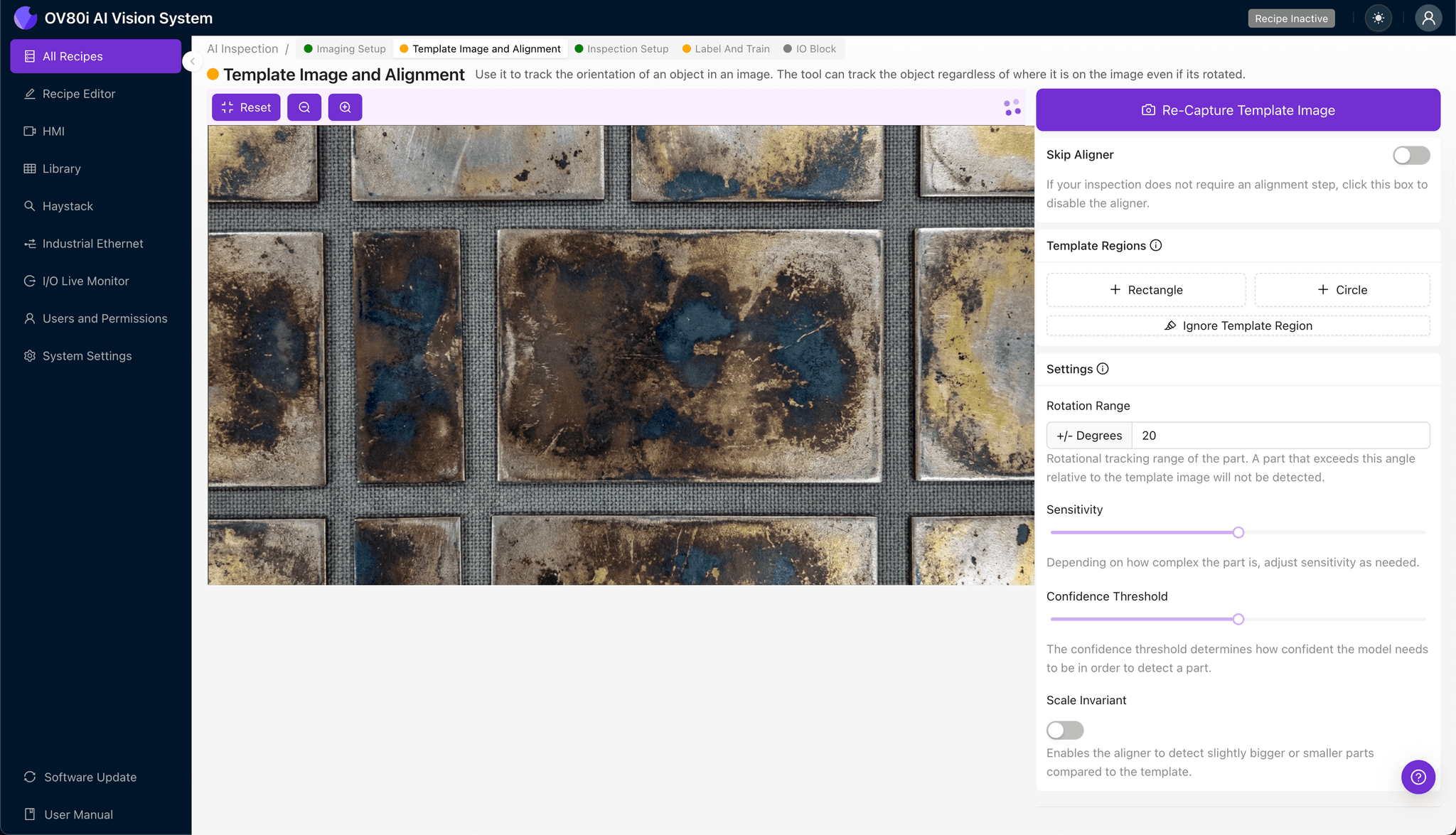
Navigate to the "Template Image" tab and capture a template of your properly positioned ground plane. This reference image anchors all subsequent alignment operations.
Click "+ Rectangle" to add a region around the main body of the ground plane. This defines the feature boundaries the system uses for part registration.
Set the "Rotation Range" to 20 degrees to accommodate minor orientation variations as parts enter the inspection zone.
Step 3: Inspection Region Selection
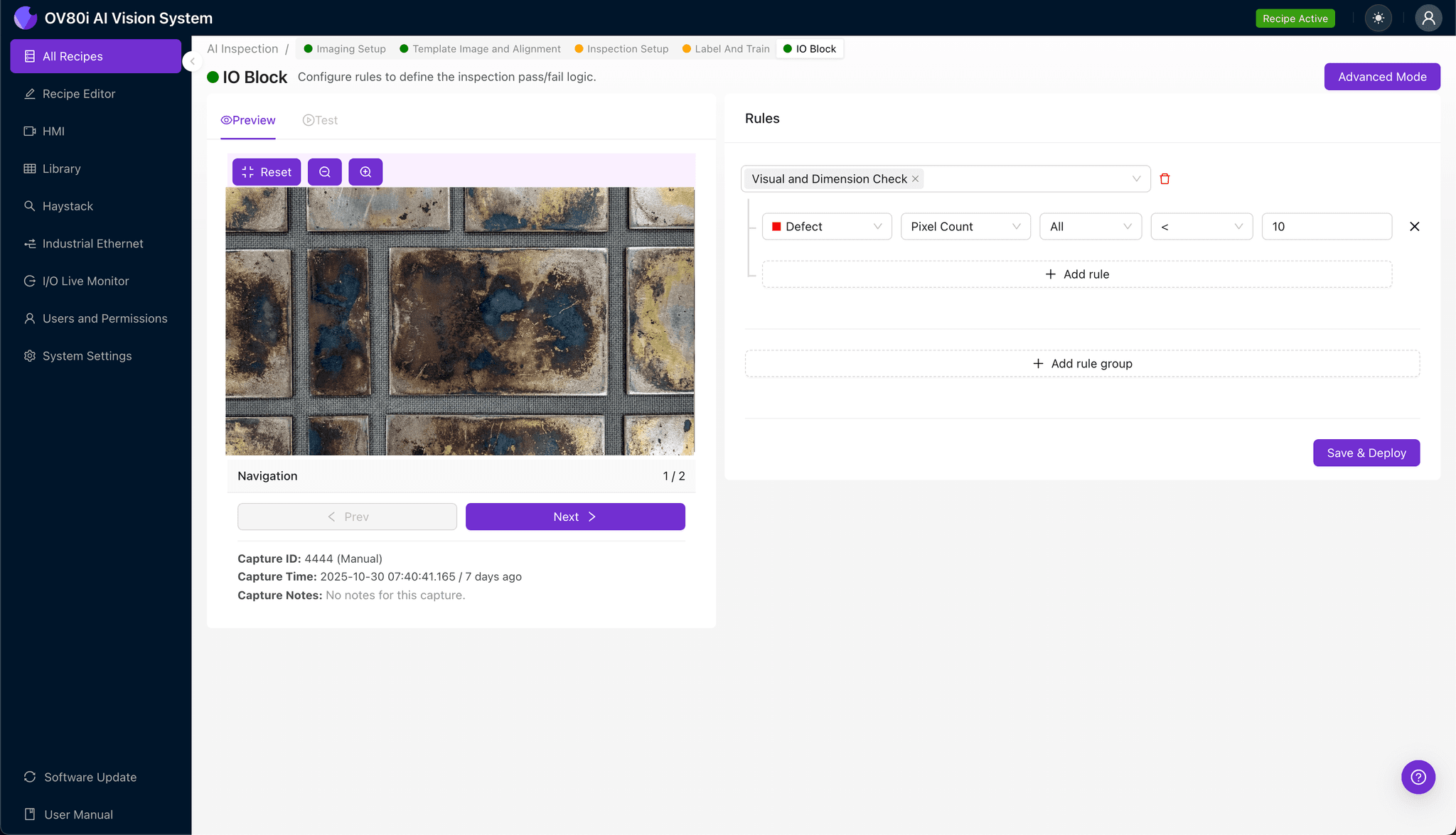
Navigate to "Inspection Setup" to define your critical inspection areas. Rename your "Inspection Types" to match your defect categories—for example, "Surface Tarnish," "Edge Corrosion," and "Plating Integrity."
Click "+ Add Inspection Region" to create a new zone. Resize the yellow bounding box to cover critical defect-prone areas such as RF contact surfaces, solder pad regions, and plating transition zones.
Click "Save" to confirm your inspection geometry.
Step 4: Labeling Data
The human-in-the-loop labeling process teaches the AI your quality standards. Review captured images and classify each as Good or Bad based on your internal specifications.
Include representative samples across the full spectrum of acceptable and rejectable conditions. Incorporate known failure modes—heavy sulfide buildup, edge creep, and pitting—to ensure the model learns critical rejection criteria.
Aim for balanced datasets that capture real production variability, including borderline cases that challenge human inspectors.
Step 5: Creating Rules
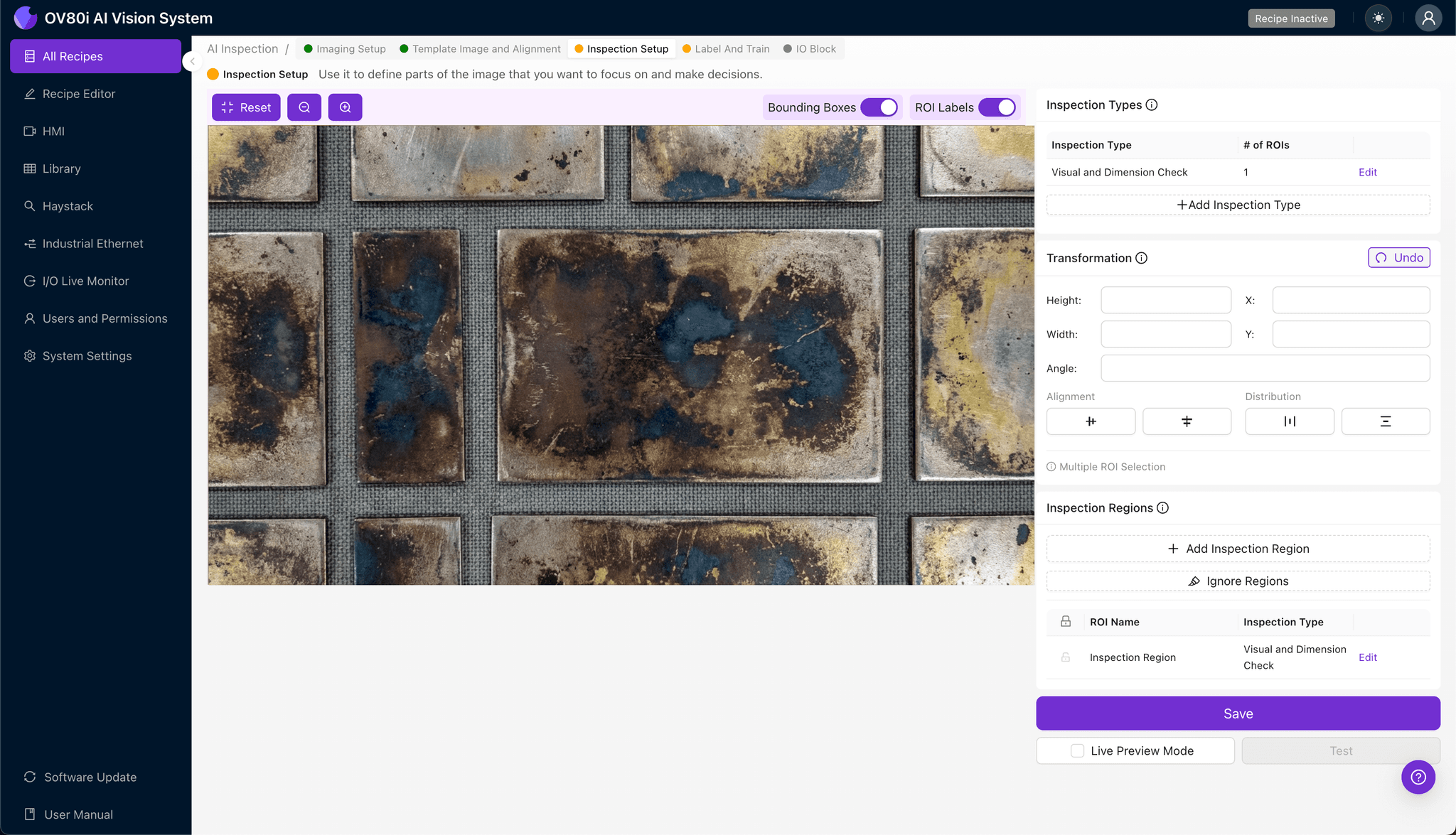
Configure pass/fail logic based on your defined Inspection Types. Set threshold criteria that trigger rejection when tarnish severity exceeds acceptable limits in any critical zone.
Gate automated acceptance on the production line to ensure only conforming parts proceed downstream. This creates a digital quality checkpoint that operates continuously without manual intervention.

Key Outcomes & ROI
Implementing automated sulfide tarnish inspection delivers measurable business impact:
- Reduced scrap rates — catch tarnish defects before downstream assembly, eliminating costly rework and material waste
- Higher throughput — inspect 100% of parts at line speed without creating inspection bottlenecks
- Enhanced compliance and traceability — generate automatic inspection records with timestamped images for customer audits and quality documentation
- Process improvement insights — identify tarnish rate trends that reveal environmental controls issues or supplier plating quality variations
Conclusion
Silver sulfide tarnishing represents a particularly challenging inspection problem due to its gradual, variable presentation. Overview.ai's deep learning platform transforms this subjective assessment into a consistent, automated process—protecting RF performance while accelerating production throughput.
Eliminate Tarnish Defects Today
Stop relying on subjective manual inspection. Deploy Overview.ai to catch sulfide tarnishing instantly and consistently.