How to Detect Passivation Skips on Stainless Steel Shells Using AI-Powered Visual Inspection
"Passivation skips on stainless steel shells create hidden corrosion risks that manual inspection often misses. AI-powered visual inspection catches subtle surface anomalies like flash rust, discoloration, and micro-pitting at full line speed—eliminating inspector fatigue and ensuring 100% coverage."
The Problem: Why Passivation Skips Are So Difficult to Catch
Stainless steel shells rely on a thin chromium oxide layer formed during passivation to resist corrosion and maintain surface integrity. When passivation is skipped, incomplete, or uneven, the shell becomes vulnerable to premature failure in the field.
Common defects associated with passivation skips on stainless steel shells include:
- Surface discoloration — yellowing, blueing, or uneven coloration indicating incomplete oxide formation
- Flash rust spots — early oxidation appearing within hours or days of production
- Water break patterns — visible residue lines showing inconsistent chemical contact
- Micro-pitting — small surface voids where corrosion has already initiated
- Streaking or banding — directional marks from improper rinse or dwell time
- White residue deposits — chemical salts left behind from inadequate post-passivation rinsing
Human inspectors struggle with these defects because many are subtle, appearing as slight color shifts or textures that blend into the reflective stainless surface. Inspector fatigue compounds the problem—after hours of examining identical shells, detection rates drop significantly while false accepts increase.
The Solution: Machine Vision and Deep Learning
AI-powered visual inspection eliminates the variability inherent in manual quality control. Deep learning models trained on real production data can detect subtle surface anomalies that even experienced inspectors miss consistently.
Overview.ai's approach delivers objective, repeatable inspection at full line speed. The system doesn't get tired, doesn't have "good days and bad days," and provides traceable data for every single part inspected.
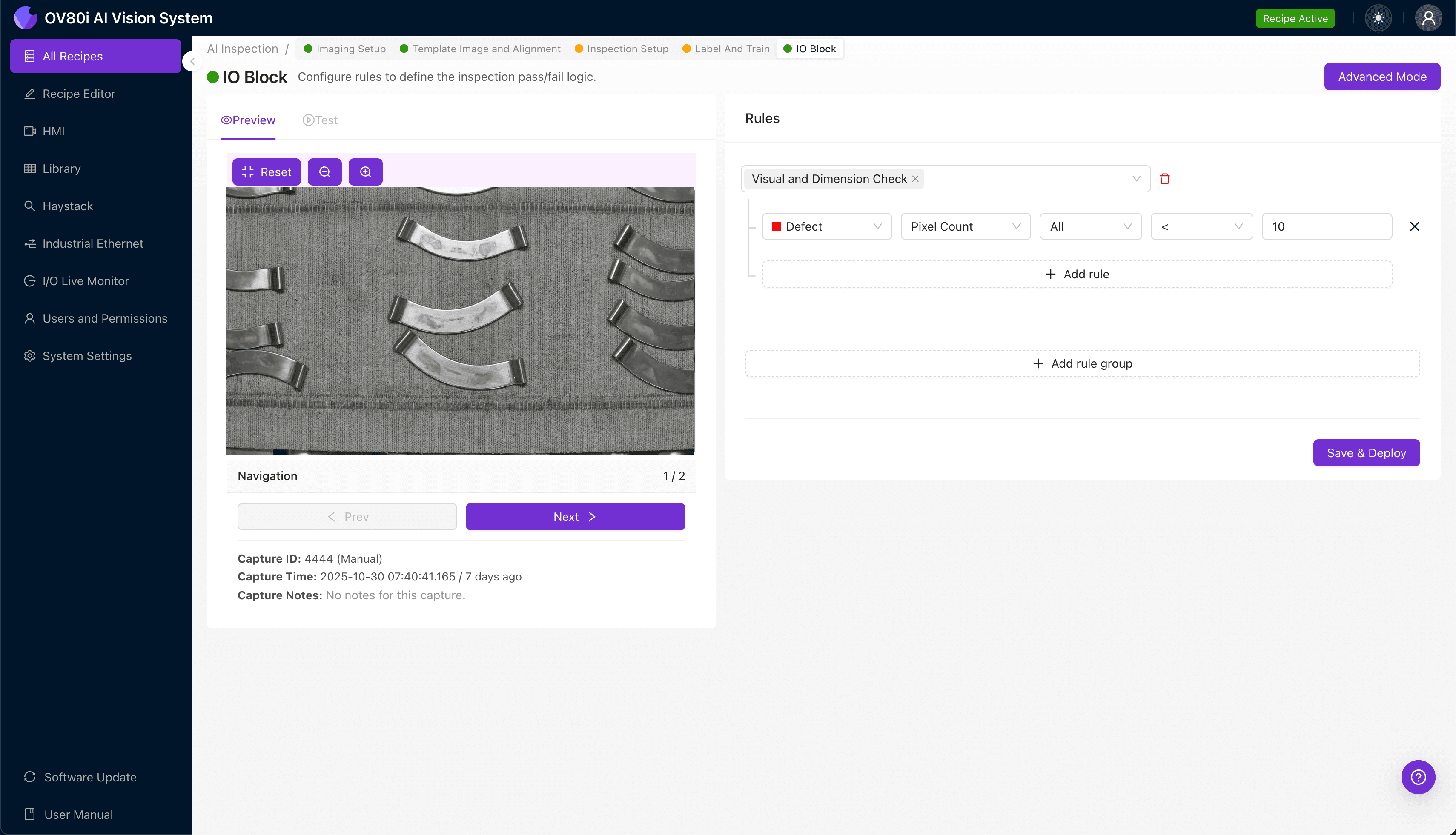
Step 1: Imaging Setup
Position the stainless steel shell under the OV80i camera system, ensuring consistent orientation and lighting across the inspection zone. Reflective surfaces require careful attention to eliminate glare and shadows that could mask passivation defects.
Click "Configure Imaging" in the Overview interface to access the Camera Settings panel. Adjust exposure to capture surface detail without blowing out highlights, and fine-tune gain to reveal subtle color variations.
Click "Save" once imaging produces clear, consistent results across multiple sample parts.
Step 2: Image Alignment
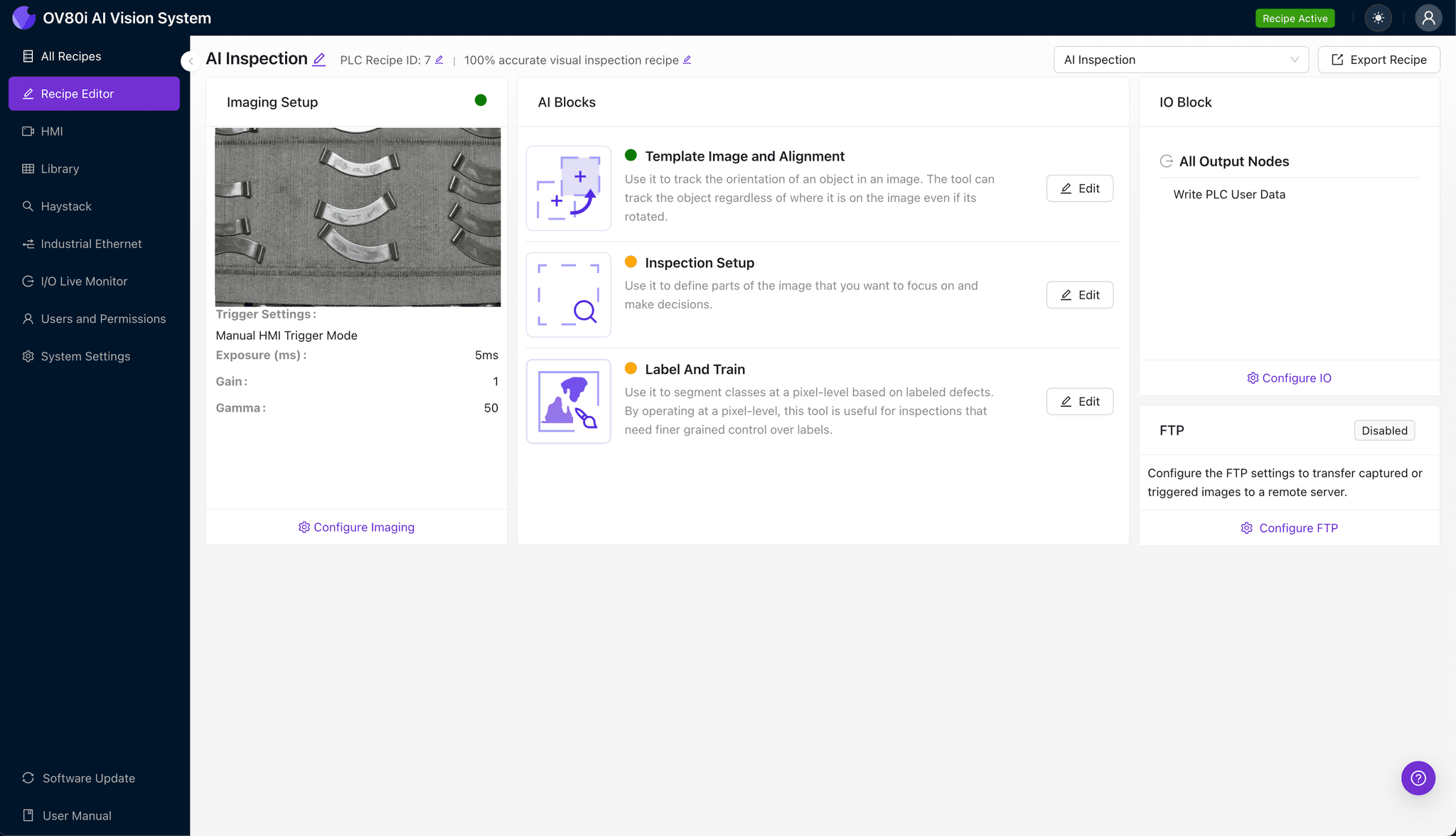
Navigate to "Template Image" in the configuration menu. Capture a Template using a known-good shell positioned in the standard orientation.
Click "+ Rectangle" to add an alignment region around the main body of the shell. This defines the reference geometry the system will use to track part position.
Set "Rotation Range" to 20 degrees to accommodate normal variation in how shells enter the inspection station.
Step 3: Inspection Region Selection
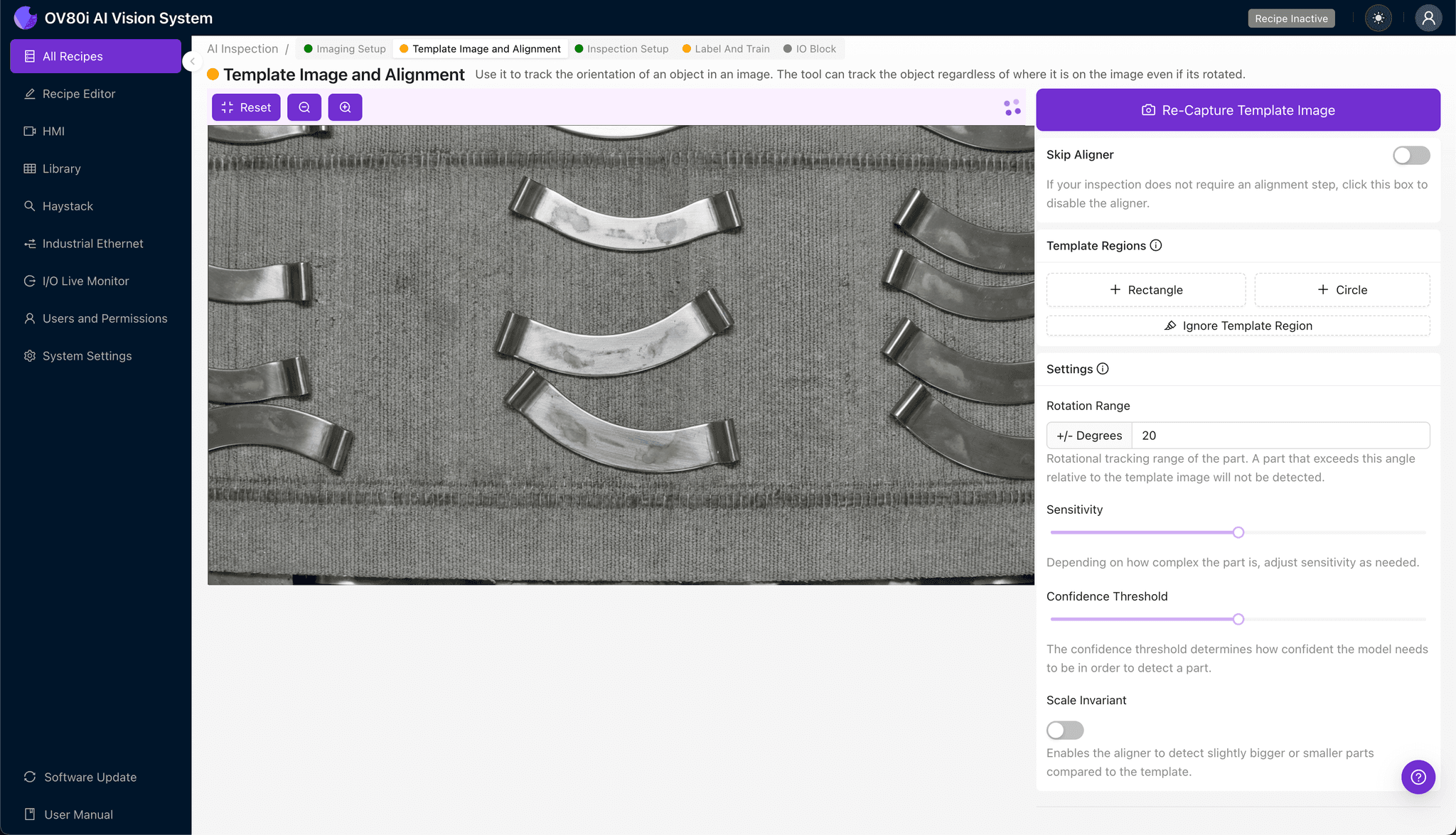
Navigate to "Inspection Setup" to define where the system should look for defects. Rename your "Inspection Types" with clear, descriptive labels such as "Passivation_Surface" or "Oxide_Layer_Integrity."
Click "+ Add Inspection Region" to create a new zone. Resize the yellow bounding box to cover the critical surface areas most prone to passivation failures—typically the shell exterior and weld-adjacent zones.
Click "Save" to lock in your inspection regions before proceeding to labeling.

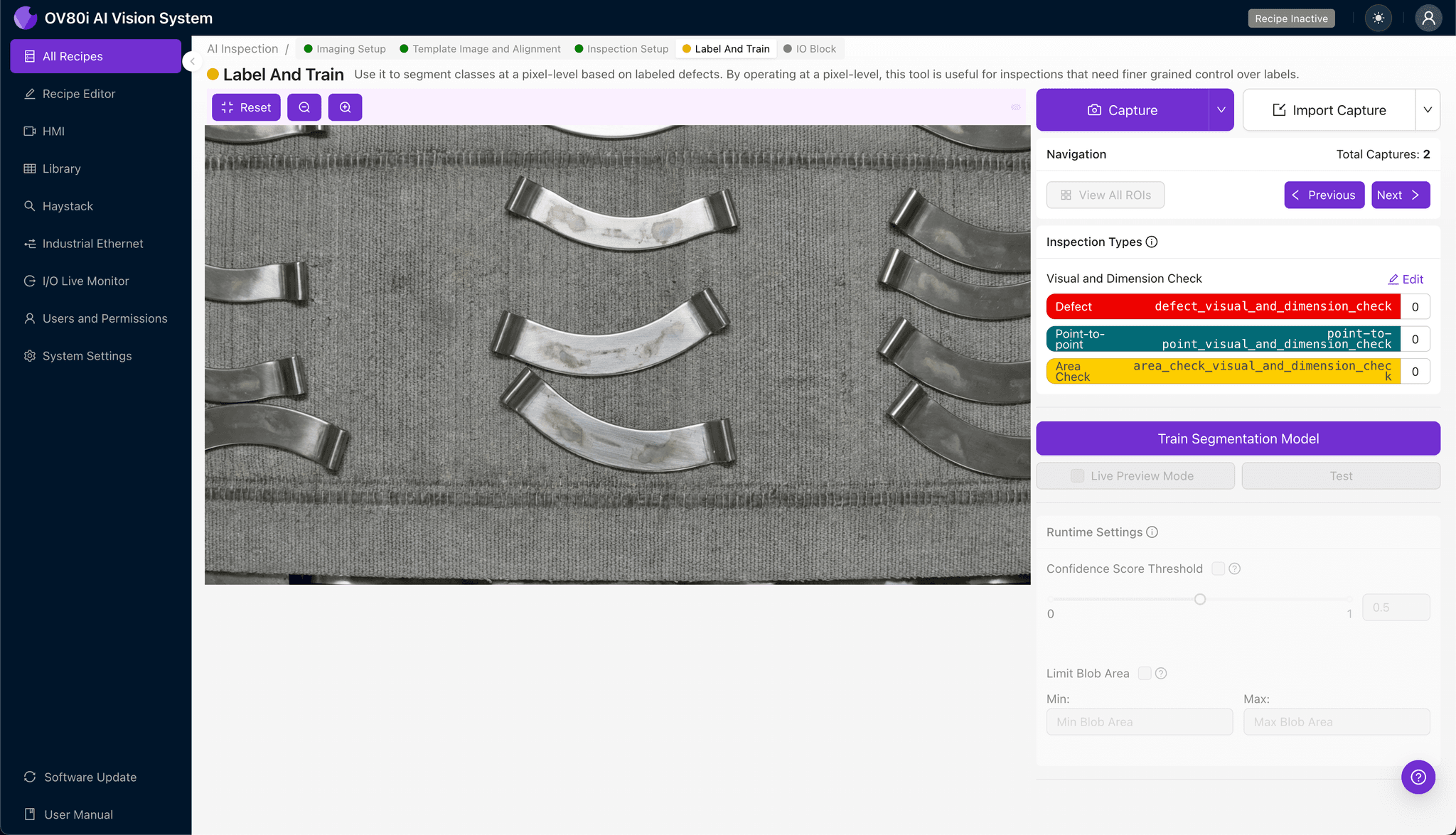
Step 4: Labeling Data
This human-in-the-loop step teaches the AI what "good" and "bad" actually look like for your specific product. Review captured images and label each as Good (proper passivation) or Bad (defective).
Include representative samples across normal production variation—different lighting conditions, minor positioning shifts, and acceptable cosmetic differences. Be sure to label known failure modes like flash rust, streaking, and discoloration as Bad to ensure the model learns these critical patterns.
Step 5: Creating Rules
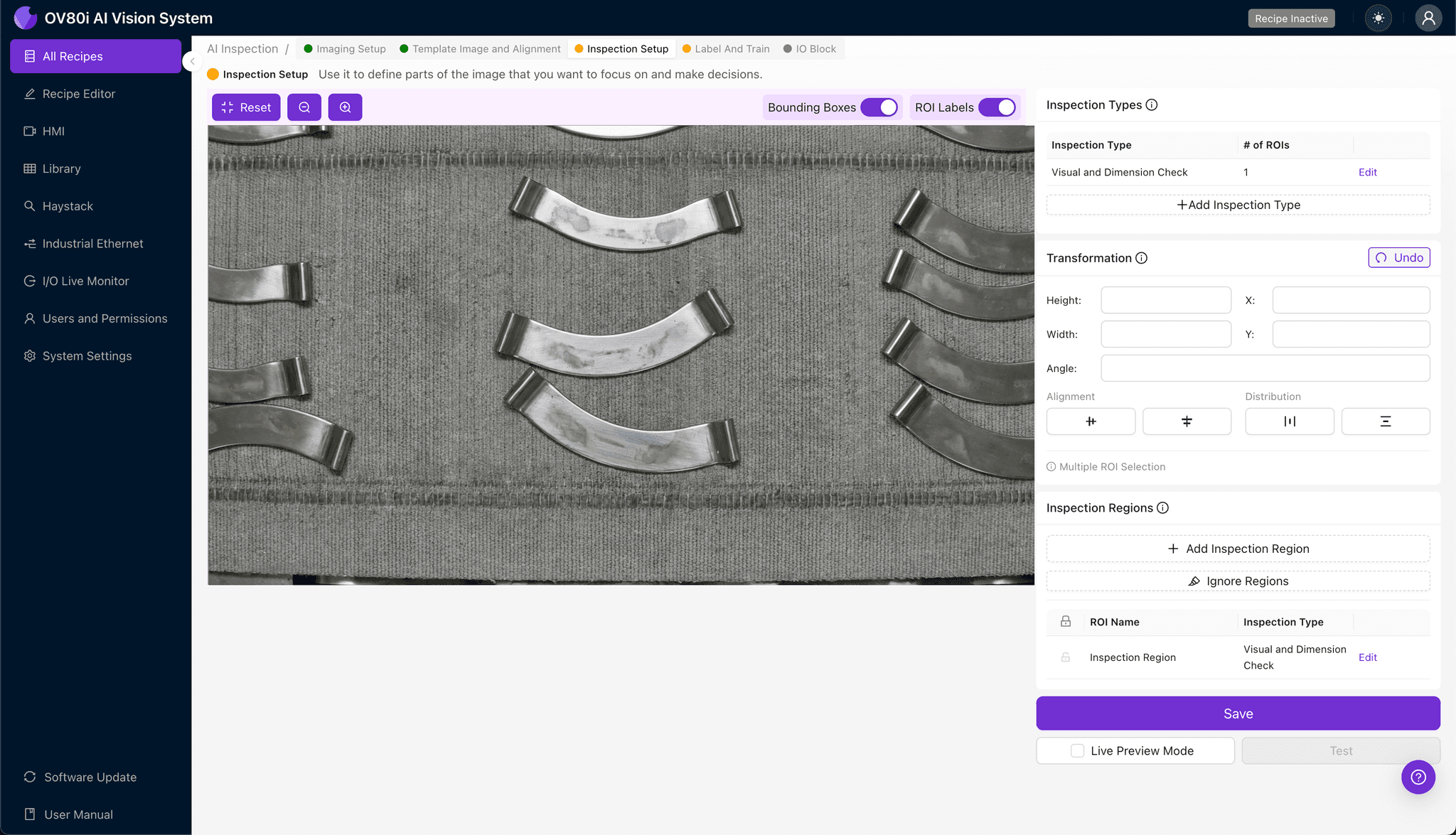
Set your pass/fail logic based on the Inspection Types you defined earlier. Configure thresholds that align with your quality specifications and customer requirements.
Gate automated acceptance on the line by connecting inspection results to your reject mechanism. Parts flagged as Bad are diverted automatically, while Good parts continue downstream without operator intervention.
Key Outcomes & ROI
Implementing AI-powered inspection for passivation defects delivers measurable business impact:
- Reduced scrap and rework — catch defects immediately rather than discovering failures during final QC or in the field
- Higher throughput — inspect 100% of production at line speed without adding headcount
- Compliance and traceability — maintain complete inspection records for ISO, customer audits, and warranty documentation
- Process improvement insights — identify upstream passivation process drift before it creates batch-level quality escapes
Start Inspecting Smarter
Passivation skips don't have to be a hidden risk in your stainless steel production. With Overview.ai's visual inspection platform, you gain consistent, objective quality control that scales with your operation.
Ready to see how it works on your parts? Request a demo and bring sample shells to test in our lab.
Eliminate Passivation Defects Today
Stop relying on manual inspection for critical surface quality. Deploy Overview.ai to catch passivation skips instantly.