Detecting Defects in Stamping Punches with Chipped Carbide Tips: A Machine Vision Walkthrough
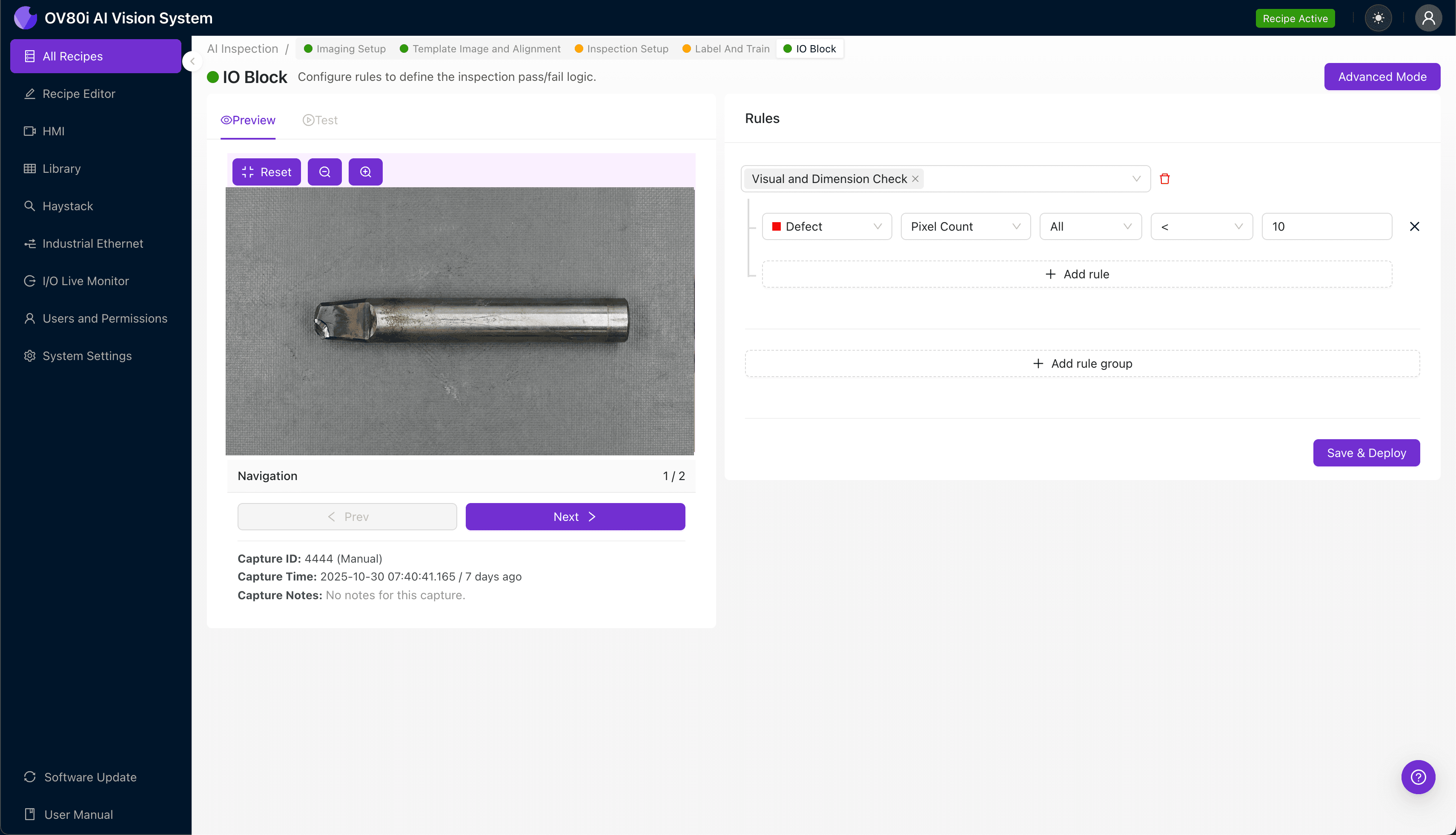
"Chipped carbide tips on stamping punches create hundreds of defective parts before manual inspection catches the damage. Overview.ai's machine vision platform detects microscopic tool damage at production speed, preventing downstream quality issues and extending tool life through early intervention."
The Problem: Why Chipped Carbide Tips Escape Detection
Stamping punches are the workhorses of high-volume metal forming operations, and their carbide tips endure tremendous repetitive stress. When these tips chip or fracture, the resulting tool damage propagates directly into every part produced—often before anyone notices.
Common Defects Associated with Chipped Carbide Stamping Punches:
- Micro-fractures at the cutting edge — hairline cracks that precede catastrophic tip failure
- Corner spalling — carbide flaking at high-stress corner radii
- Edge chipping — irregular material loss along the primary cutting surface
- Tip erosion patterns — progressive wear indicating imminent failure
- Substrate exposure — areas where carbide coating has completely separated
- Impact cratering — localized damage from foreign material or misalignment
Manual inspection of stamping punches fails for predictable reasons. Inspectors experience fatigue during repetitive visual checks, and microscopic chips are nearly invisible under standard shop lighting at production speeds.
The Solution: Machine Vision and Deep Learning
Machine vision systems eliminate the variability inherent in human inspection by applying consistent, objective analysis to every single tool. Deep learning models excel at identifying subtle surface anomalies that fall below the threshold of human perception—especially the early-stage carbide damage that predicts tool failure.
Overview.ai's approach enables manufacturers to inspect stamping punches at line speed without sacrificing accuracy. The system learns what "good" looks like from your actual production data, then flags deviations with superhuman consistency across every shift.
Step 1: Imaging Setup
Position the stamping punch under the OV80i camera system, ensuring the carbide tip faces the lens with proper orientation. The reflective nature of carbide requires careful attention to lighting angle to reveal surface defects.
Click "Configure Imaging" to access the Camera Settings panel. Adjust exposure to prevent glare washout on the polished carbide surface, and fine-tune gain to maximize contrast on potential chip sites.
Click "Save" to lock in your optimized imaging parameters.
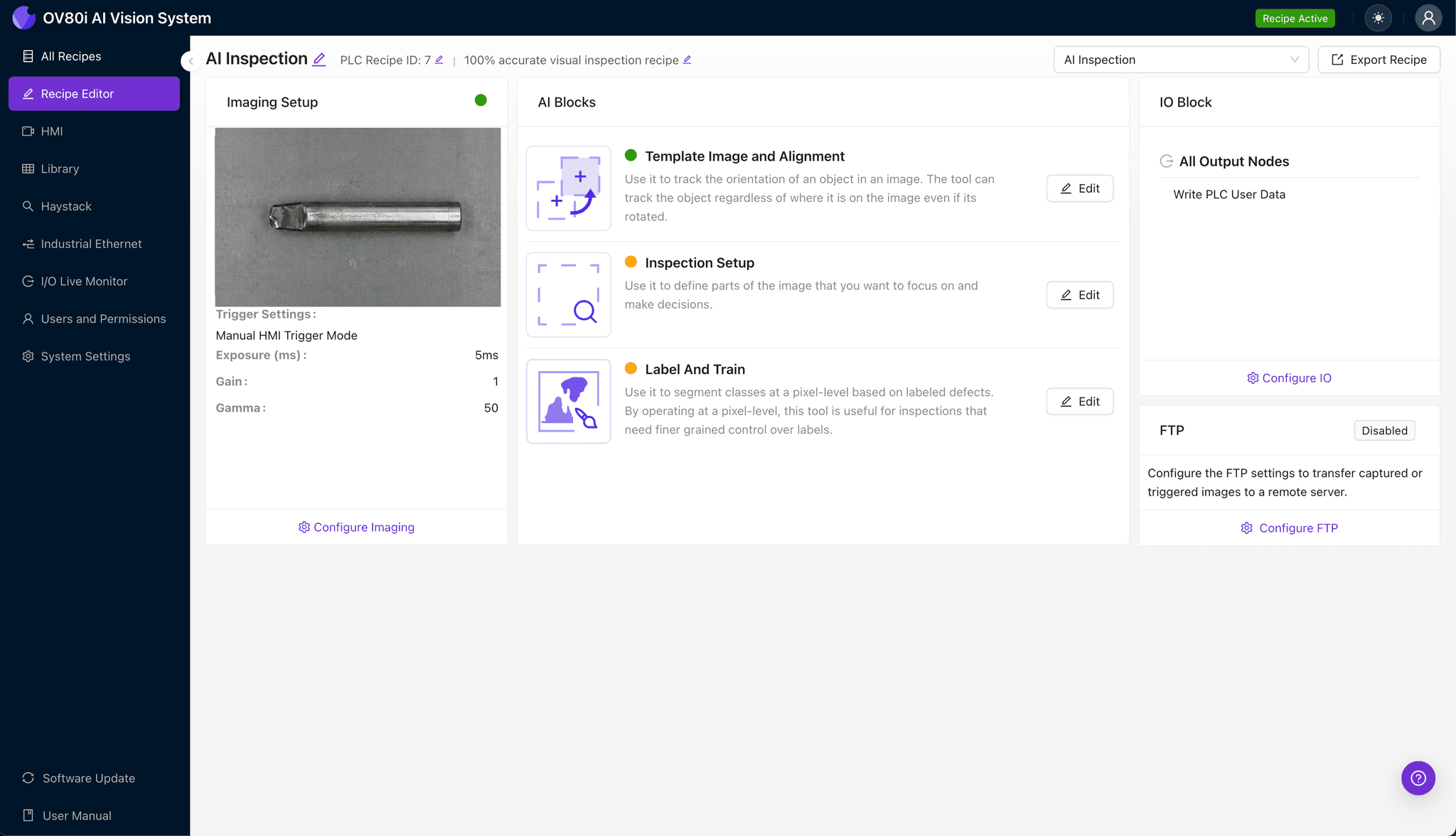
Step 2: Image Alignment
Navigate to "Template Image" in the configuration menu. Capture a Template using a known-good stamping punch positioned in standard orientation.
Click "+ Rectangle" to add an alignment region around the main punch body, excluding the background. Set "Rotation Range" to 20 degrees to accommodate minor positioning variations during automated handling.
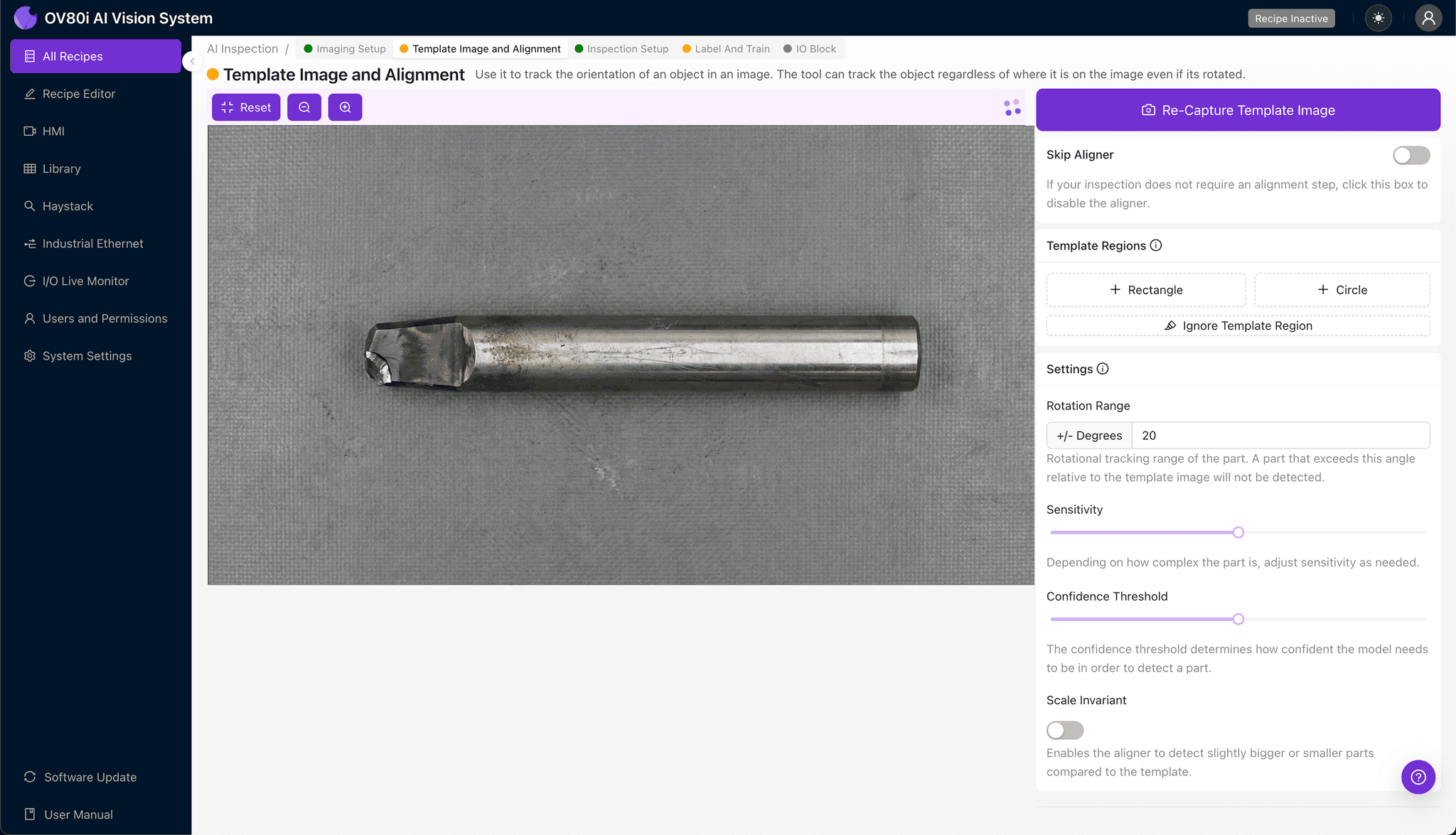
Step 3: Inspection Region Selection
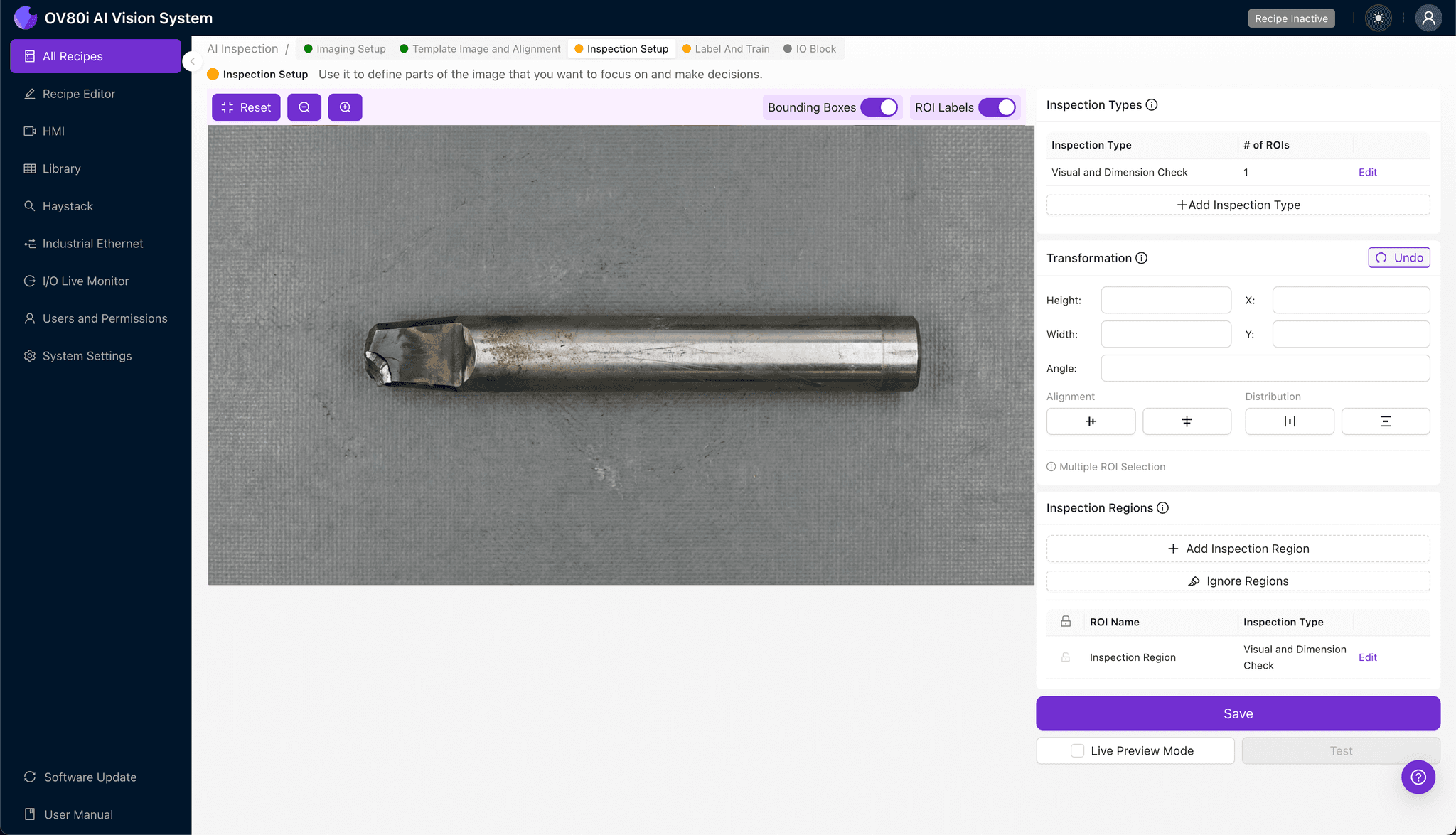
Navigate to "Inspection Setup" to define where the system should focus its analysis. Rename your "Inspection Types" to reflect the specific failure modes—for example, "Tip_Edge_Chip" or "Corner_Spall."
Click "+ Add Inspection Region" to create a new detection zone. Resize the yellow bounding box to cover the carbide tip's critical cutting edges and corner radii where chips most commonly originate.
Click "Save" to confirm your inspection regions.
Step 4: Labeling Data
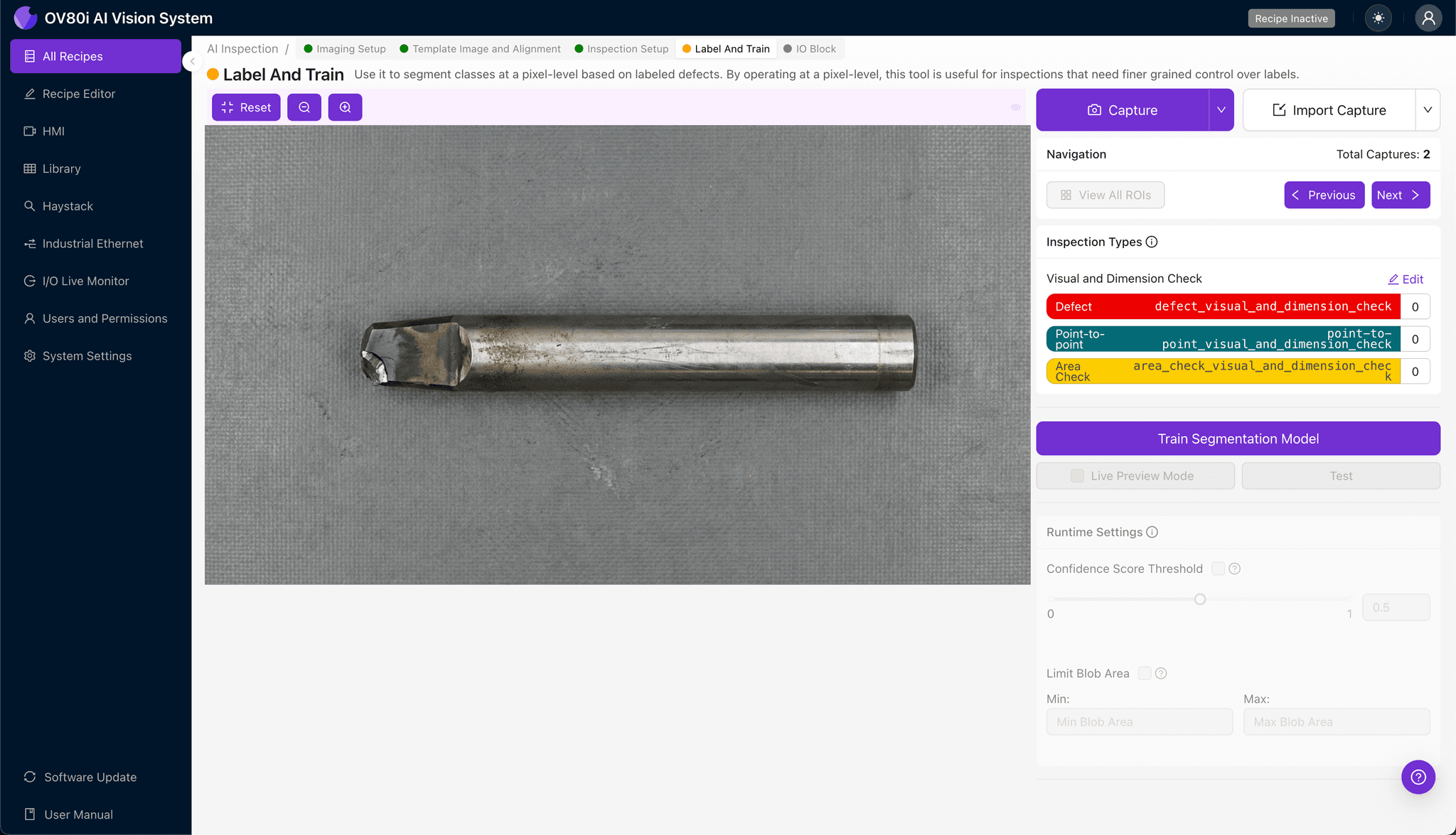
The human-in-the-loop labeling process teaches the AI to distinguish acceptable wear from reject-worthy damage. Review captured images and classify each as Good or Bad based on your quality standards.
Include representative samples across the full spectrum of acceptable condition. Ensure known failure modes—corner chips, edge fractures, and coating delamination—are well-represented in your Bad image set to maximize detection accuracy.
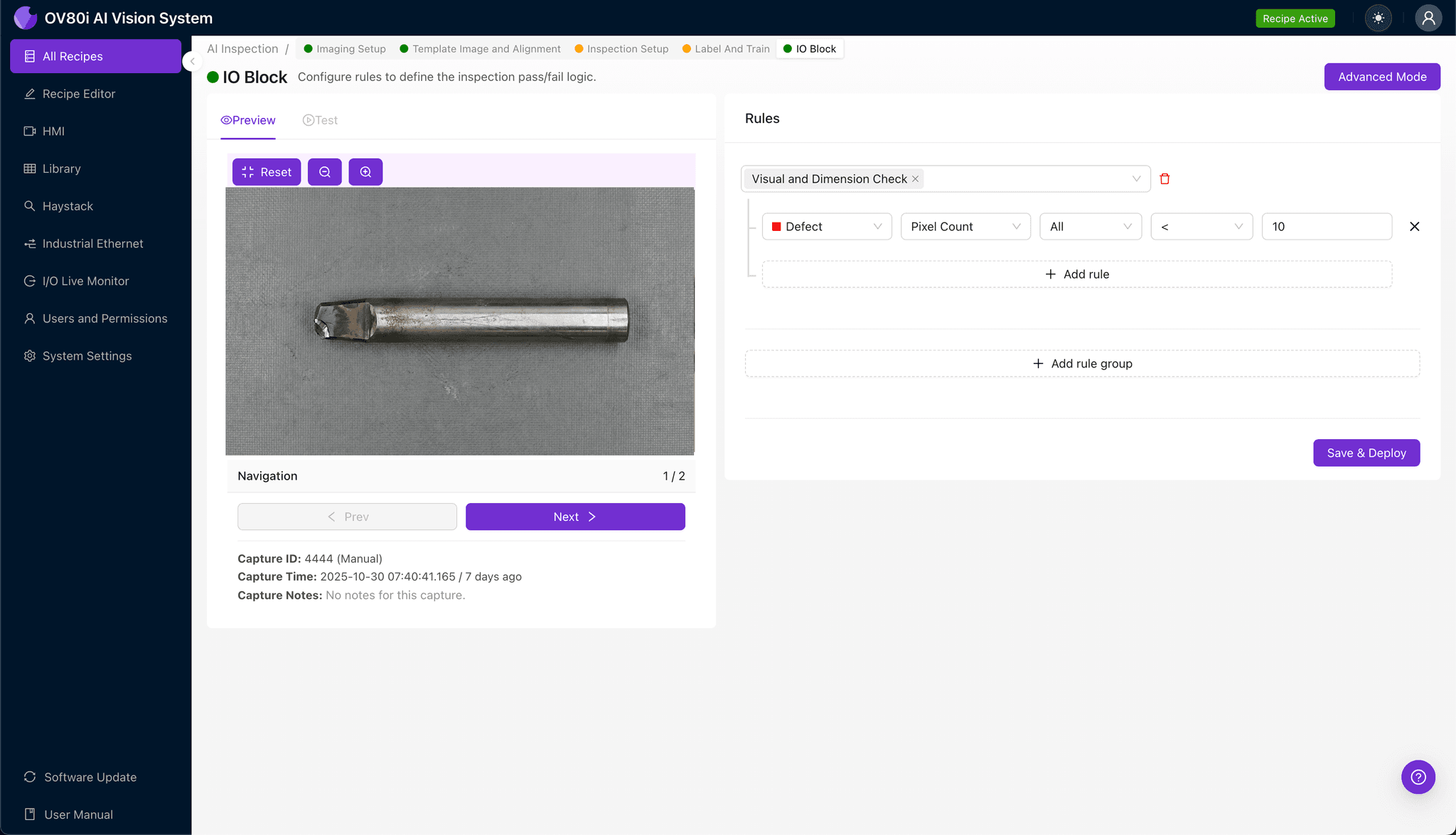
Step 5: Creating Rules
Define your pass/fail logic based on the Inspection Types you've configured. Set threshold parameters that align with your quality specifications and customer requirements.
Gate automated acceptance decisions directly on the production line. Punches flagged as "Bad" trigger automatic rejection or diversion for secondary review, preventing damaged tools from producing defective parts.
Key Outcomes & ROI
Implementing automated carbide tip inspection delivers measurable business impact:
- Reduced scrap rates — catch tool damage before it creates hundreds of defective stampings
- Higher throughput — eliminate manual inspection bottlenecks without sacrificing quality gates
- Enhanced compliance and traceability — maintain auditable inspection records for every tool, every shift
- Process improvement insights — analyze failure patterns to optimize tool life and maintenance schedules
Conclusion
Chipped carbide tips represent a silent productivity killer in stamping operations. By deploying Overview.ai's machine vision platform, manufacturers gain the ability to detect microscopic tool damage at production speed—protecting downstream quality and extending tool life through early intervention.
Eliminate Defects Today
Stop relying on manual inspection. Deploy Overview.ai to catch chipped carbide tips before they damage your parts.