USCAR Terminal with Excessive TPA Insertion Force: A Complete Visual Inspection Guide
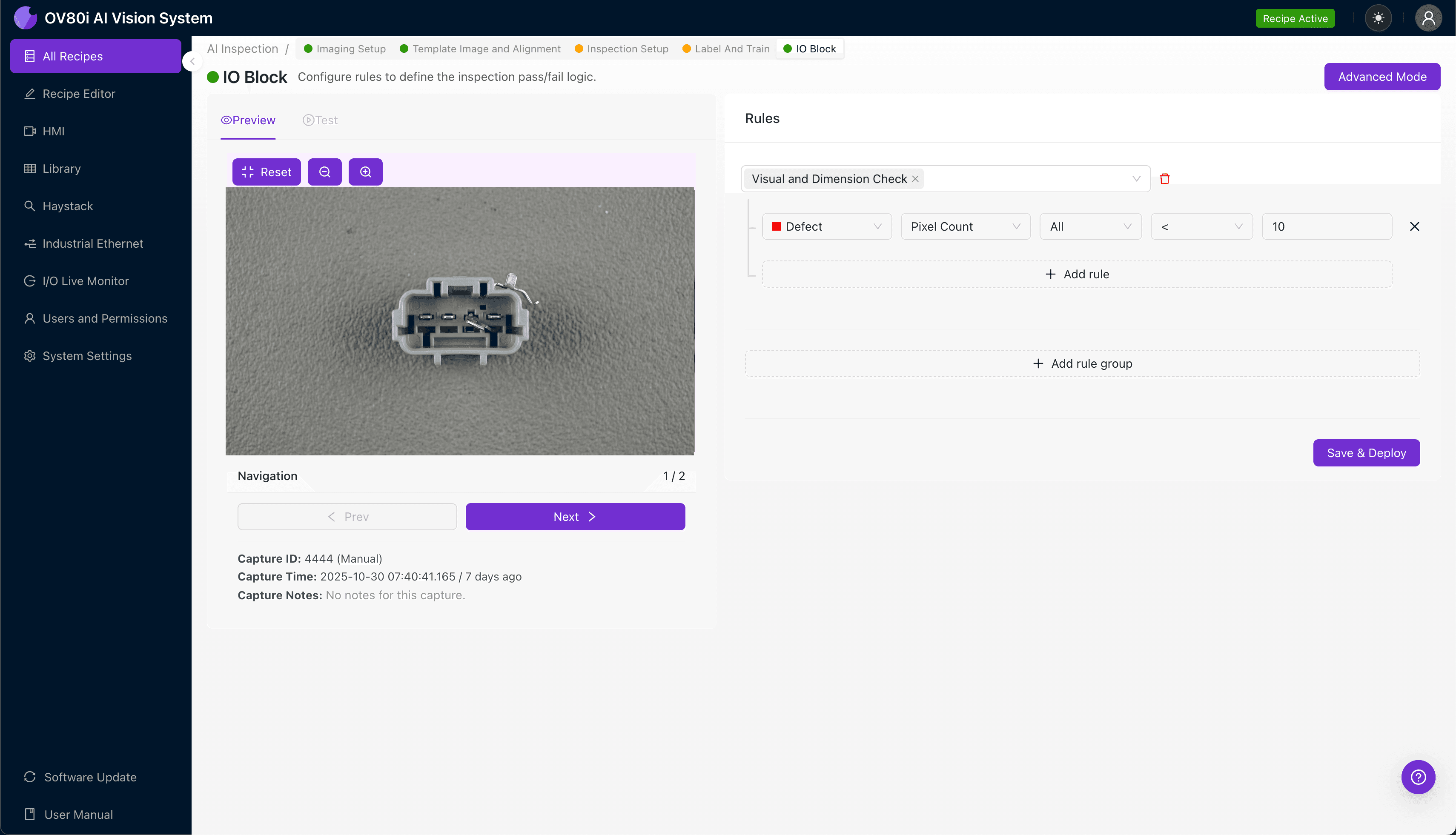
"Excessive TPA insertion force in USCAR terminals often stems from bent lances, flash buildup, or dimensional variations invisible to manual inspection. Overview.ai's deep learning vision system detects these microscopic defects at full line speed, preventing costly assembly failures and downstream quality escapes."
The Problem: Why Excessive TPA Insertion Force Defects Slip Through
USCAR terminals with excessive Terminal Position Assurance (TPA) insertion force represent a critical quality challenge in automotive connector manufacturing. When TPA components require too much force to seat properly, assembly line workers may fail to fully engage the locking mechanism—or damage the connector entirely.
Common Defects Associated with Excessive TPA Insertion Force:
- Bent or deformed terminal lances — causing misalignment that increases resistance during TPA engagement
- Flash or burrs on molded TPA housings — plastic debris interfering with smooth insertion paths
- Out-of-spec terminal seating depth — terminals sitting too high or low in the cavity
- Damaged or collapsed housing ribs — internal guide features that no longer align with TPA geometry
- Contamination in terminal cavities — debris, lubricant buildup, or foreign material blocking insertion
- Warped or dimensionally unstable TPA clips — thermal or mechanical stress causing fit interference
Manual inspection of these defects is notoriously unreliable. Inspectors experience fatigue after examining hundreds of nearly identical connectors per shift, and the subtle dimensional variations that cause force issues are often invisible to the naked eye under production lighting conditions.
The Solution: Machine Vision and Deep Learning
Machine vision systems eliminate the subjectivity and inconsistency inherent in human inspection. By capturing high-resolution images and analyzing them with trained deep learning models, manufacturers can detect the microscopic deformations and contamination that lead to excessive insertion force—before defective parts reach assembly.
Overview.ai's approach delivers consistent, objective inspection at full line speed. The OV80i platform learns to recognize the specific visual signatures of force-related defects on your USCAR terminals, enabling 100% inline inspection without slowing production or requiring additional headcount.
Step 1: Imaging Setup
Begin by positioning the USCAR terminal under the OV80i camera system. Secure the part in a repeatable fixture that mimics its orientation during production flow.
Click "Configure Imaging" in the Overview interface. Adjust Camera Settings including exposure time and gain to ensure terminal lances, TPA engagement surfaces, and housing features are clearly visible with appropriate contrast.
Click "Save" to lock in your imaging parameters.
Step 2: Image Alignment
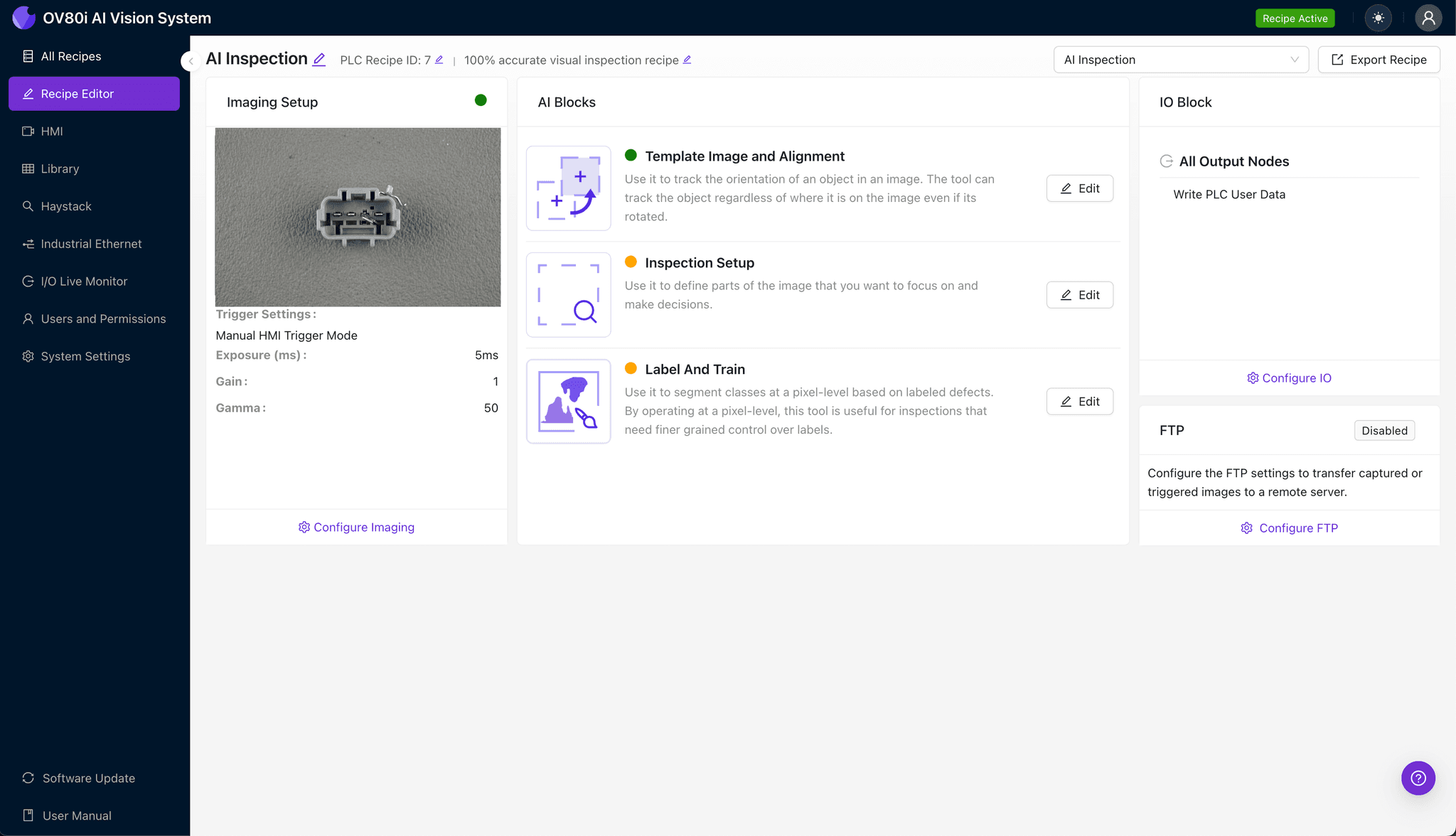
Navigate to the "Template Image" section in the configuration menu. Capture a Template image using a known-good USCAR terminal positioned in your standard orientation.
Click "+ Rectangle" to add an alignment region around the main connector body. This anchor point ensures consistent positioning across all inspected parts.
Set the "Rotation Range" to 20 degrees to accommodate minor part-to-part variation in fixture placement.

Step 3: Inspection Region Selection
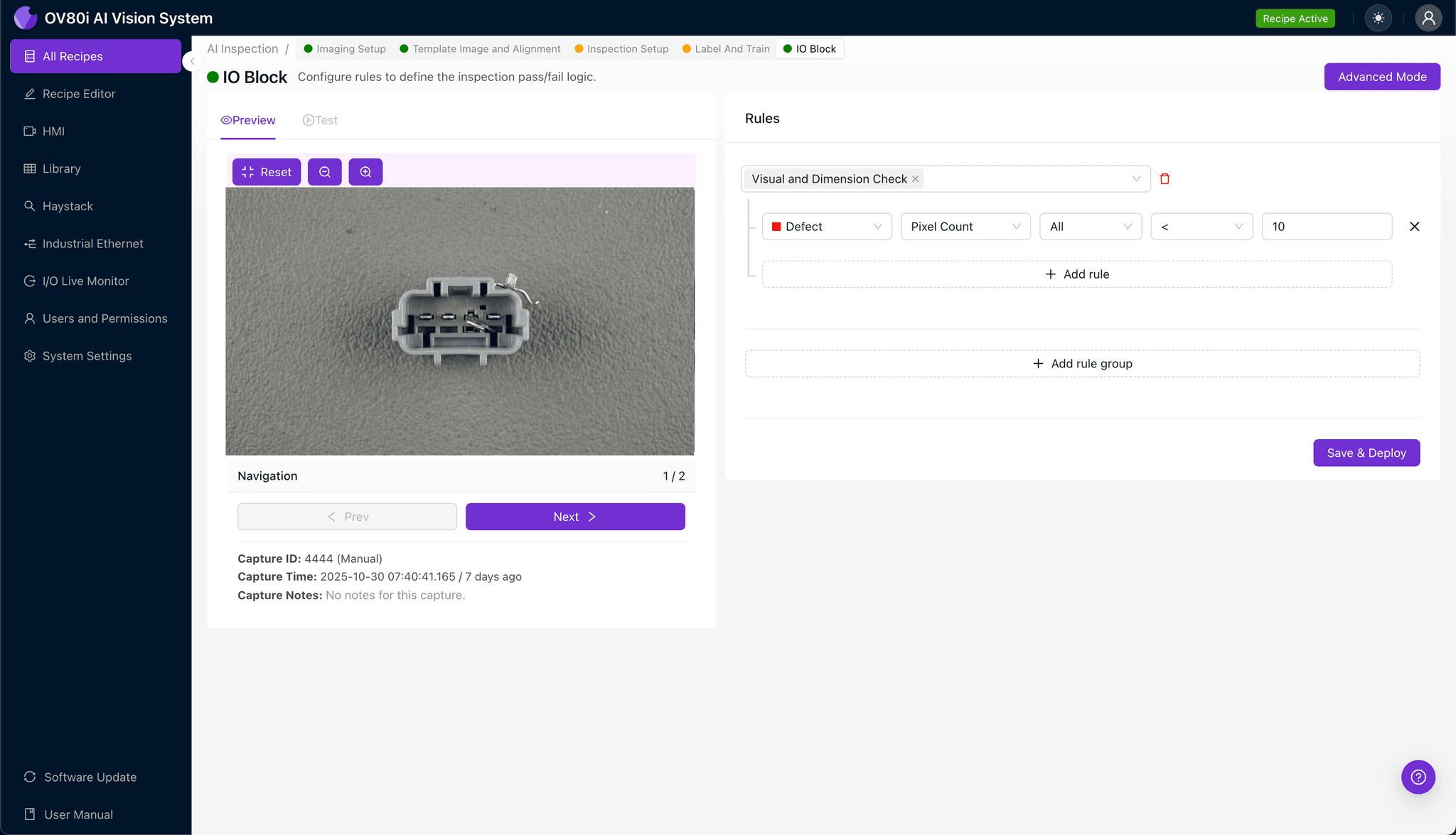
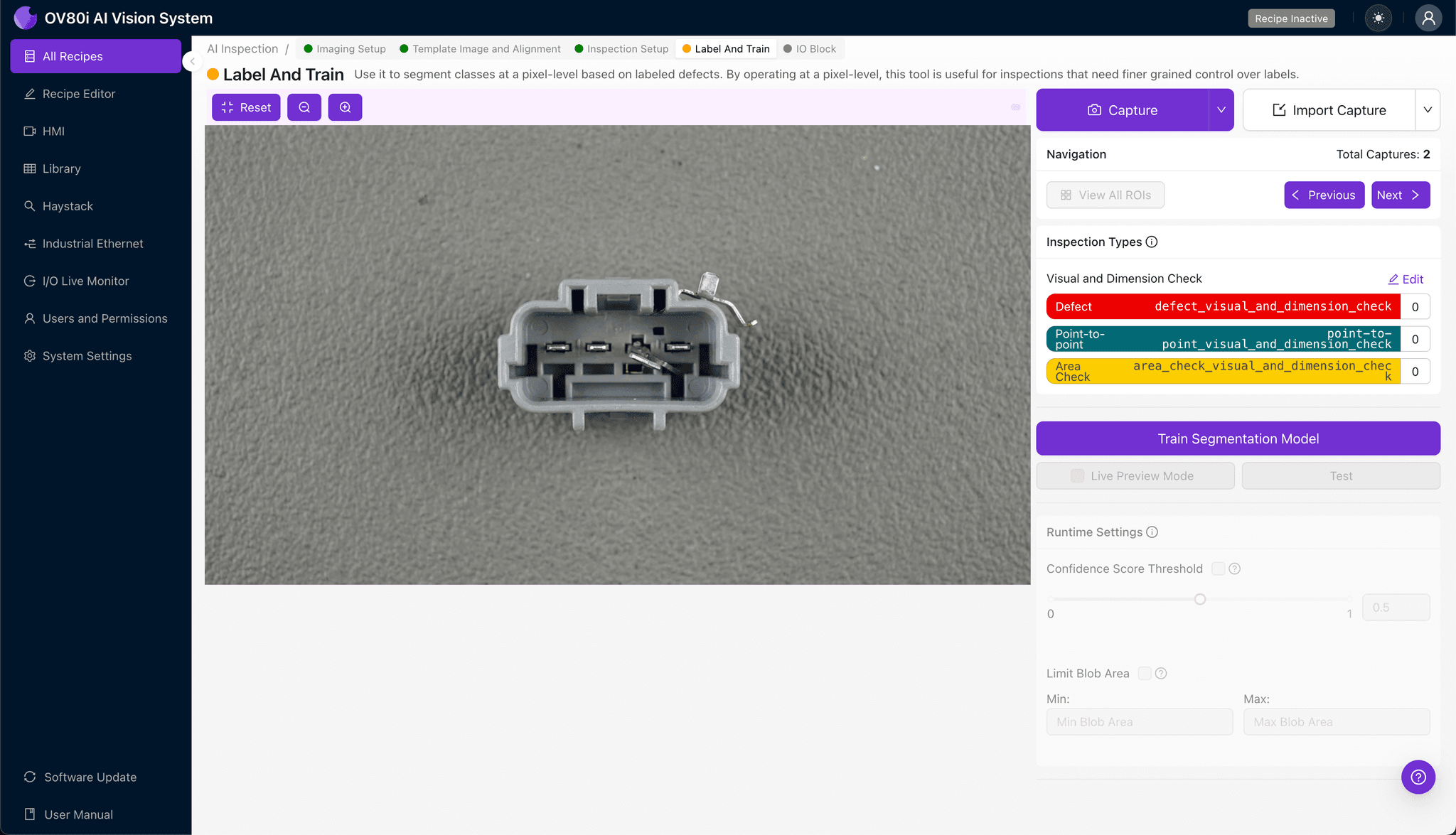
Navigate to "Inspection Setup" to define your critical inspection zones. Rename your "Inspection Types" to match the defect categories relevant to TPA force issues—for example, "Lance Deformation," "Housing Contamination," or "TPA Surface Defects."
Click "+ Add Inspection Region" for each area requiring analysis. Resize the yellow bounding box to cover terminal lance tips, TPA insertion channels, and cavity walls where dimensional issues manifest.
Click "Save" after defining all regions.
Step 4: Labeling Data
The human-in-the-loop labeling process trains your deep learning model to distinguish acceptable parts from defective ones. Subject matter experts review captured images and classify each as Good or Bad based on established quality criteria.
Include representative samples across the full spectrum of production variation. Incorporate known failure modes—terminals with documented excessive force measurements—to ensure the model learns the visual patterns that correlate with functional defects.
Step 5: Creating Rules
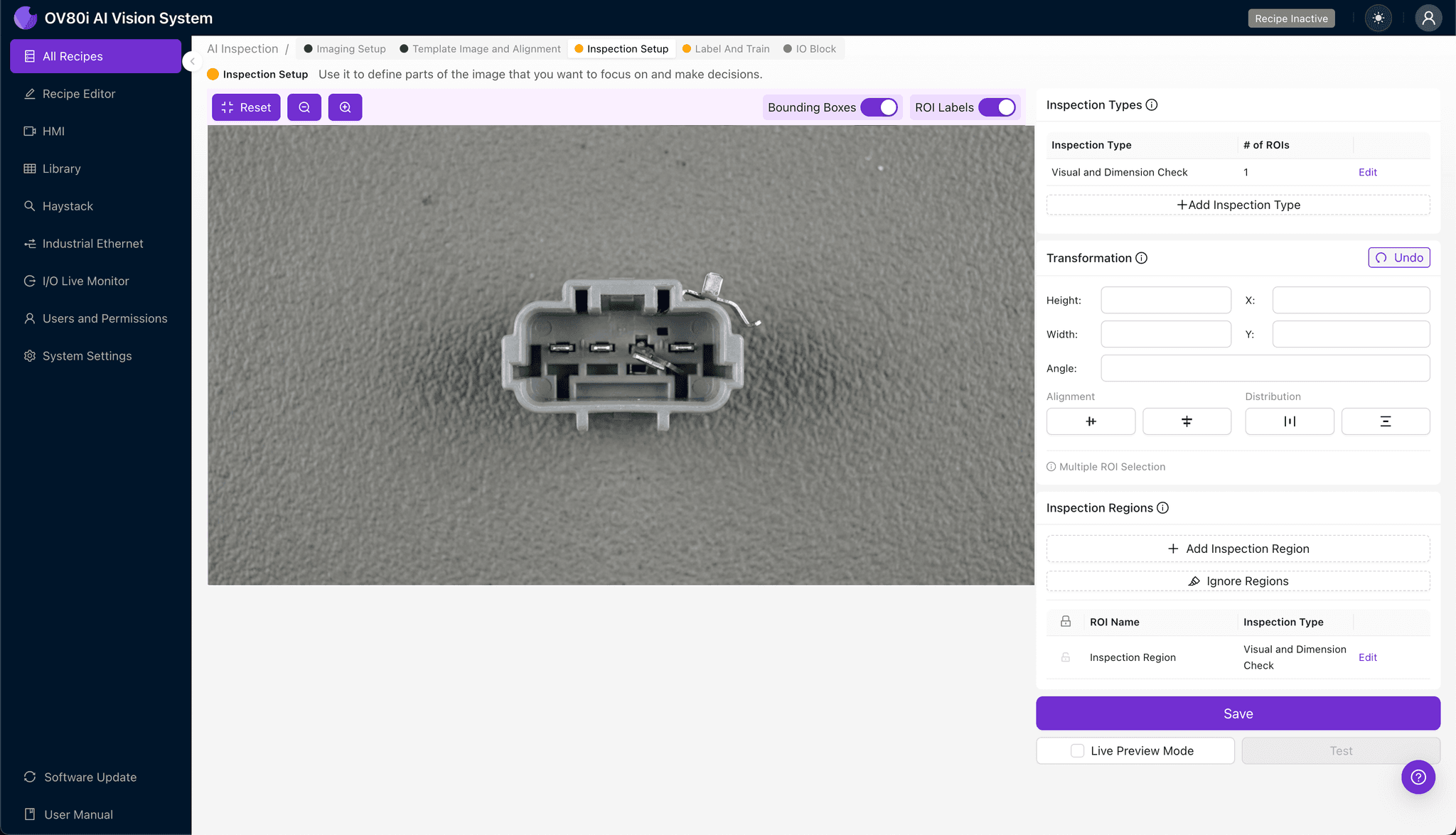
Configure pass/fail logic based on your defined Inspection Types. Set thresholds that trigger rejection when the model detects defect signatures associated with excessive TPA insertion force.
Gate automated acceptance decisions directly on the production line. Parts flagged as defective are diverted for secondary inspection or scrap, while conforming terminals proceed to downstream assembly operations.
Key Outcomes & ROI
Implementing automated visual inspection for USCAR terminal TPA force defects delivers measurable business value:
- Reduced scrap and rework costs — catch defects before they reach assembly, eliminating wasted labor and materials
- Higher throughput — inspect 100% of production at line speed without adding inspection bottlenecks
- Enhanced compliance and traceability — maintain timestamped inspection records for IATF 16949 audits and customer quality requirements
- Process improvement insights — trend data reveals upstream issues like tooling wear or material variation before they cause widespread defects
Conclusion
Excessive TPA insertion force defects compromise connector reliability and create costly downstream failures. With Overview.ai's deep learning-powered visual inspection, manufacturers gain the consistency and speed needed to catch these subtle defects at scale—protecting both product quality and customer relationships.
Eliminate TPA Insertion Force Defects Today
Stop relying on manual inspection for your USCAR terminals. Deploy Overview.ai to catch lance deformation, contamination, and dimensional defects instantly.