
Detecting Non-Uniform Plating Thickness in 224G Contacts: A Machine Vision Walkthrough
"Non-uniform plating thickness in 224G contacts causes reliability failures that escape human detection. Overview.ai's machine vision platform delivers consistent, pixel-level inspection at full production speed, catching defects as subtle as 0.5 micron thickness variations."
The Problem: Why Plating Inconsistencies in 224G Contacts Escape Human Detection
224G contacts are precision-engineered electrical connectors critical to high-frequency signal transmission in data center and telecommunications infrastructure. When plating thickness varies across the contact surface, it creates reliability failures that can cascade into costly field returns and system downtime.
Common Defects in 224G Contacts with Non-Uniform Plating Thickness
- Thin plating zones – Areas with insufficient gold or nickel coverage that accelerate corrosion and increase contact resistance
- Plating buildup at edges – Excessive material accumulation near contact tips causing dimensional interference during mating
- Skip plating – Complete absence of plating in recessed areas or geometric transitions
- Nodular deposits – Rough, bumpy surface formations from uneven electrodeposition current density
- Discoloration banding – Visible color gradients indicating thickness variation across the contact face
- Underplate exposure – Nickel barrier layer showing through insufficient gold top-coat coverage
Human inspectors struggle to detect these subtle variations consistently. Plating thickness differences of just 0.5 microns can cause functional failures, yet appear nearly identical to the naked eye under production lighting conditions.
Inspector fatigue compounds the problem-after reviewing thousands of contacts per shift, detection rates for marginal defects can drop by 30% or more.
The Solution: Machine Vision and Deep Learning for Consistent Plating Inspection
Machine vision systems eliminate the subjectivity and fatigue inherent in manual inspection. By analyzing pixel-level variations in reflectivity, color, and surface texture, AI-powered cameras can detect plating anomalies invisible to human inspectors.
Deep learning models excel at this task because they learn the complex visual signatures of acceptable vs. defective plating from labeled examples. Unlike rule-based systems, they adapt to natural process variation while maintaining sensitivity to true defects.
Overview.ai's approach delivers consistent, objective inspection at full production line speed. The OV80i platform enables 100% inline inspection of every 224G contact, catching defects before they reach assembly or shipping.
Step 1: Imaging Setup
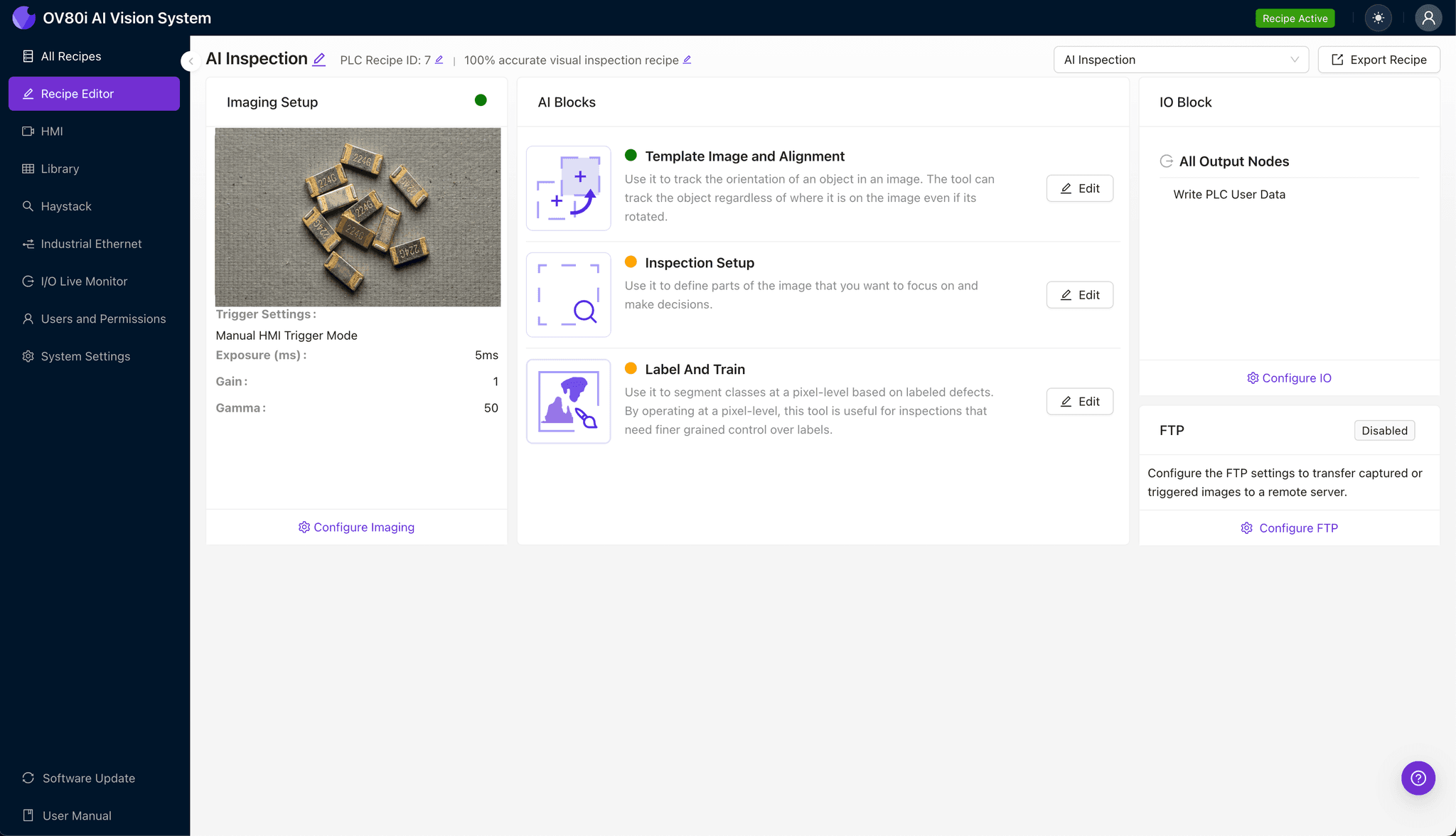
Position the 224G contact under the OV80i camera, ensuring the plating surface is oriented toward the lens. Proper lighting angle is critical-angled illumination helps reveal subtle thickness variations through differential reflectivity.
Navigate to "Configure Imaging" in the Overview.ai interface. Adjust Camera Settings including exposure time and gain to maximize contrast between properly plated and deficient areas.
Click "Save" to lock in your imaging configuration.
Step 2: Image Alignment
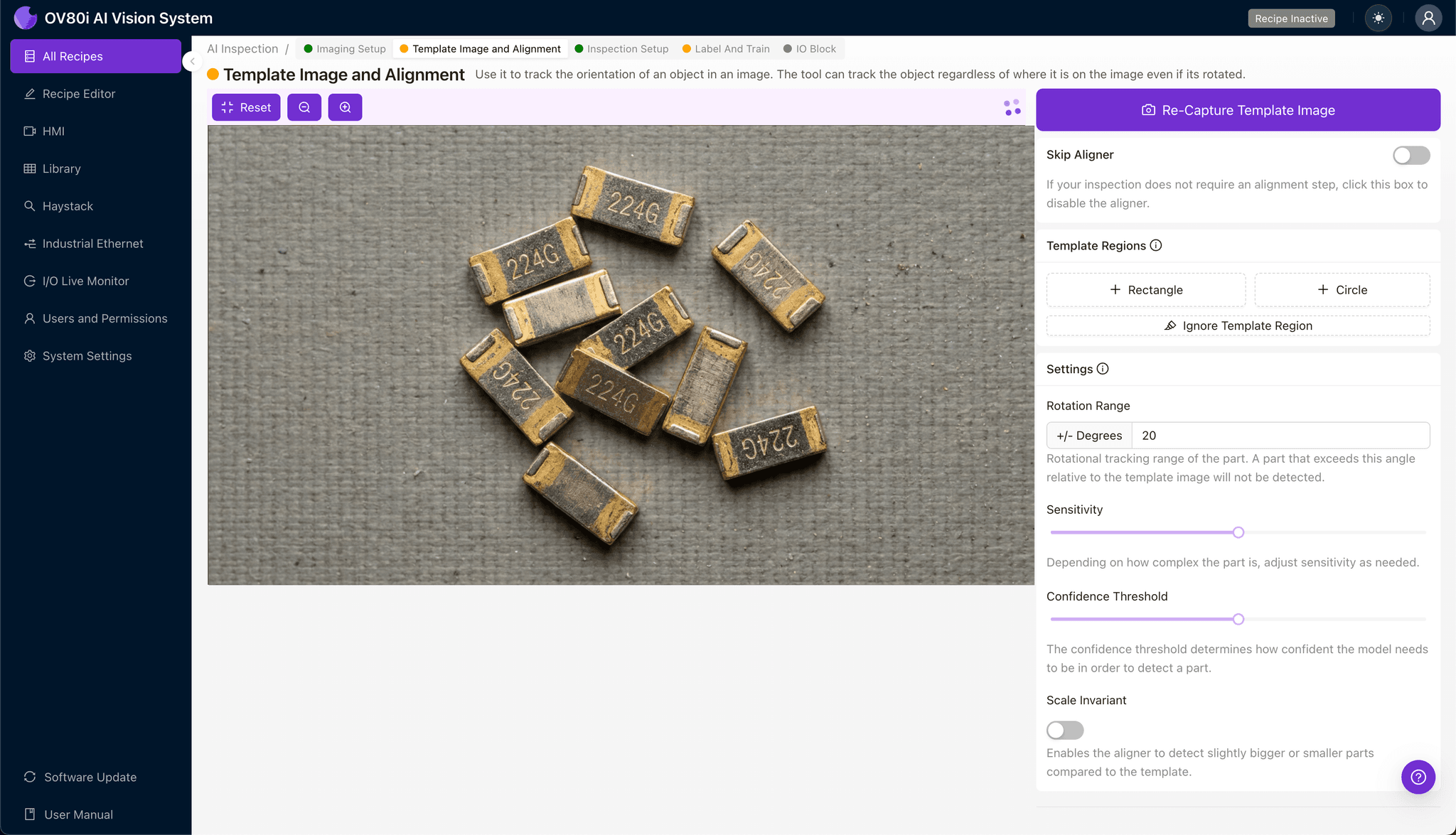
Navigate to the "Template Image" section within the setup workflow. Capture a Template using a known-good 224G contact in the standard orientation.
Click "+ Rectangle" to add an alignment region around the main contact body. This anchor point ensures consistent positioning across all inspected parts.
Set the "Rotation Range" to 20 degrees to accommodate slight orientation variation in your part presentation system.
Step 3: Inspection Region Selection
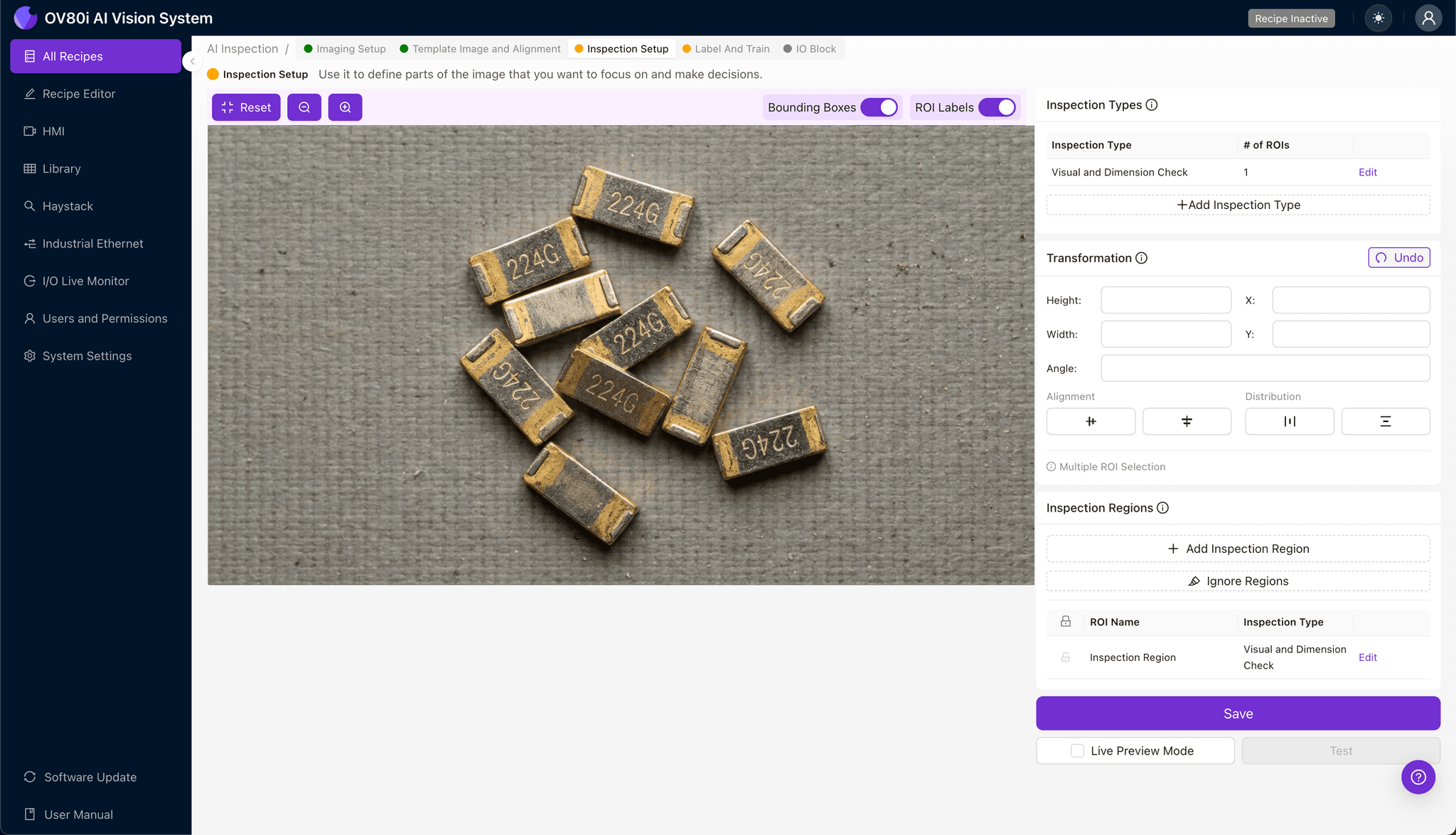
Navigate to "Inspection Setup" to define where the system should look for defects. Rename your "Inspection Types" to reflect the specific failure modes-for example, "Tip Plating Coverage" and "Body Thickness Uniformity."
Click "+ Add Inspection Region" for each critical zone. Resize the yellow bounding box over high-risk areas: contact mating surfaces, edge transitions, and recessed features where plating variation is most common.
Click "Save" after defining all inspection regions.
Step 4: Labeling Data
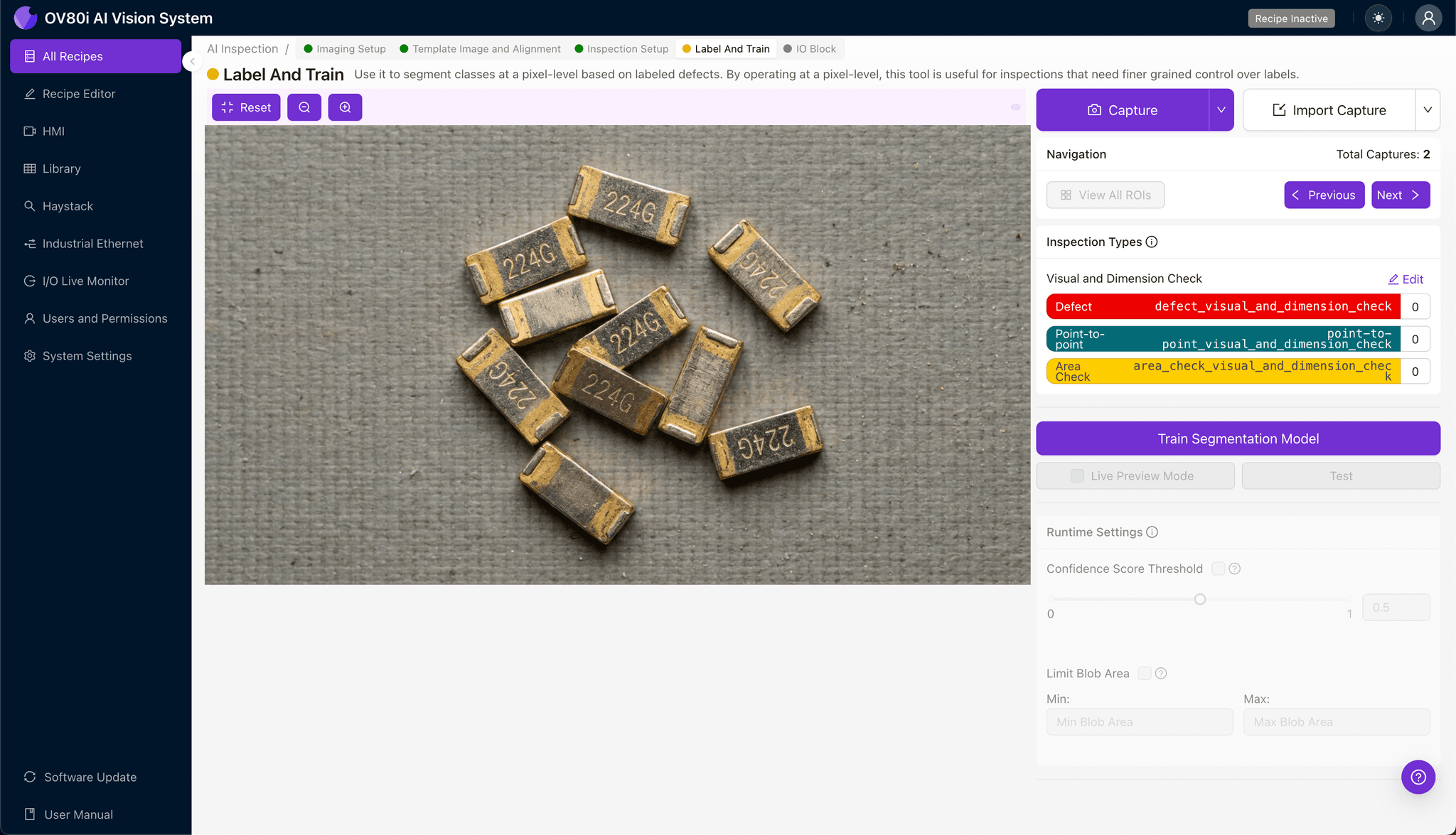
The human-in-the-loop labeling process trains the deep learning model to distinguish acceptable from defective contacts. Review incoming images and categorize each as Good or Bad based on your quality standards.
Include representative samples across the full range of acceptable variation. Equally important: label known failure modes including thin plating, nodular deposits, and skip plating examples.
A robust training set of 50-100 labeled images per defect type typically delivers production-ready accuracy.
Step 5: Creating Rules
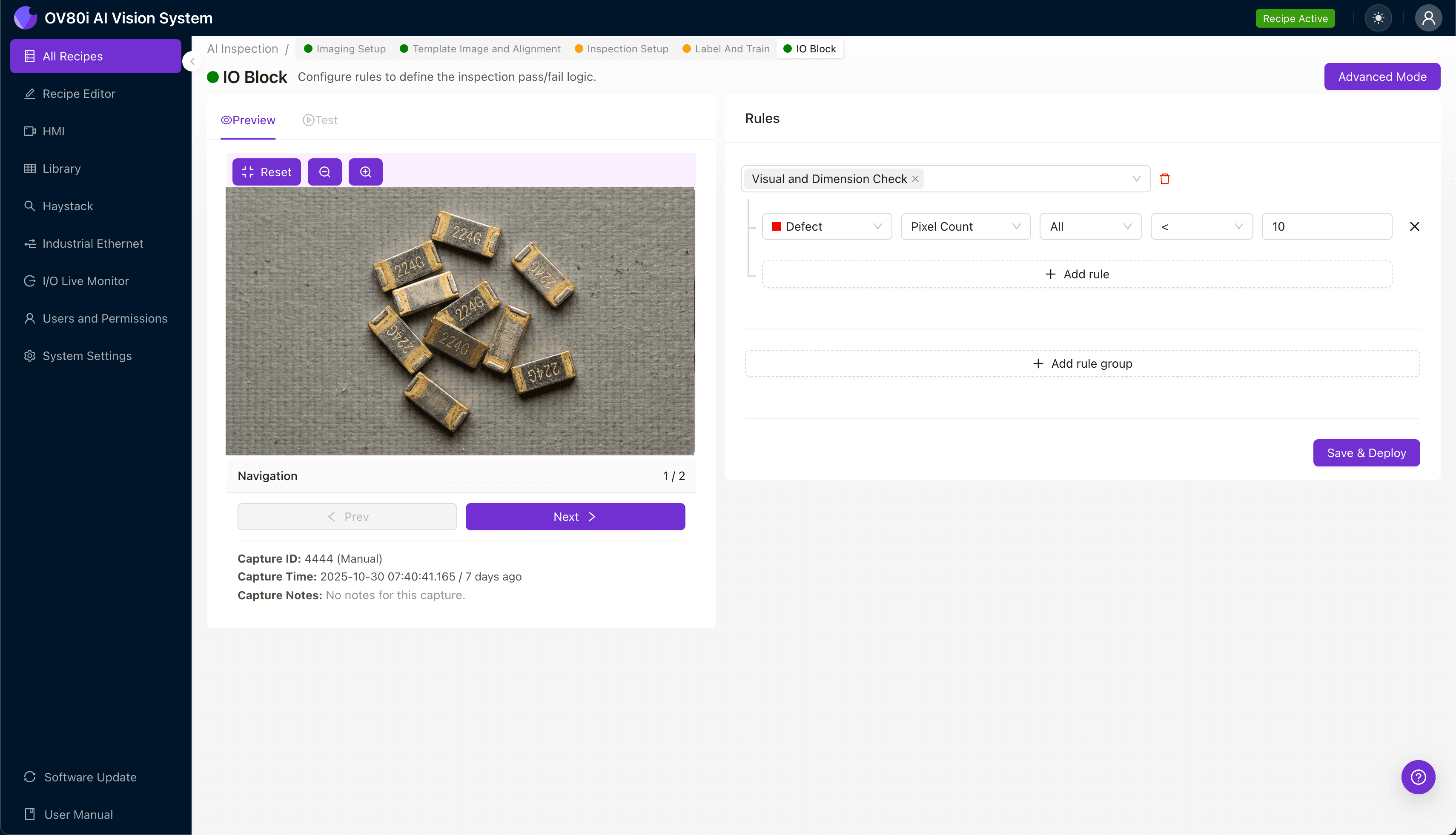
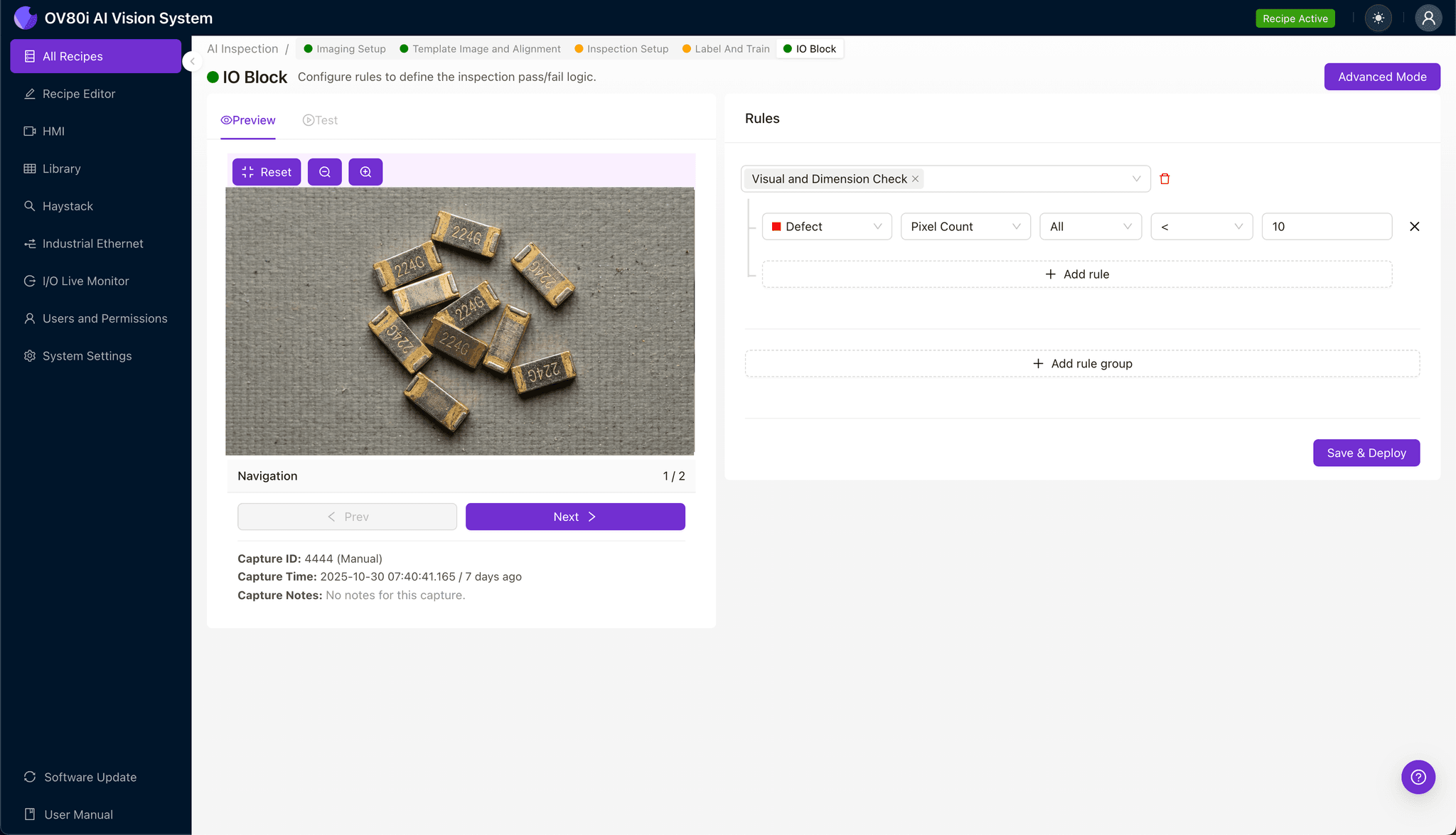
Configure pass/fail logic based on your defined Inspection Types. Set thresholds that align with your quality specifications-for example, flagging any contact where the "Tip Plating Coverage" score falls below 95% confidence.
Gate automated acceptance on the production line by linking inspection results to your reject mechanism. Contacts that fail any inspection rule are automatically diverted for review or scrap.
Key Outcomes & ROI
Implementing automated visual inspection for 224G contact plating delivers measurable business impact:
- Reduced scrap rates – Catch plating defects before downstream assembly, eliminating wasted labor and materials on defective subassemblies
- Higher throughput – Inspect 100% of contacts at line speed without creating inspection bottlenecks
- Compliance and traceability – Maintain timestamped inspection records for every contact, supporting customer audits and warranty investigations
- Process improvement insights – Trend defect data over time to identify plating bath degradation, fixture wear, or upstream process drift before they cause quality escapes
Eliminate Plating Defects Today
Stop relying on manual inspection for critical 224G contacts. Deploy Overview.ai to catch non-uniform plating thickness instantly.