How to Detect a Broken Secondary Lock on FAKRA Connectors Using AI-Powered Visual Inspection
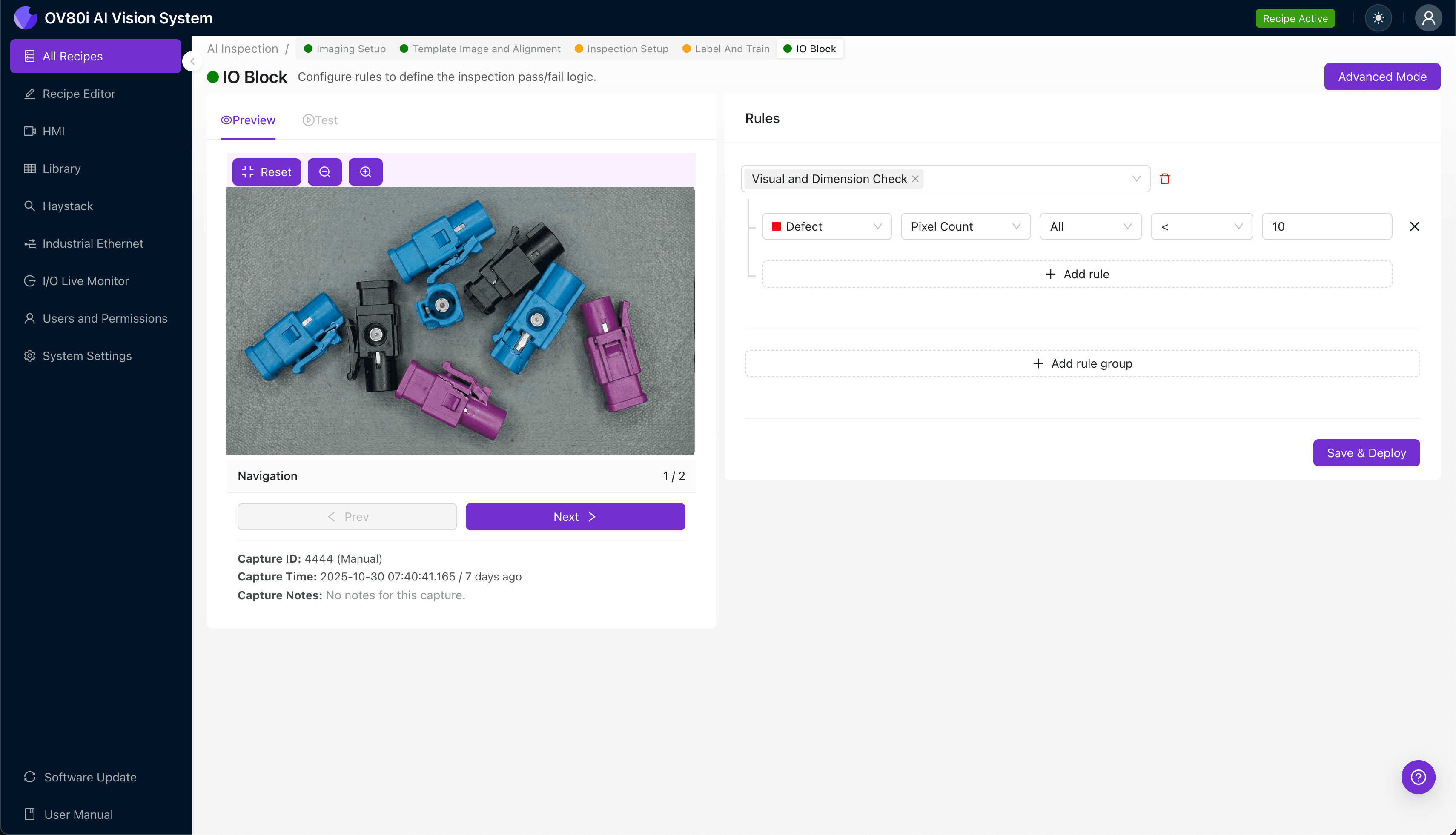
"Broken secondary locks on FAKRA connectors create critical failure risks in automotive RF systems. AI-powered visual inspection eliminates human variability, catching subtle lock defects at full line speed with consistent accuracy across every shift."
The Problem: Why Broken Secondary Locks Slip Through Quality Control
FAKRA connectors are the backbone of automotive RF connectivity, linking antennas, GPS modules, and infotainment systems across modern vehicles. When the secondary lock fails or arrives damaged, it creates a ticking time bomb that can disconnect critical systems mid-operation.
Common Defects Found in FAKRA Connector Secondary Locks:
- Cracked or fractured lock tabs – Stress fractures from molding or handling that compromise retention force
- Missing lock engagement features – Incomplete molding resulting in absent locking geometry
- Warped or deformed lock housing – Thermal or mechanical distortion preventing proper snap-fit engagement
- Incomplete lock deployment – Secondary lock not fully seated in the locked position
- Flash or burrs on lock surfaces – Excess material interfering with smooth lock actuation
- Discolored or degraded plastic – Material inconsistencies indicating compromised structural integrity
Manual inspection of secondary locks is notoriously unreliable. Inspectors experience fatigue-induced accuracy drops after just 20-30 minutes of repetitive visual checks, and the subtle nature of lock defects—often requiring specific viewing angles—means inconsistent detection rates across shifts and operators.
The Solution: Machine Vision and Deep Learning
AI-powered visual inspection eliminates the variability inherent in human quality control. Deep learning models trained on thousands of connector images learn to recognize the subtle visual signatures of secondary lock failures that even experienced inspectors miss.
Overview.ai's approach delivers consistent, objective inspection at full line speed. Unlike rule-based machine vision that struggles with natural part variation, deep learning adapts to real-world manufacturing conditions while maintaining detection accuracy across millions of parts.
Step 1: Imaging Setup
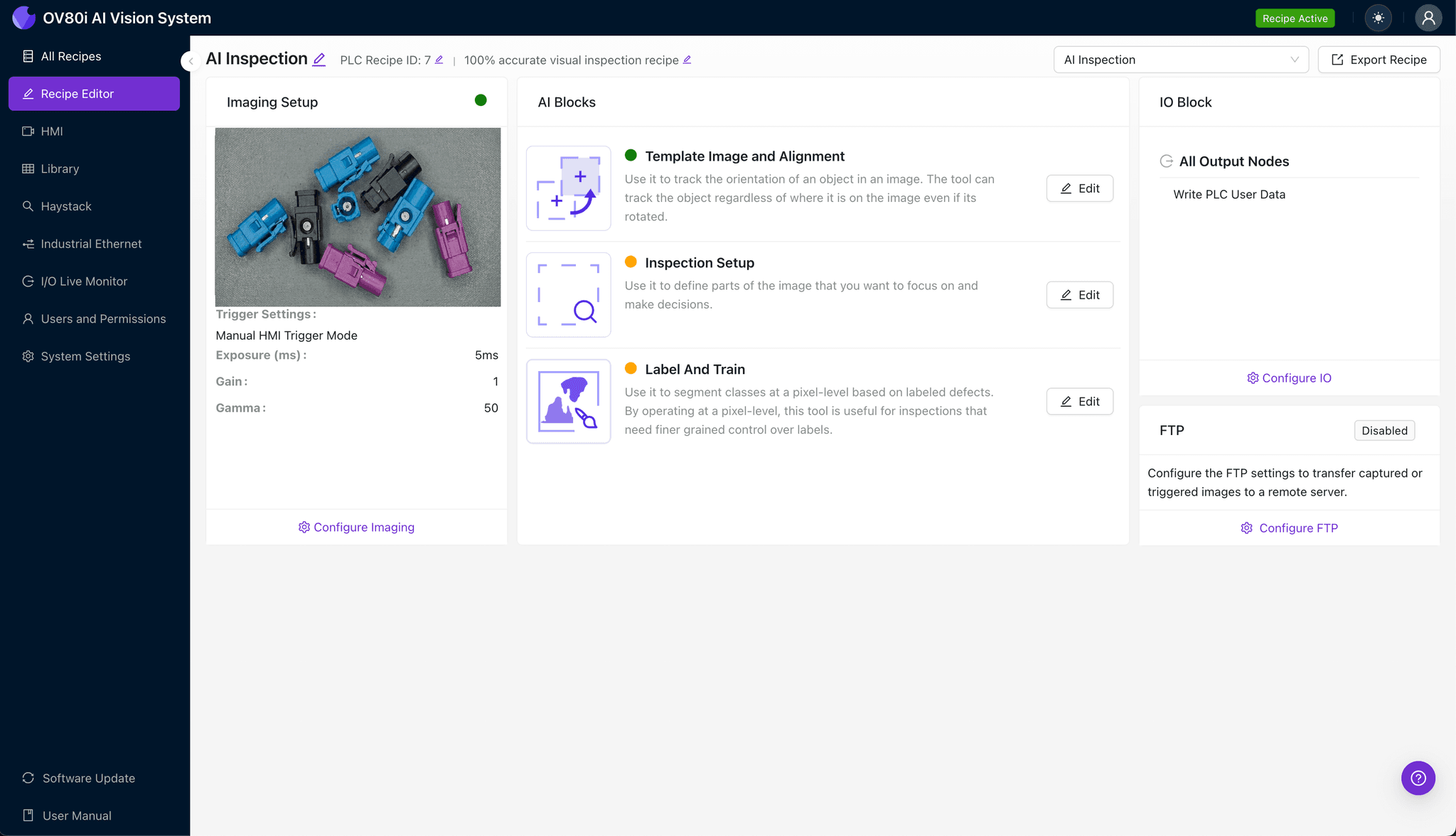
Position the FAKRA connector under the OV80i camera system, ensuring the secondary lock mechanism is clearly visible and properly oriented. Consistent part presentation is critical for reliable defect detection.
Click "Configure Imaging" to access the Camera Settings panel. Adjust exposure to eliminate shadows on the lock geometry and fine-tune gain to capture subtle surface details without introducing noise.
Click "Save" to lock in your imaging configuration.
Step 2: Image Alignment
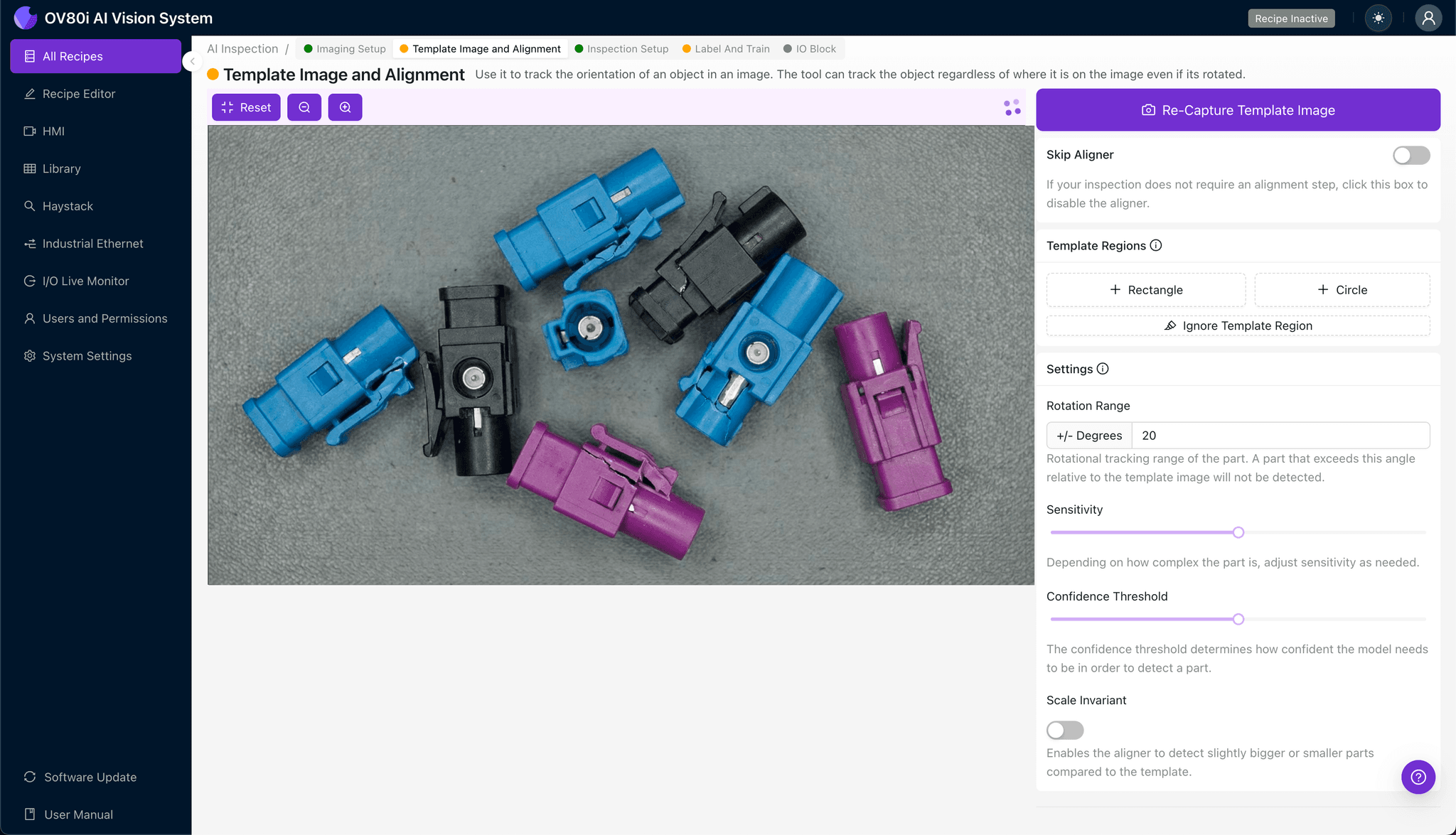
Navigate to "Template Image" and capture a reference image of a correctly positioned connector. This template will anchor all subsequent inspections to a consistent coordinate system.
Click "+ Rectangle" and draw a region around the main connector body, encompassing the secondary lock housing. Set the "Rotation Range" to 20 degrees to accommodate minor part orientation variations on the line.
Step 3: Inspection Region Selection
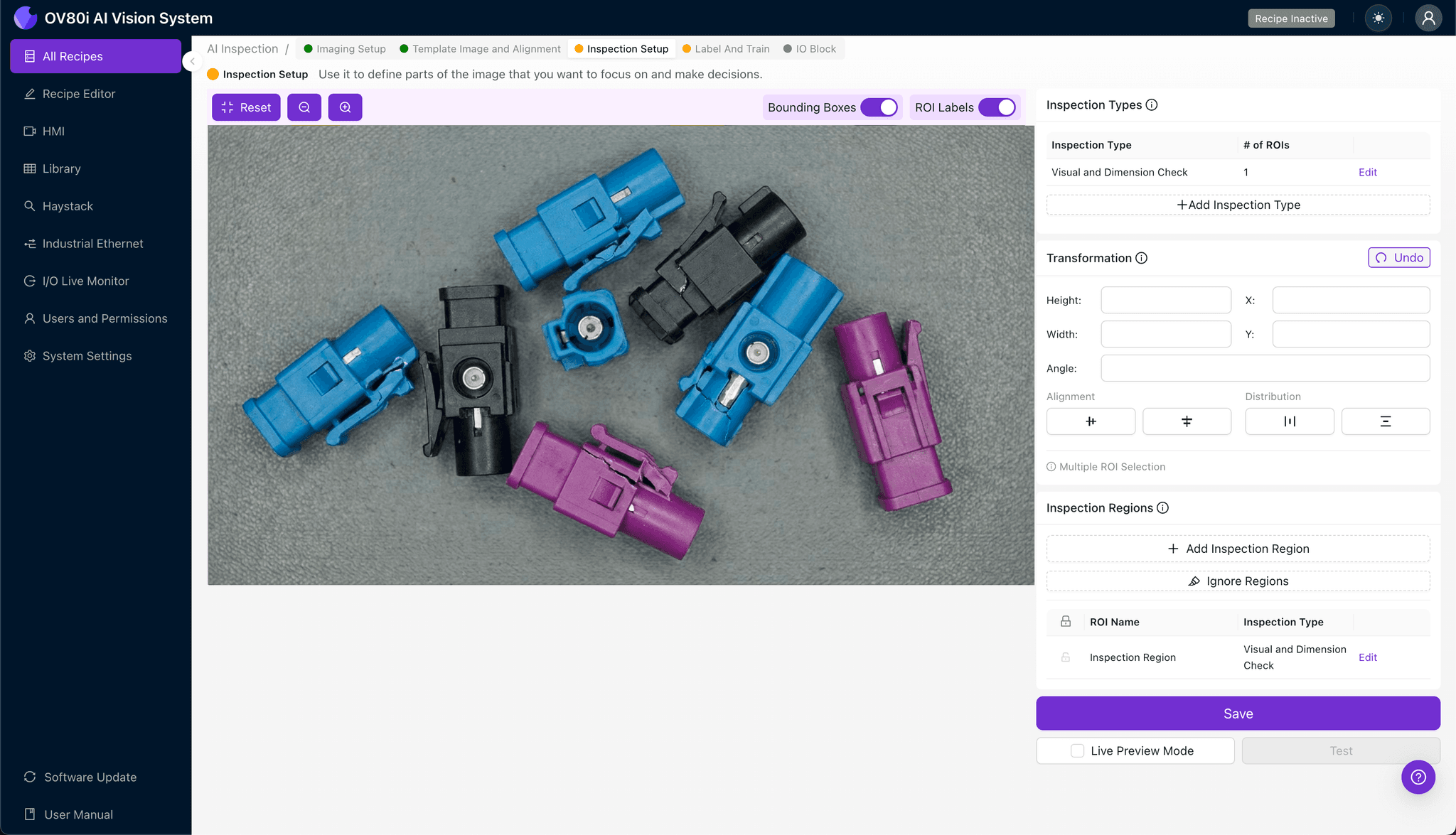
Navigate to "Inspection Setup" to define where the system should look for defects. Rename your "Inspection Types" to descriptive labels like "Secondary_Lock_Integrity" or "Lock_Tab_Condition" for clear traceability.
Click "+ Add Inspection Region" to create a new detection zone. Resize the yellow bounding box to cover the critical secondary lock area, including lock tabs, engagement features, and the surrounding housing geometry.
Click "Save" to confirm your inspection regions.
Step 4: Labeling Data
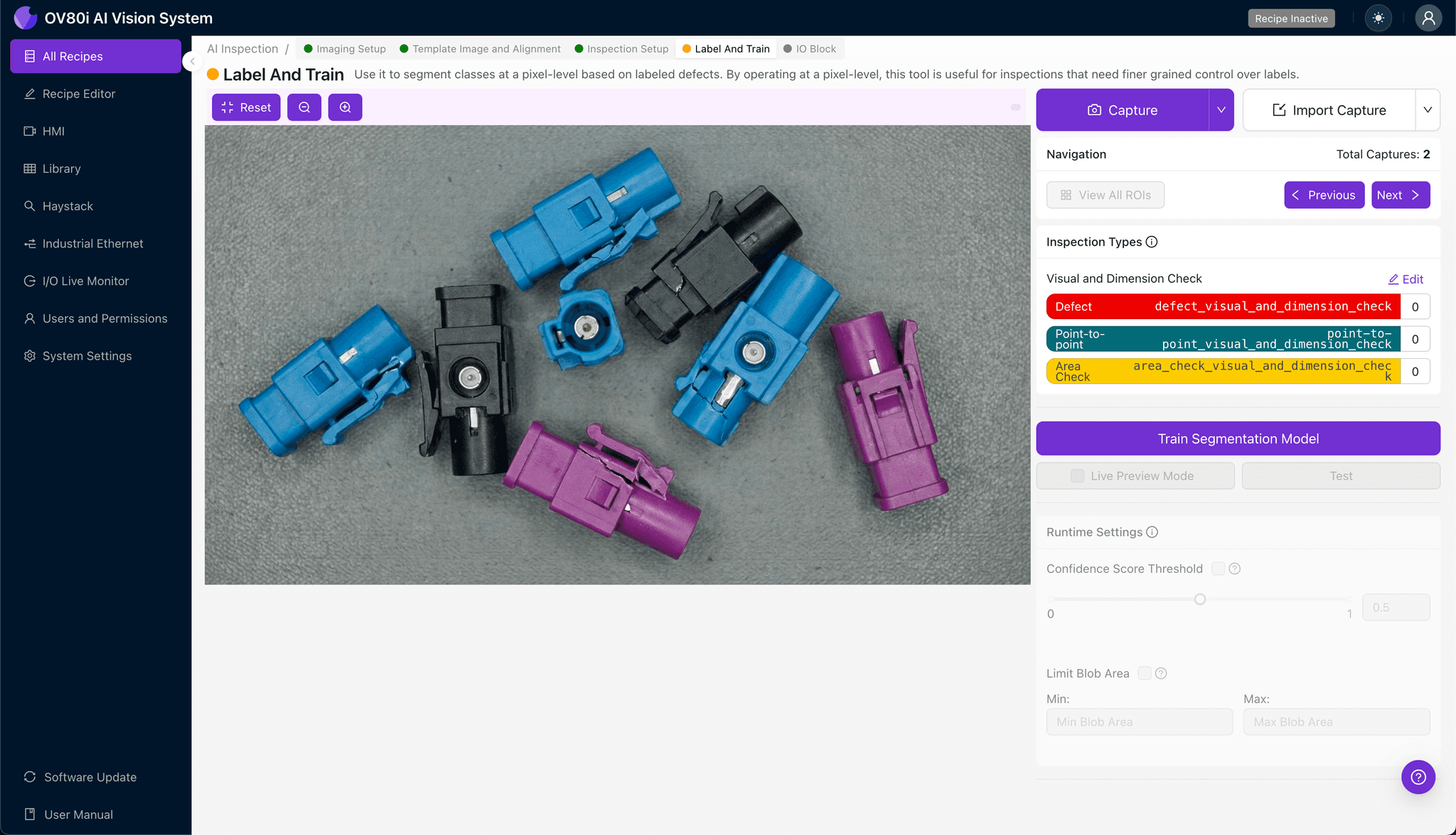
The human-in-the-loop labeling process is where your manufacturing expertise trains the AI. Review captured images and classify each as "Good" or "Bad" based on your quality standards.
Include representative samples across the full range of acceptable variation, lighting conditions, and part orientations. Critically, incorporate known failure modes—cracked tabs, incomplete locks, deformed housings—to teach the model exactly what to reject.
Step 5: Creating Rules
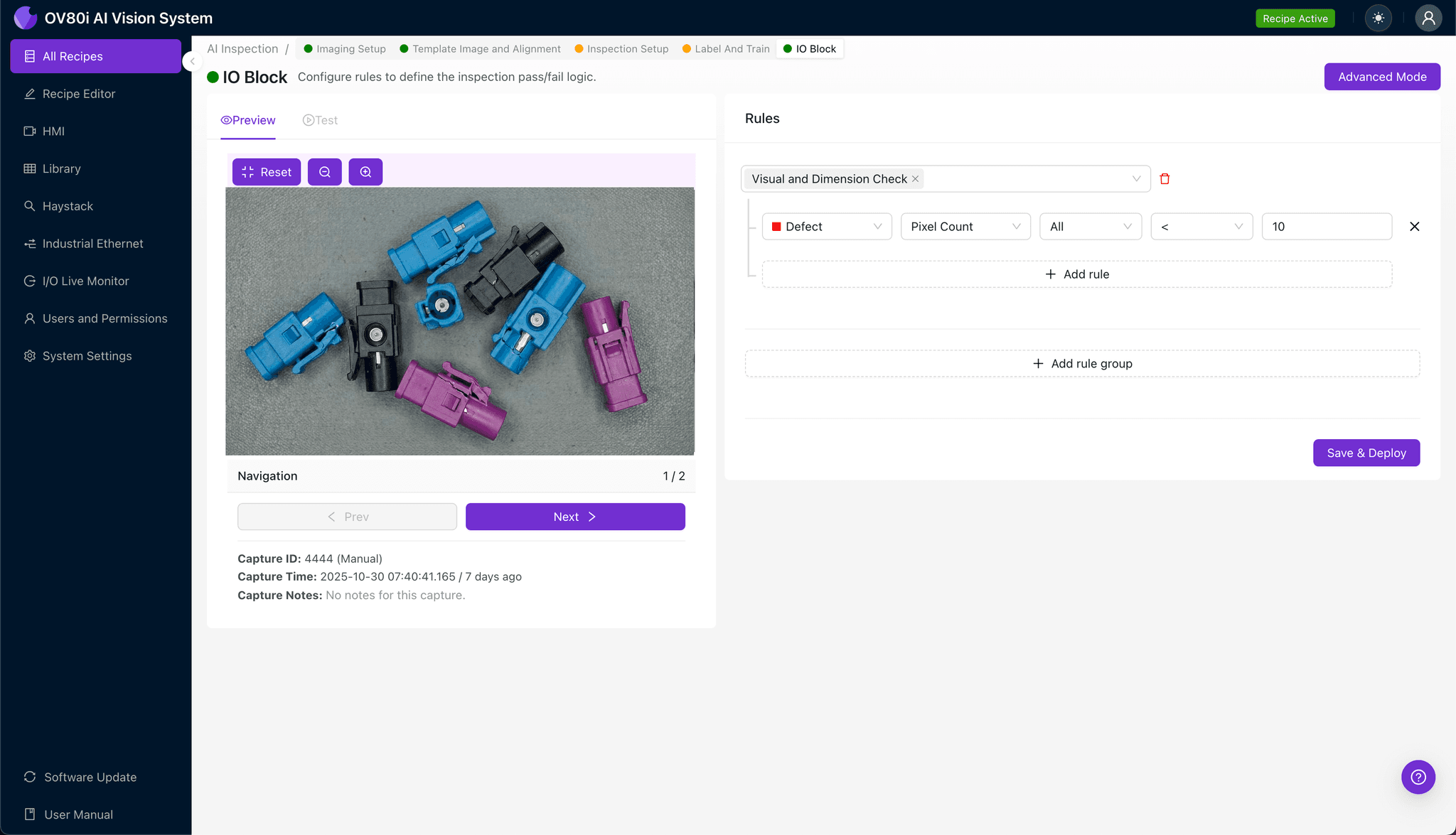
Configure your pass/fail logic based on the Inspection Types you defined earlier. Set threshold criteria that align with your quality specifications and customer requirements.
Gate automated acceptance on the line so that any connector flagged with a secondary lock defect triggers rejection, quarantine, or operator alert based on your workflow needs.
Key Outcomes & ROI
Implementing AI-powered inspection for FAKRA connector secondary locks delivers measurable business impact:
- Reduced scrap and rework costs – Catch defects before they propagate downstream or reach customers
- Higher throughput – Inspect 100% of parts at line speed without creating bottlenecks
- Enhanced compliance and traceability – Automatically log every inspection with timestamped images for IATF 16949 and customer audits
- Process improvement insights – Identify defect trends and root causes through aggregated inspection data analytics
Conclusion
Broken secondary locks on FAKRA connectors represent a high-stakes quality challenge that traditional inspection methods simply cannot address at scale. By implementing Overview.ai's deep learning-powered visual inspection, manufacturers gain the consistency, speed, and accuracy needed to protect both their production efficiency and their reputation in the automotive supply chain.
Eliminate Defects Today
Stop relying on manual inspection. Deploy Overview.ai to catch FAKRA connector defects instantly.