
Manufacturing inspection comparison
Overview AI vs UnitX
Keep inspection ownership close to your quality team.
Compare OV80i for demanding AI inspection, Spark for compact assisted setup, and OV20i for compact classification and segmentation. Give your quality team a camera workflow it can set up, run, and improve.
Why choose Overview for your production line?
Overview offers a product lineup your team can select around the imaging task, with browser-based setup and local production inspection.
What that looks like on the line
For a reflective connector part, compare the actual optical result and reject decision first, then the effort required to teach a new variant and investigate a false reject.
Overview AI and UnitX, side by side
Start with the inspection you need to run. Compare the complete configuration, including imaging, software, machine connections, and the team responsible for daily operation.
| Your decision | Overview AI | UnitX |
|---|---|---|
| What you are buying | Overview AIA manufacturing inspection product: camera choices, AI tools, and factory connectivity built around the quality task. | UnitXUnitX offers AI inspection and imaging products including OptiX and CorteX. Its offering addresses manufacturing applications that can require specialized imaging and system configuration. |
| Camera and hardware | Overview AIOV80i offers 8.3 MP imaging and C-mount optics. Spark combines camera, lighting, and compute. OV20i offers compact 1.6 MP imaging for classification and segmentation. OV10i covers classification-focused checks. | UnitXUnitX supplies imaging and AI system components. Compare the proposed OptiX, CorteX, and other hardware configuration against your station requirements. |
| Setup and operation | Overview AITrain and review production images in a browser on OV80i and OV20i, with inspection running locally. On Spark, onboard Sparky assists with tools, recipes, operator screens, and Library questions. | UnitXThe complete configuration and project scope determine training, inspection, and changeover workflows. |
| Production integration | Overview AIConnect inspection results to your PLC through the protocols supported by the selected camera. Evaluate digital I/O, APIs, and Node-RED where available, and validate the complete machine handshake. | UnitXInclude automation, fixtures, image capture, acceptance criteria, and the production handshake in the system evaluation. |
Product information reviewed October 30, 2026. Features and availability depend on the selected product and configuration. Manufacturer references appear below.
Choose the Overview system for your inspection
Start with the smallest detail you must see, the full field of view, and the result your machine needs. Start with OV80i, Spark, or OV20i, then match the camera, lens, lighting, and inspection tools to the job.
Demanding AI inspection
OV80i
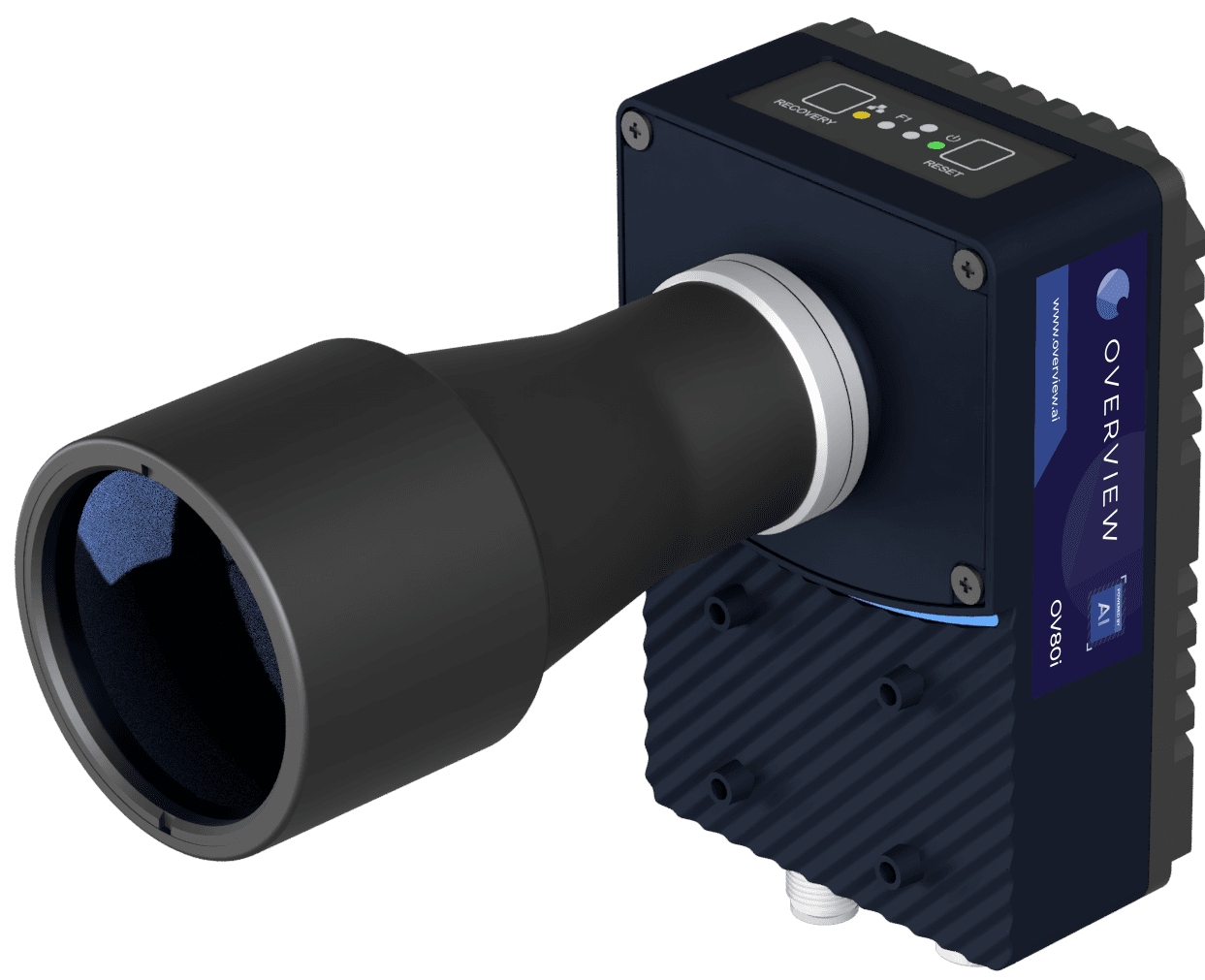
Choose OV80i for detailed surface and assembly inspections. Its 8.3 MP sensor, onboard NVIDIA GPU, C-mount optics, and flexible lighting options help you resolve the feature that matters. Train, label, test, and review stored production images on the camera through the browser.
Explore OV80i →Compact smart cameras
OV Spark and Spark Pro
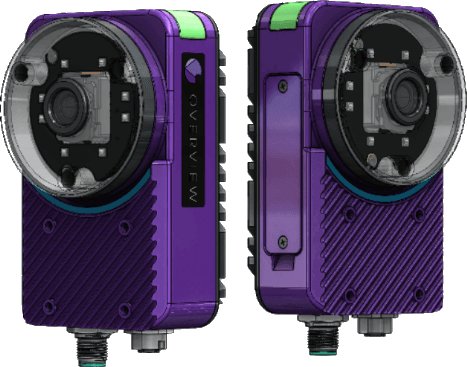
Choose 1.2 MP Spark or 5 MP Spark Pro. Combine ten AI and rule-based tools for checks such as text, counts, dimensions, and part position. Sparky helps choose tools, build recipes, create operator screens, and answer Library questions.
Production inspection and onboard Sparky run on the camera. No software key or subscription is required. Spark has IP66 protection with the standard 6 mm lens. Optional Defect Studio uses the cloud to generate training images.
Explore Spark and Spark Pro →Compact AI classification and segmentation
OV20i

Choose OV20i when you need classification and segmentation in a compact, all-in-one camera. Its 1.6 MP sensor, integrated lighting, onboard training, and production image storage support inspection and model improvement at the station.
Explore OV20i →Additional inspection options
OV10i is the classification-focused option for straightforward pass/fail checks. When the main camera lineup does not fit the imaging requirement, OVX extends our capabilities with high-resolution, thermal, and customer-provided GigE Vision camera configurations.
Prove the inspection on your own parts
Bring representative good parts, known defects, and the line’s production requirements. We will help you evaluate image quality, missed defects, false rejects, changeover, and the full trigger-to-result cycle. See how the operator reviews a failed check and how your team validates an update before it reaches production.
Talk to a vision engineer →Common questions about Overview and UnitX
- Is a smart camera the right answer for every UnitX application?
- The imaging requirement comes first. Overview offers both smart cameras and OVX configurations, including high-resolution, thermal, and customer GigE Vision cameras. We will scope the right configuration around your part instead of assuming one camera fits every application.
- Which Overview camera fits my inspection?
- Choose OV80i for 8.3 MP imaging, C-mount optics, and demanding AI inspections; Spark or Spark Pro for compact, Sparky-assisted recipes; and OV20i for compact classification and segmentation. OV10i covers classification-focused checks. If those cameras do not fit the imaging requirement, discuss specialized or customer-camera configurations through OVX.
- Does Overview require a cloud connection to inspect parts?
- Production inspection runs locally. Onboard Sparky also runs on the Spark camera. Optional Defect Studio uses cloud processing to generate synthetic training images; that optional preparation workflow is separate from production inspection.
See why Overview belongs on your line.
Tell us the part, the defect, and the production requirement. We will recommend the right Overview configuration and demonstrate the inspection with you.
Show us your inspection