
How to Detect a Crushed Housing Wall on BTB Connectors Using AI Visual Inspection
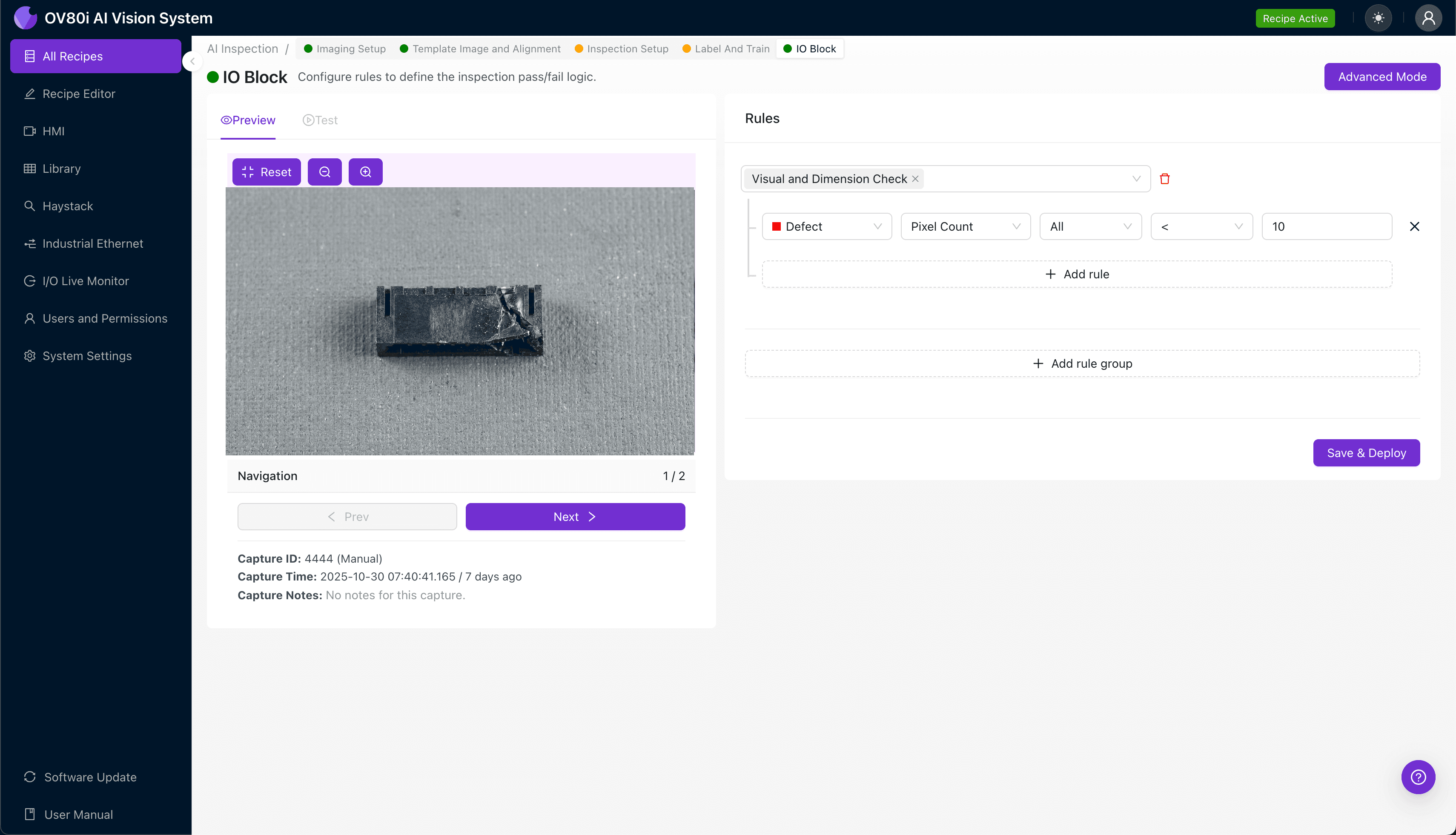
"Crushed housing walls on BTB connectors cause contact misalignment and assembly failures that human inspectors often miss. AI-powered visual inspection detects these subtle deformations at full line speed, catching defects before they cascade into costly downstream problems."
The Problem: Why Crushed Housing Walls Slip Through Traditional QC
Board-to-Board (BTB) connectors are critical components in electronics manufacturing, enabling reliable signal transmission between PCBs in smartphones, automotive systems, and industrial equipment. These connectors feature thin-walled plastic housings designed for compact, high-density applications. Even minor crushing compromises connector integrity and downstream assembly fit.
Common defects associated with crushed BTB connector housing walls include:
- Sidewall deformation — inward buckling that reduces internal cavity dimensions
- Contact misalignment — shifted or tilted pins caused by housing distortion
- Cracked or fractured edges — stress fractures radiating from the crush point
- Latch mechanism damage — compromised retention features that affect mating reliability
- Surface scoring or abrasion — cosmetic damage indicating handling issues
- Dimensional out-of-tolerance — overall connector width/height exceeding spec limits
Human inspectors struggle with these defects because housing walls are often less than 0.5mm thick. Fatigue sets in quickly when examining hundreds of connectors per hour, and subtle deformations easily blend into normal part variation under inconsistent lighting.
The Solution: Machine Vision + Deep Learning
AI-powered visual inspection eliminates the subjectivity and fatigue inherent in manual QC. Deep learning models learn to recognize the subtle geometric signatures of crushed housing walls—even when damage varies in location, severity, or appearance.
Overview.ai's approach delivers consistent, objective inspection at full line speed. The OV80i system captures high-resolution images and applies trained neural networks to flag defects in milliseconds, enabling true 100% inline inspection without bottlenecks.
Step 1: Imaging Setup
Position the BTB connector under the OV80i camera, ensuring the housing walls are clearly visible and evenly illuminated. Angled lighting can help accentuate surface deformations that indicate crushing damage.
Click "Configure Imaging" to access Camera Settings. Adjust exposure to capture housing wall detail without washout, and fine-tune gain to minimize noise while maintaining edge clarity.
Click "Save" to lock in your optimized imaging parameters.
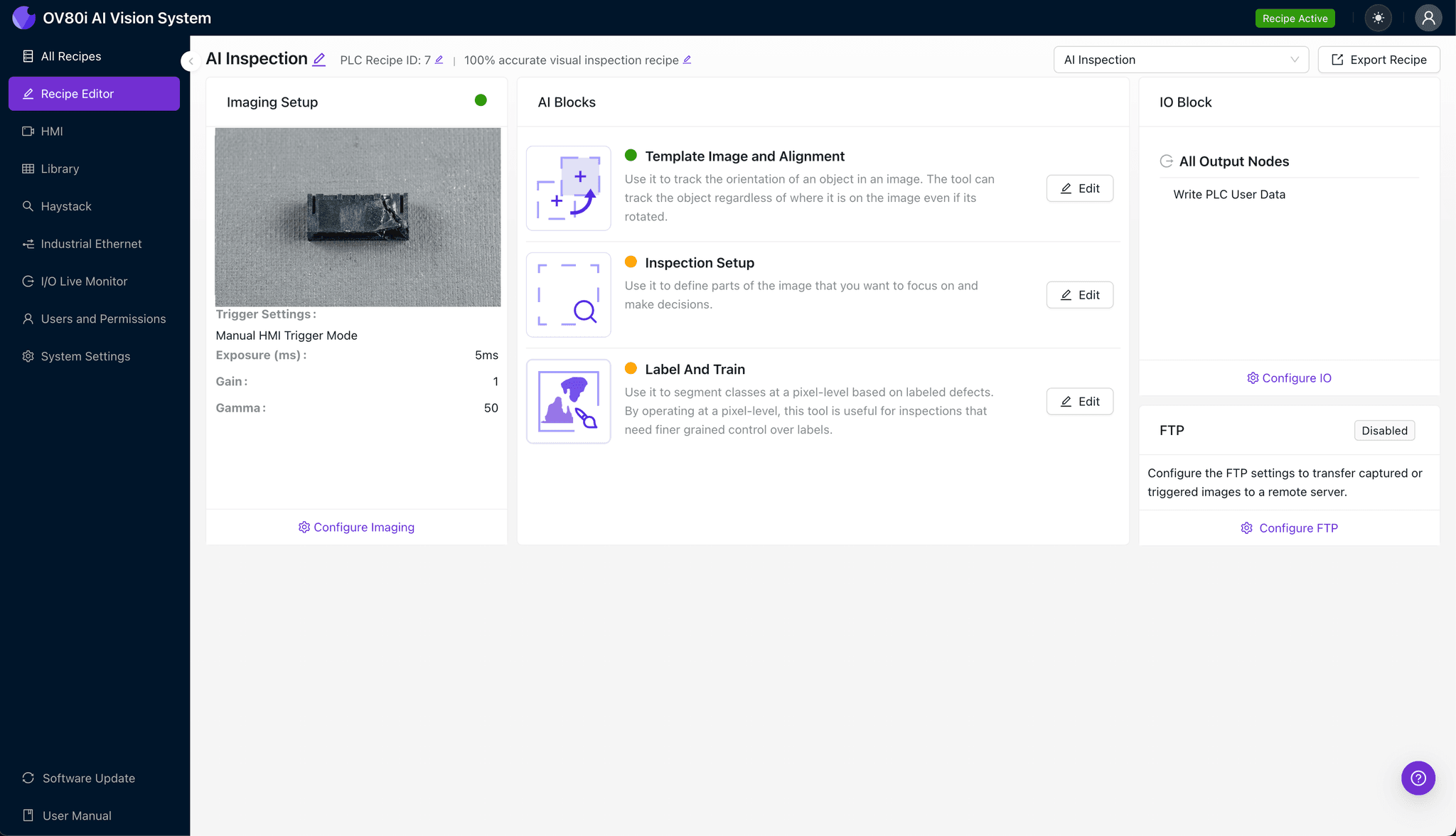
Step 2: Image Alignment
Navigate to the "Template Image" tab and capture a reference image of a known-good connector. This template anchors all subsequent inspections.
Click "+ Rectangle" to draw an alignment region around the connector's main body outline. Set the Rotation Range to 20 degrees to accommodate slight part orientation variance on the line.
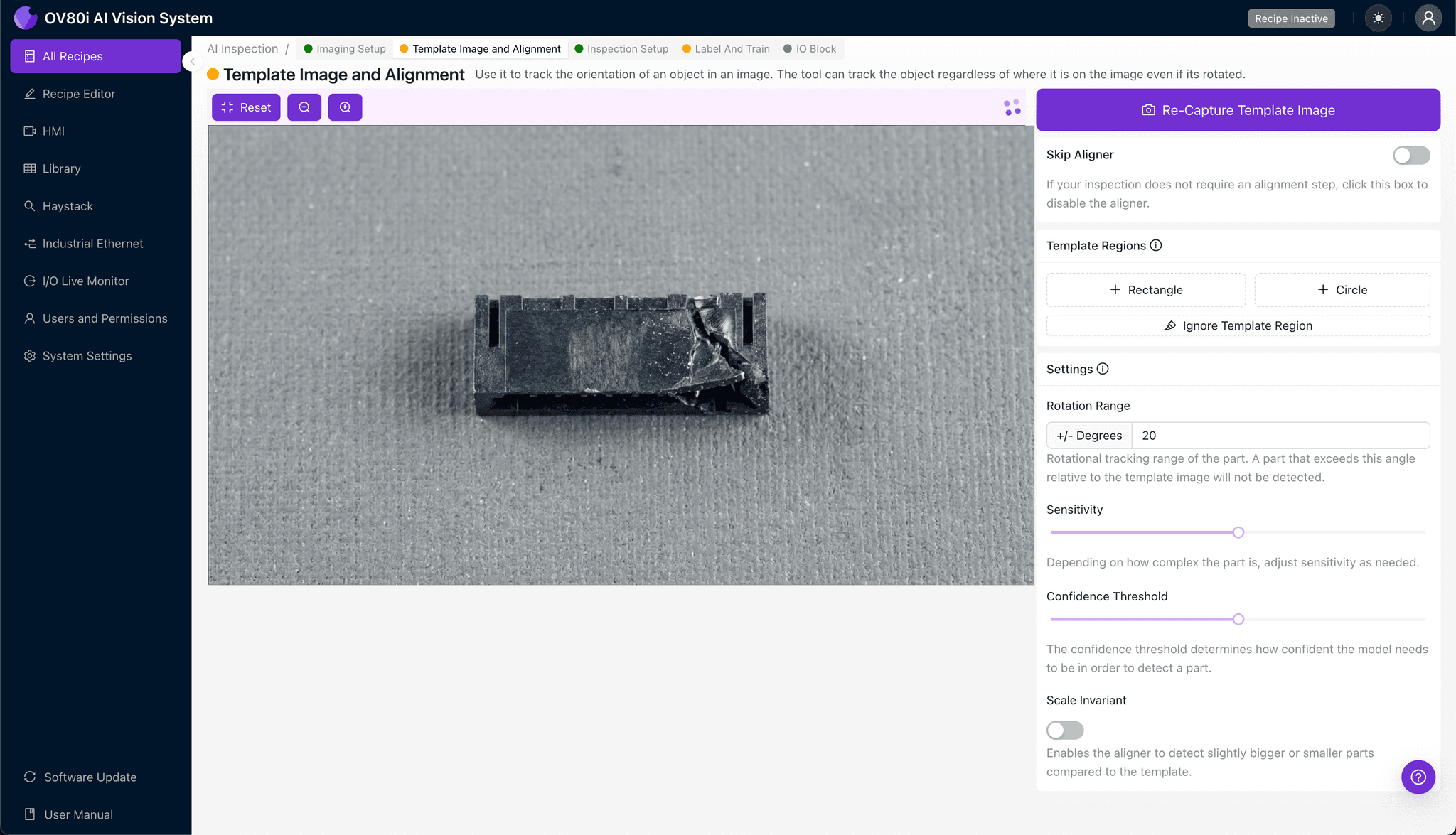
Step 3: Inspection Region Selection
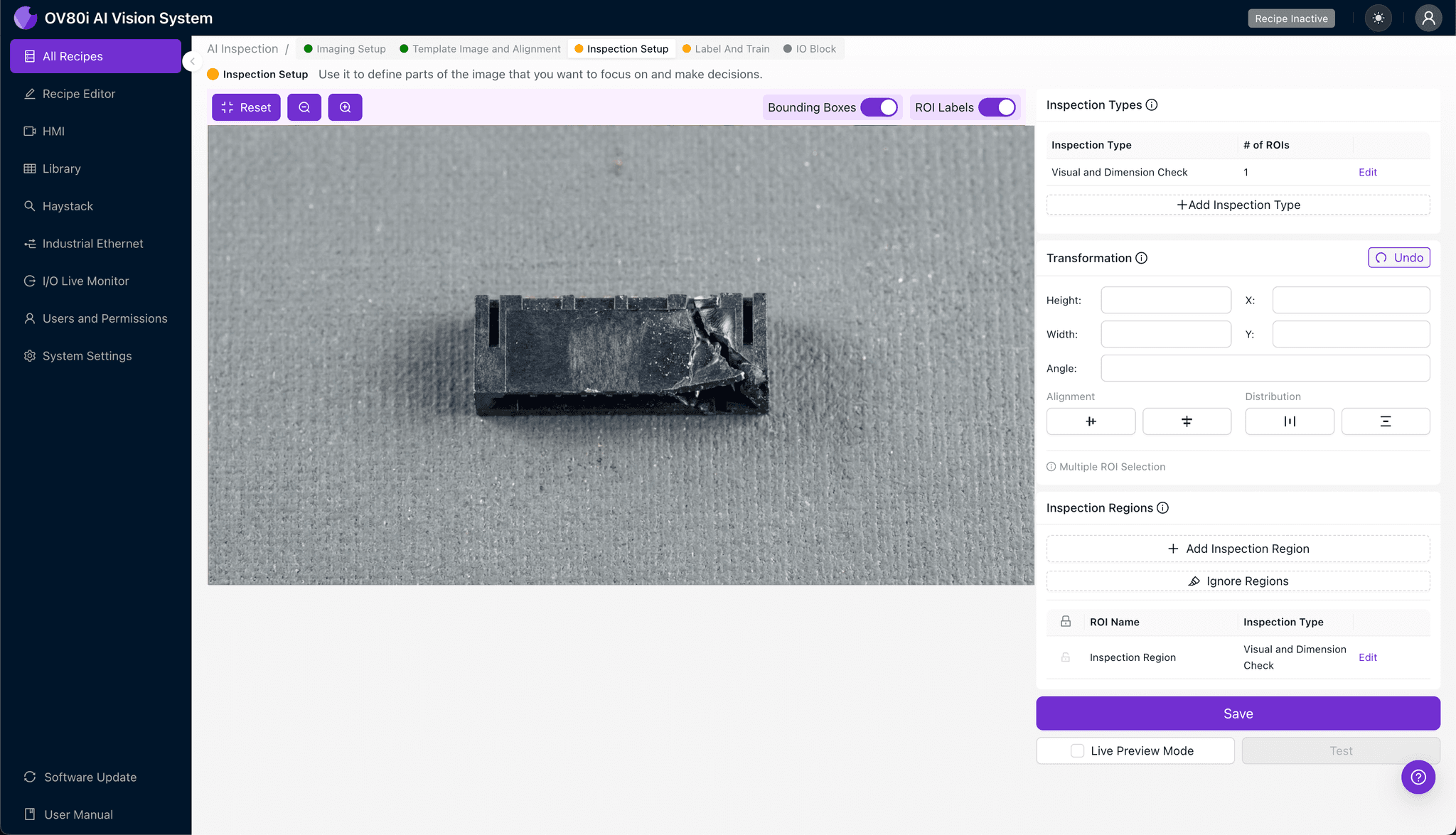
Navigate to "Inspection Setup" to define where the system should look for defects. Rename your Inspection Types with clear labels like "Left Housing Wall" and "Right Housing Wall."
Click "+ Add Inspection Region" for each critical area. Resize the yellow bounding box to cover the thin housing walls where crushing typically occurs—focus on corners and areas near latch features.
Click "Save" to confirm your inspection zones.
Step 4: Labeling Data
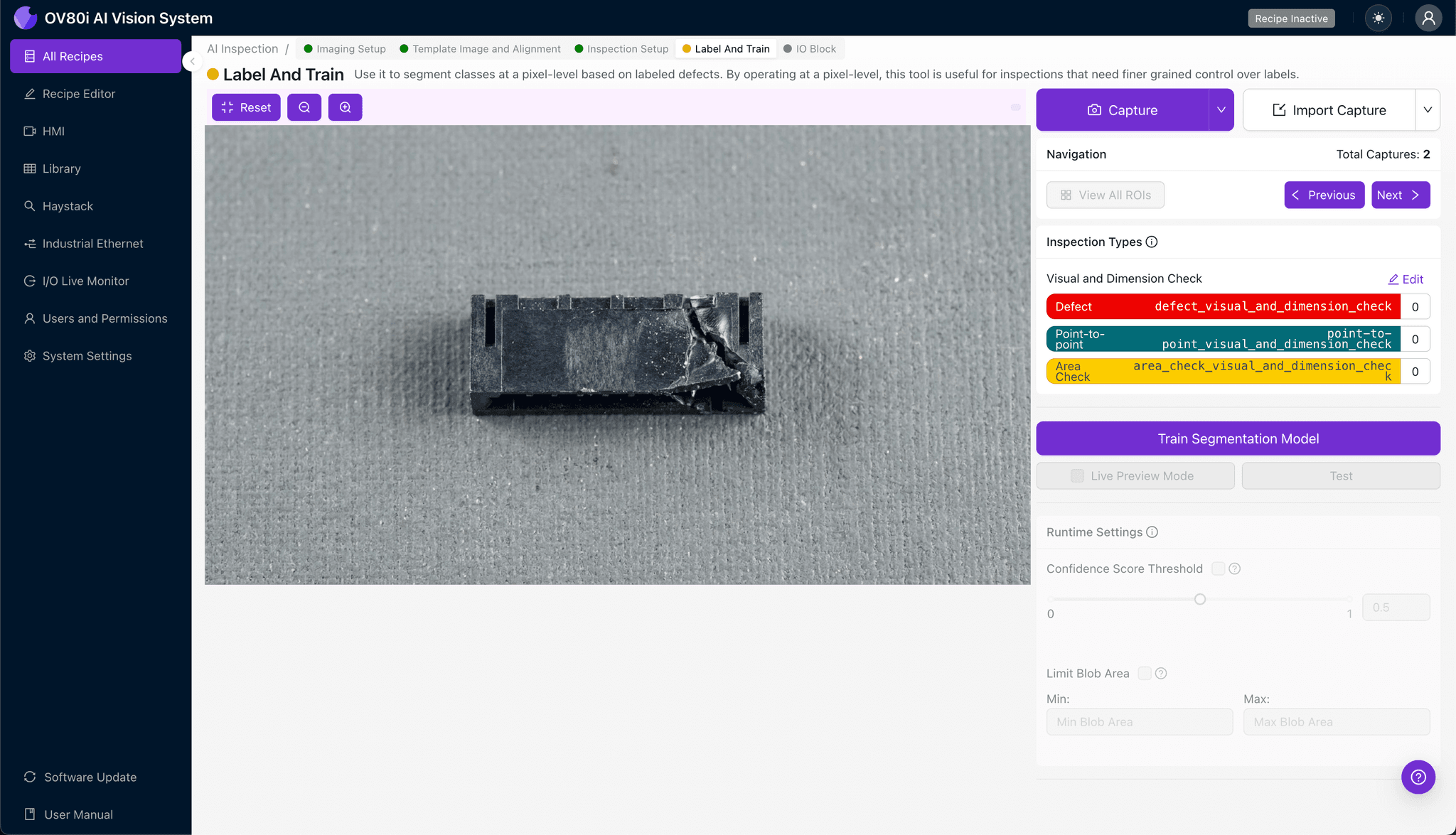
The human-in-the-loop labeling process teaches the AI what good and bad parts look like. Review captured images and classify each as Good or Bad based on housing wall condition.
Include representative samples across normal production variation. Deliberately add known failure modes—different crush severities, locations, and lighting conditions—to build a robust training dataset.
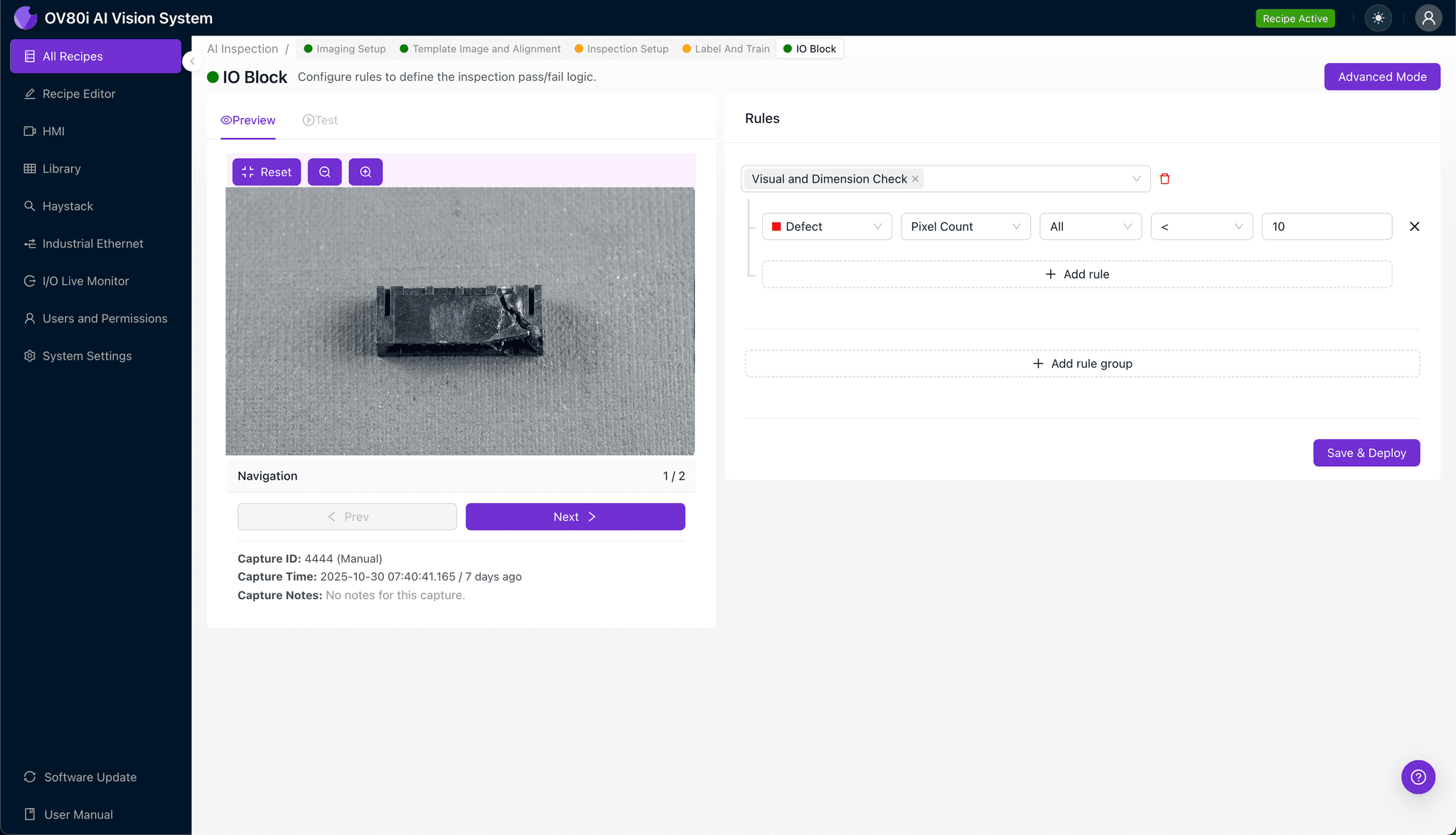
Step 5: Creating Rules
Navigate to the Rules engine to set pass/fail logic based on your defined Inspection Types. Configure thresholds that trigger rejection when the model detects crushed housing characteristics.
Gate automated acceptance on the line so defective connectors are diverted before reaching downstream assembly. This prevents costly rework and field failures.
Key Outcomes & ROI
Implementing AI-powered inspection for BTB connector housing defects delivers measurable business impact:
- Reduced scrap rates — catch crushing defects at the source before connectors enter assemblies
- Higher throughput — inspect 100% of parts at line speed without manual bottlenecks
- Compliance and traceability — maintain complete inspection records for automotive, medical, or aerospace audits
- Process improvement insights — identify upstream handling or tooling issues causing recurring crush damage
Conclusion
Crushed housing walls on BTB connectors represent exactly the type of subtle, high-stakes defect that AI visual inspection was designed to catch. With Overview.ai's configurable platform, manufacturers can deploy robust detection in hours—not weeks—and finally achieve the consistency that human inspection cannot deliver.
Eliminate BTB Connector Defects Today
Stop relying on manual inspection for critical housing wall defects. Deploy Overview.ai to catch crushed connectors instantly at full line speed.