Detecting Servo-Press Load Cell Calibration Drift with AI-Powered Visual Inspection
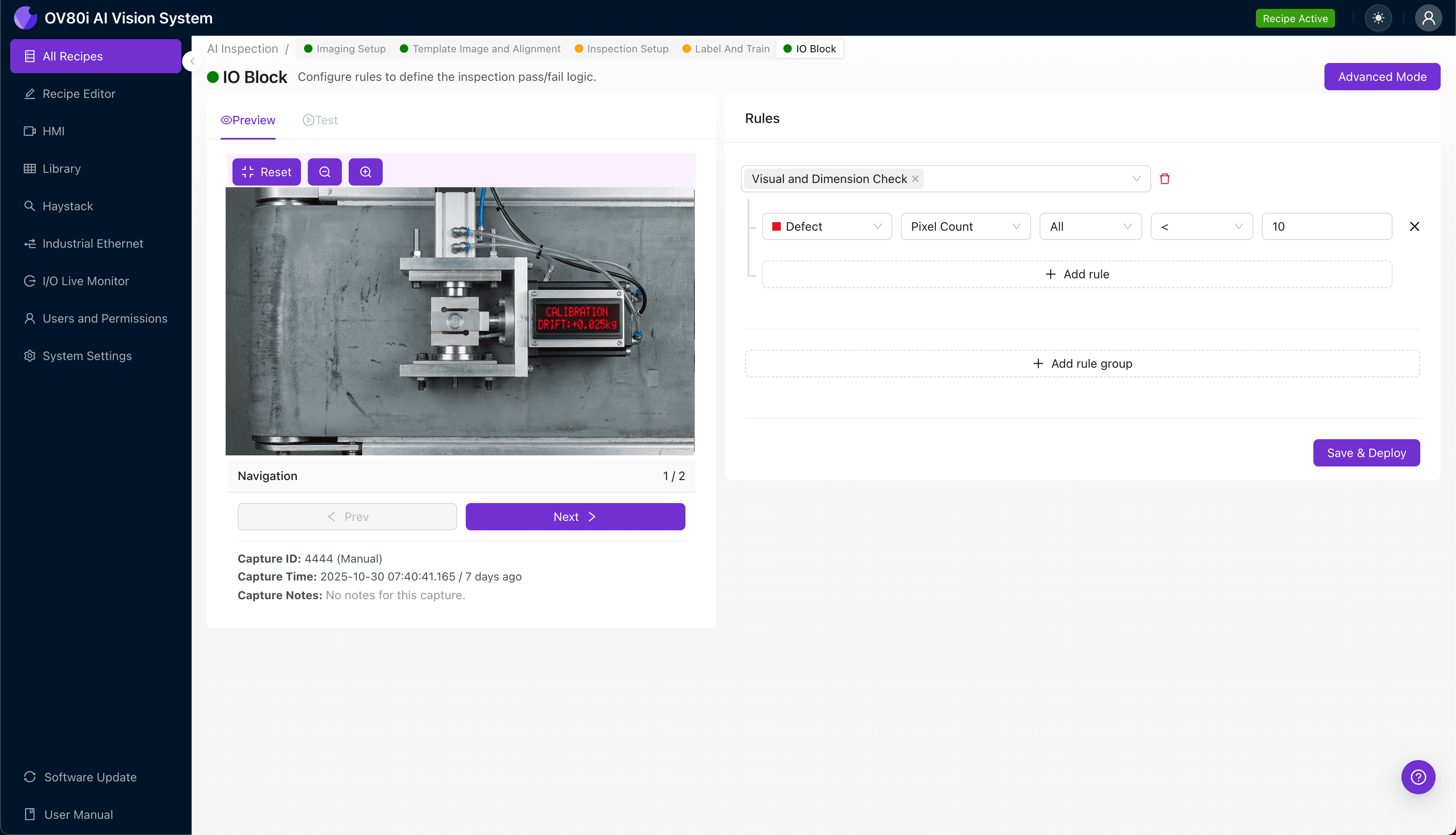
"Load cell calibration drift in servo-presses causes subtle defects that human inspectors consistently miss. AI-powered visual inspection detects these defects at full line speed by recognizing the visual signatures of improper force application—from incomplete press fits to micro-fractures invisible to the naked eye."
The Problem: When Force Measurements Go Undetected
Servo-presses depend on precise load cell calibration to deliver consistent, repeatable force application during assembly operations. When calibration drift occurs, the consequences ripple through your entire production line—often undetected until defective parts reach downstream processes or customers.
Common Defects Caused by Load Cell Calibration Drift:
- Incomplete press fits — Components not fully seated due to insufficient force application
- Over-pressed assemblies — Cracked housings, deformed seals, or crushed bearings from excessive force
- Inconsistent crimp quality — Variable electrical or mechanical connections in terminal assemblies
- False pass signals — Parts cleared by the press controller despite being out-of-specification
- Micro-fractures in press-fit components — Hairline cracks invisible to the naked eye but causing field failures
- Seal damage or extrusion — O-rings and gaskets compromised by improper insertion force
Human inspectors struggle to catch these defects consistently. Visual indicators of improper press force are often subtle—a component seated 0.2mm too high, a barely visible bulge in a housing wall. Fatigue sets in quickly when operators examine hundreds of identical parts per shift, and line speeds simply don't allow the detailed scrutiny each part requires.
The Solution: Machine Vision + Deep Learning
AI-powered visual inspection eliminates the guesswork from detecting press-related defects. Deep learning models learn to recognize the subtle visual signatures of calibration drift—patterns too nuanced for rule-based machine vision and too fleeting for human eyes at production speeds.
Overview.ai's approach delivers consistent, objective inspection at full line speed. The system doesn't get tired, doesn't have "off days," and catches the same micro-defect on part #1 as it does on part #10,000.
Step 1: Imaging Setup
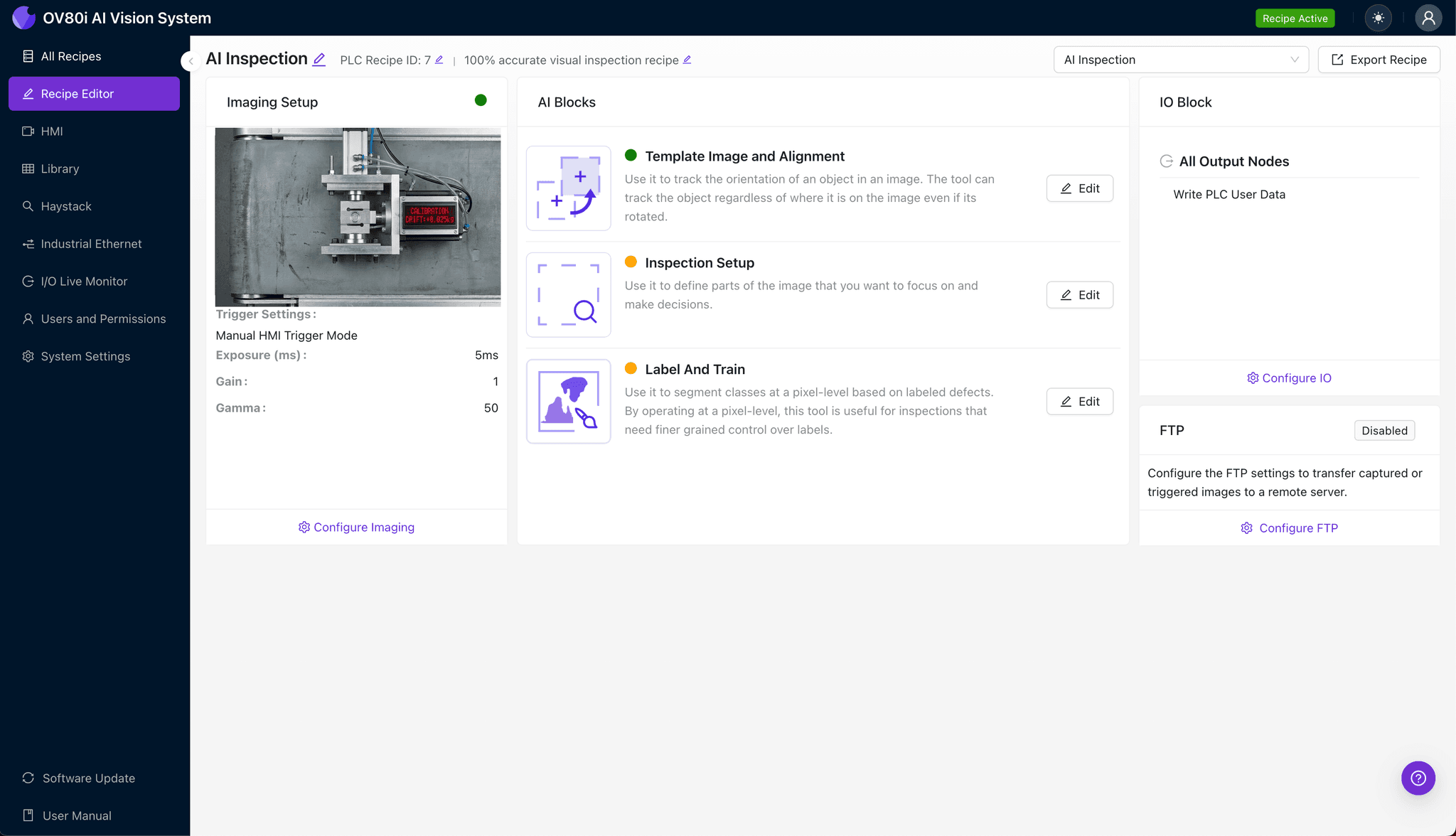
Position your pressed assembly under the OV80i camera, ensuring the critical surfaces are fully visible in the field of view. Consistent part placement is essential—use fixtures or guides if your process doesn't already include them.
Click "Configure Imaging" in the Overview interface. Adjust Camera Settings including exposure and gain until surface details are clearly visible without washout or shadows obscuring press-fit interfaces.
Click "Save" to lock in your imaging configuration.
Step 2: Image Alignment
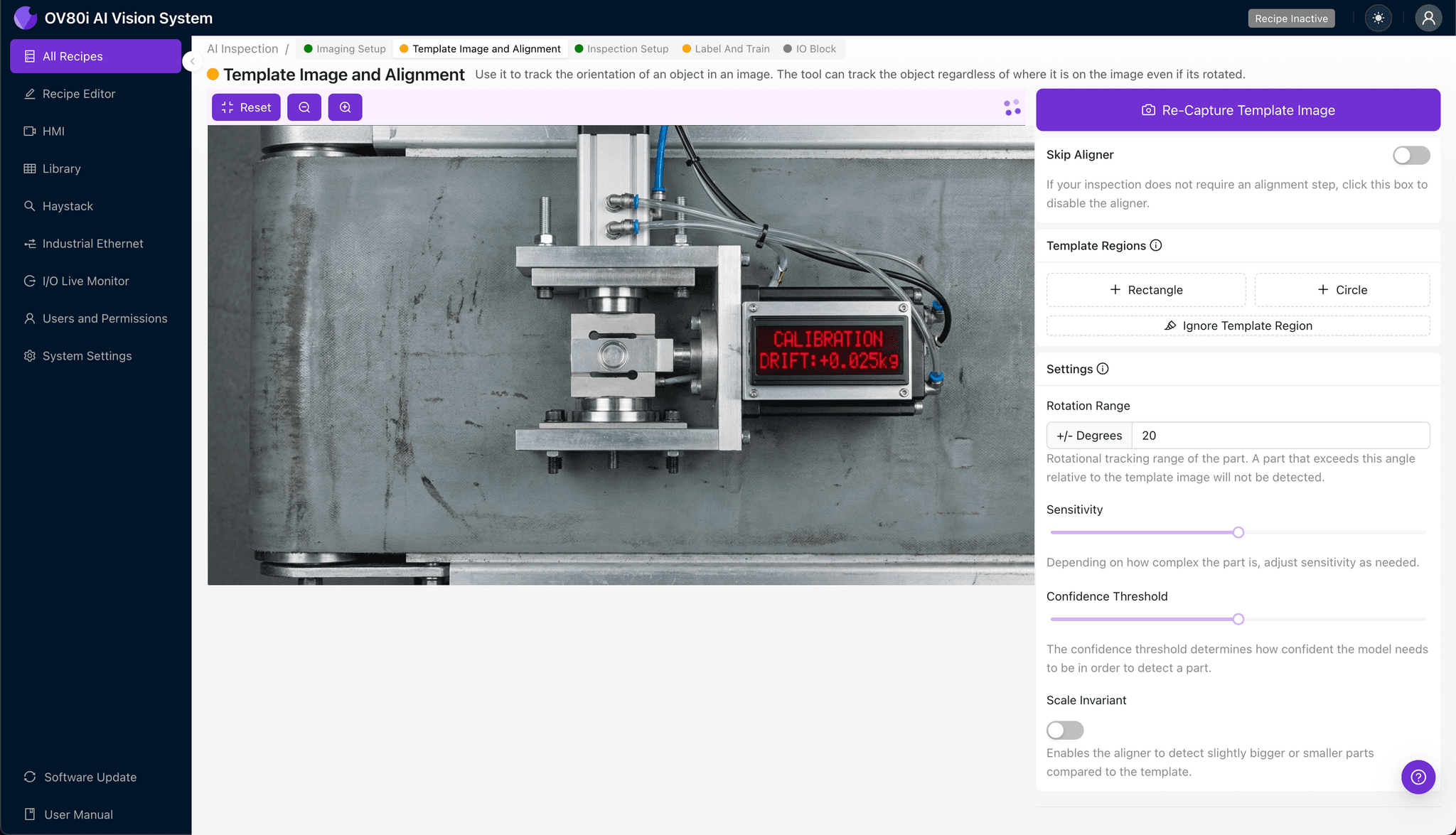
Navigate to "Template Image" in the setup menu. Capture a Template using a known-good pressed assembly that represents your ideal output.
Click "+ Rectangle" to add an alignment region around the main body of the assembly. This gives the system a reference point for consistent inspection regardless of minor part-to-part positioning variation.
Set "Rotation Range" to 20 degrees to accommodate any rotational variance in how parts present to the camera.
Step 3: Inspection Region Selection
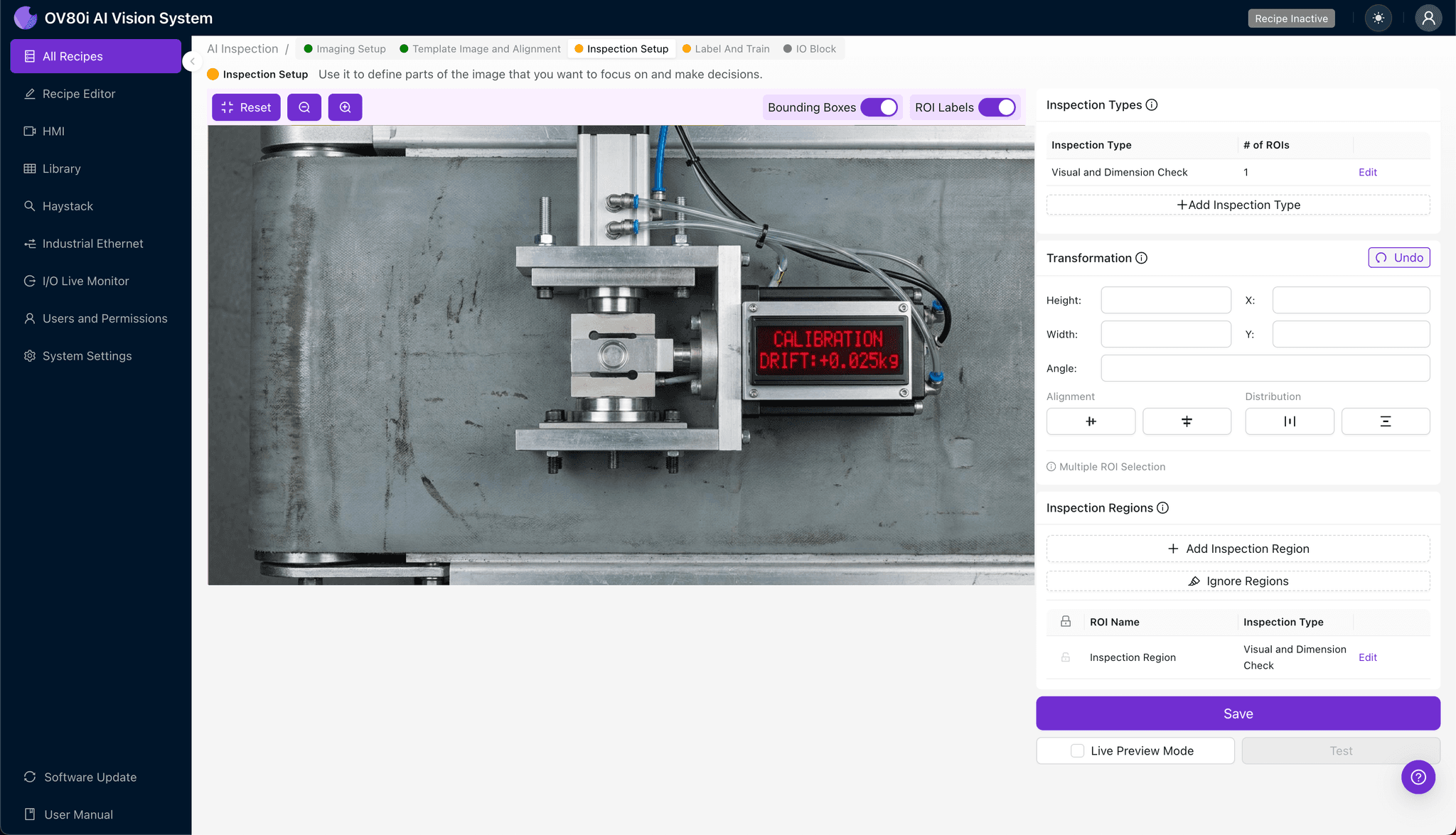
Navigate to "Inspection Setup" to define what the system should examine. Rename your "Inspection Types" to reflect the specific defect categories—for example, "Press Depth," "Housing Deformation," or "Seal Integrity."
Click "+ Add Inspection Region" for each critical area. Resize the yellow bounding box to cover the press-fit interface, housing walls adjacent to the press zone, and any visible seal or gasket edges.
Click "Save" after defining all inspection regions.
Step 4: Labeling Data
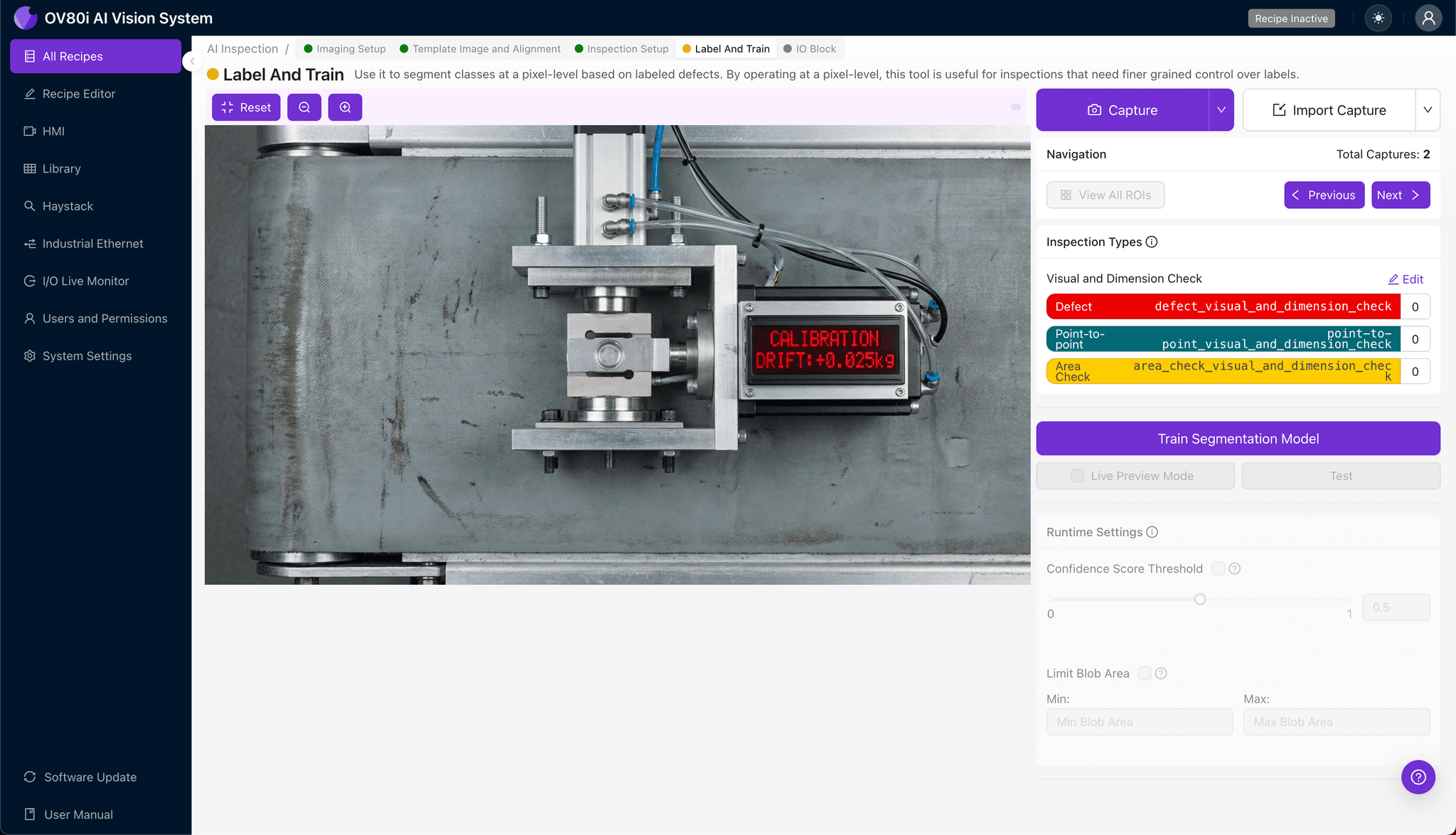
This is where human expertise trains the AI. The system presents images for you to classify, building the dataset that teaches the model what "good" and "bad" actually look like for your specific process.
Label images as Good vs. Bad based on your quality standards. Include representative samples across your normal process variation, plus known failure modes from historical rejects or intentionally created defect samples.
The more comprehensive your labeled dataset—especially edge cases—the more robust your inspection model becomes.
Step 5: Creating Rules
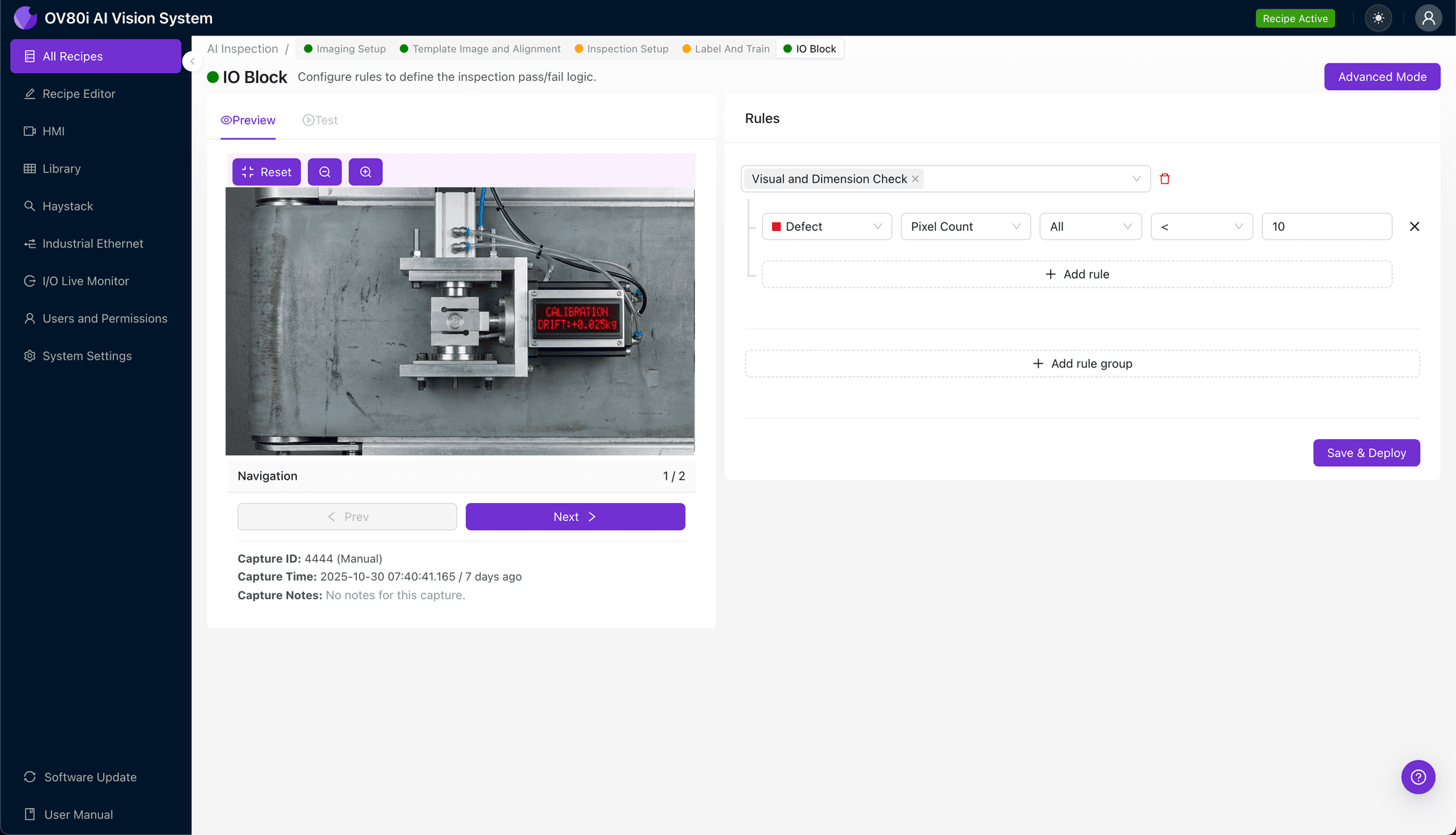
Set your pass/fail logic based on the Inspection Types you defined. You might require all regions to pass, or weight certain defect types more heavily based on their downstream impact.
Configure the system to gate automated acceptance on the line. Parts flagged as defective can trigger reject mechanisms, operator alerts, or line stops depending on your process requirements.
Key Outcomes & ROI
Implementing AI-powered inspection for servo-press operations delivers measurable business impact:
- Reduced scrap rates — Catch drift-related defects before they compound into larger batch rejections
- Higher throughput — Eliminate inspection bottlenecks while maintaining 100% coverage
- Enhanced compliance and traceability — Automatically log inspection results with images for audit trails and customer requirements
- Process improvement insights — Trend data reveals when calibration drift begins, enabling predictive maintenance before defect rates spike
Load cell calibration drift is inevitable—but shipping defective parts isn't. Overview.ai's visual inspection platform gives you the tools to detect drift-related defects the moment they appear, protecting your customers and your reputation.
Take Control of Press Quality
Stop relying on manual inspection to catch calibration drift defects. Deploy Overview.ai to detect press-related quality issues instantly.