
How to Detect ZIF Connector Snapped Actuator Lever Defects with AI Vision Inspection
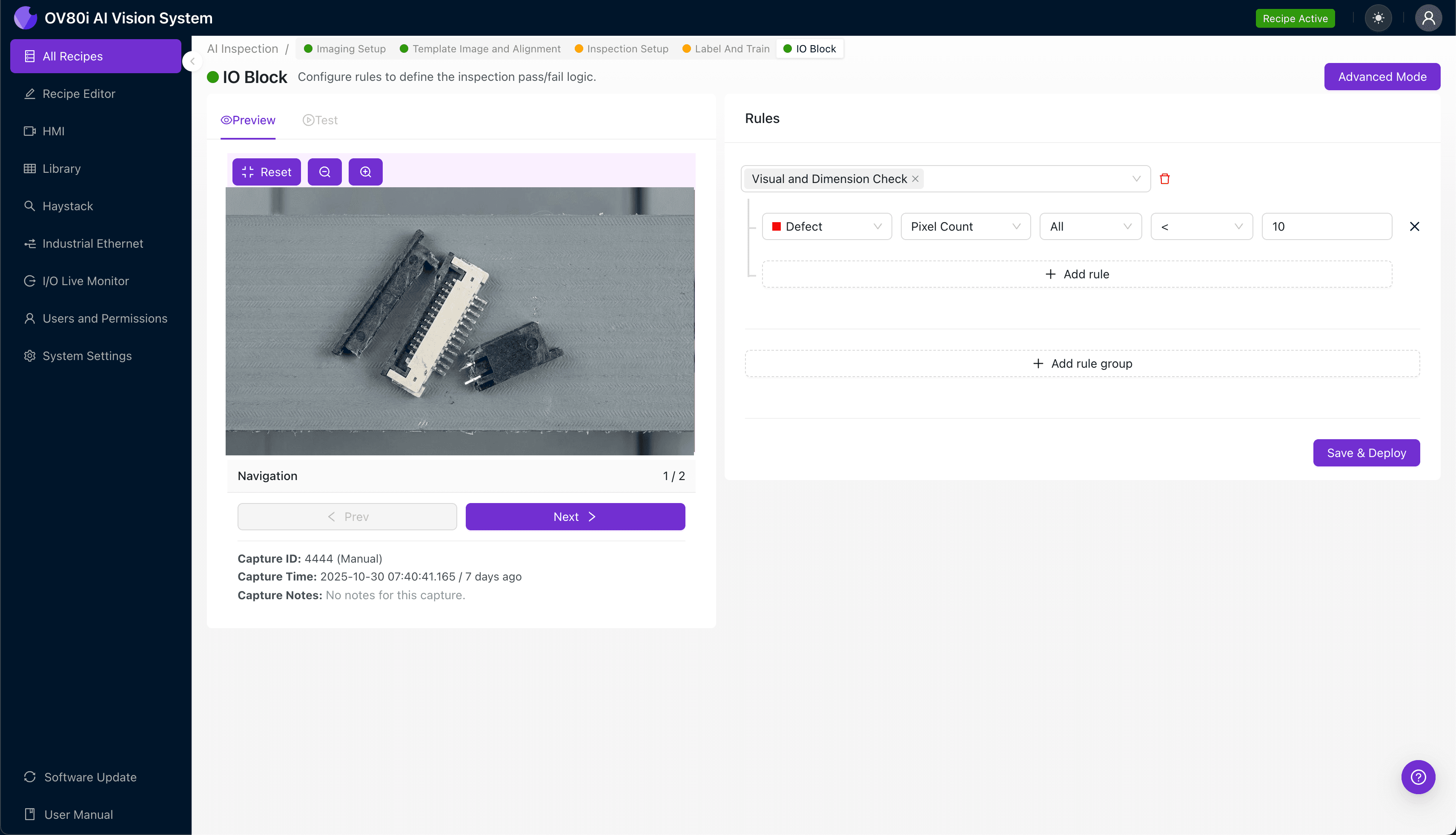
"Snapped actuator levers on ZIF connectors cause costly field failures and are nearly impossible to catch manually at production speeds. AI-powered vision inspection detects hairline fractures, micro-cracks, and complete lever failures with pixel-level precision—enabling true 100% inline inspection without slowing your line."
The Problem: A Hidden Defect That Derails Production
Zero Insertion Force (ZIF) connectors are critical components in electronics manufacturing, enabling secure cable connections in laptops, smartphones, and industrial equipment. When the actuator lever snaps—often during assembly or handling—the entire connector becomes non-functional, leading to costly field failures and customer returns.
Common Defects Associated with Snapped ZIF Actuator Levers
- Complete lever fracture — Full separation of the actuator lever from the connector body
- Partial lever cracking — Hairline fractures that compromise lever integrity but aren't immediately visible
- Hinge point stress fractures — Micro-cracks at the pivot point where the lever rotates
- Lever misalignment — Lever sits at an incorrect angle due to internal damage
- Missing lever fragments — Small pieces broken off, potentially contaminating other assemblies
- Deformed locking tabs — Damaged retention features that prevent proper lever function
Why Manual Inspection Falls Short
Human inspectors struggle to detect hairline fractures and micro-cracks at production speeds, especially when examining hundreds of connectors per hour. Inspector fatigue leads to inconsistent results across shifts, and the small scale of ZIF components (often under 10mm) makes defects nearly impossible to catch with the naked eye.
The Solution: AI-Powered Visual Inspection
Machine vision systems equipped with deep learning overcome the limitations of human inspection by analyzing every component with pixel-level precision. Unlike rule-based vision systems that require explicit programming for each defect type, AI models learn to recognize the subtle visual signatures of snapped actuator levers—including defects engineers haven't explicitly defined.
Overview.ai's approach delivers consistent, objective inspection at full line speed. The OV80i system captures high-resolution images of each ZIF connector, processes them through trained neural networks, and makes pass/fail decisions in milliseconds—enabling true 100% inline inspection without bottlenecking production.
Step 1: Imaging Setup
Position the ZIF connector with the suspected snapped actuator lever under the OV80i camera, ensuring the lever and hinge area are clearly visible. Proper lighting is essential—use angled illumination to highlight surface cracks and shadow any fracture lines.
Click "Configure Imaging" in the Overview.ai software interface. Adjust the Camera Settings, including exposure (to capture fine detail without overexposure on reflective plastic) and gain (keeping it low to minimize noise).
Click "Save" once the actuator lever and surrounding features appear sharp and well-contrasted.
Step 2: Image Alignment
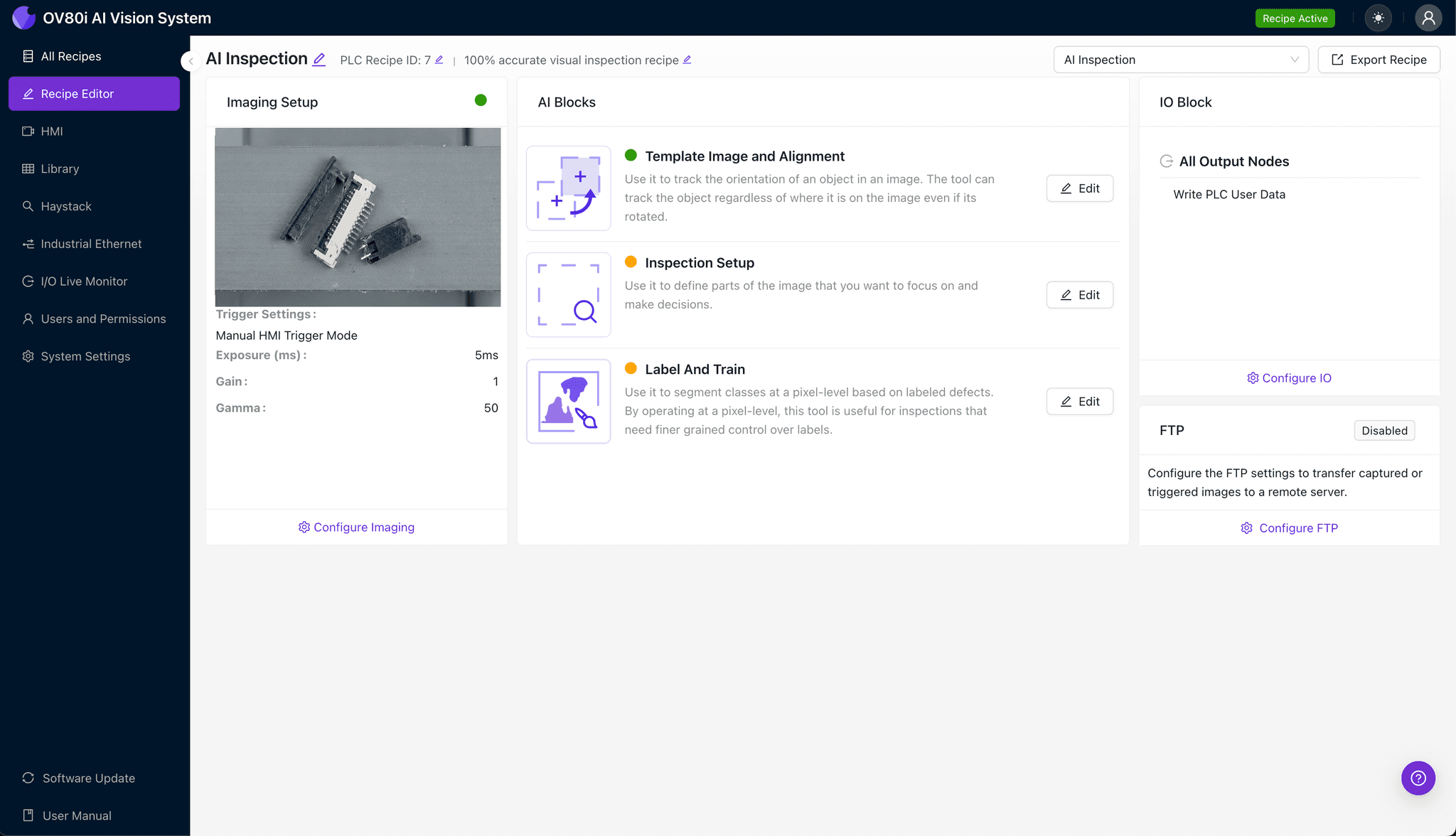
Navigate to the "Template Image" tab and capture a Template of a known-good ZIF connector in its standard orientation. This reference image allows the system to locate and align each incoming part consistently.
Click "+ Rectangle" and draw a region around the main connector body, encompassing the actuator lever and hinge points. Set the Rotation Range to 20 degrees to accommodate minor variations in part placement on the line.
Step 3: Inspection Region Selection
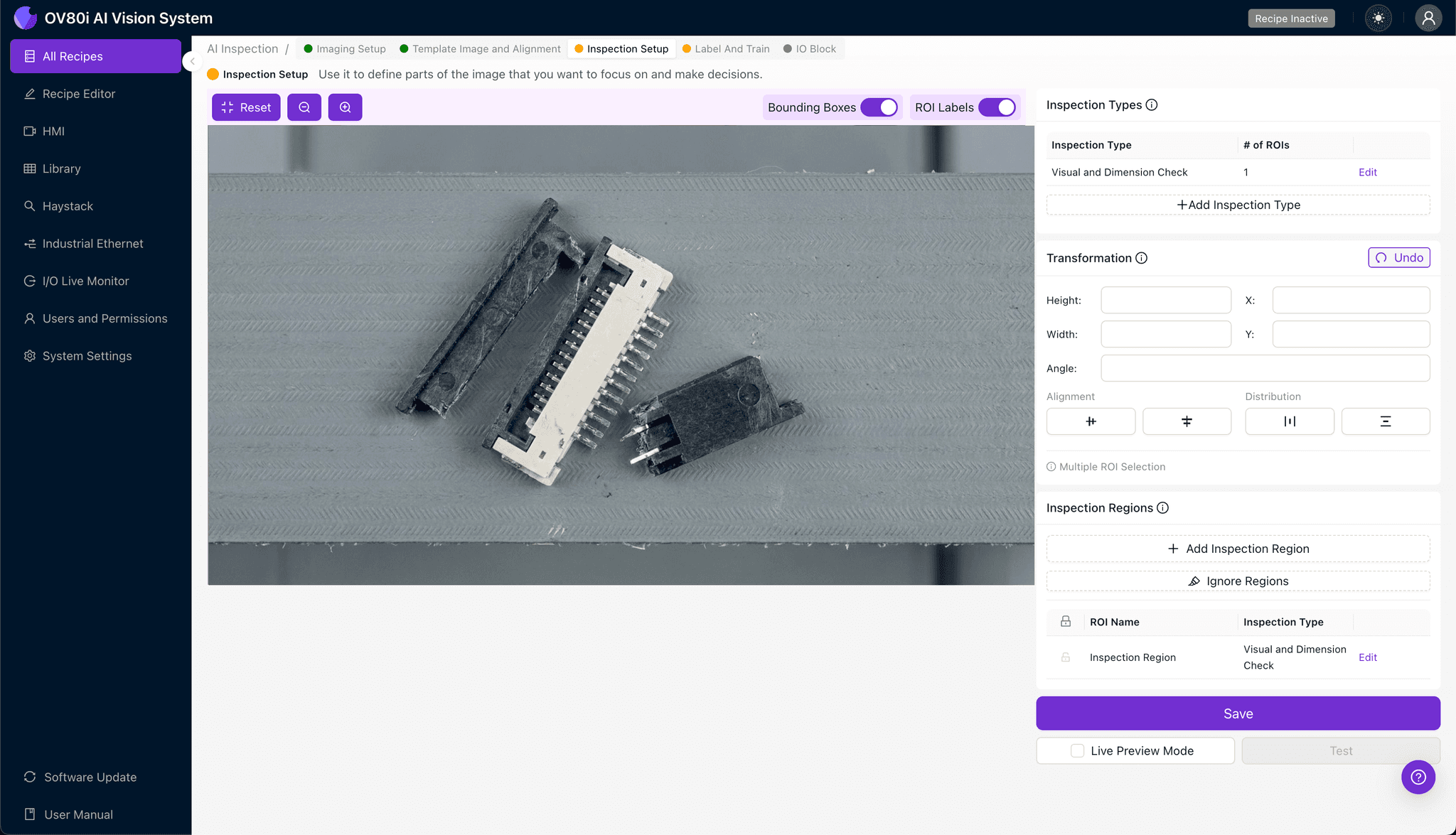
Navigate to "Inspection Setup" to define where the AI should focus its analysis. Rename your Inspection Types with descriptive labels such as "Actuator_Lever_Integrity" and "Hinge_Point_Condition."
Click "+ Add Inspection Region" to create a new zone. Resize the yellow bounding box to cover the critical defect areas: the actuator lever itself, the hinge pivot points, and the locking tab features.
Click "Save" to confirm your inspection regions.
Step 4: Labeling Data
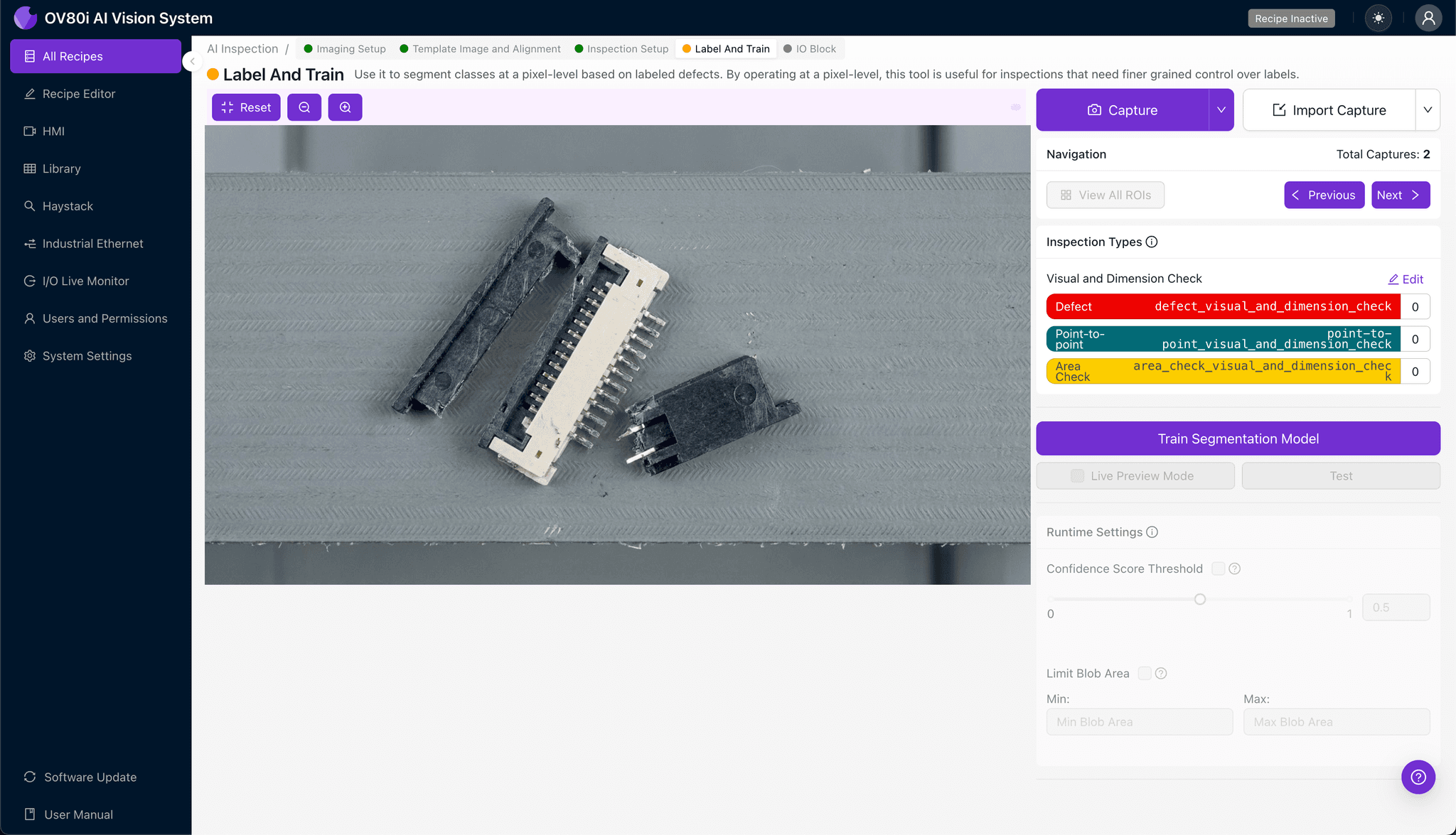
This human-in-the-loop process trains the AI to distinguish acceptable parts from defective ones. Review captured images and label each as Good (intact lever, no visible damage) or Bad (snapped, cracked, or misaligned lever).
Include representative samples across the full range of lighting conditions, part orientations, and connector variants you'll encounter in production. Critically, incorporate known failure modes—partial cracks, stress fractures, and completely snapped levers—so the model learns to catch every defect type.
Step 5: Creating Rules
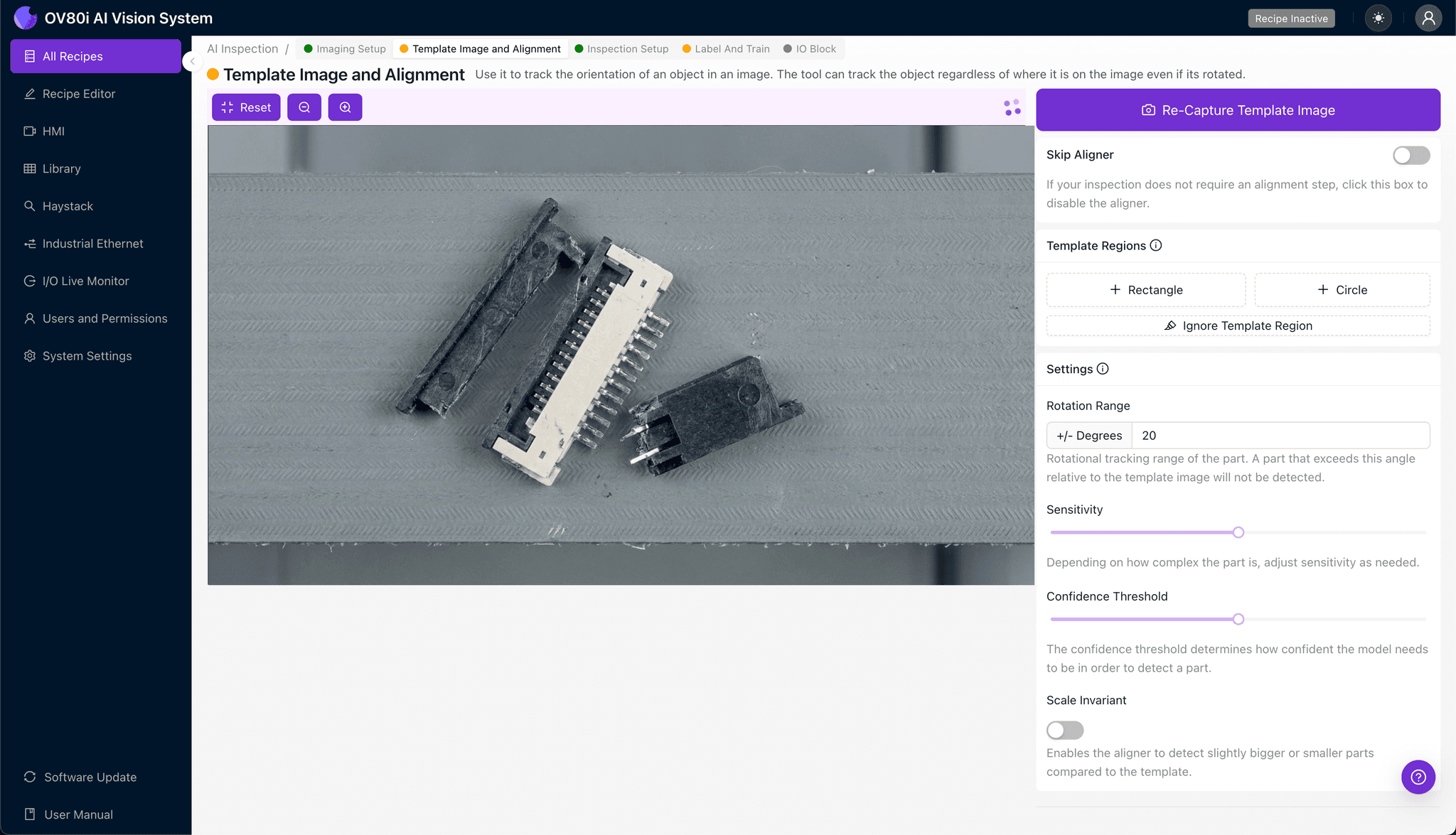
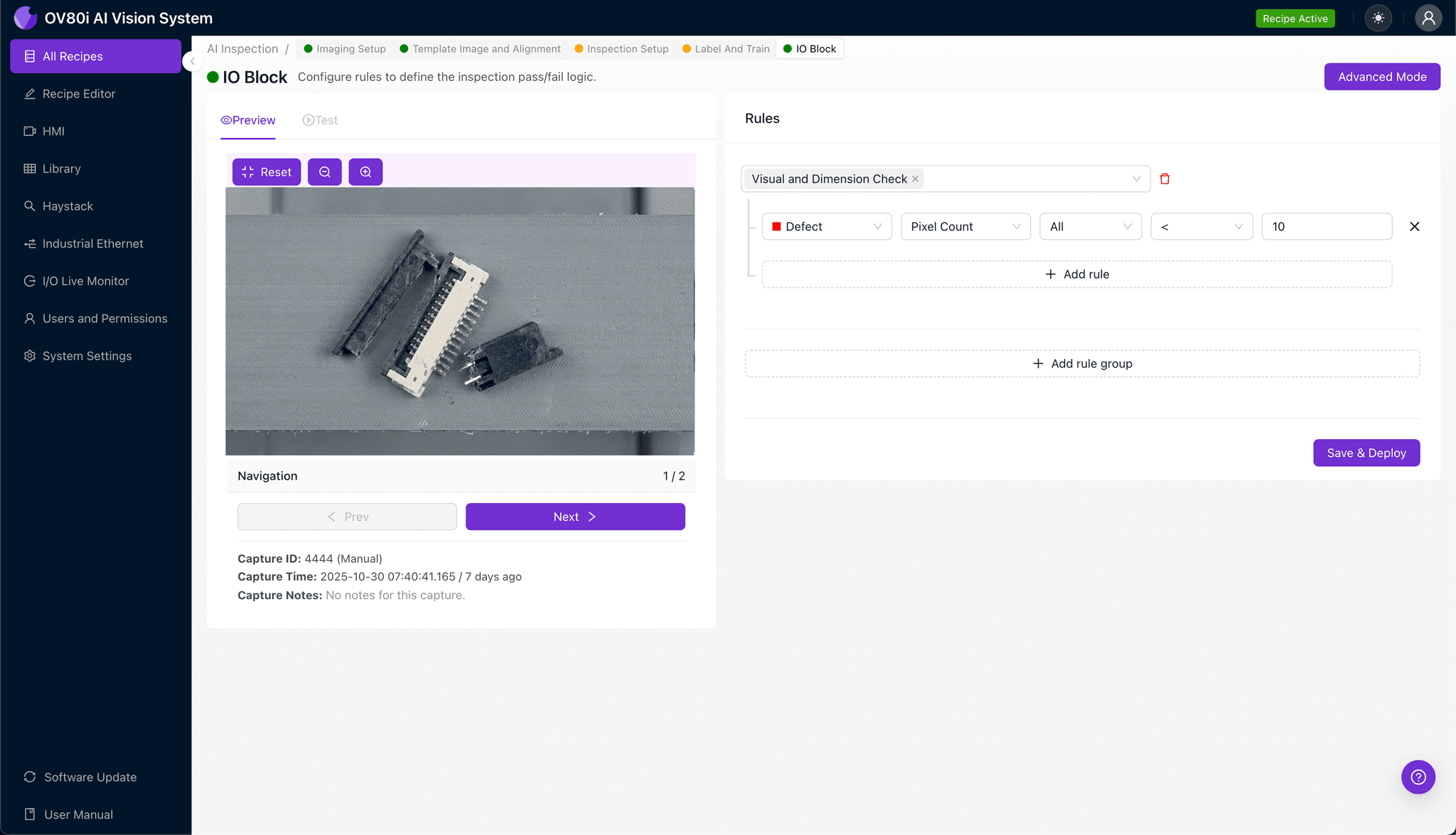
Navigate to the Rules configuration to set pass/fail logic based on your defined Inspection Types. For example, flag any part as "Fail" if the "Actuator_Lever_Integrity" score falls below your confidence threshold.
These rules gate automated acceptance on the line, ensuring defective ZIF connectors are diverted before they reach downstream assembly or final packaging.
Key Outcomes & ROI
Implementing AI-powered inspection for ZIF connector actuator lever defects delivers measurable business impact:
- Reduced scrap and rework — Catch defects at the source before they propagate through assembly, cutting waste by up to 40%
- Higher throughput — Inspect 100% of parts at line speed without adding manual inspection stations or slowing production
- Compliance and traceability — Automatically log images and inspection results for every part, supporting ISO and customer audit requirements
- Process improvement insights — Identify defect trends and correlate them with upstream variables (shift, machine, supplier lot) to address root causes
Start Detecting What Human Eyes Miss
Snapped actuator levers represent exactly the type of subtle, high-impact defect that slips past manual inspection. Deploy Overview.ai to protect product quality and customer trust.