
Manufacturing inspection comparison
Overview AI vs Roboflow
Put the inspection in your quality team’s hands.
Compare OV80i for demanding AI inspection, Spark for compact assisted setup, and OV20i for compact classification and segmentation. Give your quality team a camera workflow it can set up, run, and improve.
Why choose Overview for your production line?
Choose Overview when your priority is a production inspection your quality team can configure, run, and improve in one product workflow.
What that looks like on the line
For a connector assembly station, build the required checks, map the result to the PLC, and review failed parts with the production team. Overview keeps that handoff centered on the inspection rather than on assembling a general-purpose vision application.
Overview AI and Roboflow, side by side
Start with the inspection you need to run. Compare the complete configuration, including imaging, software, machine connections, and the team responsible for daily operation.
| Your decision | Overview AI | Roboflow |
|---|---|---|
| What you are buying | Overview AIA manufacturing inspection product: camera choices, AI tools, and factory connectivity built around the quality task. | RoboflowRoboflow combines dataset preparation, model training, visual Workflows, and deployment tools for custom computer vision. Its AI1 camera adds an integrated hardware option advertised through early access. |
| Camera and hardware | Overview AIOV80i offers 8.3 MP imaging and C-mount optics. Spark combines camera, lighting, and compute. OV20i offers compact 1.6 MP imaging for classification and segmentation. OV10i covers classification-focused checks. | RoboflowUse your own cameras and compute, or evaluate the integrated AI1 camera. Confirm AI1 availability and the required hardware configuration. |
| Setup and operation | Overview AITrain and review production images in a browser on OV80i and OV20i, with inspection running locally. On Spark, onboard Sparky assists with tools, recipes, operator screens, and Library questions. | RoboflowTrain through the Roboflow platform and deploy to supported edge hardware or hosted infrastructure. Visual Workflows connect models and application logic. |
| Production integration | Overview AIConnect inspection results to your PLC through the protocols supported by the selected camera. Evaluate digital I/O, APIs, and Node-RED where available, and validate the complete machine handshake. | RoboflowIndustrial integrations are available, including an Enterprise OPC UA Writer block. Plan the required subscription, services, and configuration for your station. |
Compare the complete price
Overview publishes OV10i, OV20i, and OV80i camera prices of $4,450, $9,450, and $13,450; Spark and OVX are quoted by configuration. Roboflow currently lists Core from $39 per month with usage credits, plus custom Enterprise pricing. Industrial deployment features and hardware need to be scoped with the appropriate plan. Compare the complete working station and ongoing costs, rather than a camera price against a starting software subscription.
Product information reviewed October 30, 2026. Features and availability depend on the selected product and configuration. Manufacturer references appear below.
Choose the Overview system for your inspection
Start with the smallest detail you must see, the full field of view, and the result your machine needs. Start with OV80i, Spark, or OV20i, then match the camera, lens, lighting, and inspection tools to the job.
Demanding AI inspection
OV80i
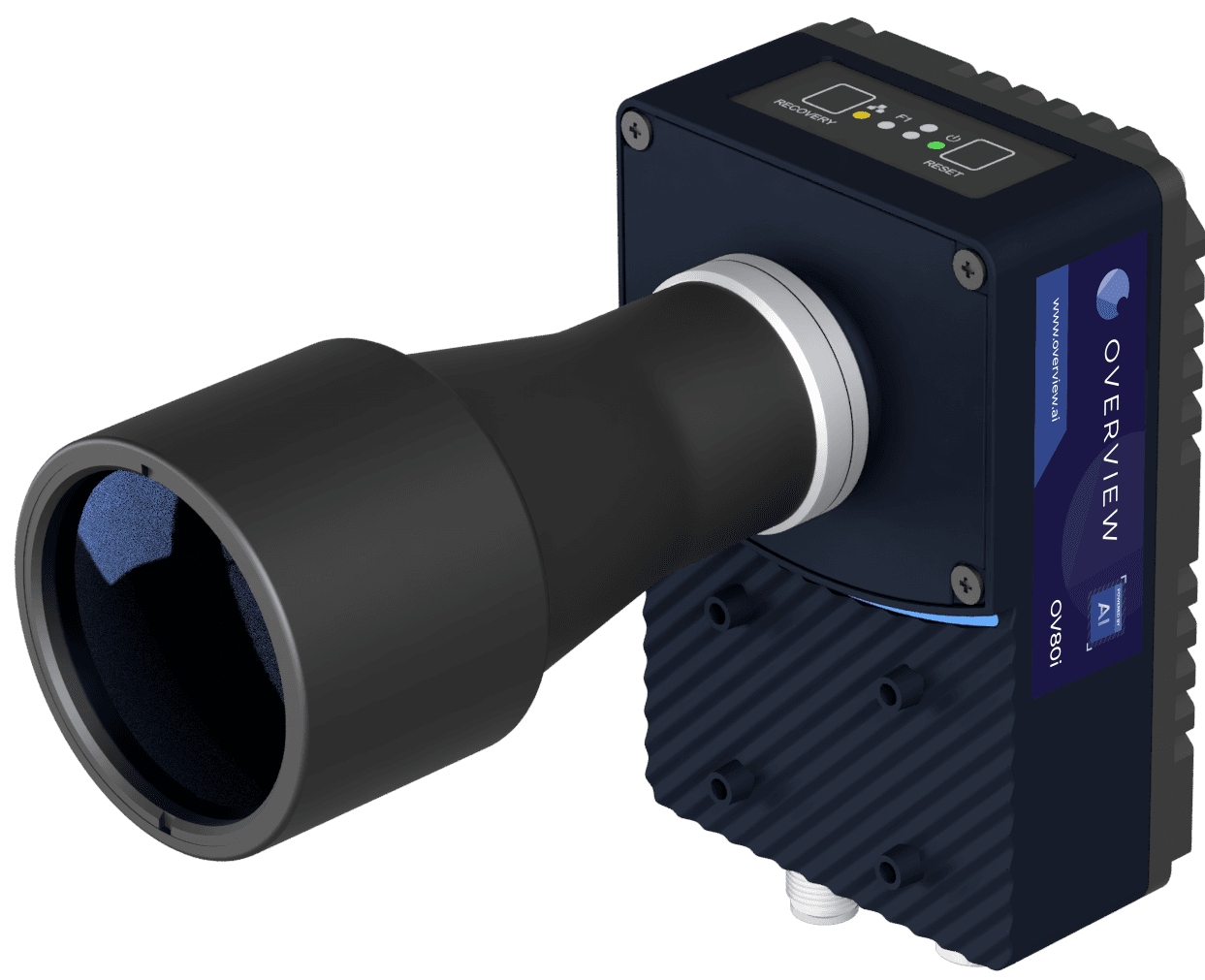
Choose OV80i for detailed surface and assembly inspections. Its 8.3 MP sensor, onboard NVIDIA GPU, C-mount optics, and flexible lighting options help you resolve the feature that matters. Train, label, test, and review stored production images on the camera through the browser.
Explore OV80i →Compact smart cameras
OV Spark and Spark Pro
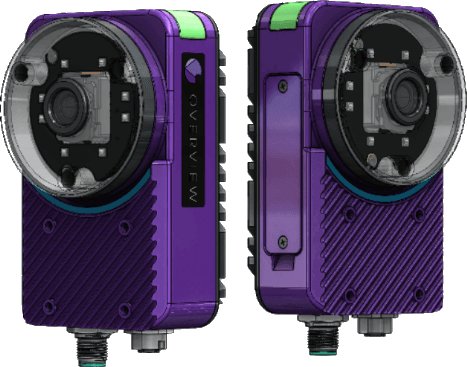
Choose 1.2 MP Spark or 5 MP Spark Pro. Combine ten AI and rule-based tools for checks such as text, counts, dimensions, and part position. Sparky helps choose tools, build recipes, create operator screens, and answer Library questions.
Production inspection and onboard Sparky run on the camera. No software key or subscription is required. Spark has IP66 protection with the standard 6 mm lens. Optional Defect Studio uses the cloud to generate training images.
Explore Spark and Spark Pro →Compact AI classification and segmentation
OV20i

Choose OV20i when you need classification and segmentation in a compact, all-in-one camera. Its 1.6 MP sensor, integrated lighting, onboard training, and production image storage support inspection and model improvement at the station.
Explore OV20i →Additional inspection options
OV10i is the classification-focused option for straightforward pass/fail checks. When the main camera lineup does not fit the imaging requirement, OVX extends our capabilities with high-resolution, thermal, and customer-provided GigE Vision camera configurations.
Prove the inspection on your own parts
Bring representative good parts, known defects, and the line’s production requirements. We will help you evaluate image quality, missed defects, false rejects, changeover, and the full trigger-to-result cycle. See how the operator reviews a failed check and how your team validates an update before it reaches production.
Talk to a vision engineer →Common questions about Overview and Roboflow
- Does Roboflow offer cameras and PLC integrations?
- Yes. Roboflow advertises the AI1 integrated camera through early access and supports industrial Workflow integrations, including an Enterprise OPC UA block. The Overview advantage is the packaged inspection workflow, on-device setup and production operation, and a product line selected around the imaging task.
- Which Overview camera fits my inspection?
- Choose OV80i for 8.3 MP imaging, C-mount optics, and demanding AI inspections; Spark or Spark Pro for compact, Sparky-assisted recipes; and OV20i for compact classification and segmentation. OV10i covers classification-focused checks. If those cameras do not fit the imaging requirement, discuss specialized or customer-camera configurations through OVX.
- Does Overview require a cloud connection to inspect parts?
- Production inspection runs locally. Onboard Sparky also runs on the Spark camera. Optional Defect Studio uses cloud processing to generate synthetic training images; that optional preparation workflow is separate from production inspection.
See why Overview belongs on your line.
Tell us the part, the defect, and the production requirement. We will recommend the right Overview configuration and demonstrate the inspection with you.
Show us your inspection