Golden Unit with an Expired Calibration Sticker: A Complete Visual Inspection Guide
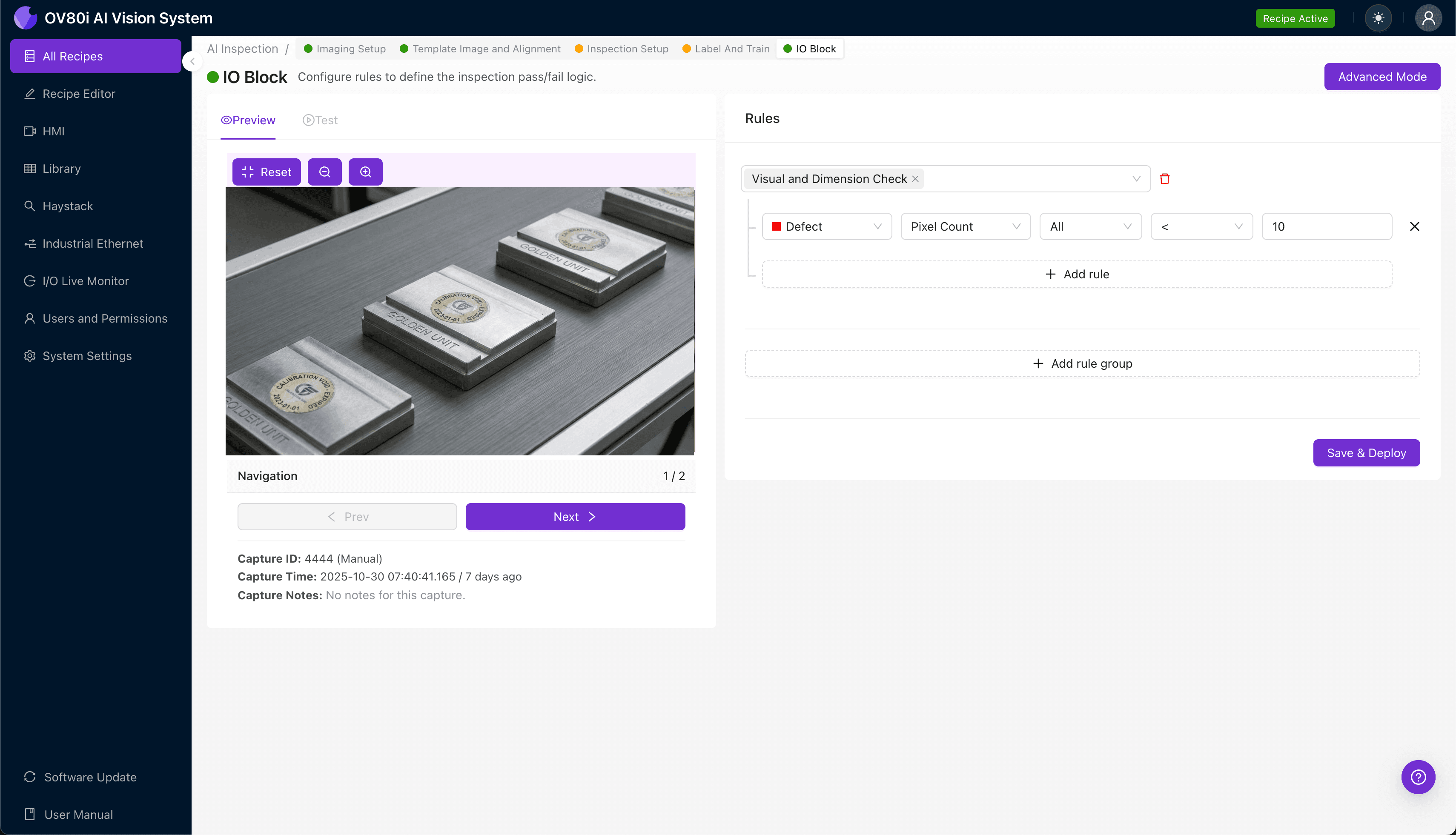
"Expired calibration stickers on golden units can invalidate entire production batches. Machine vision automates sticker verification—detecting expired dates, damaged labels, and formatting errors with pixel-level precision at line speed."
The Problem: Why Calibration Sticker Verification Matters
Golden units serve as the reference standard for production line calibration, making their validity absolutely critical to manufacturing quality. When a calibration sticker expires—or shows signs of tampering, degradation, or error—every product measured against that unit becomes suspect.
Common Defects Found in Golden Unit Calibration Stickers:
- Expired date codes – Sticker shows a calibration date beyond the valid certification window
- Faded or illegible text – UV exposure or environmental wear renders critical information unreadable
- Peeling or lifted edges – Adhesive failure indicating potential tampering or environmental damage
- Incorrect serial number formatting – Mismatched or improperly printed identification codes
- Missing certification marks – Absent regulatory logos or approval stamps required for compliance
- Color degradation – Thermal or chemical exposure causing sticker discoloration that invalidates authentication
Manual inspection of calibration stickers fails for predictable reasons. Inspectors experience fatigue during repetitive verification tasks, and subtle date format errors or slight color shifts are easily overlooked—especially across hundreds of units per shift.
The Solution: Machine Vision + Deep Learning
Machine vision systems eliminate the subjectivity and inconsistency inherent in human sticker verification. By capturing high-resolution images and applying deep learning models trained on valid versus invalid calibration stickers, manufacturers can detect expiration issues, text anomalies, and physical defects with pixel-level precision.
Overview.ai's approach delivers consistent, objective inspection at line speed—every single unit, every single time. The system doesn't get tired, doesn't rush before breaks, and maintains the same detection accuracy on unit #10,000 as it did on unit #1.
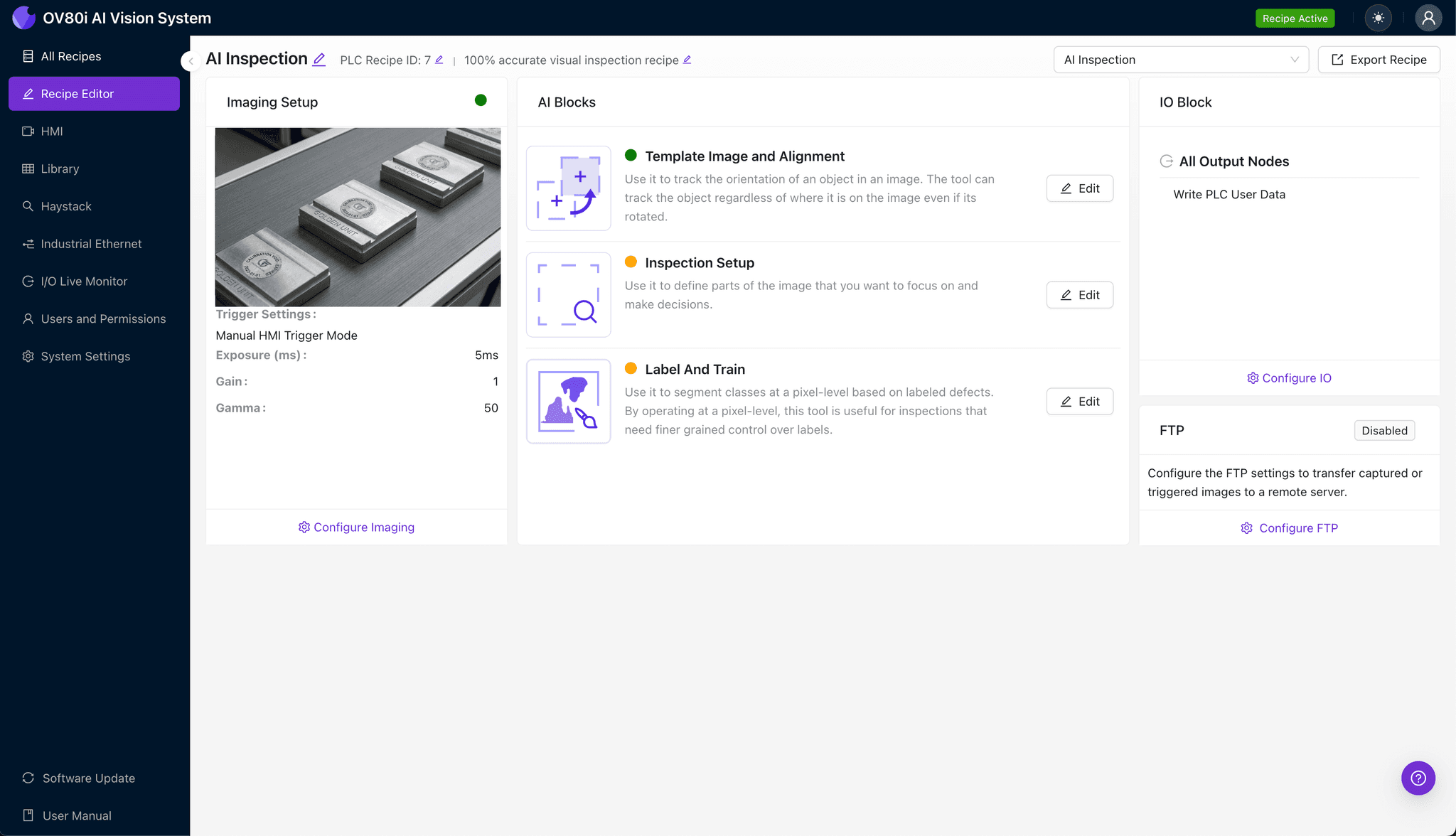
Step 1: Imaging Setup
Position the golden unit with the calibration sticker clearly visible beneath the OV80i camera. Ensure the sticker lies flat and perpendicular to the lens to avoid glare or perspective distortion.
Click "Configure Imaging" to access the Camera Settings panel. Adjust exposure to eliminate reflections from glossy sticker surfaces, and fine-tune gain to maximize contrast between printed text and the sticker background.
Click "Save" to lock in your optimized imaging parameters.
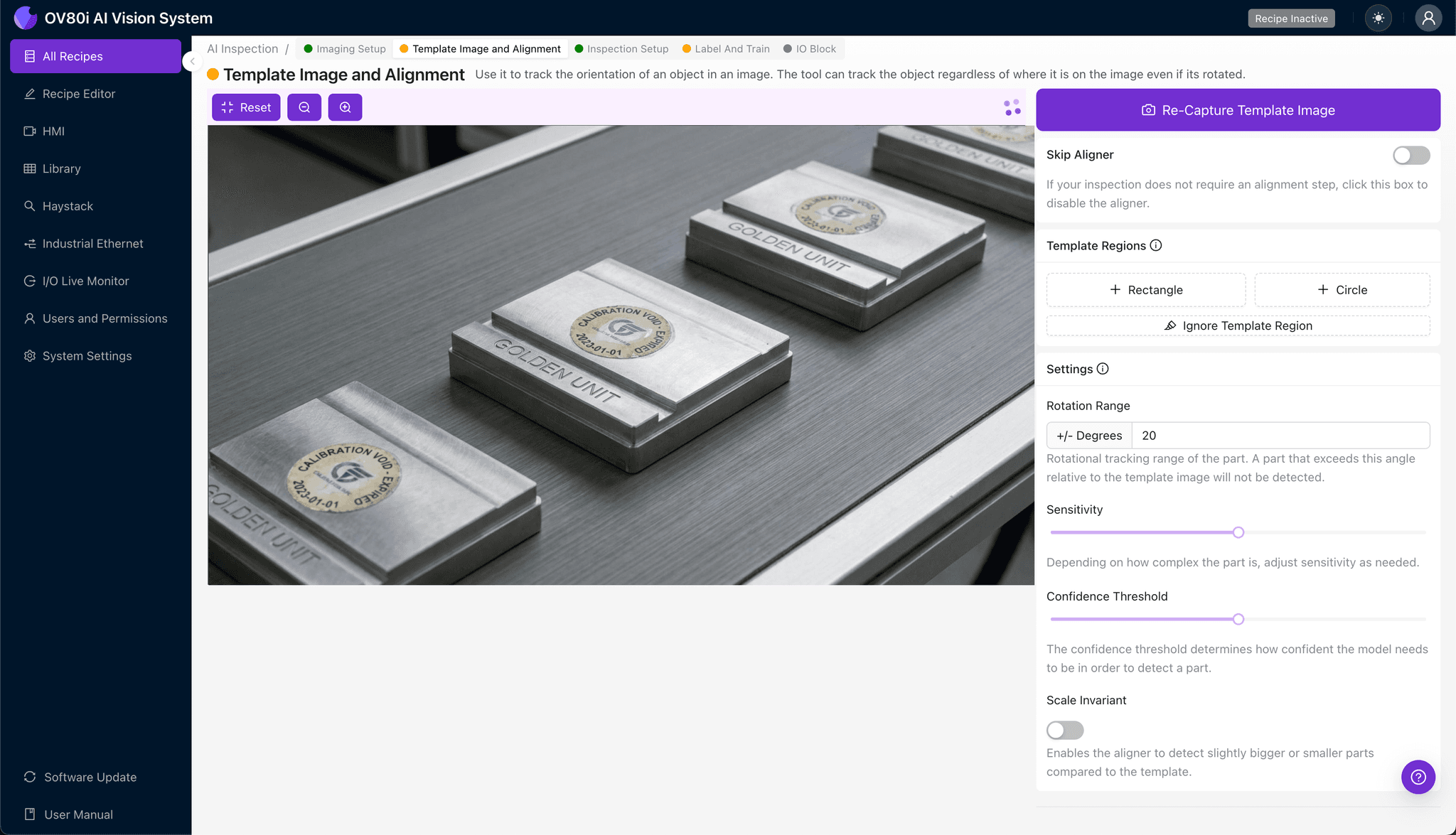
Step 2: Image Alignment
Navigate to "Template Image" within the configuration menu. Capture a Template using a known-good golden unit with a valid, clearly printed calibration sticker.
Click "+ Rectangle" to add an alignment region around the main body of the sticker—including all borders and certification marks. Set the "Rotation Range" to 20 degrees to accommodate slight positional variance as units move through the inspection station.
Step 3: Inspection Region Selection
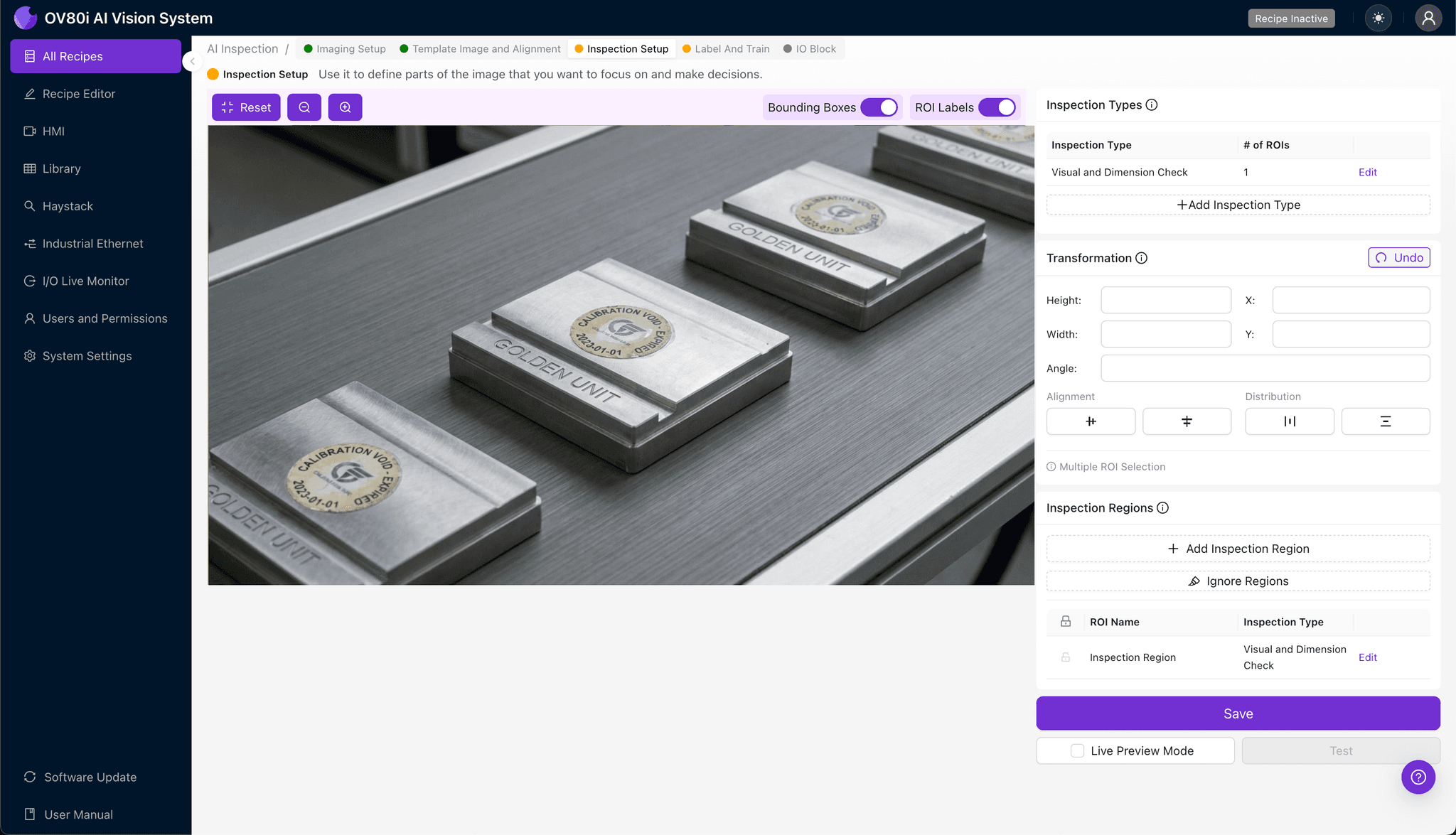
Navigate to "Inspection Setup" to define your critical detection zones. Rename your "Inspection Types" to reflect the specific verification tasks—such as "Expiration Date," "Serial Number," and "Sticker Integrity."
Click "+ Add Inspection Region" to create targeted detection areas. Resize the yellow bounding box to cover the expiration date field, certification logos, and sticker edges where peeling commonly occurs.
Click "Save" to confirm your inspection regions.
Step 4: Labeling Data
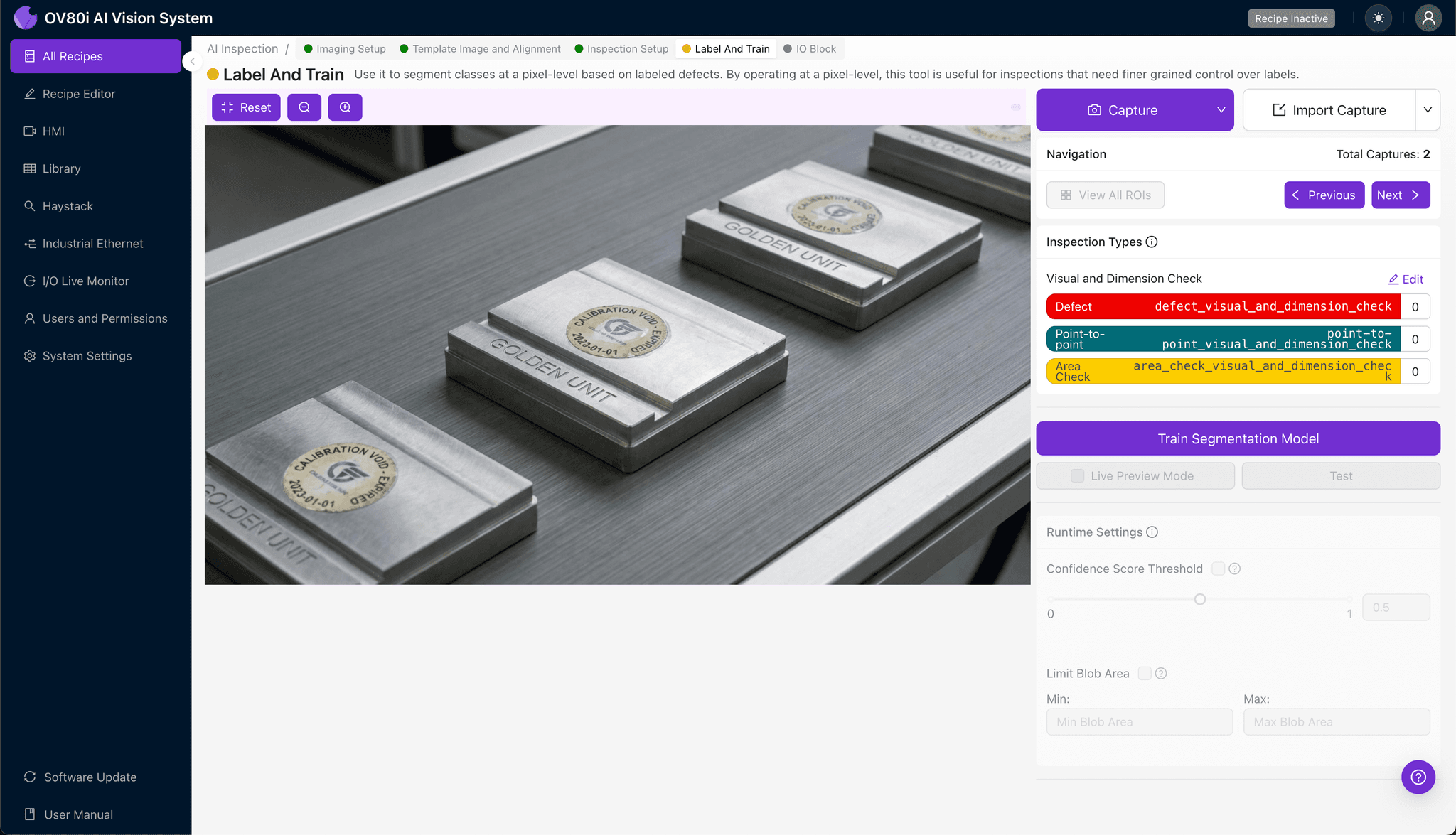
The human-in-the-loop labeling process trains the deep learning model to recognize valid versus invalid stickers. Quality engineers review captured images and categorize each as Good (valid calibration, intact sticker) or Bad (expired, damaged, or suspect).
Include representative samples across all expected failure modes: expired dates, partial text fade, edge lifting, and incorrect formatting. The more diverse your labeled dataset, the more robust your trained model becomes.
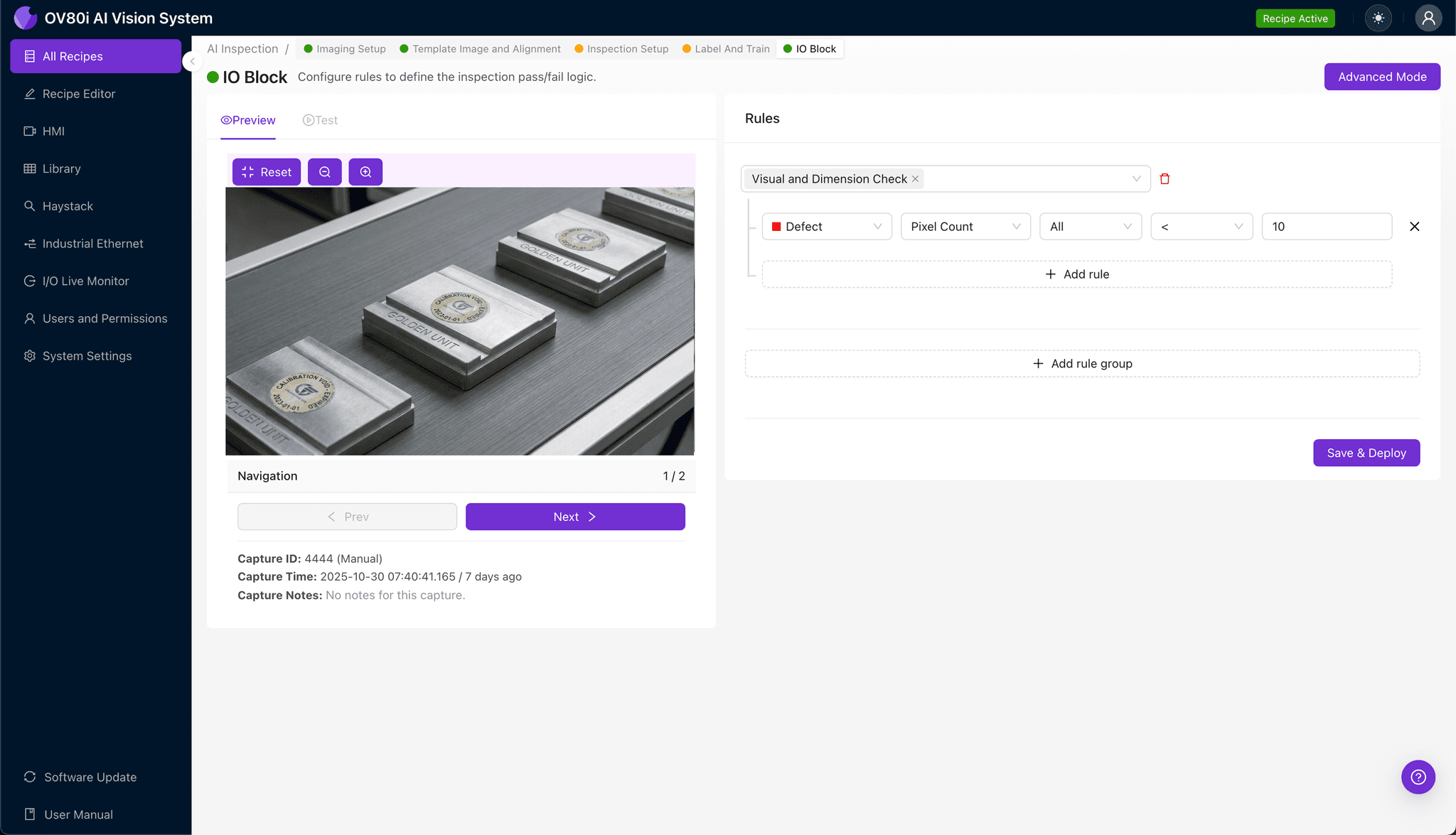
Step 5: Creating Rules
Configure pass/fail logic based on your defined Inspection Types. For example, set rules where ANY detected expiration or sticker integrity failure triggers an automatic reject.
Gate automated acceptance directly on the production line—units with flagged calibration stickers are diverted for manual review or quarantine before they can impact downstream quality measurements.
Key Outcomes & ROI
Implementing automated calibration sticker inspection delivers measurable business impact:
- Reduced Scrap – Catch expired golden units before they cause entire production batches to fall out of spec
- Higher Throughput – Verify sticker validity at line speed without manual bottlenecks or inspection queues
- Compliance & Traceability – Maintain auditable records proving every golden unit was verified within its calibration window
- Process Improvement Insights – Identify patterns in sticker degradation to optimize storage conditions or supplier quality
Conclusion
Golden unit calibration verification isn't glamorous—but it's foundational. A single expired sticker can cascade into compliance failures, customer escapes, and costly recalls.
With Overview.ai's visual inspection platform, manufacturers transform this critical checkpoint from a manual liability into an automated safeguard. Every sticker verified. Every expiration caught. Every unit documented.
Automate Your Calibration Verification
Stop relying on manual sticker inspection. Deploy Overview.ai to catch expired calibrations instantly.