
Overview AI ·
What happens to AI inspection when the internet goes down?
OV Spark runs production inspection on the camera. Understand what stays local, which optional features use the cloud, and how to test an internet outage before production.
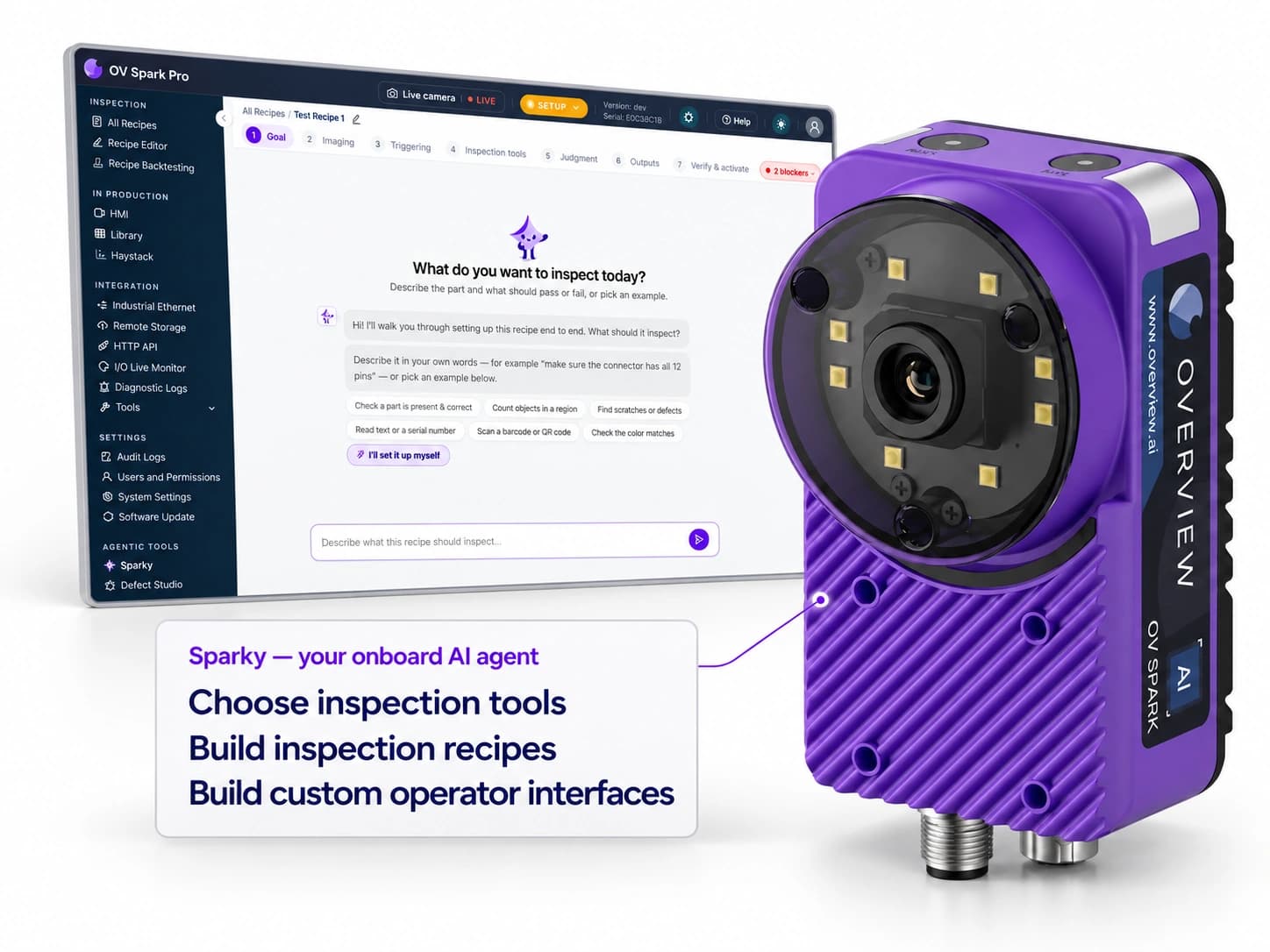
OV Spark does not need a cloud connection to make production inspection decisions. The configured inspection runs on the camera. If the internet connection drops while the camera has power and its required local controls connections remain available, the on-camera inspection can continue.
The useful question is therefore more specific than “Is this an AI camera?” Ask where each part of the workflow runs. Image acquisition, inference, operator assistance, software updates, and cross-factory reporting can have different connectivity requirements.
Separate inspection from optional cloud features
With an on-camera inspection, a production image does not have to make a round trip to an internet service for the configured tools to produce a result. That is the local inspection path. An optional cloud-assisted feature can still need external connectivity without making the inspection itself cloud-dependent.
| Task | Connectivity to plan for | What to establish |
|---|---|---|
| Production inspection on OV Spark | On-camera processing; local connections depend on the station design. | Triggering, decision timing, and result delivery work with internet access disabled. |
| Onboard Sparky assistance | Local on-camera assistance. | Which assistance functions are available in the installed version and selected mode. |
| Optional cloud intelligence | Internet access when the feature is used. | Approved outbound access and the information sent for that assistance. |
| Central image storage and analytics | A connection to the configured storage or analytics service. | Retention, collection coverage, and behavior during a connection interruption. |
| Software update | Access to obtain the update file, then local access to upload it. | The approved update procedure and a planned maintenance window. |
The Sparky product page distinguishes onboard assistance from optional cloud intelligence. For example, HMI layout generation uses cloud intelligence. Do not treat that capability as evidence that normal production inspection needs the internet, or assume every assistance feature is available offline.
Internet loss, LAN failure, and power loss are different tests
A factory can lose its internet connection while its local network continues to work. In that situation, a camera and PLC on the same functioning local network may still communicate normally. The loss affects services beyond the factory network.
Unplugging the camera’s Ethernet cable tests something else. It can remove the operator’s connection, the result path, or even power if the camera is powered through that connection. That does not isolate internet independence.
Test the actual failure you want to understand. Work with IT to block the relevant external connection while leaving the required local services intact. Work with controls engineering separately on the response to a local communications fault or missing result.
Use an outage test before accepting the station
- Record normal behavior. Run known good and defective parts through the validated recipe. Confirm the expected decision and the PLC or reject response.
- Remove internet access in a controlled test. Keep camera power, the local network, and required local integrations available.
- Repeat the part sequence. Verify capture, inspection, result delivery, and operator access. Measure the complete decision time where it matters to the process.
- Check the connected features separately. Confirm which optional assistance, remote access, image transfer, or reporting functions are unavailable.
- Reconnect and review. Inspect the retained records and confirm whether any transfers were delayed, retried, or lost. Do not assume unlimited buffering or automatic recovery.
A pass/fail result on the camera is not the whole acceptance test. The part must still be identified and handled correctly by the downstream equipment.
Give IT a data-flow description
List where images are acquired, where the inspection runs, where images and results are stored, and which optional services send information outside the device. Include the enabled cloud features rather than describing all AI activity as one undifferentiated service.
This also makes the security review more concrete. The team can approve a local production configuration and make a separate decision about optional external assistance. When cloud intelligence is enabled, the information required for that assistance leaves the device.
Plan updates without making production internet-dependent
The OV Spark software-update guide describes downloading an update file and uploading it to the camera. Obtaining a new version and running an installed production recipe are different activities.
Schedule updates, retain the validated configuration, and repeat the relevant acceptance tests after changes. For an offline installation, agree on how approved update files and support information will reach the site. That keeps the production and maintenance requirements clear from the start.
Frequently asked questions
Does OV Spark require the internet to inspect parts?
No. OV Spark runs production inspection on the camera. With power, a validated recipe, and the required local triggering and controls connections intact, loss of internet access does not remove the on-camera inspection capability.
Does every Sparky feature work offline?
No. Onboard assistance can operate locally, while optional cloud intelligence requires an internet connection. Cloud-assisted features such as HMI layout generation should be evaluated separately from production inspection.
Is an internet outage the same as losing the camera network?
No. A loss of internet access can leave the factory LAN and PLC connections intact. A local network failure can interrupt camera access, triggering, or result delivery, depending on how the station is integrated.