
 OV Turbo
Train on a dedicated GPU while cameras keep inspecting
Train inspection models on a dedicated GPU server while supported cameras keep inspecting. Follow job progress and manage the server from your browser.
What you can do with OV Turbo
Off-camera training
Run model training on dedicated GPU hardware while the camera continues its production inspection.
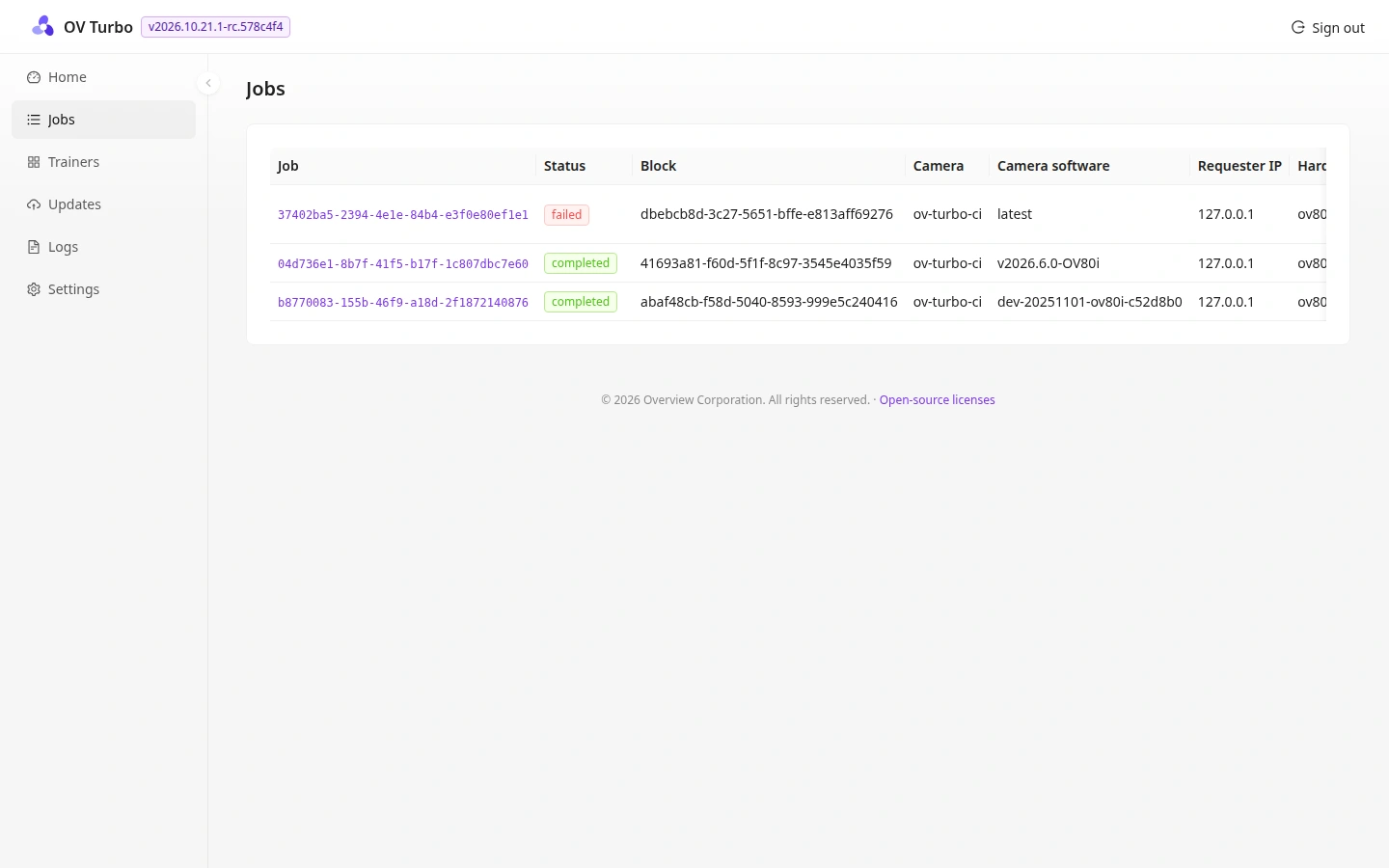
Training job history
See whether a job completed or failed and which camera and software version submitted it.
Training environment management
Manage the installed training environments used by supported camera families and software versions.
Updates and logs
Check the server’s software updates and logs from the same web interface.
How teams use OV Turbo
Send a model training job to Turbo, review its status, and test the resulting model before deployment. The production camera can continue running its active inspection while the GPU trains the next model.
See all OV Pro Tools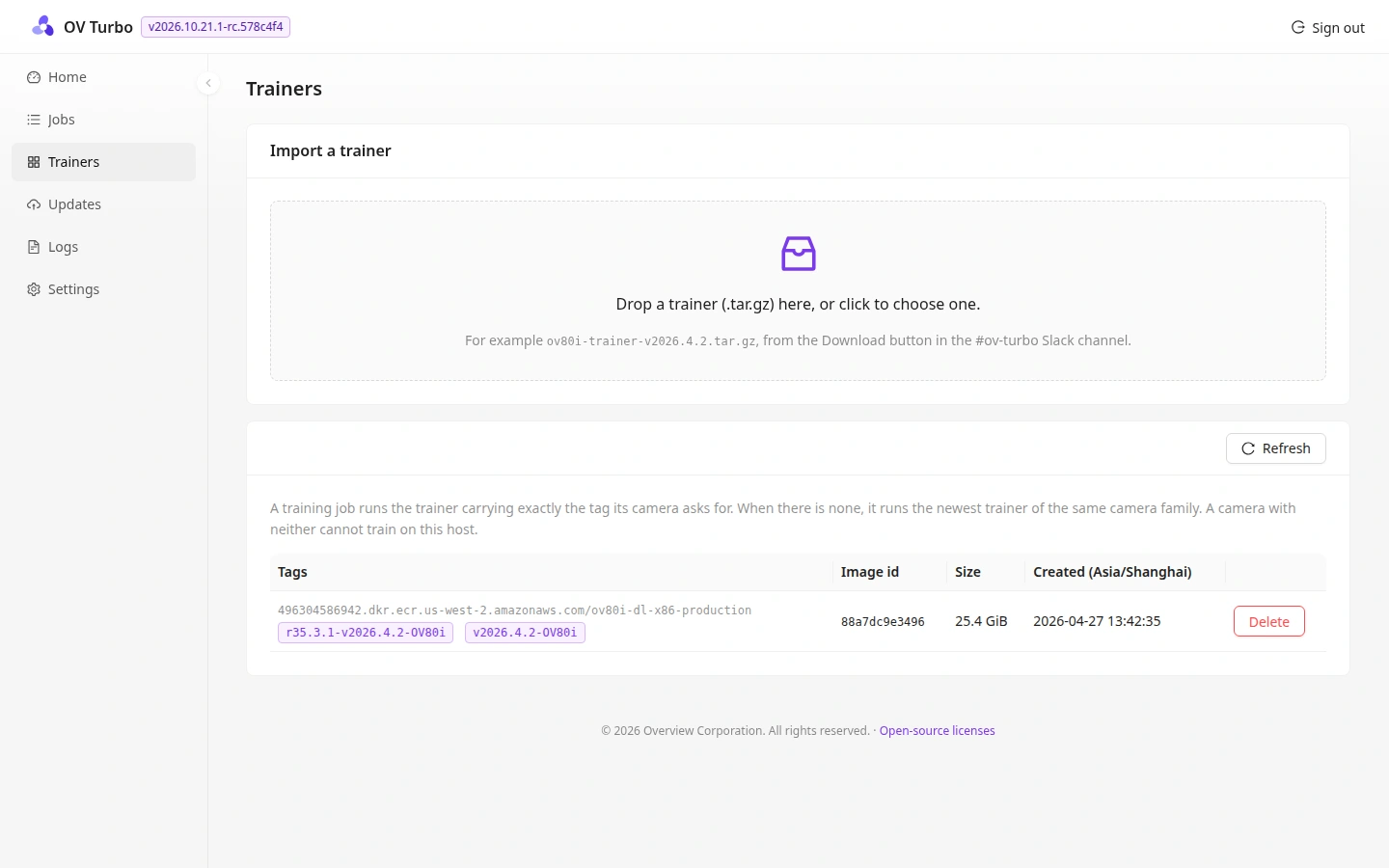
Discuss OV Turbo with our team
Tell us about your cameras, inspection workflows, and sites.