Machine vision guide
Generative AI in machine vision: where it helps
Sparky brings four focused uses of generative AI to Spark: tool selection, recipe building, HMI building, and questions about the Library. These help your team work with the inspection. Imaging, training, machine integration and validation still need to be completed for the actual station.
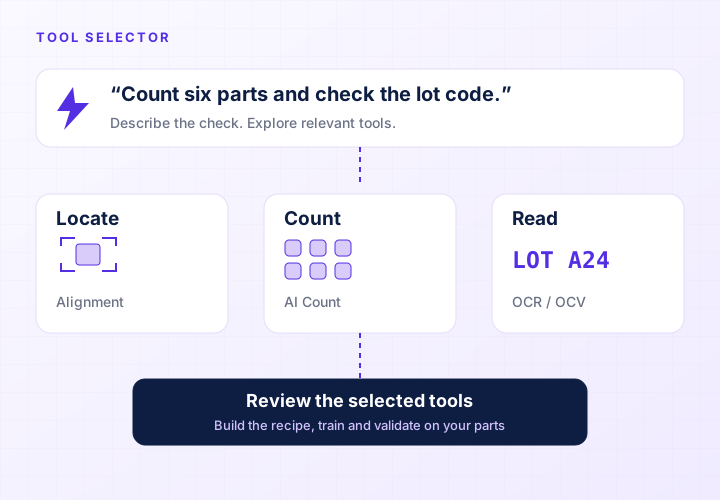
From a requirement to relevant tools
Sparky supports tool selection, recipe building, HMI building and questions about the Library. Each has an output your team can review: suggested tools, a recipe, an operator screen or information from saved captures.
For example, “check that all six cavities are filled” describes a quantity but leaves several questions open. Can the camera see every cavity? Are different component colors acceptable? Does a component partly outside a cavity count as present? Answering those questions gives Sparky and your team a more precise task.
The useful outcome is an inspection whose behavior you can test. A clear explanation of a proposed check helps the team review it, but successful configuration still depends on seeing the required feature in the captured image.
The inspection tools make the production decision
Spark uses configured inspection tools to evaluate the image and produce results. OCR reads characters, counting checks quantities, and alignment locates the part for subsequent tools. A language model can help configure and explain those operations. It does not need to make a new conversational judgment about every part passing the camera.
This division matters when you validate a station. The acceptance rule should stay clear: the expected code matches, the target count is met, or the required feature is present. Engineers can then test the tools against examples of acceptable and unacceptable product.
When someone asks why a part failed, start with the captured image and the tool result. An assistant can help interpret the available information. Its explanation should be checked against that evidence, especially when suggesting a change to a production inspection.
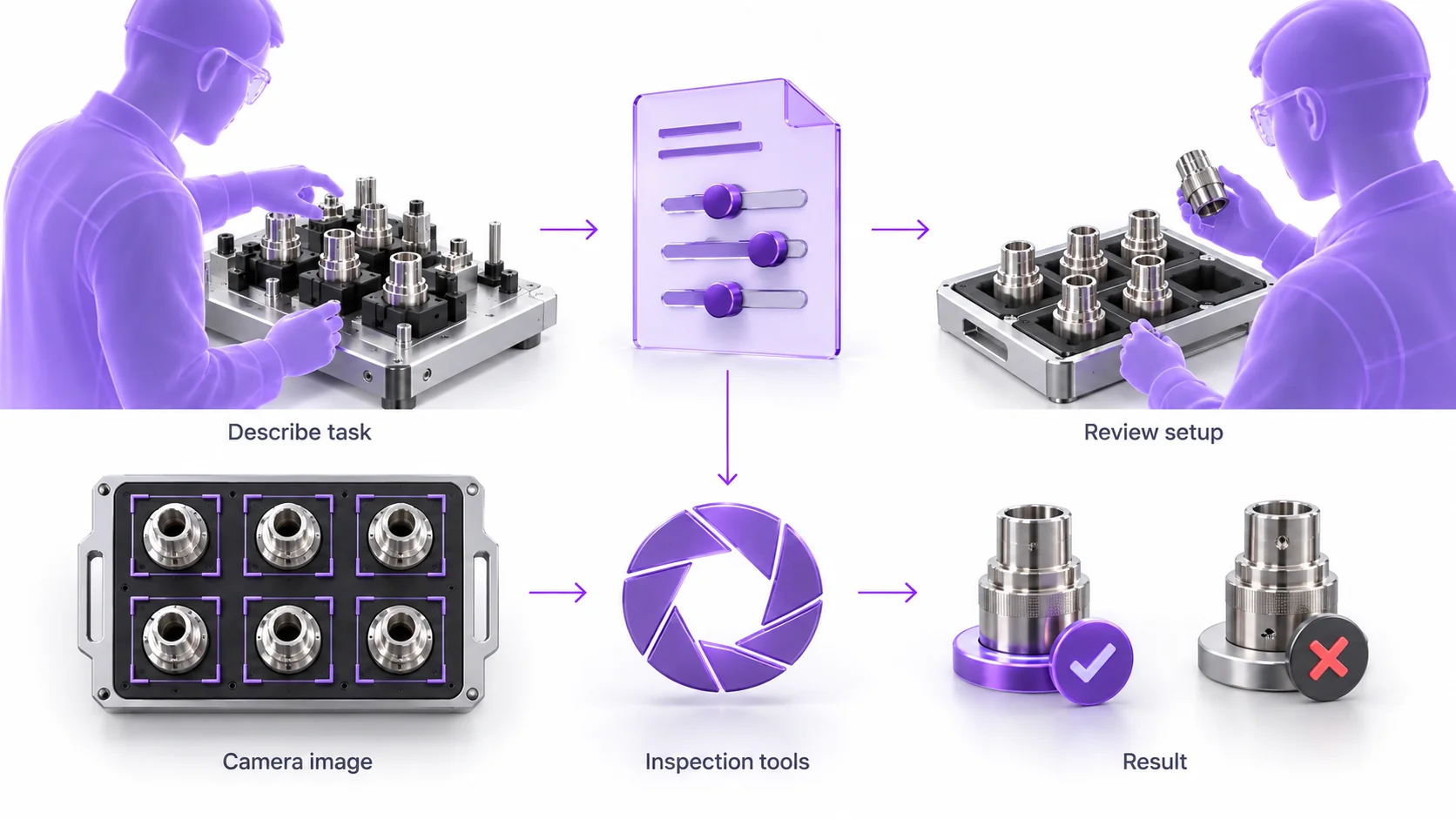
Where an assistant can save engineering effort
Tool selection helps identify the checks that suit the inspection requirement. The recipe builder helps put the inspection together. The engineer reviews the recipe and tool settings, supplies examples where needed and tests the behavior on the part.
HMI building helps create the operator view. The team checks that the displayed images, results and controls match the actual station and support the actions operators need to take.
Library questions help the team explore saved images and results. A useful answer points the investigation toward evidence; the team interprets the captures and decides what to change.
Image quality and acceptance criteria still matter
Glare that hides a printed character is an imaging problem. Adjust the viewing angle, lighting, or part presentation so the information is visible. A model cannot reliably recover a physical feature that the image does not resolve. Include motion blur and working distance in the same review.
The quality team must also define acceptable variation. A cosmetic mark may be allowed on one surface and forbidden on another. A slightly rotated part may be acceptable for assembly but unacceptable for a downstream pick. Put these distinctions into the sample set and the acceptance rules.
Test with examples that were not used during configuration or training. Include the hardest acceptable parts and the smallest relevant failures. Measure missed faults and false rejects separately. This keeps a convenient setup experience connected to the inspection performance the line needs.
Plan for assistance and improvement after deployment
Spark runs production inspection and onboard Sparky on the camera. Defect Studio is a separate cloud-based workflow for generating synthetic defect images. Review generated examples for realism and keep real production samples for validating an inspection.
Improving a trained tool means reviewing production examples, correcting labels where needed, retraining, and checking the updated model. A production image should not become a trusted training example simply because the previous model accepted it. Someone must decide whether it represents acceptable product.
For a useful GenAI demonstration, bring a real requirement and then change one part of it. Ask the team to configure the first inspection, explain a failure, and update the check for an allowed variation. You will learn how the assistant helps your staff perform the work, and where engineering judgment is still required.
Common questions
- What does generative AI do in a vision system?
- Sparky supports tool selection, recipe building, HMI building and questions about the Library. Your team remains responsible for imaging, tool configuration, training, machine integration and acceptance testing.
- Is generative AI the same as an AI inspection model?
- They perform different jobs. An inspection model evaluates the image for a defined task such as counting or classification. Sparky helps select tools, build recipes, build the HMI and explore the Library; configured inspection tools produce the production result.
- Does Spark automatically learn from every inspected part?
- Do not assume automatic retraining. Improvement involves reviewing examples, updating the training set when appropriate, retraining the tool, and validating the change before relying on it.
- Does Sparky remove the need to validate an inspection?
- No. You still need representative samples, defined acceptance criteria, and a test of the configured inspection under production conditions. Assistance with setup does not establish accuracy by itself.
See Spark inspect your parts
Bring representative parts, acceptable variation, and examples of the failures you need to catch. We will walk through a Spark inspection with your team.
Request a Spark demo